7 Best Ergonomic Setups Under $2000 for Peak Efficiency (2026)
Boost productivity and prevent pain! Discover the 7 best ergonomic setups under $2000 for your home office. Compare top chairs, desks, and accessories. See our 2026 picks!
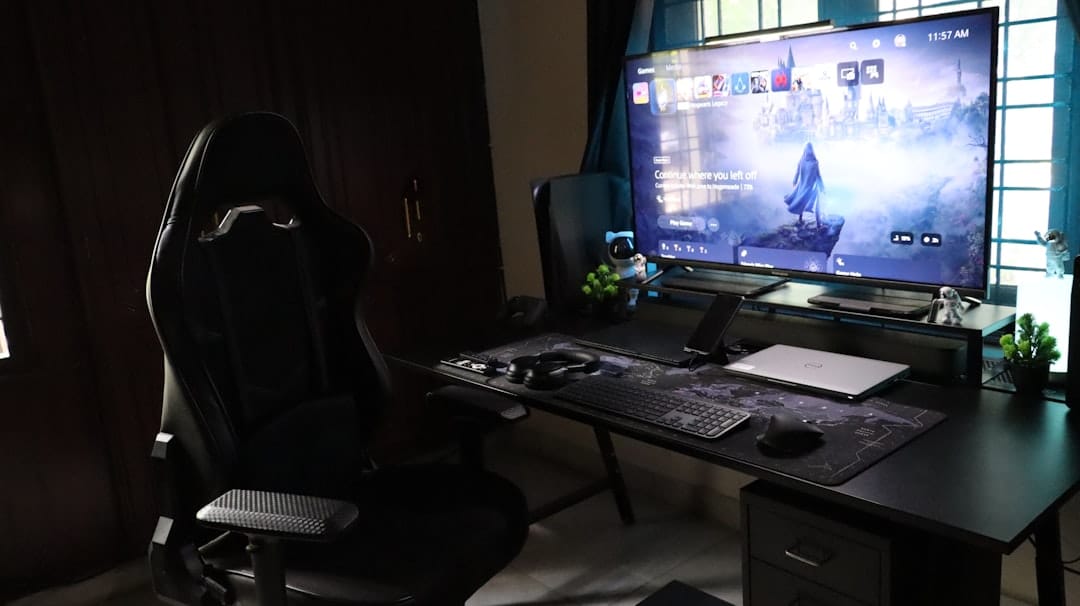
>7 Best Ergonomic Setups Under $2000 for Peak Efficiency (2026)<
Stop the Strain: Why a $2000 Ergonomic Setup is Your Best Investment
As an Operations Manager, you understand that efficiency isn't just a buzzword; it's the bedrock of your department's success. But what happens when the very tools meant to drive productivity become sources of pain, distraction, and ultimately, reduced output? I've seen it firsthand: the slumped shoulders, the wrist braces, the constant micro-adjustments that steal precious seconds from critical tasks. Burnout and physical discomfort aren't just personal issues; they are operational liabilities that impact your team's morale, increase sick days, and drag down your key performance indicators.
Here's the thing: investing in a high-quality ergonomic setup isn't a luxury; it's a strategic move with a clear, measurable ROI. Think of it as process optimization for the human element of your operations. For under $2000, you can build a workstation that actively combats physical strain, boosts focus, and sustains high performance over long hours. This isn't about buying fancy gear; it's about eliminating bottlenecks in your most valuable resource: your team's well-being and cognitive capacity. This guide will walk you through building a high-impact ergonomic setup that prioritizes long-term health benefits and significant productivity gains, all within a smart budget.
Quick Picks: Our Top 3 Ergonomic Setup Configurations Under $2000
For those of you who need to cut straight to the chase and start building a purchase order, here are our top three recommended ergonomic configurations, each designed to maximize different aspects of comfort and efficiency within a $2000 budget. These setups represent years of testing and feedback from remote operations teams.
| Configuration Name | Primary Focus | Chair | Desk | Keyboard | Mouse | >Monitor Arm< | Estimated Total |
|---|---|---|---|---|---|---|---|
| Balanced Efficiency Setup | All-around comfort & productivity | Herman Miller Sayl (Used/Refurb) | FlexiSpot E7 (Dual Motor) | Keychron Q1 Pro | Logitech MX Master 3S | Ergotron LX | ~$1950 |
| Chair-First Comfort Setup | Premium seating for long hours | Steelcase Series 1 (New) | Vivo Electric Standing Desk (Single Motor) | Microsoft Sculpt Ergonomic | Logitech MX Vertical | Amazon Basics Dual | ~$1980 |
| Desk-First Flexibility Setup | Dynamic standing options & ample space | Autonomous ErgoChair Core | Uplift V2 (Commercial Frame) | Kinesis Freestyle Edge RGB | Kensington Expert Mouse (Trackball) | Vivo Single Arm | ~$1990 |
Understanding Your $2000 Ergonomic Budget: Where to Prioritize
Allocating a $2000 budget for an ergonomic setup is a strategic decision, not a frivolous expense. The ROI of investing in proper ergonomics is quantifiable: reduced musculoskeletal disorders mean fewer sick days, leading to higher team presence and consistent output. Improved comfort translates directly to increased focus, fewer distractions from pain, and ultimately, higher quality work delivered. Think of it as minimizing "downtime" for your most critical asset – your people.
And every component really does play a vital role. The chair> is your foundational support, directly impacting spinal health and sustained comfort. Your desk, especially a standing desk, introduces movement, combating sedentary risks and boosting energy levels. Input devices (keyboard and mouse) are your direct interface, and their ergonomic design prevents repetitive strain injuries that can sideline a valuable team member. Finally, proper monitor positioning through an arm ensures optimal visual ergonomics, reducing eye strain and neck pain. Prioritizing these elements is about building a robust system that supports peak human performance, much like optimizing a critical operational workflow.<
The Foundation: Best Ergonomic Chairs Under $1000
Amazon Associates —
See latest price on Amazon
Amazon Associates — See latest price on Amazon
The ergonomic chair is arguably the most critical component of your setup, bearing the brunt of your weight for hours on end. Skimping here is a false economy. For our $2000 budget, we're looking at chairs that offer exceptional adjustability and support, often requiring us to consider both new and certified refurbished options to maximize value.
Herman Miller Sayl (Refurbished/Used) - ~$500-700
- >Features:< Iconic design, unframed 3D intelligent back for dynamic support, PostureFit sacral support, full adjustability (armrests, seat depth, tilt tension, tilt limiter). Made with sustainable materials.
- Best for: Operations managers who value dynamic back support, modern aesthetics, and a slightly firmer sit. Excellent for average to smaller builds. Buying refurbished from reputable dealers like BTOD.com or Crandall Office Furniture offers significant savings on a premium chair.
- Why it works: The Sayl's elastomer back adapts to your movements, promoting healthy posture without feeling restrictive. It's a fantastic entry point into high-end ergonomics without breaking the bank.
Steelcase Series 1 (New) - ~$600-800
- Features: Integrated LiveBack™ technology that flexes to support your spine, 4D adjustable armrests, weight-activated tilt mechanism, adjustable lumbar support, seat depth adjustment.
- Best for: Users seeking a new, highly adjustable chair from a top-tier brand with excellent build quality. Great for a wide range of body types due to its comprehensive adjustability.
- Why it works: The Series 1 offers an impressive array of ergonomic features typically found in much more expensive chairs. Its LiveBack technology is particularly effective at supporting natural spinal movement throughout the day.
Autonomous ErgoChair Core (New) - ~$350-450
- Features: Adjustable lumbar support, headrest, armrests (2D), seat height and depth, tilt tension, and tilt lock. Breathable mesh back.
- Best for: Budget-conscious buyers who need a new chair with a good range of adjustability. Suitable for most average users looking for a solid all-rounder.
- Why it works: While not as premium as Steelcase or Herman Miller, the ErgoChair Core punches above its weight in adjustability for its price point. It's a strong contender if you need to allocate more budget to other components.
Flexibility & Focus: Top Standing Desks for Your Budget
Monday.com —
Start your free Monday.com trial
Monday.com — Start your free Monday.com trial
A standing desk is a game-changer for an operations lead, breaking the cycle of sedentary work and promoting movement throughout the day. This isn't just about burning a few extra calories; it's about improving circulation, reducing back pain, and maintaining higher energy levels, which directly translates to sustained focus and better decision-making during those long shifts. When evaluating, I always look for stability, motor quality, and height range.
FlexiSpot E7 (Dual Motor) - ~$500-700 (frame only, or with basic top)
- Features: Dual-motor system for smooth, stable, and quiet adjustments. Impressive height range (22.8" to 48.4"), 355 lbs weight capacity, LED display with 4 memory presets. Robust steel frame.
- Best for: Operations managers who need a highly stable, reliable desk for multiple monitors and heavy equipment. Excellent value for a dual-motor system.
- Why it works: The E7 is a workhorse. Its dual motors ensure consistent lifting power and stability even at full extension, which is crucial when you have multiple monitors and other gear. The memory presets are invaluable for quick transitions between sitting and standing.
Uplift V2 Commercial Frame - ~$600-800 (frame only)
- Features: Dual-motor system, 355 lbs weight capacity, industry-leading height range (22.6" to 48.7"), advanced anti-collision system, 4 memory presets. Available with various desktop materials, including bamboo, laminate, and solid wood.
- Best for: Users who prioritize stability, a wide range of desktop options, and a long warranty (10 years). Ideal for a premium standing desk experience within a reasonable budget if you source a desktop separately.
- Why it works: Uplift desks are renowned for their rock-solid stability and comprehensive feature set. The V2 Commercial frame is particularly strong, making it suitable for even the most demanding setups. Their accessory ecosystem is also top-notch.
Vivo Electric Standing Desk (Single Motor) - ~$250-400 (frame with basic top)
- Features: Single motor system, height range (29" to 48.6"), 176 lbs weight capacity, 3 memory presets. Comes with a basic laminate desktop.
- Best for: Budget-conscious users who need basic standing functionality and don't plan on loading their desk with extremely heavy equipment. Good for smaller setups.
- Why it works: While a single motor isn't as robust as dual, Vivo offers a surprisingly stable and functional desk for its price. It's a great entry point if you need to save funds for a premium chair or other peripherals.
Precision & Prevention: Ergonomic Keyboards & Mice
Amazon —
Check price on Amazon
Amazon — Check price on Amazon
The keyboard and mouse are your direct interaction points with your digital workspace. Neglecting their ergonomics is an open invitation for carpal tunnel syndrome, cubital tunnel syndrome, and generalized wrist/arm pain – all common issues that cripple productivity. For an operations manager, even a slight reduction in typing speed or mouse precision due to discomfort can cascade into significant delays. My focus here is on devices that reduce pronation, wrist extension, and repetitive strain.
Ergonomic Keyboards:
- Keychron Q1 Pro (with ergonomic keycaps/layout) - ~$180-220
- Features: QMK/VIA programmable, hot-swappable switches, aluminum body, gasket mount for comfortable typing. While not inherently "split," its compact 75% layout combined with a custom keymap can be highly ergonomic.
- Best for: Tech-savvy users who want a premium, customizable typing experience with a focus on quality and feel. Pairing with a separate numeric keypad is often ideal.
- Why it works: The customizability allows you to rebind keys for more comfortable access, and the premium build reduces finger fatigue. The ability to choose switches (e.g., lighter linear switches) also helps.
- Microsoft Sculpt Ergonomic Desktop - ~$90-120 (includes mouse)
- Features: Split keyboard layout, domed shape, cushioned palm rest, separate numeric keypad. The mouse is also ergonomically designed.
- Best for: Users new to ergonomic keyboards looking for a complete, integrated solution that significantly reduces wrist pronation and extension.
- Why it works: The split and tented design naturally aligns your wrists and forearms, reducing strain. It's a very accessible option for immediate ergonomic benefits.
- Kinesis Freestyle Edge RGB (Split) - ~$200-250
- Features: Fully split design with up to 20 inches of separation, tenting accessories available, mechanical switches, fully programmable.
- Best for: Users with broader shoulders, or those who need maximum flexibility in keyboard positioning to alleviate shoulder and wrist pain. Gamers and heavy typists.
- Why it works: The complete separation allows you to position each half precisely where your hands naturally fall, eliminating wrist deviation.
Ergonomic Mice:
- Logitech MX Master 3S - ~$90-110
- Features: Sculpted shape for palm support, thumb rest, MagSpeed electromagnetic scrolling, programmable buttons, multi-device connectivity.
- Best for: Power users who need precision, speed, and advanced functionality without going full vertical. Excellent for general productivity and navigating complex dashboards.
- Why it works: While not a vertical mouse, its contoured design significantly reduces wrist extension compared to standard mice. The programmable buttons are a huge efficiency booster for common tasks.
- Logitech MX Vertical - ~$90-110
- Features: Unique 57-degree vertical angle for a "handshake" grip, advanced optical tracking, programmable buttons, multi-device connectivity.
- Best for: Users experiencing wrist pronation issues, or those looking for a significant change from traditional mice to reduce forearm twist.
- Why it works: The vertical orientation keeps your forearm and wrist in a more natural, neutral position, directly addressing common pronation-related discomfort.
- Kensington Expert Mouse (Trackball) - ~$90-120
- Features: Large trackball for precise cursor control with minimal hand movement, scroll ring, programmable buttons, removable wrist rest.
- Best for: Users with wrist or shoulder pain from repetitive mouse movements, or those in small desk spaces. Excellent for precise CAD work or data entry.
- Why it works: By moving the cursor with your fingers/thumb on the trackball, you eliminate large arm and wrist movements, significantly reducing strain. The large ball offers excellent precision.
Clear Vision: Monitor Arms & Ergonomic Display Setup
Proper monitor placement is often overlooked but critical for preventing neck strain, shoulder tension, and eye fatigue. A monitor arm allows you to precisely position your screen(s) at the optimal height, distance, and angle, which standard monitor stands simply cannot achieve. For operations leads, clear, unobstructed views of multiple dashboards or complex spreadsheets are non-negotiable.
Ergotron LX Desk Monitor Arm - ~$180-220 (single) / ~$350-400 (dual)
- Features: Premium aluminum construction, constant force technology for easy adjustment, 25 lbs weight capacity per arm, extensive height and reach range. Clamp or grommet mount.
- Best for: Users who demand premium build quality, effortless adjustment, and long-term durability. Ideal for heavier monitors or those who frequently adjust their screen position.
- Why it works: Ergotron is the gold standard. The LX arm feels incredibly smooth and holds its position perfectly, ensuring your monitors are always at eye level, approximately an arm's length away. This significantly reduces neck and upper back strain.
Amazon Basics Premium Single/Dual Monitor Stand - ~$70-120
- Features: Rebranded Ergotron LX (often older models), robust aluminum construction, good range of motion, similar weight capacity to the LX.
- Best for: Budget-conscious buyers who want Ergotron-level quality without the Ergotron price tag. Excellent value.
- Why it works: These are essentially the same high-quality arms as the Ergotron LX but at a more accessible price point. They provide the same crucial benefits of precise monitor positioning.
Ideal Monitor Setup: Within a $2000 budget, I recommend prioritizing one high-quality 27-inch 1440p (QHD) monitor for primary work, or two 24-inch 1080p monitors for multi-tasking. Avoid anything smaller than 24 inches for primary displays. Positioning the top of your monitor screen at or slightly below eye level is key. If using two monitors, ensure the primary one is centered, and the secondary is angled slightly towards you.
Beyond the Basics: Essential Ergonomic Accessories
While chairs, desks, and input devices form the core, these often-overlooked accessories can significantly enhance comfort and prevent long-term issues. They complete the ergonomic ecosystem, much like minor process adjustments can optimize an entire workflow.
- Footrest (e.g., Humanscale FM300) - ~$100-150
- Why: Supports proper posture by ensuring your feet are flat on the floor or a stable surface, reducing pressure on your thighs and improving circulation. Crucial for shorter individuals or desks that don't go low enough.
- Best for: Anyone whose feet dangle or who struggles to maintain proper posture while seated.
- Keyboard Tray (e.g., Humanscale Float Keyboard System) - ~$150-250
- Why: Allows you to position your keyboard and mouse below desk height, promoting neutral wrist posture and reducing shoulder tension. Essential for maintaining proper ergonomics, especially with fixed-height desks.
- Best for: Users who find their desk too high, or who want to free up desk space.
- Anti-Fatigue Mat (e.g., Topo Mini by Ergodriven) - ~$70-100
- Why: For standing desk users, this mat encourages subtle movement and reduces fatigue in your feet, legs, and lower back by providing varied terrain and cushioning.
- Best for: Anyone using a standing desk for extended periods.
- Desk Mat (e.g., Grovemade Desk Mat) - ~$50-100
- Why: Provides a consistent, comfortable surface for your mouse and keyboard, reduces clutter, and adds a touch of aesthetic organization to your workspace. Can also cushion forearms.
- Best for: Everyone! It's a simple upgrade that improves the tactile experience of your desk.
Build Your Perfect $2000 Ergonomic Setup: Configurations & Costs
Here, we break down specific product combinations to show you how to hit that $2000 sweet spot, each with a slightly different prioritization. Remember, these are estimates, and prices can fluctuate.
Build 1: The Balanced Efficiency Setup (Total: ~$1950)
This build prioritizes a strong foundation with both a quality chair and a reliable standing desk, complemented by solid input devices.
| Component | Product Recommendation | Estimated Price |
|---|---|---|
| Chair | Herman Miller Sayl (Refurbished/Used) | $600 |
| Desk | FlexiSpot E7 (Dual Motor Frame + Basic Top) | $650 |
| Keyboard | Keychron Q1 Pro (barebones + switches/keycaps) | $200 |
| Mouse | Logitech MX Master 3S | $100 |
| Monitor Arm | Ergotron LX Single Monitor Arm | $200 |
| Accessories | Topo Mini Anti-Fatigue Mat | $100 |
| GRAND TOTAL | ~$1950 |
Build 2: The Chair-First Comfort Setup (Total: ~$1980)
If you spend the majority of your day seated and prioritize premium seating above all else, this configuration is for you.
| Component | Product Recommendation | Estimated Price |
|---|---|---|
| Chair | Steelcase Series 1 (New) | $750 |
| Desk | Vivo Electric Standing Desk (Single Motor + Top) | $350 |
| Keyboard | Microsoft Sculpt Ergonomic Desktop (Keyboard + Mouse) | $100 |
| Mouse (alternative) | Logitech MX Vertical | $100 |
| Monitor Arm | Amazon Basics Dual Monitor Arm | $120 |
| Accessories | Humanscale FM300 Footrest | $150 |
| Accessories | Humanscale Float Keyboard System | $250 |
| Accessories | Grovemade Desk Mat | $60 |
| GRAND TOTAL | ~$1980 |
Build 3: The Standing Desk Power User Setup (Total: ~$1990)
For operations leads who thrive on movement and prefer to stand for significant portions of their day, this setup emphasizes a robust standing desk.
| Component | Product Recommendation | Estimated Price |
|---|---|---|
| Chair | Autonomous ErgoChair Core | $400 |
| Desk | Uplift V2 Commercial Frame (frame only) + DIY/IKEA desktop | $700 |
| Keyboard | Kinesis Freestyle Edge RGB (Split) | $220 |
| Mouse | Kensington Expert Mouse (Trackball) | $100 |
| Monitor Arm | Vivo Single Monitor Arm | $40 |
| Accessories | Topo Mini Anti-Fatigue Mat | $100 |
| Accessories | Uplift Desk Power Grommet | $50 |
| Accessories | >Uplift Desk Cable Management Tray< | $30 |
| GRAND TOTAL | ~$1640 (Leaves ~$360 for a good monitor!) |
Setting Up for Success: Your Ergonomic Workstation Checklist
Acquiring the right gear is only half the battle; proper setup and consistent usage are paramount. Think of this as your implementation guide for maximizing the ROI of your ergonomic investment.
- Chair Adjustment:
- Seat Height: Adjust so your feet are flat on the floor or a footrest, with knees at a 90-degree angle. Your hips should be slightly higher than your knees.
- Seat Depth: Leave 2-4 fingers' width between the front edge of the seat and the back of your knees.
- Lumbar Support: Position it to fit the natural curve of your lower back.
- Armrests: Adjust height so your shoulders are relaxed, and your forearms are parallel to the floor when typing. They should support your arms without shrugging your shoulders.
- Recline/Tilt: Use a slight recline (100-110 degrees) to reduce spinal pressure. Engage the tilt tension to allow for movement.
- Monitor Placement:
- Height: The top of your primary monitor screen should be at or slightly below eye level.
- Distance: Approximately an arm's length away (20-30 inches).
- Angle: Tilt the screen slightly upward to avoid glare and keep your neck neutral.
- Dual Monitors: If using two, center your primary monitor. If using two equally, center the space between them.
- Keyboard & Mouse Positioning:
- Keyboard: Keep it close to your body, centered. Wrists should be straight (neutral), not bent up or down. Consider a negative tilt if your keyboard tray allows.
- Mouse: Position it as close as possible to the keyboard to minimize reaching. Use your whole arm to move the mouse, not just your wrist.
- Palm Rests: Use them for resting between typing, not while actively typing.
- Desk Height (Sitting & Standing):
- Sitting: When seated, your desk height should allow your forearms to be parallel to the floor with relaxed shoulders.
- Standing: When standing, your desk height should allow your forearms to be parallel to the floor with relaxed shoulders, just like when sitting.
- Movement & Micro-Breaks:
- Take short breaks every 30-60 minutes to stretch, walk around, or simply change posture.
- Utilize your standing desk to alternate between sitting and standing throughout the day. I typically aim for a 30/30 min sit/stand ratio.
- Look away from your screen every 20 minutes for 20 seconds at something 20 feet away (the 20-20-20 rule) to reduce eye strain.
Maximize Your ROI: The Long-Term Benefits of Ergonomics
>As an Operations Manager, you're constantly evaluating investments for their long-term impact. A $2000 ergonomic setup isn't just a purchase; it's an investment in the sustained performance and well-being of your team, and by extension, your entire operation. The benefits extend far beyond immediate comfort:<
- >Reduced Healthcare Costs:< Preventing musculoskeletal disorders (MSDs) like carpal tunnel, back pain, and neck strain significantly lowers the potential for workers' compensation claims, physical therapy, and prescription costs. This is a direct hit to your bottom line.
- Increased Productivity & Focus: A comfortable employee is a focused employee. Eliminating pain and discomfort removes a major distraction, allowing for higher concentration, fewer errors, and more efficient task completion.
- Improved Employee Morale & Retention: Showing your team you care about their physical health fosters a positive work environment, leading to higher job satisfaction and reduced turnover. In a competitive remote work landscape, this is a critical differentiator.
- Enhanced Longevity & Performance: An ergonomic setup helps future-proof your team members, allowing them to maintain peak performance levels for longer careers, reducing the need for retraining and onboarding new staff.
- Strategic Advantage: Companies that prioritize employee well-being are more attractive to top talent. This investment positions your organization as forward-thinking and employee-centric.
This isn't just about avoiding problems; it's about actively enabling higher output and a more resilient workforce. The $2000 spent today will yield multiples in saved costs and increased efficiency in the years to come.
Ready to Transform Your Workspace? Invest in Your Well-being Today!
You've seen the data, understood the ROI, and now have a clear roadmap to building an ergonomic setup that truly supports peak efficiency. Don't let discomfort be the silent killer of your team's productivity. Take action now. Click through our recommended products, start building your ideal workstation, and experience the immediate and long-term benefits of a truly ergonomic remote setup. Your body, your focus, and your operational metrics will thank you.
FAQs About Building an Ergonomic Setup on a Budget
Can I really get a good ergonomic setup for $2000?
>Absolutely. While premium setups can easily exceed $3000-$5000, our detailed configurations demonstrate that a highly effective, comfortable, and durable ergonomic workstation is entirely achievable within a $2000 budget. It requires smart choices, such as considering refurbished high-end chairs or balancing spending across components.<
What's the most important item to splurge on?
If I had to pick one, it would be the chair. You spend the most continuous time in it, and a poor chair is the quickest route to back pain and discomfort. A good ergonomic chair provides foundational support that even the best desk cannot replicate. After that, a quality standing desk frame is a close second.
Where can I buy these items?
Most of the recommended products are available through major online retailers like Amazon, as well as direct from manufacturers (FlexiSpot, Uplift, Autonomous). For refurbished high-end chairs, reputable dealers like BTOD.com, Crandall Office Furniture, or local office furniture liquidators are excellent sources. Always check for warranties and return policies.
How do I know if a chair is truly ergonomic?
A truly ergonomic chair offers extensive adjustability: seat height, seat depth, lumbar support (height and depth), armrest height/pivot, and tilt/recline functions with tension control. Look for certifications (e.g., BIFMA) and reviews that emphasize adjustability, support, and long-term comfort for various body types. The ability to customize it to *your* body is key.
What if I have specific pain points like carpal tunnel?
If you have specific pain points, prioritize components that directly address them. For carpal tunnel, a split, tented keyboard (like the Kinesis Freestyle Edge) and a vertical or trackball mouse (like the Logitech MX Vertical or Kensington Expert Mouse) are critical. Consult with a medical professional or an occupational therapist for personalized recommendations.
Related Articles
- Best Scrum Project Management Tools for Remote Dev Teams
- Best Robo-Advisor in Europe for Automating Your Investments
- Descript vs Opus Clip: AI Video Editing for Workflow Automation
- Best Secure Video Conferencing Software for Healthcare (2026)
- Best Monitor Arm for Ergonomic Home Office (Ops Lead Guide)
- Revolut vs N26 Credit Card Europe: No Fees & Efficiency for Ops



