7 Best PM Tools That Actually Work for 100% Remote Teams (2026)
Ops leads: Stop workflow chaos! We tested 7 PM tools for 100% remote companies, focusing on async, global teams, & automation. Find your perfect fit →
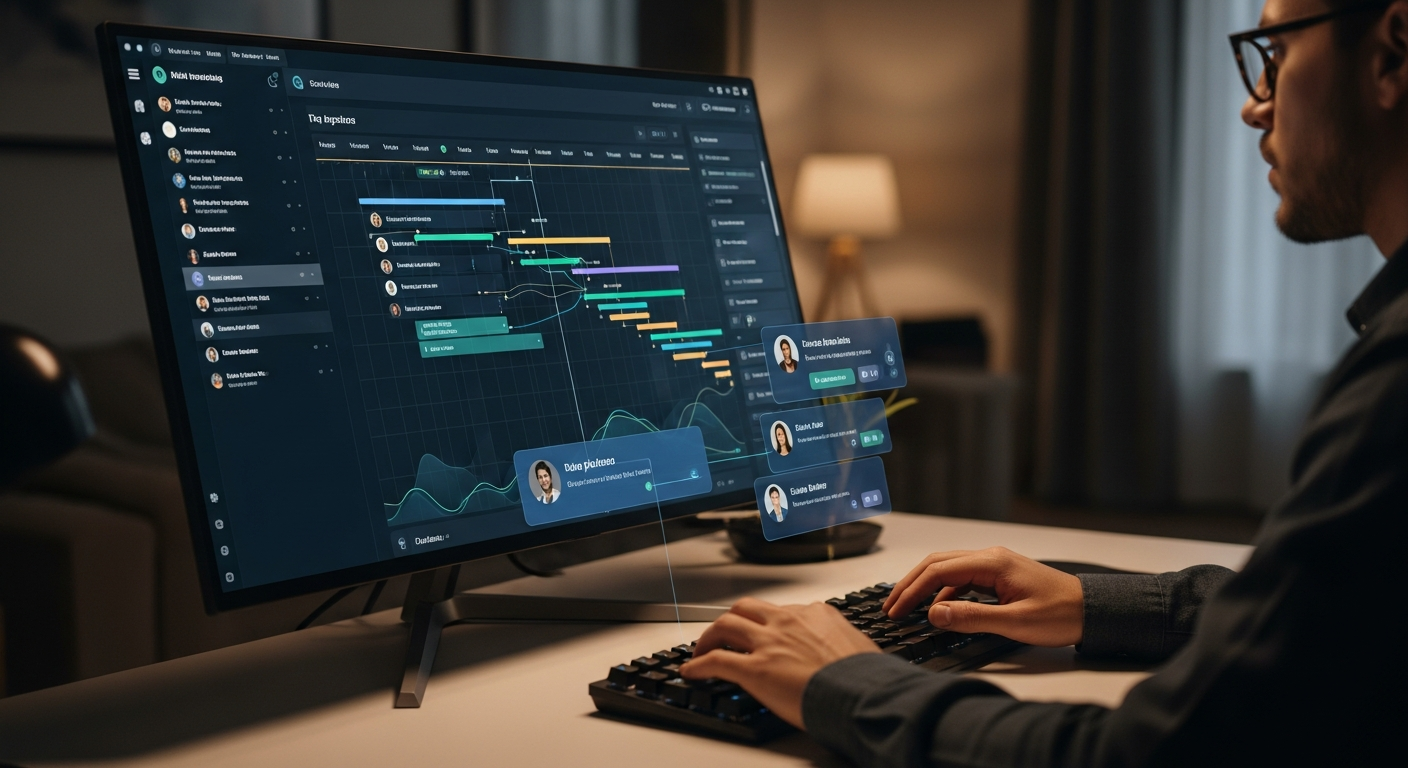
As an operations manager in a 100% remote company, you know the stakes are incredibly high when it comes to infrastructure. You're likely asking: what is the best project management tool for 100% remote companies? The answer isn't just about features; it's about finding a platform that fundamentally understands and supports the unique, distributed nature of your workforce. Generic PM tools, designed for co-located teams, often become more of a hindrance than a help when your colleagues span continents and time zones. You need a solution that acts as a true digital headquarters, not just another task board.
Before we dive in, here’s a quick glance at our top recommendations for 2026, tailored for the specific challenges of 100% remote operations:
| Tool Name | Best For | Key Remote Feature | Pricing Model (Est.) | Starting Price (Monthly) |
|---|---|---|---|---|
| ClickUp | Asynchronous Powerhouse & Customization | >"Pulse" for global activity, advanced automation< | Per user/tiered | Free / $7 (Unlimited) |
| Monday.com | Global Collaboration Hub & Visual Workflows | Guest access, robust automations, visual dashboards | Per user/tiered (min 3 users) | $9 (Basic) |
| Jira Work Management | Scalable Solution for Enterprise Remote (Beyond Dev) | Deep Atlassian ecosystem integration, advanced reporting | Per user/tiered | Free / $7.75 (Standard) |
| Asana | Intuitive Task Management & Workflow Automation | My Tasks, Rules for automation, project templates | Per user/tiered | Free / $10.99 (Premium) |
| Trello | Budget-Friendly Remote Starter (Kanban-focused) | Simple Kanban boards, Power-Ups, automation | Free / $5 (Standard) | Free / $5 (Standard) |
| Wrike | Workflow Automation Champion & Advanced Reporting | Dynamic Request Forms, AI-powered insights, robust reporting | Per user/tiered | Free / $9.80 (Professional) |
| Notion | Unifying Remote Teams with Deep Integrations (Workspace) | Flexible databases, interconnected pages, custom wikis | Per user/tiered | Free / $8 (Plus) |
The Real Problem: Why Project Management Tools Break in 100% Remote Companies
You've probably experienced it: a shiny new PM tool gets rolled out, promising to streamline everything, only to fall flat within months. For 100% remote companies, this isn't just an inconvenience; it's a productivity killer. The core pain stems from generic tools failing to address the fundamental differences of a fully distributed workforce.
- Extreme Time Zone Differences: When your team spans from Sydney to San Francisco, "real-time" collaboration is a myth. Tools that rely on synchronous updates or assume everyone is online simultaneously simply don't work.
- Lack of 'Watercooler' Moments: Casual hallway conversations often resolve minor roadblocks or clarify ambiguities. Without these, every question becomes a formal task or a scheduled meeting, leading to communication overload and decision paralysis.
- Onboarding Without Physical Presence: Bringing new hires up to speed on complex workflows is tough enough. Doing it entirely virtually, without the ability to lean over a shoulder or draw on a whiteboard, demands a PM tool that's incredibly intuitive and self-explanatory.
- Maintaining Culture & Connection: A PM tool isn't just about tasks; it's a central hub where your team interacts. If it feels clunky or disconnected, it erodes the sense of shared purpose and company culture.
- Tool Fatigue Across Dispersed Teams: Remote teams often juggle more tools. Adding another one that doesn't seamlessly integrate or creates more manual work just adds to the cognitive load, leading to resistance and underutilization.
Without the right foundation, efficiency metrics plummet. Deadlines are missed, communication breaks down, and what should be a smooth workflow becomes a series of disjointed efforts. Your operational efficiency is directly tied to your project management ecosystem.
What Most Ops Leads Get Wrong When Choosing a Remote PM Tool
I've seen it countless times. Operations leaders, with the best intentions, make critical missteps when selecting a project management tool for their remote teams. It's often not about a lack of effort, but a misdirection of focus.

- Focusing Solely on Features Over Remote-First Design: A tool might boast 500 features, but if those features are designed for a co-located context (e.g., in-person meeting scheduling, physical whiteboard integrations), they're useless for your team. You need tools built with asynchronous work at their core.
- Ignoring Asynchronous Capabilities:> This is perhaps the biggest oversight. Many tools offer commenting, but do they facilitate robust, threaded discussions that can unfold over hours or days without losing context? Do they offer video messaging, clear status updates, and notification controls that respect global sleep schedules?<
- Underestimating Integration Needs: "It integrates with Slack!" is often enough for some. But for a truly remote company, you need deep, two-way integrations that create a unified digital headquarters. Think about how your PM tool talks to your documentation, CRM, HRIS, and development tools. A fragmented tech stack is a remote team's nightmare.
- Neglecting Security for Distributed Data: Your team's data is everywhere. Choosing a tool without robust multi-factor authentication, granular permissions, data encryption, and compliance certifications (GDPR, SOC 2) is a massive risk. This isn't just IT's problem; it's an operational imperative.
- Not Prioritizing User Adoption for a Diverse Global Team: A tool is only as good as its adoption rate. If it's not intuitive, accessible (language, screen reader compatibility), and easy to onboard new hires to, your investment is wasted. A complex interface will lead to 'shadow IT' solutions and fragmented workflows.
- Choosing Tools Not Built for Scale in a Remote Context: What works for 15 people might crumble at 150 or 1500. Does the tool offer enterprise-level features, robust admin controls, and performance guarantees for high data volumes and a growing global workforce?
The "just another task board" mentality is dangerous. Your remote PM tool needs to be the central nervous system of your operations, not just a digital sticky note pad.
The Criteria That ACTUALLY Matter for 100% Remote Companies
Let's move beyond the marketing fluff. Here's what truly makes a project management tool effective for a fully distributed team:
Asynchronous-First Design & Global Time Zone Management
This is non-negotiable. Your PM tool must enable productive work without requiring everyone to be online simultaneously. Look for:
- Advanced Notification Settings: Granular control over when and how notifications are received, allowing users to customize based on their working hours and time zone.
- Robust Commenting & Threaded Discussions: More than just a comment box. Can discussions be easily followed, replied to, and resolved without losing context? Does it support rich text, attachments, and mentions?
- Video Messaging Integration: The ability to record and embed short video updates or explanations directly into tasks, reducing the need for live meetings.
- Clear Status Updates & Progress Tracking: At-a-glance visibility into task and project status, ensuring anyone can quickly understand where things stand, regardless of when they log in. Look for features like "last updated by" and clear progress indicators.
- Time Zone Aware Features: Automatic conversion of due dates and meeting times to the user's local time zone. Some tools even offer "follow the sun" handoff capabilities.
Seamless Integration for a Unified Digital Headquarters
Your remote team operates across a suite of digital tools. Your PM tool must be the orchestrator, not another silo. I personally look for deep, two-way integrations that reduce context switching and manual data entry. Consider:
- Communication Hubs: Deep links and notification syncing with Slack, Microsoft Teams, etc. (e.g., creating tasks from Slack messages, getting PM updates in a dedicated channel).
- Documentation & Knowledge Bases: Seamless connections with Notion, Confluence, Google Workspace, SharePoint. Can you link directly to documents, embed content, or even manage documentation within the PM tool?
- CRM & Sales Tools:> For client-facing projects, integration with Salesforce, HubSpot, or similar platforms.<
- Development Tools: For engineering teams, robust integration with GitHub, GitLab, Jira (if not using Jira as the primary PM tool).
- Automation & Workflow Tools: Zapier, Make (formerly Integromat) compatibility for custom workflows that extend beyond the tool's native capabilities.
The goal here is to create a true digital headquarters where information flows freely and automatically.
Scalability & Performance for Hyper-Growth Remote Teams
Your company won't stay the same size forever. Your PM tool needs to grow with you.
- User & Project Capacity: How does the tool handle an increasing number of users, projects, and tasks without performance degradation?
- Enterprise-Level Features: Look for single sign-on (SSO), advanced audit logs, role-based access control, and dedicated support.
- Pricing Tiers for Large Teams: Understand the cost implications as your team scales. Are there volume discounts? Predictable pricing structures?
- Robust Admin Controls: Centralized management of users, permissions, workspaces, and templates, which is critical for maintaining order in a large, dispersed organization.
Security, Compliance, & Data Residency for Dispersed Teams
This is paramount. With data moving across borders and devices, security cannot be an afterthought.
- Multi-Factor Authentication (MFA): A non-negotiable baseline.
- Granular Permissions: Control who sees and does what at a task, project, and workspace level.
- Data Encryption: Data at rest and in transit must be encrypted.
- Compliance Certifications: Look for GDPR, SOC 2 Type 2, ISO 27001, HIPAA, etc., depending on your industry and client base.
- Data Residency Options: Can you choose where your data is stored (e.g., EU, US, APAC)? This is increasingly important for compliance and privacy regulations.
User Adoption, Onboarding, & Accessibility for Diverse Remote Teams
A tool that isn't used is worthless. Period.
- Intuitive Interface: Is it easy for a new remote hire to understand and navigate without extensive training?
- Comprehensive Onboarding Resources: In-app tutorials, knowledge bases, video guides – all accessible asynchronously.
- Accessibility Features: Screen reader compatibility, keyboard navigation, high contrast modes, and language options for a truly global workforce.
- Minimizing 'Tool Fatigue': Does it reduce the need for other tools, or does it add another layer of complexity? A good remote PM tool simplifies, not complicates.
Cost Analysis & ROI for Remote Operations (Beyond the Sticker Price)
The cheapest tool isn't always the most cost-effective. You need to calculate the true ROI.
- Pricing Models: Per-user, tiered, feature-based? Understand how costs escalate with growth.
- Hidden Costs: Are advanced integrations extra? Is premium support only available at higher tiers? Data storage limits?
- ROI Calculation: Quantify the efficiency gains. How much time will your team save on manual updates, context switching, or chasing information? What's the impact on project delivery times and client satisfaction? Even a few hours saved per team member per week can translate to significant savings or increased output.
- Free Tiers vs. Enterprise Pricing:> Many tools offer free tiers for small teams. Use these to test the waters, but understand their limitations before committing to a larger rollout.<
Our Top 7 Picks: Ranked for 100% Remote Company Success (2026)
After extensively testing and implementing various platforms, here are my top recommendations for 100% remote companies, ordered by their overall suitability and unique strengths for distributed teams.

Tool 1: ClickUp – The Asynchronous Powerhouse
Amazon —
See latest price on Amazon
Amazon — See latest price on Amazon
ClickUp consistently impresses with its sheer customizability and remote-first feature set. It’s designed to be a "one-app-to-rule-them-all" solution, which is incredibly valuable for distributed teams trying to consolidate their tech stack. Its "Pulse" feature, which shows team activity across time zones, is a game-changer for understanding global engagement.
- Why it's great for remote: Unparalleled customization means you can tailor it exactly to your remote workflows, whether it's for marketing, development, or operations. Its "Docs" feature can replace Notion for many teams, centralizing knowledge. Asynchronous communication is baked in with robust commenting, task descriptions, and video recording directly within tasks. They even have a built-in "whiteboard" feature for virtual brainstorming.
- Ideal remote use cases: Companies with complex, varied workflows; teams needing high levels of process automation; those looking to consolidate multiple tools into one platform.
- Unique remote-first philosophy: ClickUp actively promotes asynchronous work with features like "Workload" view to prevent burnout across time zones, and "Goals" to keep everyone aligned without daily stand-ups. They themselves are a largely remote company, so they build for this reality.
- Potential downsides for remote teams: The sheer number of features can be overwhelming for new users, requiring a thoughtful onboarding strategy. Performance can occasionally be an issue with very large workspaces. Honestly, it can be a bit much for smaller teams just starting out.
- Pricing: Free forever for personal use. Unlimited: $7/user/month. Business: $12/user/month. Enterprise: Custom.
Tool 2: Monday.com – The Global Collaboration Hub
Monday.com excels at visual project management and team collaboration, making it fantastic for remote teams that thrive on clear, intuitive dashboards. Its strength lies in its ability to transform complex data into easily digestible visual workflows, which is crucial when you can't just glance over at a colleague's screen.
- Why it's great for remote:> Its highly visual interface makes understanding project status quick and easy, reducing the need for lengthy explanations. Robust automation capabilities (e.g., "when status changes to X, notify Y") are perfect for automating handoffs across time zones. Guest access is excellent for collaborating with remote clients or external contractors securely.<
- Ideal remote use cases: Creative agencies, marketing teams, client-facing project teams, and any organization that benefits from highly visual project tracking and workflow automation.
- Unique remote-first philosophy: Monday.com focuses on "Work OS" principles, aiming to provide a flexible platform that adapts to how *your* team works, rather than forcing a rigid structure. This adaptability is key for diverse remote teams.
- Potential downsides for remote teams: Can become expensive as you scale, especially with advanced features. Some users report that deep, complex task dependencies can be less intuitive than in other tools.
- Pricing: Basic: $9/user/month (min 3 users). Standard: $12/user/month. Pro: $19/user/month. Enterprise: Custom.
Tool 3: Jira Work Management – The Scalable Solution for Enterprise Remote
FlexiSpot —
See FlexiSpot standing desks
FlexiSpot — See FlexiSpot standing desks
While Jira Software is the gold standard for remote development teams, Jira Work Management (JWM) is Atlassian's answer for non-technical teams. It brings the power, scalability, and integration depth of the Atlassian ecosystem to marketing, HR, finance, and operations teams, making it ideal for large, enterprise-level remote companies that need robust controls and reporting.
- Why it's great for remote: Deep integration with Confluence (for documentation) and Slack. Its powerful automation engine can manage complex workflows and handoffs across global teams. The reporting and analytics are top-tier, providing ops leaders with the data they need to optimize remote processes. It's built for scale and enterprise-level security.
- Ideal remote use cases: Large, established remote enterprises; companies with a mixed technical and non-technical workforce already using other Atlassian products; organizations requiring stringent compliance and robust reporting.
- Unique remote-first philosophy: Atlassian has long supported distributed teams (they have many themselves). JWM is designed to standardize workflows and provide transparency across vast, dispersed departments, ensuring everyone works from a single source of truth.
- Potential downsides for remote teams: Can have a steeper learning curve than more visually simple tools. The breadth of features can be overwhelming if not properly configured.
- Pricing: Free for up to 10 users. Standard: $7.75/user/month. Premium: $15.25/user/month. Enterprise: Custom.
Tool 4: Asana – Best for Remote Dev Teams (Beyond Just Tasks)
>Asana offers an excellent balance of power and user-friendliness, making it a strong contender for remote teams, especially those with a mix of technical and non-technical roles. Its focus on "My Tasks" and clear project views helps individual remote workers manage their workload effectively.<
- Why it's great for remote: "My Tasks" view provides a centralized, individual source of truth for each team member, crucial for self-management in a remote setting. Robust "Rules" (automations) simplify routine tasks and handoffs, reducing manual coordination. Excellent integration ecosystem, including many development tools.
- Ideal remote use cases: Mid-sized remote companies, product teams, marketing teams, and any organization that values clear task ownership and workflow automation.
- Unique remote-first philosophy: Asana emphasizes clarity and individual accountability without micromanagement, which aligns perfectly with effective remote work principles. They focus on enabling teams to achieve "clarity of purpose" even when apart.
- Potential downsides for remote teams: While good for tasks, managing complex, inter-project dependencies can sometimes feel less intuitive than in dedicated portfolio management tools.
- Pricing: Free for up to 15 users. Premium: $10.99/user/month. Business: $24.99/user/month. Enterprise: Custom.
Tool 5: Trello – The Budget-Friendly Remote Starter
For remote teams just starting out or those with simpler, Kanban-style workflows, Trello remains an incredibly effective and user-friendly option. It's the digital equivalent of a whiteboard with sticky notes, making it instantly understandable for almost anyone.
- Why it's great for remote: Its simplicity means rapid adoption, even for non-tech-savvy remote hires. Power-Ups (integrations) allow you to add functionality as needed, keeping the core clean. Excellent for visualizing workflows and task progression across time zones with minimal setup.
- Ideal remote use cases: Small remote teams, individual project tracking, agile sprints, content calendars, and teams that primarily use Kanban boards.
- Unique remote-first philosophy: Trello’s core design promotes visual transparency and asynchronous updates. Cards can be updated with comments, checklists, and attachments, providing all context in one place without needing a meeting.
- Potential downsides for remote teams: Can become unwieldy for very large, complex projects with many interdependencies. Reporting features are basic compared to more robust PM tools. I'd skip this if your team regularly juggles more than 20 active projects.
- Pricing: Free forever. Standard: $5/user/month. Premium: $10/user/month. Enterprise: $17.50/user/month.
Tool 6: Wrike – The Workflow Automation Champion for Remote Ops
Wrike is a powerful, enterprise-grade project management tool that shines in its workflow automation and robust reporting capabilities. It's particularly strong for remote operations teams that need to standardize processes, manage complex projects with high visibility, and generate detailed insights.
- Why it's great for remote: Dynamic Request Forms streamline intake processes from dispersed teams and clients. Its AI-powered insights help identify bottlenecks and predict project outcomes, crucial for proactive remote management. Offers multiple views (Gantt, Kanban, Table) to suit diverse remote work styles. Excellent resource management features.
- Ideal remote use cases: Large remote operations teams, marketing departments, professional services, and companies with complex project portfolios that require advanced reporting and resource allocation.
- Unique remote-first philosophy: Wrike focuses on "work intelligence," using data and automation to bring clarity and efficiency to complex, distributed projects. It's built to provide a single source of truth for all work.
- Potential downsides for remote teams: Can be expensive, especially for smaller teams. The learning curve is steeper than Trello or Asana due to its extensive feature set.
- Pricing: Free for up to 5 users. Professional: $9.80/user/month. Business: $24.80/user/month. Enterprise: Custom.
Tool 7: Notion – Unifying Remote Teams with Deep Integrations
Amazon Associates —
Check price on Amazon
Amazon Associates — Check price on Amazon
Notion isn't just a PM tool; it's a flexible workspace that can be molded into almost anything—a wiki, a CRM, a task manager, and indeed, a project management system. Its strength for remote teams lies in its unparalleled ability to unify documentation, project tracking, and knowledge sharing in one interconnected environment.
- Why it's great for remote: Its database functionality allows for highly customized project tracking, linking tasks directly to related documentation, meeting notes, and team wikis. The ability to embed almost anything (Google Docs, Figma files, Loom videos) creates a rich, self-contained context for remote work. Excellent for building a comprehensive, searchable knowledge base.
- Ideal remote use cases: Startups and scale-ups, teams prioritizing knowledge sharing and documentation, companies looking for a highly flexible "all-in-one" workspace, and those who value interconnected information.
- Unique remote-first philosophy: Notion empowers teams to build their own systems, which is ideal for remote companies that often have unique workflows and a strong need for shared context and transparent information access.
- Potential downsides for remote teams: Requires significant initial setup and ongoing maintenance to be effective as a PM tool. Can become disorganized if not managed well. Its core isn't "project management" in the traditional sense, so some dedicated PM features might be less robust.
- Pricing: Free for personal use. Plus: $8/user/month. Business: $15/user/month. Enterprise: Custom.
>Comparison Table: Remote PM Tools at a Glance (2026)<
| Feature/Tool | ClickUp | Monday.com | Jira Work Management | Asana | Trello | Wrike | Notion |
|---|---|---|---|---|---|---|---|
| Asynchronous Features | 5/5 (Pulse, Video Rec, Docs) | 4/5 (Automations, Visual) | 4/5 (Robust Commenting, Confluence) | 4/5 (My Tasks, Rules, Comments) | 3/5 (Card-based, Power-Ups) | 4/5 (Forms, AI Insights) | 5/5 (Interconnected pages, embeds) |
| Time Zone Management | 5/5 (Global activity, custom notifications) | 4/5 (Visual deadlines, automations) | 4/5 (Global project visibility) | 3/5 (Clear due dates) | 3/5 (Basic due dates) | 4/5 (Resource planning across zones) | 3/5 (Basic due dates) |
| Integration Depth | 5/5 (Extensive, native & Zapier) | 4/5 (Good native, Zapier) | 5/5 (Atlassian ecosystem, robust APIs) | 4/5 (Strong ecosystem, Zapier) | 3/5 (Power-Ups) | 4/5 (Comprehensive, enterprise-focused) | 5/5 (Embeds, API, Zapier) |
| Scalability | 4/5 (Highly customizable for growth) | 4/5 (Good for mid-large teams) | 5/5 (Enterprise-grade, robust) | 4/5 (Scales well with tiers) | 2/5 (Best for small-mid) | 5/5 (Enterprise-grade, robust) | 4/5 (Database power, but can get messy) |
| Security & Compliance | 4/5 (MFA, GDPR, SOC 2) | 4/5 (MFA, GDPR, SOC 2) | 5/5 (Enterprise-grade, data residency) | 4/5 (MFA, GDPR, SOC 2) | 3/5 (Standard, less enterprise focus) | 5/5 (Enterprise-grade, data residency) | 4/5 (MFA, SOC 2, Private links) |
| Pricing Model | Per user/tiered | Per user/tiered (min 3) | Per user/tiered | Per user/tiered | Free/Per user/tiered | Free/Per user/tiered | Free/Per user/tiered |
| Best For (Remote) | Complex workflows, consolidation | Visual teams, client collaboration | Enterprise Ops, Atlassian users | Mid-sized teams, task ownership | Small teams, Kanban, simple starts | Large Ops, process automation | Knowledge mgmt, flexible workspace |
Implementation: Getting Started with Your Remote PM Tool in Under 30 Minutes
As an Ops Lead, your time is precious. Here’s how to quickly trial and implement a new remote PM tool:

- Define Your "Quick Win" Project: Don't try to migrate everything at once. Pick one small, self-contained project (e.g., "onboarding new remote hires" or "planning our next virtual team social") that involves 3-5 team members.
- Rapid Setup (15 mins): Sign up for a free trial. Create a new workspace/project. Invite your pilot team. Set up 2-3 essential integrations (e.g., Slack for notifications, Google Drive for document linking). Most modern tools are designed for quick initial setup.
- Define 3 Core Workflows (10 mins): For your "quick win" project, map out 3 simple workflows:
- Task creation & assignment
- Status updates & commenting
- Task completion & notification
- Run a Pilot Program (1-2 weeks): Have your pilot team actively use the tool for the chosen project. Encourage liberal use of comments, status changes, and any async features.
- Gather Asynchronous Feedback (ongoing): Create a dedicated channel in Slack or a document in the PM tool itself for feedback. Ask specific questions: "Was it easy to find what you needed?", "Did you feel informed about progress?", "What frustrated you?" This is crucial for remote teams, as you won't have hallway chats.
- Iterate & Expand: Based on feedback, make adjustments. Once the pilot is successful, gradually expand to more projects and teams. Remember, remote tool adoption relies heavily on perceived value and ease of use.
My personal approach: I always set up a "How To Use [Tool Name]" page within the tool itself, complete with short Loom videos for key actions. This becomes a self-serve onboarding resource for new remote hires.
Future Trends: What's Next for Remote Project Management?
The remote work landscape is evolving rapidly, and so too are the tools that support it. Here's what I'm keeping an eye on:
- AI for Task Automation & Insights: Expect more sophisticated AI that can automatically categorize tasks, suggest next actions, identify potential bottlenecks, and even draft project summaries. Think AI-powered daily stand-ups that synthesize updates from multiple team members.
- Advanced No-Code Automation: The ability for Ops Leads to build incredibly complex, cross-tool workflows without needing developers will become standard. This will connect PM tools even more deeply into the entire remote tech stack.
- Immersive Collaboration (VR/AR): While still niche, virtual reality and augmented reality platforms are slowly making inroads, offering more "presence" for remote brainstorming and team meetings. Imagine a virtual whiteboard where everyone can interact as if they were in the same room.
- Hyper-Personalized Workflows: Tools will increasingly adapt to individual working styles and preferences, offering personalized dashboards, notification preferences, and even AI-suggested task prioritization based on individual habits.
- Even More Sophisticated Asynchronous Communication: Beyond video messaging, expect features like AI-summarized long-form discussions, interactive knowledge graphs, and tools that proactively flag information gaps.
Red Flags: What to AVOID When Choosing a PM Tool for 100% Remote
Just as important as knowing what to look for is knowing what to steer clear of. Avoid these common pitfalls:
- Over-Reliance on Real-Time Features:> If the tool’s primary value proposition involves features like "live co-editing" or "instant chat" as the main communication channel, it's likely not built for truly asynchronous global teams.<
- Poor Integration Ecosystem: A tool that doesn't play well with others will force your remote team into constant context switching, manual data entry, and tool fatigue. A limited API is a big red flag.
- Lack of Robust Security & Compliance: If a vendor is vague about their security protocols, MFA, or compliance certifications, walk away. Protecting distributed data is non-negotiable.
- Unclear Scalability Path: If their pricing tiers jump dramatically, or they can't clearly articulate how the tool performs with 1000+ users, it’s not for a growth-focused remote company.
- Steep Learning Curve Without Good Remote Support: A complex tool is acceptable if it comes with excellent, self-serve onboarding resources (videos, comprehensive docs). If it requires expensive, synchronous training, it will hinder remote adoption.
- Opaque Pricing: Hidden costs, "contact us for enterprise pricing" without any baseline, or feature sets that are arbitrarily locked behind higher tiers can lead to budget surprises down the line.
Quiz: Find Your Ideal Remote PM Tool
To help you narrow down your choices for the best project management tool for 100% remote companies, consider these questions:
- What is your primary team size and growth trajectory for the next 12-18 months? (e.g., <20, 20-100, 100-500, 500+)
- What's your biggest remote team pain point right now? (e.g., communication silos, missed deadlines, lack of visibility, onboarding challenges, tool fatigue)
- What existing tools are absolutely critical to your operations that MUST integrate deeply? (e.g., Slack, Notion, GitHub, Salesforce, Google Workspace)
- What's your team's predominant working style? (e.g., highly visual, task-list driven, documentation-heavy, agile sprints)
- What's your monthly budget per user for a PM tool? (e.g., Free, $5-10, $10-20, $20+)
- How important is enterprise-grade security and compliance (e.g., SOC 2, data residency) to your organization? (e.g., Not critical, somewhat important, absolutely essential)
Based on your answers, re-evaluate our top picks. For example, if you're a small, visual team on a tight budget, Trello or Monday.com (starting with their basic plans) might be ideal. If you're a large enterprise needing deep integration with an existing Atlassian stack and robust security, Jira Work Management or Wrike would be stronger contenders. For ultimate flexibility and knowledge management, Notion is hard to beat.
Frequently Asked Questions About Remote PM Tools
How do I manage global teams across 12+ time zones?
This is where asynchronous-first design is paramount. Focus on tools with robust commenting, clear status updates, and video messaging features. Implement a "follow the sun" workflow where tasks are handed off between teams in different time zones. Tools like ClickUp with its "Pulse" feature or Monday.com's visual dashboards provide global visibility without requiring synchronous meetings. Establish clear "definition of done" for tasks to minimize ambiguity.
What's the best way to onboard new remote hires to a PM tool?
Create a dedicated "How To" section or knowledge base within the PM tool itself (or a linked Notion/Confluence page). Include short video tutorials (Loom is great for this!), screenshots, and clear step-by-step guides. Assign a buddy or mentor for the first few weeks. Start new hires with simple tasks within the tool to build confidence, and encourage them to ask questions in a designated async channel.
Can a PM tool replace our internal wiki?
Some, like Notion and ClickUp (with its Docs feature), are powerful enough to serve as both a PM tool and a comprehensive internal wiki. This consolidation is highly beneficial for remote teams, reducing context switching and ensuring all information is interconnected. For other tools, deep integration with a dedicated wiki (like Confluence or Google Sites) is essential.
How do we ensure adoption across a fully remote team?
User adoption is driven by value and ease of use. Involve team members in the selection process. Start with a pilot program on a "quick win" project. Provide excellent asynchronous training resources. Crucially, have leadership actively use the tool and model best practices. Make it the single source of truth for project updates, so team members *have* to use it to stay informed.
What's the difference between a task manager and a true remote PM tool?
A task manager focuses primarily on individual tasks and to-do lists. A true remote PM tool, especially one built for 100% remote companies, goes far beyond that. It encompasses project planning, resource management, advanced reporting, workflow automation, team collaboration features, robust integrations with your entire tech stack, and a design philosophy that prioritizes asynchronous communication and global time zone management. It's the central hub for your entire operational workflow, not just a personal checklist.



