Affordable AI Video Editing Solutions for Freelancers
Discover how affordable AI video editing tools can automate workflows, reduce manual work, and boost efficiency for freelancers. Optimize your video production without breaking the bank.
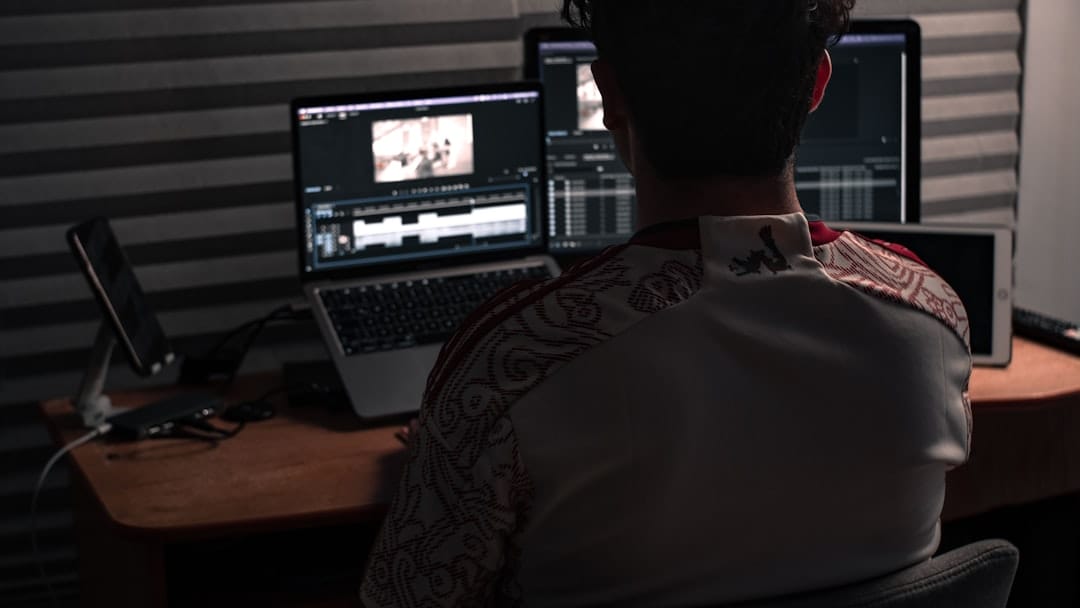
>The Growing Demand for Video Content and Freelancer Challenges<
The landscape of digital content has irrevocably shifted, placing video at its epicenter. From corporate training modules and marketing campaigns to social media narratives and personal branding, the demand for high-quality video content is skyrocketing across every industry. Analysts project the global video streaming market to reach nearly $1.7 trillion by 2030, underscoring this pervasive trend. Freelancers, with their agility and specialized skill sets, are uniquely positioned to capitalize on this expanding market, offering flexible and scalable solutions to businesses that might not have the in-house capacity.
That said, this opportunity comes tethered to a distinct set of operational challenges for independent video professionals. As an operations manager overseeing a team or even managing my own workflow, I've observed these pain points firsthand:
- Time Constraints: Projects often come with tight deadlines, demanding rapid turnaround without compromising quality. Manual processes inherently limit output.
- Budget Limitations:> Freelancers frequently operate on a project-by-project basis, making significant investments in high-end software or extensive human resources difficult. Cost-efficiency is paramount.<
- Manual, Repetitive Tasks:> The bulk of video editing often involves tedious, repetitive actions—reviewing footage, cutting out pauses, basic color corrections, and generating subtitles. These tasks are time sinks.<
- Skill Gaps: While many freelancers excel creatively, they might lack deep technical expertise in every facet of post-production, such as advanced audio mastering or complex motion graphics.
- Pressure to Deliver High-Quality Content Quickly: The competitive nature of the freelance market means consistent, high-quality output delivered promptly is crucial for reputation and repeat business.
These challenges aren't just inconveniences; they directly impact a freelancer's operational efficiency and, critically, their profitability. Every hour spent on a manual, automatable task is an hour not spent on a higher-value, creative endeavor or another billable project. This is where strategic operational thinking, and specifically the integration of smart tools, becomes indispensable.
Why Traditional Video Editing Falls Short for Modern Freelancers
For decades, video editing has been a highly manual, labor-intensive craft. The traditional workflow, while allowing for immense creative control, is fundamentally inefficient when viewed through an operational lens, especially for the modern freelancer who needs to maximize throughput and minimize overhead.

Just consider the typical steps involved in a traditional video editing project:
- Footage Ingestion and Review: Hours spent watching raw footage, identifying usable clips, and marking selects.
- Rough Cuts and Assembly: Manually trimming clips, arranging them in sequence, and creating a basic narrative flow. This alone can be days of work for longer projects.
- Basic Color Correction and Grading: Adjusting exposure, white balance, and overall color aesthetics by hand, frame by frame if necessary.
- Audio Leveling and Cleanup: Manually adjusting volume levels across different clips, removing background noise, and adding basic sound effects.
- Subtitle Generation: Transcribing dialogue, timing it perfectly to the audio, and formatting it for readability. A notoriously time-consuming process.
- Export and Delivery: Rendering the final video, which can be a slow process depending on hardware and project complexity.
Each of these steps, performed manually, consumes significant time and computational resources. For a freelancer, this translates directly into higher operational costs per project. More hours spent on a single deliverable mean fewer projects can be completed within a given timeframe, leading to reduced project throughput and, ultimately, lower revenue potential. I've seen freelancers get bogged down in the minutiae, losing sight of the bigger picture of scaling their business.
This traditional bottleneck creates a ceiling for growth. A freelancer can only physically edit so many hours of footage or generate so many minutes of subtitles in a day. The economic model simply doesn't scale efficiently. This is precisely where artificial intelligence emerges as a transformative solution, promising to alleviate these bottlenecks and usher in a new era of operational efficiency for video production.
Introducing Affordable AI Video Editing: A Game-Changer for Freelancers
Jasper AI —
Try Jasper AI free for 7 days
Jasper AI — Try Jasper AI free for 7 days
>Affordable AI video editing solutions are not a futuristic concept; they are a present-day reality, specifically designed to empower freelancers and small studios. At its core, this technology leverages artificial intelligence to automate the most labor-intensive, repetitive, and time-consuming parts of the video production process, all while maintaining a cost-effective price point that fits a freelance budget.<
The core concept is elegant: offload the "grunt work" to intelligent algorithms, freeing up human editors to focus on creative storytelling, nuanced decisions, and client communication. This isn't about replacing human creativity but augmenting it with powerful automation. As an operations lead, the strategic benefits are clear:
- Increased Efficiency: AI can perform tasks like transcription, basic cuts, and color adjustments in a fraction of the time a human would require. This accelerates project completion times significantly.
- Reduced Manual Effort:> By automating tedious processes, freelancers can avoid burnout and allocate their energy to tasks that truly require human ingenuity and decision-making.<
- Faster Turnaround Times: The ability to deliver projects more quickly is a massive competitive advantage, allowing freelancers to take on more clients and meet tighter deadlines.
- Consistent Quality: AI algorithms, once trained, can apply consistent standards for tasks like color correction or audio leveling, reducing human error and ensuring a uniform output.
- Accessibility for Varying Skill Levels: Many AI tools feature intuitive interfaces, lowering the barrier to entry for freelancers who might not have extensive experience with complex traditional editing suites. This democratizes high-quality video production.
Positioning affordable AI video editing as a strategic tool is crucial. It's not merely a software upgrade; it's an operational pivot that can fundamentally change a freelancer's capacity, profitability, and market position. It allows for a higher volume of work without a proportional increase in effort, directly impacting the bottom line.
How AI Automates Key Video Editing Workflows
Understanding the "how" is critical for operations leads evaluating these tools. AI isn't a magic wand, but a sophisticated set of algorithms designed to mimic and accelerate human decision-making in specific contexts. Here’s a breakdown of practical examples:

- Automated Transcription and Subtitle Generation:
- Explanation: AI-powered speech-to-text engines listen to the audio track, transcribe dialogue with high accuracy, and then automatically sync the text to the corresponding video frames.
- Example: Imagine a freelancer producing an interview series. Manually transcribing a 30-minute interview and then syncing subtitles could take 2-3 hours. An AI tool like Kapwing or Descript can accomplish this in minutes, with minimal human review needed for accuracy. This is a game-changer for accessibility and international audiences.
- Smart Cutting and Jump Cut Detection:
- Explanation: AI can analyze audio waveforms and video frames to identify silent pauses, filler words ("um," "uh"), or awkward jump cuts, suggesting or automatically applying trims.
- Example: For a talking-head video or a webinar recording, an AI editor can automatically remove all silences longer than 1 second, tightening the pacing significantly. Tools often allow customization of these thresholds, providing control while automating the tedious part.
- AI-Powered Color Correction and Grading:
- Explanation: Advanced algorithms analyze the visual content, identify common lighting issues (underexposure, incorrect white balance), and apply intelligent corrections to achieve a balanced and aesthetically pleasing look. Some can even match colors across different clips.
- Example: A freelancer shooting with multiple cameras or in varying light conditions can use AI to quickly normalize the color and exposure across all clips, ensuring visual consistency without manual adjustment of every single shot.
- Automated Audio Enhancements:
- Explanation: AI can detect and reduce background noise (hiss, hum, fan noise), automatically level audio volumes across different speakers or clips, and even apply basic mastering to improve clarity.
- Example: For a podcast or interview, AI can clean up distracting room noise and ensure that all speakers are at a consistent volume level, saving hours of manual audio editing.
- Object Detection and Tracking:
- Explanation: While more advanced, some AI tools can identify specific objects, faces, or elements within a video and automatically track their movement.
- Example: This can be used for automated blurring of faces for privacy, or for applying effects to specific moving elements without manual keyframing, though this is less common in entry-level affordable tools.
- Content Re-purposing and Aspect Ratio Adjustment:
- Explanation:> AI can intelligently reframe video content for different platforms (e.g., horizontal for YouTube, vertical for TikTok, square for Instagram) by identifying the main subject and keeping it in frame.<
- Example: A freelancer creating a single piece of video content can use AI to generate multiple versions optimized for various social media platforms in minutes, dramatically increasing content output and reach from a single source.
These examples illustrate a clear operational benefit: tasks that once took hours of meticulous, manual labor can now be completed in minutes, often with superior consistency. This frees up valuable human capital for higher-level creative strategy and client engagement.
Choosing the Right Affordable AI Video Editor: Key Features to Look For
When selecting an AI video editing solution, an operations lead must look beyond the basic AI automation claims and evaluate features that contribute to overall workflow efficiency, cost-effectiveness, and scalability. Here’s what I prioritize:
- Core AI Automation Capabilities:
- Auto-Transcription & Subtitles: High accuracy is paramount. Look for support for multiple languages and customizable subtitle styles.
- Smart Cuts & Scene Detection: The ability to automatically remove filler words, silences, and identify distinct scenes for easier editing.
- AI Color Correction & Audio Enhancement: Tools that can intelligently balance visuals and sound without extensive manual input.
- User Interface (UI) & Ease of Use:
- A clean, intuitive interface reduces the learning curve and speeds up adoption. Drag-and-drop functionality, clear timelines, and accessible controls are essential.
- Remember, the goal is efficiency, so a complex UI negates much of the AI's benefit.
- Integration with Existing Workflows:
- Can it import and export common video formats (MP4, MOV, AVI)?
- Does it offer cloud storage integration (Google Drive, Dropbox) for seamless asset management?
- While direct integration with professional NLEs (like Adobe Premiere Pro) is rare at the "affordable" tier, look for smooth export options that can be brought into other software if needed for final polish.
- Pricing Model & Scalability:
- Free Tiers/Trials: Essential for testing before committing.
- Subscription Models: Understand if pricing is per-project, per-month, or based on usage (e.g., minutes of AI transcription).
- Scalability: Can the plan grow with the freelancer's needs? Are there enterprise options if a freelancer expands into a small agency? Look for transparent pricing with no hidden fees.
- Export Options & Quality:
- Support for various resolutions (720p, 1080p, 4K) and aspect ratios (16:9, 9:16, 1:1).
- Control over compression settings to balance file size and quality.
- Collaboration Features (Optional but Beneficial):
- For freelancers working with clients or other contractors, features like shared projects, commenting, and version control can streamline feedback loops.
- Cloud-Based vs. Desktop Software:
- Cloud-based: Offers accessibility from any device, automatic backups, and often faster AI processing due to server-side power.
- Desktop: Can offer more robust features and offline editing, but requires local installation and hardware resources. For affordability and ease of use, cloud-based is often preferred for freelancers.
- Customer Support & Community:
- Responsive support and an active user community can be invaluable for troubleshooting and learning best practices.
My own experience testing these tools confirms that a balance of powerful AI, intuitive design, and a transparent, cost-effective pricing structure is the winning combination for freelance operations.
Step-by-Step Methodology: Integrating AI into Your Freelance Video Workflow
Successfully integrating AI tools into a freelance video workflow isn't just about purchasing software; it's about a strategic process improvement. Here’s a practical, actionable guide for operations leads to implement AI tools effectively:
Phase 1: Assessment & Tool Selection
- Identify Workflow Bottlenecks:
- Analyze current projects. Where do freelancers spend the most time? (e.g., "I spend 3 hours just transcribing every interview," or "Color matching clips from different cameras is a nightmare.")
- Quantify these bottlenecks: "Manual subtitle generation adds 20% to project time."
- Define AI Solution Requirements:
- Based on identified bottlenecks, list the essential AI features needed (e.g., "must have accurate auto-transcription," "needs intelligent jump cut removal").
- Establish a budget range for monthly/annual subscriptions.
- Research & Shortlist Tools:
- Based on the requirements and budget, research 2-3 promising affordable AI video editing solutions. (Refer to the comparison table below for a starting point.)
- Pilot Program & Testing:
- Utilize free trials or lowest-tier subscriptions.
- Apply each shortlisted tool to a small, representative pilot project. Compare results against manual methods in terms of time saved, quality, and ease of use.
- Final Selection:
- Choose the tool that best addresses the bottlenecks, offers the best ROI, and has a user-friendly interface.
Phase 2: Implementation & Training
- Onboarding & Basic Training:
- For the chosen tool, dedicate time to learning its core functionalities. Most platforms offer tutorials and knowledge bases.
- Focus on mastering the specific AI features that address the identified bottlenecks.
- Establish Standard Operating Procedures (SOPs):
- Document how the AI tool will be used in the workflow. For example: "All interview footage will first be uploaded to [AI Tool Name] for auto-transcription and smart cuts before being imported into [Traditional NLE] for final polish."
- Define quality control checks for AI-generated content (e.g., "Review 10% of auto-generated subtitles for accuracy").
- >Integrate into Project Management:<
- Update project timelines and task lists to reflect the reduced time for AI-automated steps.
- Communicate the new workflow to clients if it impacts delivery times or processes (e.g., "We now offer faster subtitle delivery thanks to AI integration").
Phase 3: Optimization & Scaling
- Monitor Performance & Metrics:
- Track key performance indicators (KPIs): "Time saved per project," "Number of projects completed per month," "Client satisfaction with turnaround time."
- Collect feedback from freelancers using the tool: "Is it truly saving time? Are there new features needed?"
- Refine & Optimize:
- Based on performance data and feedback, adjust SOPs. Maybe a different AI feature can be utilized more effectively, or a setting needs tweaking.
- Explore advanced features of the AI tool as proficiency grows.
- Scale & Replicate:
- Once proven effective, apply the successful integration methodology to other project types or bring in additional team members if the freelance operation expands.
By following this methodical approach, operations leads can ensure that the adoption of affordable AI video editing tools is not just a purchase, but a strategic enhancement to their operational capabilities, leading to measurable improvements in efficiency and profitability.
Comparison Table: Top Affordable AI Video Editing Solutions for Freelancers
Writesonic —
Try Writesonic free
Writesonic — Try Writesonic free
To help operations managers and freelancers make informed decisions, I've compiled a comparison of some of the leading affordable AI video editing solutions currently on the market. This table focuses on tools that balance powerful AI features with a cost-effective pricing structure, ideal for individuals or small teams.
| Tool Name | Key AI Features | Pricing Model (Example) | Best For | Pros | Cons |
|---|---|---|---|---|---|
| Descript | Auto-transcription (text-based editing), Overdub (AI voice cloning), Studio Sound (audio cleanup), Filler Word Removal, AI Eye Contact, Green Screen | Free Tier (1 hr transcribe), Creator ($12/month annual, 10 hrs transcribe), Pro ($24/month annual, 30 hrs transcribe) | Podcasts, Interviews, Talking Head Videos, Content Repurposing | Revolutionary text-based editing, excellent transcription accuracy, powerful audio cleanup, easy to learn. | Steep learning curve for advanced video features, cloud-based rendering can be slow for very large projects. |
| Kapwing | Auto-subtitles, Smart Cut (remove silences), AI Image/Video Generator, Background Remover, Resizer for social media | Free Tier (limited export, watermark), Pro ($16/month annual), Business ($50/month annual) | Social Media Content, Quick Edits, Basic Explainer Videos, Content Repurposing | Fully cloud-based, very intuitive interface, excellent for social media optimization, continuous feature updates. | AI features are more geared towards quick wins; less robust for complex, long-form projects than Descript. |
| Pictory.AI | Script-to-Video, Article-to-Video, Video-to-Text Summary, Auto-captioning, AI Voiceovers, Automated branding | Free Trial (3 videos), Standard ($19/month annual), Premium ($39/month annual) | Bloggers, Marketers, Content Creators turning text into video, Explainer Videos | Excellent for generating videos from text, vast stock media library, quick content repurposing, good for non-video experts. | Less control over granular video editing, AI voiceovers can sound robotic if not carefully selected, limited creative freedom compared to traditional editors. |
| Synthesia | AI Avatars, Text-to-Speech (realistic voices), Custom AI Avatars, Background Removal, Auto-translation | Personal ($22/month annual, 10 min/month), Enterprise (custom pricing) | Corporate Training, Explainer Videos, Marketing Videos, Localized Content | Produces highly professional videos with AI avatars, excellent for consistent branding, supports many languages, very scalable. | Higher price point for significant usage, less "editing" and more "generation," requires specific use case for ROI. |
| Veed.io | Auto-subtitles, Background Noise Remover, Eye Contact Correction, Brand Kit, Resizer, AI Text-to-Video | Free Tier (watermark, 10 min export), Basic ($12/month annual), Pro ($24/month annual) | Social Media Marketing, Quick Tutorials, Online Courses, Basic Video Editing | User-friendly interface, strong emphasis on social media features, good for quick edits and basic AI enhancements. | Free tier limitations, some advanced AI features locked behind higher tiers, can be slower for complex projects. |
As an operations manager, my recommendation is to consider the primary workflow bottlenecks you're trying to solve. If transcription and text-based editing are key, Descript is a clear front-runner. If quick social media repurposing and an intuitive cloud interface are paramount, Kapwing or Veed.io might be better. For turning written content into video, Pictory.AI excels. Each tool has its niche, and understanding your specific operational need will guide the best choice.
Real-World Impact: Use Cases for Freelancers
The theoretical benefits of AI are compelling, but observing its real-world impact on freelance operations truly underscores its value. Here are concrete examples:
- The Social Media Manager Who Needs High Volume:
"Before AI, creating 10-15 short social media videos a week was a grind. I'd spend hours just extracting key soundbites and adding captions. Now, with a tool like Kapwing, I upload my raw footage, let it auto-transcribe and identify highlights, and then quickly resize for Instagram Reels, TikTok, and YouTube Shorts. What used to take me a full day now takes a few hours. My output has nearly doubled, allowing me to take on more clients without hiring additional staff. This directly translates to a 70% increase in my monthly revenue from social media content creation."
Operational Insight: This demonstrates a direct correlation between AI adoption and increased project throughput, leading to significant revenue growth for the freelancer.
- The Corporate Training Video Producer:
"I specialize in long-form corporate training modules, often involving multiple speakers and complex topics. The biggest headache was always ensuring consistent audio levels and generating accurate subtitles for compliance. Descript's Studio Sound feature cleans up my audio automatically, and its text-based editing means I can edit the video by simply deleting text, which is incredibly fast. The auto-transcription is 95%+ accurate. I've cut my post-production time for a typical 60-minute module by about 40%, reducing my delivery time from two weeks to just over one, and getting much higher client satisfaction scores."
Operational Insight: AI here addresses quality control and compliance needs while dramatically reducing labor hours on meticulous tasks, improving both efficiency and client satisfaction metrics.
- The YouTube Interviewer on a Budget:
"As a solo YouTuber, I can't afford a full-time editor. I do a lot of remote interviews. Previously, cutting out all the 'ums' and 'ahs' and awkward pauses was a painful, manual process. Using a tool with AI smart cut features (like Descript or Veed.io) has been a lifesaver. It automatically identifies and suggests removal of filler words. I just review the suggestions and confirm. This has saved me at least 2-3 hours per hour of raw footage, allowing me to publish more frequently and grow my audience faster. The time saved means I can focus on booking more guests and improving my interview technique."
Operational Insight: This highlights how AI democratizes professional-level editing for budget-constrained operations, enabling higher content velocity and allowing the freelancer to focus on core competencies.
- The Real Estate Agent Creating Property Tours:
"I'm not a video editor, but I need professional-looking property tour videos. I use a tool that automatically stabilizes my shaky phone footage, applies a basic color grade, and adds background music from a royalty-free library. It even generates a short highlight reel automatically. I just upload the raw clips, provide some text descriptions, and within 30 minutes, I have a polished video ready for social media. This completely eliminated my need to hire a separate video editor, saving me hundreds of dollars per listing and speeding up my marketing efforts significantly."
Operational Insight: For non-video specialists, AI acts as an accessible, cost-effective "virtual editor," empowering them to produce high-quality content independently and reducing external vendor reliance.
These examples illustrate a consistent theme: affordable AI video editing solutions enable freelancers to increase output, reduce costs, improve quality, and ultimately, achieve a higher level of operational efficiency and profitability. This is a clear win for any operations lead looking to optimize resources.
The Future of Freelance Video Editing: AI as a Collaborative Partner
Amazon —
See top-rated options on Amazon
Amazon — See top-rated options on Amazon
The narrative around AI often sparks fears of job displacement, but in the realm of freelance video editing, I firmly believe the reality is one of empowerment and collaboration. AI is not poised to replace human editors; rather, it is evolving into an indispensable collaborative partner, taking on the mundane so that human creativity can flourish.
Just think about the trajectory: early AI tools were rudimentary, automating only the simplest tasks. Today, they handle complex transcription, intelligent cuts, and even basic content generation. The future promises even more sophisticated capabilities, such as AI-driven recommendations for storytelling structures, advanced emotional tone analysis, and even more seamless integration with creative decision-making processes.
For operations leads, this means a strategic shift in how they view their freelance talent. Instead of hiring editors to spend 80% of their time on repetitive tasks, they can engage professionals who leverage AI to complete those tasks in 20% of the time, dedicating the remaining 80% to high-value activities:
- Creative Storytelling: Focusing on narrative arc, emotional impact, and unique visual styles.
- Client Relationship Management: Deeper engagement, understanding needs, and proactive communication.
- Strategic Planning: Developing content strategies, exploring new formats, and staying ahead of trends.
- Advanced Visuals: Mastering complex motion graphics, VFX, and specialized color grading that still require human artistry.
AI, therefore, becomes a tool for competitive advantage. Freelancers who embrace AI will be able to take on a higher volume of projects, deliver faster, maintain superior profit margins, and offer more comprehensive services. This isn't just about efficiency gains; it's about enabling a more sustainable and creatively fulfilling freelance career. The operational benefit is clear: more output with less overhead, leading to a more robust and scalable business model. The best AI video editing solutions for freelancers are those that truly amplify human potential.
Embrace Efficiency: Transform Your Video Workflow with AI
The message is unequivocal: affordable AI video editing is no longer a luxury but a strategic imperative for freelancers aiming for unparalleled efficiency and scalability. The challenges of time, budget, and repetitive tasks that once constrained freelance video professionals are now being systematically dismantled by intelligent automation. By integrating these tools, operations leads can empower their freelance teams (or themselves) to automate workflows, drastically reduce manual effort, and significantly improve key operational metrics like project throughput and delivery speed.
Ready to revolutionize your video production? Explore the best AI video editing solutions for freelancers that deliver on both performance and budget. The future of efficient, high-quality video creation is here, and it’s powered by AI.
Frequently Asked Questions About Affordable AI Video Editing
What exactly defines "affordable" AI video editing for freelancers?
For freelancers, "affordable" typically means a monthly subscription ranging from $10 to $50, or a usage-based model that scales without prohibitive costs. Crucially, it implies a strong return on investment (ROI) in terms of time saved and increased project capacity, making the software pay for itself quickly. Free tiers or robust free trials are also a hallmark of affordable options, allowing freelancers to test the waters before committing financially.
Is AI video editing suitable for complex, high-end projects?
While AI excels at automating repetitive, time-consuming tasks, it's generally best used as a first pass or for specific segments of complex, high-end projects. For highly nuanced creative decisions, advanced visual effects, or bespoke color grading, traditional human editors using professional NLEs like Adobe Premiere Pro or DaVinci Resolve are still indispensable. AI acts as a powerful assistant, accelerating the initial stages and allowing the human editor to focus on the truly creative and intricate aspects.
How accurate are AI-generated subtitles and transcriptions?
The accuracy of AI-generated subtitles and transcriptions has improved dramatically in recent years, often reaching 90-98% accuracy in clear audio conditions. However, factors like background noise, multiple speakers, accents, or technical jargon can reduce accuracy. It's always recommended to have a human review and lightly edit AI-generated text, but this review process is significantly faster than manual transcription from scratch.
>Do I need powerful hardware to run AI video editing software?<
Many affordable AI video editing solutions are cloud-based, meaning the intensive processing (like AI analysis and rendering) happens on the provider's servers, not on your local machine. This is a huge advantage for freelancers who might not have top-tier editing workstations. For desktop-based AI tools, a modern CPU with a decent amount of RAM (16GB+) is usually sufficient, as the AI often optimizes the workload.
Can AI video editing tools replace a human video editor?
No, AI video editing tools are designed to augment, not replace, human creativity and expertise. They automate the tedious, repetitive tasks, freeing up editors to focus on storytelling, creative direction, client communication, and the nuanced decisions that only a human can make. For operations leads, this means a human editor can handle more projects, deliver faster, and focus on higher-value creative work, becoming more efficient and profitable, rather than redundant.
What about data privacy and security with cloud-based AI editors?
This is a critical concern for operations managers. When using cloud-based AI editors, it's essential to review their privacy policies and data security measures. Look for tools that offer robust encryption, adhere to industry standards (like GDPR or HIPAA if applicable), and clearly state how they handle your uploaded footage. Many reputable providers ensure that your content remains private and is not used for training their AI models without explicit consent.
Related Articles
- Best Ai-Powered Video Editing Software For Mac
- Best Chatbot Platforms for E-commerce
- Best Scrum Project Management Tools for Remote Dev Teams
- Best Robo-Advisor in Europe for Automating Your Investments
- Top AI Video Editing Software for Professionals: Automate & Optimize
- Descript vs Opus Clip: AI Video Editing for Workflow Automation



