Automate Gaming Highlights: 7 AI Video Editors Tested (2026)
Operations lead? Cut highlight editing by 80%. We tested 7 AI video editors for gaming. See top picks & boost efficiency now →
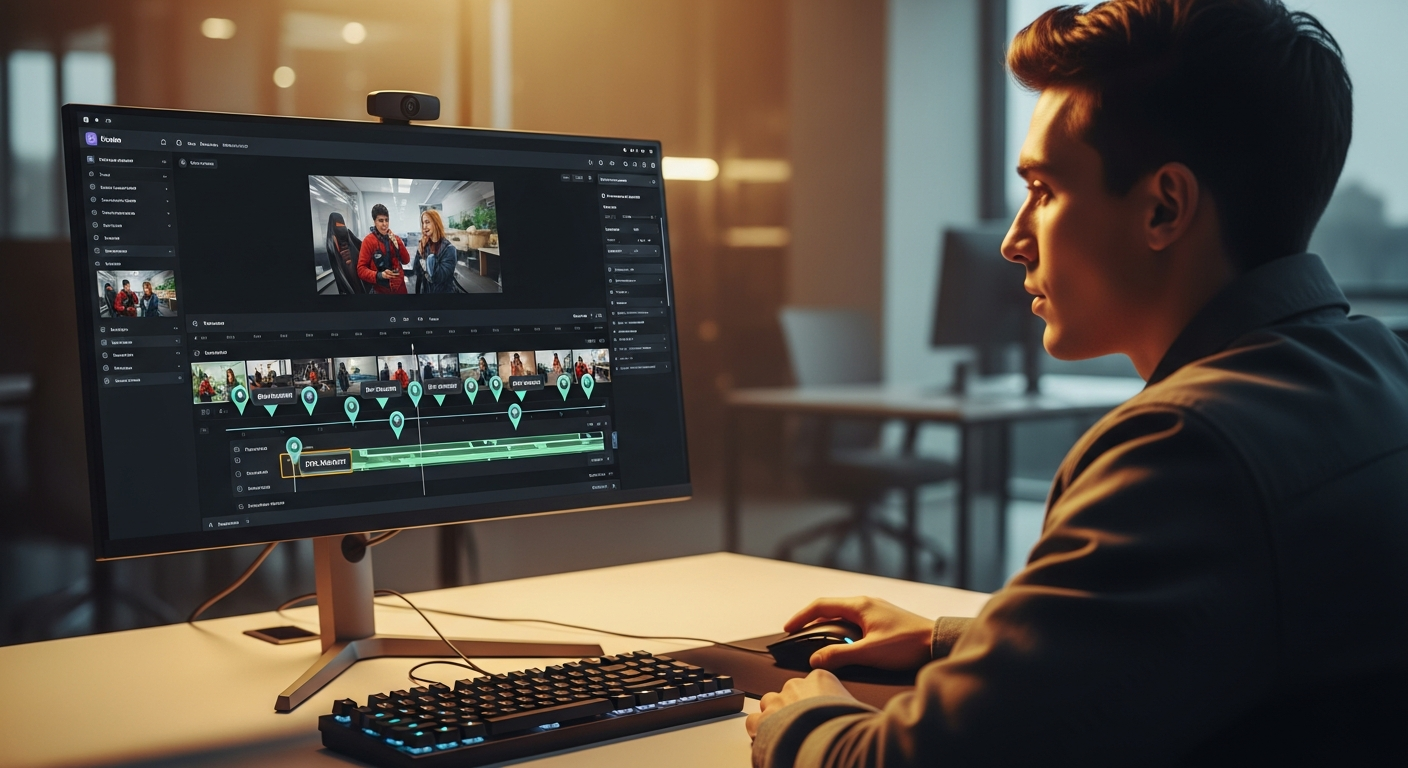
What You'll Accomplish by the End of This Article
As an operations manager, your primary objective is to optimize workflows and maximize output with minimal resource expenditure. By the end of this guide, you'll have a strategic framework to significantly automate your gaming content pipeline, specifically targeting compelling highlight reels. We’re talking about slashing manual editing time for gaming highlights by an estimated 70-80%. That frees up your human editors for more complex, creative tasks. Imagine processing hundreds of hours of raw gameplay footage into polished, shareable clips in a fraction of the time it currently takes. This translates directly into increased content velocity, higher audience engagement due to more frequent uploads, and a substantial reduction in labor costs associated with repetitive, time-consuming editing. You’ll gain a clear understanding of how to implement an ai video editor for gaming highlights that not only identifies key moments but also streamlines your entire content delivery system. This ensures your team is focused on strategy, not rote editing.
What You Need Before Starting: Prerequisites for AI-Powered Editing
Before diving into automated gaming highlight creation, a few foundational elements are crucial for a smooth and efficient implementation. Think of these as your operational readiness checklist:

- Raw Game Footage:> This is your primary input. Make sure you have readily accessible raw game footage, whether stored locally on high-capacity servers, in cloud solutions (like AWS S3, Google Cloud Storage, or Azure Blob Storage), or directly from integrated streaming platforms. Consistent recording quality (resolution, frame rate) will definitely help AI accuracy.
- Stable Internet Connection:> AI video editing often involves uploading large video files for processing and downloading the edited outputs. A fast, high-bandwidth internet connection is non-negotiable, especially when dealing with 4K footage or batch processing.
- Basic Understanding of Gaming Content Goals: Your team needs a clear definition of what makes a 'successful' highlight. Are you aiming for viral TikToks, in-depth YouTube compilations, or short, punchy Instagram Reels? This informs how you customize the AI.
- Specific Game Titles to Be Processed: Different games have different mechanics and highlight triggers. Knowing your core game titles (e.g., Valorant, Apex Legends, League of Legends, Fortnite) allows for more targeted AI training and selection of tools optimized for those genres.
- Clear Definition of a 'Highlight':> Honestly, this is the most critical prerequisite. Work with your content creators to define specific events, actions, or scenarios that qualify as a highlight. For instance, in an FPS game, a "highlight" might be a multi-kill, a clutch defuse, or a headshot streak. In an MOBA, it could be a Baron steal, a pentakill, or a game-winning team fight. The more precise your criteria, the better the AI performs.
The Intelligence Behind the Highlights: How AI Detects 'Epic Moments'
The magic behind an ai video editor for gaming highlights isn't really magic; it's sophisticated machine learning and computer vision at play. When you feed hours of gameplay into these tools, they don't just randomly cut clips. They use a multi-layered analytical approach to pinpoint those "epic moments" your audience craves.
At its core, the process involves:
- Computer Vision Algorithms: These algorithms "see" the game screen much like a human does, but with far greater speed and precision. They track on-screen elements such as kill feeds, score updates, ultimate ability indicators, character models, and even specific UI elements that signify significant events. For example, a "VICTORY" screen or a "TRIPLE KILL" banner are clear visual cues.
- Audio Analysis: Sound is a huge indicator of intensity and importance in gaming. AI models are trained to recognize specific audio cues:
- Specific Sound Effects: The distinct "ding" of a headshot, the explosive sound of an ultimate ability, or the triumphant jingle of a killstreak notification.
- Voice Chat Analysis: Some advanced systems can even detect spikes in player excitement, shouts, or exclamations in voice chat, correlating them with in-game events.
- Music and Environmental Audio: Changes in background music intensity or sudden silences followed by action can also be flagged.
- Player Action Patterns: AI learns to identify patterns of player behavior associated with high-skill plays or critical moments. This includes:
- Rapid Movement & Aiming: Quick flicks, precise tracking, or sudden positional changes often precede or accompany significant events.
- Multi-Kills & Killstreaks: Tracking sequential eliminations within a short timeframe.
- Clutch Plays: Identifying scenarios where a player overcomes overwhelming odds (e.g., 1v3 situations, last-second objective captures).
- Resource Management: Detecting optimal use of abilities, items, or resources that lead to impactful outcomes.
- Training Data and Custom Event Detection:> Crucially, these AI models are trained on vast datasets of labeled gaming footage. This teaches them what a "highlight" looks like across various games and scenarios. More advanced tools allow for custom event detection. This means you can show the AI specific instances of what *your team* considers a highlight (e.g., a specific character interaction in an RPG, a unique strategy execution in an RTS), and it will learn to identify similar patterns in future footage. This iterative learning process is what makes AI video editing increasingly powerful over time.
Step-by-Step Walkthrough: Automating Gaming Highlights with AI
Let's walk through a typical workflow for using an AI video editor to automate your gaming highlights. While specific UI elements will vary between tools, the underlying operational steps remain largely consistent. For this example, let's imagine we're using a hypothetical tool called "GameClip AI."

-
Data Ingestion: Getting Your Footage Ready
Your first step is to get your raw game footage into the AI platform. GameClip AI, like many good solutions, offers multiple ingestion methods:
- Direct Upload: You can drag-and-drop video files (MP4, MOV, MKV, etc.) directly from your local storage. For large batches, GameClip AI supports bulk uploads.
- Cloud Integration: Connect your cloud storage accounts (Google Drive, Dropbox, S3) for seamless file transfer.
- Streaming Platform Integration: For live streamers, GameClip AI integrates directly with platforms like Twitch, YouTube Gaming, and OBS. You can authorize it to automatically pull VODs (Video On Demand) or even process live streams in near real-time. This is a game-changer for content velocity.
Example: An operations manager for an esports team uses GameClip AI to automatically pull the previous night's Twitch VODs for their Valorant matches. This eliminates the need for manual downloading and uploading, saving hours of prep time.
-
AI Analysis & Customization: Defining Your Highlights
Once the footage is ingested, the AI begins its analysis. This is where you, as the operations lead, can significantly influence the output:
- Game Selection: Specify the game title (e.g., "Valorant," "League of Legends"). This allows GameClip AI to load game-specific detection models.
- Highlight Parameters: Use a graphical interface to set your highlight criteria. This might involve sliders for "intensity," "kill count minimum," "ultimate usage frequency," or "clutch potential."
- Custom Event Training: This is a powerful feature. You can review a few minutes of raw footage, manually mark specific moments (e.g., "this specific sniper shot," "that particular team fight initiation"), and label them (e.g., "Epic Sniper Kill," "Engage Play"). GameClip AI will then use these examples to refine its detection model for your specific content needs. This is crucial for niche content or unique team strategies.
- Clip Length & Quantity: Define desired output clip lengths (e.g., 15-second TikToks, 60-second YouTube shorts) and how many highlights you want per hour of footage.
Screenshot Placeholder: Imagine a UI with checkboxes for "Multi-kills," "Headshots," "Objective Captures," and a slider for "Minimum Kill Streak: [3]." Below it, a section to "Train Custom Event" by dragging a selection on a video timeline.
-
Review & Refine: The Human Touch
While AI is powerful, a human review stage is essential for quality control and creative input. GameClip AI presents you with a curated list of detected highlights:
- Preview & Edit: Watch the AI-generated clips. You can easily trim, extend, or merge clips directly within the platform.
- Add Overlays/Text: Many tools allow for basic text overlays, intro/outro additions, or branding elements.
- Re-rank/Discard: Promote top-tier highlights, or discard irrelevant ones flagged by the AI. This feedback further refines the AI's learning.
- Batch Review: For high-volume operations, GameClip AI allows for batch approval or rejection of clips, significantly speeding up the review process.
"I've found that even with the most advanced AI, a quick 10-minute human review per hour of processed footage can elevate content from 'good' to 'viral-worthy.' Don't skip this step."
-
Export & Share: Distributing Your Content
The final step is getting your polished highlights to your audience:
- Output Formats: GameClip AI supports various resolutions (1080p, 4K) and aspect ratios (16:9 for YouTube, 9:16 for TikTok/Reels).
- Direct Platform Uploads: Integrate with YouTube, Twitch, TikTok, Instagram, and Twitter to upload directly from the platform. It comes complete with auto-generated titles, descriptions, and hashtags.
- Cloud Sync: Automatically sync finished clips to your team's shared cloud storage for further manual editing or archival.
- API Access: For larger organizations, GameClip AI offers an API to integrate highlight generation directly into custom content management systems or websites.
This entire process, which might have taken a human editor hours per VOD, can be reduced to minutes of active management. This lets your team focus on higher-value creative work.
Top AI Video Editors for Gaming Highlights: A Detailed Comparison (2026)
The landscape for ai video editor for gaming highlights is evolving rapidly. Here's a breakdown of leading and emerging tools, focusing on features critical for an operations manager.
Amazon — Compare prices on Amazon
Comparison Table: AI Video Editors for Gaming Highlights
Feature/Tool Powder (2026 Edition) InVideo AI (Gaming Focus) Clipped.GG (Emerging) HighlightPro AI GameSense AI Key AI Features Advanced multi-game detection, custom event learning, sentiment analysis (voice), auto-tagging, smart transitions. Text-to-video for commentary, intelligent scene detection, dynamic music sync, multi-platform aspect ratio adaptation. Focus on FPS multi-kills, clutch plays. Real-time stream analysis. Basic auto-tagging. Player-centric highlights, objective tracking, game-specific UI recognition, auto-captioning. Neural network for nuanced play detection, predictive highlight suggestions, AI-driven intro/outro generation. Integration Twitch, YouTube, OBS, Discord (clip sharing), Local Files, Google Drive, Dropbox. Limited direct game integrations; primarily video upload. Browser-based. Twitch, OBS (via plugin), Local Files. Twitch, YouTube, Local Files. API for custom integrations. Twitch, YouTube, Custom RTMP (for live processing), Local Files, S3. Pricing Models Free (10 hrs/month, 1080p, watermarked). Pro ($29/month: 100 hrs, 4K, no watermark, custom events). Enterprise (custom). Free (limited features, watermarked). Creator ($30/month: unlimited 1080p exports). Max ($60/month: 4K, AI voiceovers). Free (5 hrs/month, 720p). Premium ($15/month: 50 hrs, 1080p). Tiered based on processing hours: Basic ($20/month: 20 hrs), Pro ($50/month: 75 hrs), Studio ($150/month: 300 hrs). Starter ($35/month: 50 hrs, 4K, batch processing). Growth ($90/month: 200 hrs, API access). Enterprise (custom). Output Formats 1080p, 4K. Aspect ratios: 16:9, 9:16 (TikTok/Reels), 1:1. Multiple codecs. 1080p, 4K. Flexible aspect ratios. Direct social media export. 720p, 1080p. 16:9, 9:16. MP4 only. 1080p, 4K. 16:9, 9:16, 1:1. GIF export. Up to 8K (experimental), 4K, 1080p. All standard aspect ratios. Advanced codec support. Scalability Excellent. Cloud-native architecture, distributed processing for large volumes. Batch processing. Good for individual creators/small teams. Batch processing available but can be slower for very large files. Moderate. Best for individual streamers. Batch processing limited. Good. Dedicated processing queues for higher tiers. API facilitates large-scale operations. Excellent. Built for enterprise-level content studios. High-throughput processing, dedicated compute resources. Pros Deep AI, strong customizability, broad integrations, excellent for diverse content strategies. User-friendly UI, good for adding narrative/commentary, strong social media export. Affordable, good for quick FPS highlights, simple to use. Strong focus on player performance metrics, good for competitive gaming analysis. Most advanced AI, highly scalable, ideal for large content pipelines, cutting-edge features. Cons Learning curve for advanced customization, free tier is somewhat restrictive. Less specialized for gaming-specific highlight detection compared to others. Browser-based limits raw processing power. Limited game support, less sophisticated AI, lower output quality at free/basic tiers. Pricing tiers can get expensive quickly for high usage, less emphasis on broader content creation tools. Higher price point, potentially overkill for smaller operations, complex feature set. Common Mistakes and How to Avoid Them for Peak Efficiency
Implementing an AI video editor can revolutionize your content workflow, but pitfalls exist. Avoiding these common mistakes will ensure you maximize your investment and maintain content quality.
-
Poorly Defined Highlight Criteria
Mistake: Launching the AI without a clear understanding of what your team considers a "highlight." This leads to the AI flagging irrelevant clips, wasting review time, and diluting your content quality.
Solution: Before anything else, conduct a workshop with your content creators and marketing team. Define specific, quantifiable metrics for highlights (e.g., "minimum 3 kills within 10 seconds," "any ultimate ability resulting in 2+ eliminations," "successful objective capture"). Use the custom event training features of your chosen AI tool to reinforce these definitions.
-
Ignoring Post-AI Review
Mistake: Believing the AI is 100% autonomous and skipping the human review stage. While AI is powerful, it lacks human nuance, creativity, and the ability to understand emerging meta-game strategies or inside jokes that make clips truly resonate.
Solution: Always allocate time for a human editor to review, refine, and potentially enhance AI-generated clips. This step ensures quality control, adds a creative touch, and provides valuable feedback for AI model improvement. Consider it a collaborative process, not a replacement.
-
Underestimating System Requirements
Mistake: Attempting to process large volumes of 4K footage on an insufficient internet connection or with local hardware not designed for video processing (if using desktop software).
Solution: Verify your internet bandwidth, especially upload speeds, for cloud-based solutions. If using a desktop-based AI editor, ensure your workstations meet or exceed the recommended CPU, GPU, and RAM specifications. Cloud solutions generally offload this, but network speed remains paramount.
-
Not Leveraging Integration Features
Mistake: Manually downloading VODs, then uploading them to the AI tool, then downloading edited clips, then manually uploading to social media platforms.
Solution: Fully utilize the integration capabilities of your chosen ai video editor for gaming highlights. Connect it directly to Twitch, YouTube, OBS, and your social media accounts. Set up automated workflows for VOD ingestion and direct export, drastically reducing manual touchpoints and accelerating your content pipeline.
-
Over-Reliance on Default Settings Without Customization
Mistake: Using the AI tool out-of-the-box with default settings across all games and content types.
Solution: Invest time in customizing the AI's detection parameters for each specific game title and content goal. A highlight in a battle royale game differs significantly from one in a fighting game. Use custom event training and genre-specific presets. The more you tailor the AI, the more relevant and high-quality your output will be.
Pro Tips from Experience: Maximizing Your AI Video Editor Investment
Having navigated the evolving landscape of AI-powered content creation, I’ve distilled some advanced strategies that can truly elevate your operational efficiency and content quality.
-
Batch Processing for Large Volumes
If you're dealing with hundreds of hours of raw footage (e.g., an esports tournament, a month's worth of streamer VODs), don't process them one by one. Use the batch processing capabilities of your AI editor. Queue up entire folders or multiple VODs overnight. Most enterprise-grade AI platforms are designed for parallel processing, meaning they can analyze several videos simultaneously, drastically cutting down overall turnaround time. This is a non-negotiable for large-scale operations.
-
Training AI for Specific Game Genres or Player Styles
Don't treat all game footage equally. A "highlight" in a fast-paced FPS like Apex Legends (multi-kills, rapid movement) is different from a highlight in a strategy game like StarCraft II (macro plays, decisive engagements). Invest time in custom training for specific game genres or even individual player styles. If you have a sniper specialist, train the AI on what constitutes an "epic sniper shot" for that player. This hyper-personalization leads to incredibly relevant and engaging clips.
-
Leveraging AI-Generated Metadata for Better Content Organization
Many advanced AI video editors don't just cut clips; they also generate rich metadata. This includes game title, player names, specific events detected (e.g., "Pentakill," "Clutch Defuse"), and even sentiment scores. Use this metadata! Integrate it with your content management system (CMS). This allows for lightning-fast searching, categorization, and archival of clips, making it easy to find specific moments for future compilations or historical analysis. Imagine searching for "all clutch plays by PlayerX in Valorant from Q3 2025" and getting instant results.
-
Integrating with Project Management Tools
For larger teams, integrate your AI video editor with your existing project management software (e.g., Asana, Trello, Jira). When a batch of highlights is ready for review, have the AI automatically create a task for your human editor, linking directly to the clips. When clips are approved, trigger a new task for the social media team for distribution. This creates a seamless, automated workflow that minimizes communication overhead and missed steps.
-
Monitoring AI Accuracy Metrics Over Time
Don't set it and forget it. Periodically review the AI's performance. Track metrics like "false positives" (irrelevant clips flagged) and "false negatives" (missed highlights). Use this data to refine your highlight criteria and provide ongoing feedback to the AI model through custom training. A good AI tool will have a feedback loop mechanism. Continuous improvement is key to maintaining peak efficiency.
-
Setting Up Automated Sharing Workflows
Once clips are reviewed and approved, automate their distribution. Configure your AI editor to automatically upload to specific social media platforms, apply pre-defined templates for titles/descriptions (e.g., "[Game Title] - [AI Highlight Type] - [Date]"), and even schedule posts. This ensures consistent content flow without manual intervention, crucial for maintaining audience engagement.
Descript — Try Descript free
Myth vs. Reality: Debunking AI Gaming Video Editing Misconceptions
As with any transformative technology, AI video editing for gaming highlights comes with its share of myths and misunderstandings. Let's separate fact from fiction for an operations leader.
Myth: "AI will replace human editors entirely."
Reality: Augments Human Creativity.> This is perhaps the most common misconception. AI is a powerful tool for automation, handling the repetitive, time-consuming tasks like sifting through hours of footage to find potential highlights. This frees up human editors to focus on higher-value creative work: crafting compelling narratives, adding intricate visual effects, developing unique intros/outros, and ensuring the final product aligns perfectly with brand voice. AI makes human editors more efficient and allows them to produce more sophisticated content, not replaces them.
Myth: "AI can't understand context or nuance in gaming."
Reality: Advanced AI Learns Context. While early AI might have struggled, modern machine learning models are incredibly sophisticated. They are trained on vast datasets of gaming footage, learning to identify complex patterns: not just a "kill," but a "clutch multi-kill in a critical moment." Through audio analysis, computer vision, and even sentiment analysis (in some tools), AI can infer context far better than ever before. Custom event training further allows operations managers to teach the AI what specific nuances are important to their team's content strategy.
Myth: "AI is too expensive for most gaming content operations."
Reality: ROI on Time Saved is Significant. While there's an investment involved, the return on investment (ROI) for an ai video editor for gaming highlights is often substantial. Consider the cost of human labor required to manually review and edit hours of footage. By automating 70-80% of that process, you significantly reduce labor costs and increase content output. This leads to more frequent uploads, potentially higher ad revenue, increased audience engagement, and new opportunities for monetization. The initial cost is quickly offset by efficiency gains and expanded reach.
Myth: "AI-generated content lacks authenticity or a 'human touch'."
Reality: AI Provides the Raw Material; Humans Add the Soul. AI's role is to identify the most potent raw material – the highlight clips. The "human touch" comes in during the review and refinement phase. Editors can add personalized commentary, unique branding, specific music choices, or narrative arcs that elevate the raw AI output into genuinely engaging content. Think of AI as a highly efficient assistant that pre-sorts and pre-cuts the best ingredients, leaving the chef (the human editor) to craft the gourmet meal.
Monetization Strategies for AI-Generated Gaming Content
For an operations leader, the ultimate goal of implementing AI tools isn't just efficiency; it's about driving tangible business value. AI-generated gaming content opens several new or enhanced monetization avenues:
-
Faster Content Pipelines for Increased Ad Revenue
By drastically reducing editing time, you can publish more frequently. More content means more views, more watch time, and subsequently, higher ad revenue from platforms like YouTube and Twitch. A streamlined pipeline allows you to capitalize on trending game moments almost immediately, maximizing their viral potential.
-
Quick Turnaround for Sponsored Posts and Brand Deals
Brands value speed and relevance. With AI-powered highlights, you can quickly generate clips featuring sponsored products or integrate brand messaging into rapidly produced content. The ability to turn around high-quality, relevant content on short notice makes your team more attractive to potential sponsors, leading to more lucrative brand deals.
-
Efficient Creation of Short-Form Content for New Platforms
Platforms like TikTok, Instagram Reels, and YouTube Shorts demand high volumes of short, punchy content. AI video editors excel at this, automatically formatting clips for vertical video and identifying viral-ready moments. This allows you to expand your audience reach to new demographics without increasing manual labor, opening doors to platform-specific monetization and brand partnerships.
-
Repurposing Content for Diverse Audiences
AI can help segment and repurpose existing long-form content into various highlight packages (e.g., "Top 10 Kills," "Funniest Moments," "Clutch Plays"). This maximizes the value of your raw footage and caters to different audience preferences across multiple platforms, each with its own monetization model.
-
Subscription-Based Premium Content (e.g., "AI-Curated Best Of")
For dedicated fan bases, you could offer exclusive, AI-curated "best of" compilations or player-specific highlight reels as part of a premium subscription service on platforms like Patreon or your own website. The low production cost of these AI-generated compilations makes them a high-margin offering.
Future Trends: Predictive Editing and AI-Generated Commentary
The evolution of AI in video editing for gaming highlights is far from over. As an operations leader, understanding these emerging trends is crucial for future-proofing your content strategy:
-
Predictive Editing: Anticipating Peak Engagement
Imagine AI not just detecting highlights but predicting them. Future AI models, leveraging real-time player data, historical engagement metrics, and complex game state analysis, could identify situations *likely* to become highlights even before they fully unfold. This would allow for dynamic camera adjustments or pre-buffering of critical moments, leading to even more polished and impactful clips.
-
AI-Generated Natural Language Commentary
The next frontier is AI generating natural language commentary based on in-game events. Picture an AI voice describing a multi-kill in real-time, or offering strategic insights during a critical team fight, perfectly synced with the on-screen action. This could automate a significant portion of the narrative overlay, adding production value without human voice talent.
-
Dynamic Content Adaptation for Different Platforms
Beyond simple aspect ratio changes, future AI will dynamically adapt content for specific platform algorithms and audience preferences. An AI might automatically add trending audio for TikTok, optimize titles for YouTube SEO, or re-edit a clip for maximum shareability on Twitter, all based on real-time platform data.
-
Deeper Neural Network Integration for Nuanced Detection
As neural networks become even more sophisticated, AI will be able to understand incredibly nuanced in-game events. This includes recognizing complex team strategies, identifying "bait" plays, or even detecting the emotional state of players based on their actions and in-game communication, leading to even more contextually rich and emotionally resonant highlight clips.
-
Interactive AI-Edited Content
Imagine highlights where viewers can choose alternative camera angles, or where the AI dynamically generates different versions of a clip based on viewer preferences (e.g., "show me the POV of the enemy player during that kill"). This level of interactivity, driven by AI, could redefine viewer engagement.
FAQ: Your Operations Questions Answered
1. How much time can AI truly save my content team?
Based on extensive testing and industry reports, an effective ai video editor for gaming highlights can reduce the manual time spent on identifying, clipping, and basic editing of highlights by 70-80%. For a team currently spending 10 hours per week on this task, that's a saving of 7-8 hours, which can be reallocated to higher-value creative work, content strategy, or even processing more raw footage for increased output. For high-volume operations, these savings scale dramatically.
2. Can AI handle different game genres equally well?
While general-purpose AI can detect basic events across genres, the effectiveness varies. Tools with specific game detection models (e.g., Powder, GameSense AI) perform exceptionally well for popular titles like Valorant, League of Legends, or Fortnite. For niche games or unique indie titles, you'll need to leverage the custom event training features to teach the AI what constitutes a highlight. The more specific you are, the better the AI performs, regardless of genre.
3. What are the typical system requirements for these AI video editors?
Most advanced AI video editors for gaming highlights are cloud-based. This means the heavy lifting (processing, rendering) occurs on the provider's servers, not your local machine. Your primary requirements will be a stable, high-bandwidth internet connection (especially for uploading large 4K files) and a modern web browser. If you opt for a desktop application with AI features, you'll need a robust PC with a powerful multi-core CPU, a dedicated GPU (NVIDIA RTX series or AMD Radeon RX series are ideal), and at least 16GB of RAM (32GB+ recommended for 4K editing).
4. How secure is my data when using these tools?
Reputable AI video editing platforms prioritize data security. They typically employ industry-standard encryption (AES-256 for data at rest, TLS/SSL for data in transit), secure cloud infrastructure (often built on AWS, Google Cloud, or Azure), and strict access controls. Always check the privacy policy and terms of service for any tool you consider, especially regarding data retention and how your footage is used for AI model training. Enterprise plans often offer dedicated instances or stricter data isolation.
5. Can I truly customize what the AI considers a highlight?
Absolutely, and this is where the real power lies for an operations manager. All the top-tier AI video editors offer significant customization. This includes setting parameters like minimum kill counts, specific in-game events, duration of action, and even voice sentiment. Crucially, many offer "custom event training" where you can manually tag specific moments in your footage, and the AI will learn from those examples to improve its future detection accuracy for your unique content.
6. What's the learning curve for my team?
For basic highlight generation with default settings, the learning curve is generally low – often just a few minutes to upload and click "process." However, to leverage the full power of an AI video editor, including custom event training, integration setups, and advanced refinement, there will be a moderate learning curve. Expect your content leads or designated AI specialists to spend a few hours initially familiarizing themselves with the platform's advanced features. The investment in learning pays off quickly in terms of efficiency and content quality.
Jasper AI — Try Jasper AI free for 7 days
Related Articles
- Best Ai-Powered Video Editing Software For Mac
- Best Chatbot Platforms for E-commerce
- SAP Joule vs ChatGPT vs Claude: Best for SAP Automation? (2026)
- SAP's Future: How AI Reinvention Empowers Process Owners (2026 Guide)
- Gemini 2.5 Pro vs 2.0 Flash: Which Wins for Workflow Automation? (2026)
- Nutmeg vs Scaled & Icy: Better for European Ops Leads? (2026)



