Compare Enterprise Video Conferencing Platforms
Definitive guide for secure, scalable solutions
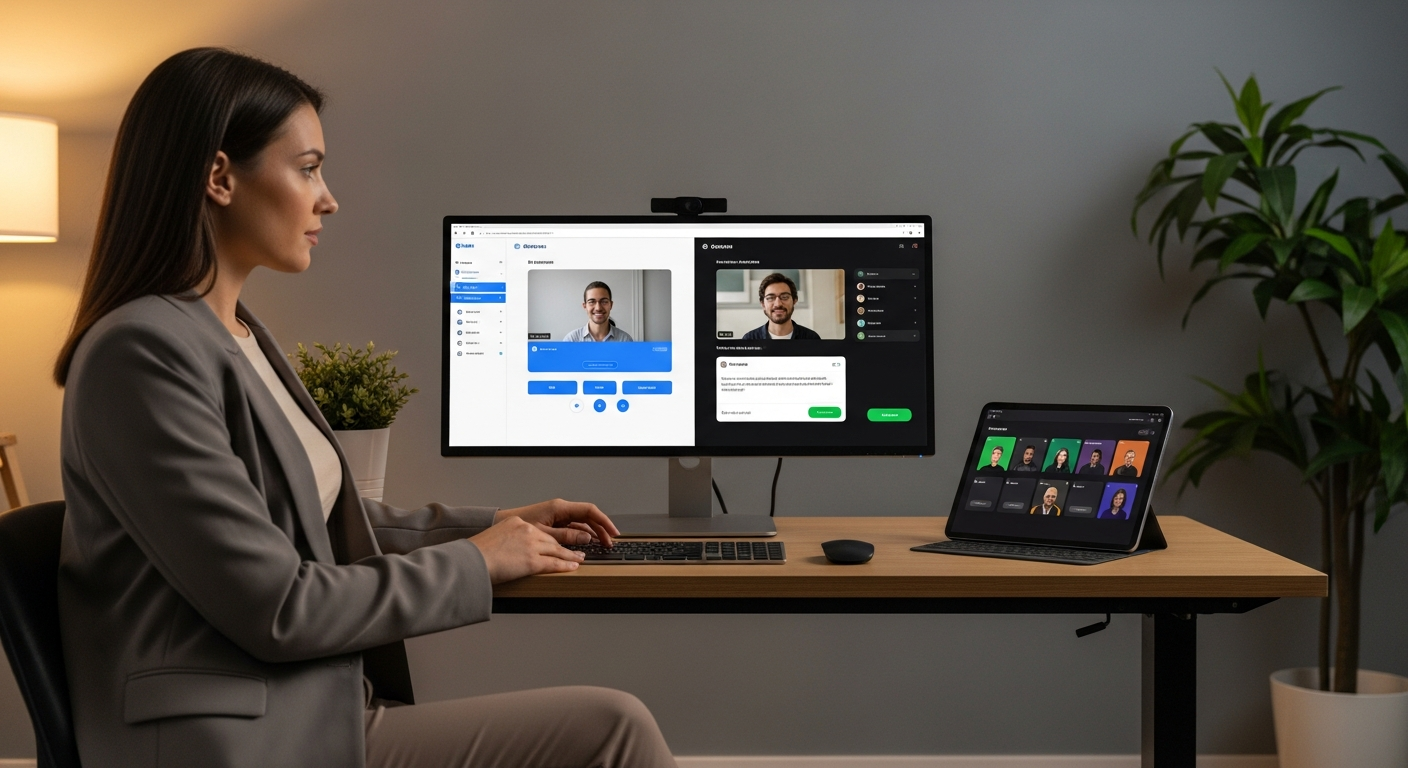
Struggling to Choose the Right Enterprise Video Conferencing Platform?
In today's globalized, remote-first, and hybrid work environments, seamless and secure video communication isn't just a perk—it's the backbone of enterprise productivity and collaboration. But with a crowded market, identifying the perfect platform that scales with your organization, integrates flawlessly with existing tech stacks, and meets stringent security and compliance requirements can feel like navigating a maze.
>You need more than just a video call tool; you need an enterprise-grade solution that empowers your teams, secures your data, and drives business outcomes. This comprehensive guide cuts through the noise, providing an in-depth, data-driven comparison of the leading video conferencing platforms tailored specifically for enterprise needs. <We'll help you make an informed decision, saving you countless hours and potential costly missteps.
Quick Comparison: Top Enterprise Video Conferencing Platforms at a Glance
>Before diving into the granular details, here's a rapid overview of the industry leaders, highlighting their core strengths for enterprise use cases.<
| Platform | Best For | Key Enterprise Features | Pricing Model (Est.) | Free Tier/Trial | Primary Advantage |
|---|---|---|---|---|---|
| Microsoft Teams | Microsoft 365 Ecosystem Users, Large Enterprises | Deep M365 integration, robust security, enterprise voice, meeting transcription | Per-user/month (part of M365) | Limited free version, trials via M365 | Unparalleled integration with Microsoft Suite |
| Zoom Enterprise | Scalability, Ease of Use, Global Reach | >High-quality video/audio, large meeting capacity, advanced security, webinar features< | Per-user/month, custom enterprise plans | Basic free tier (40 min limit), enterprise trials | Industry-leading reliability and user experience |
| Google Meet Enterprise | Google Workspace Users, AI-driven Features | Deep GWS integration, live captions, noise cancellation, AI summaries, security | Per-user/month (part of GWS) | Limited free version, trials via GWS | Seamless integration with Google Workspace and AI innovation |
| Cisco Webex Meetings | High Security & Compliance, Hybrid Work, Contact Centers | End-to-end encryption, data residency, device integration, robust contact center features | Per-user/month, custom enterprise plans | Limited free version, trials available | Enterprise-grade security and advanced hardware integration |
| GoTo Meeting/Connect | >Small to Mid-Sized Enterprises, Reliability< | Reliable performance, easy scheduling, transcription, robust security | Per-user/month | Limited free trial | Simplicity and consistent performance |
| RingCentral Video | Unified Communications as a Service (UCaaS) | Integrated UCaaS platform (voice, messaging, video), AI insights, analytics | Per-user/month (part of UCaaS bundle) | Limited free version, trials available | All-in-one communications platform |
Ready to dig deeper into the features, pricing, and specific use cases for each platform? Let's break down what truly matters for your enterprise.
In-Depth Reviews: The Enterprise Video Conferencing Powerhouses
1. Microsoft Teams (Enterprise)
Overview: More than just a video conferencing tool, Microsoft Teams is a comprehensive collaboration hub deeply embedded within the Microsoft 365 ecosystem. For enterprises already invested in M365, Teams offers unparalleled integration, streamlining workflows from document co-authoring to project management and communication.

- Core Functionality: HD video meetings, audio calls, chat, file sharing, screen sharing, whiteboarding, custom backgrounds, live captions, meeting recordings with transcription.
- Enterprise-Specific Features:
- Deep M365 Integration: Seamless access to SharePoint, OneDrive, Outlook, Word, Excel, PowerPoint directly within Teams.
- Advanced Security & Compliance: End-to-end encryption (E2EE) for 1:1 calls, extensive compliance certifications (HIPAA, GDPR, ISO 27001), data residency options, conditional access policies.
- Enterprise Voice: Full PBX capabilities with Microsoft Calling Plans or Direct Routing, enabling Teams to replace traditional phone systems.
- Large Scale Meetings & Webinars: Supports up to 1,000 active participants for interactive meetings, and up to 20,000 for view-only webinars.
- Meeting Intelligence: AI-powered notes, task creation, and sentiment analysis (Microsoft Copilot integration).
- IT Management: Centralized admin portal, granular policy controls, analytics, and reporting.
Pros:
- Unmatched integration for M365 users.
- Robust security and compliance for regulated industries.
- Scalable for very large organizations.
- Consolidated communication and collaboration platform.
- Strong roadmap for AI-driven features.
Cons:
- Can be resource-intensive for older hardware.
- Interface can feel cluttered for new users unfamiliar with M365.
- Best value is realized within the full M365 suite.
Ideal For: Enterprises heavily invested in Microsoft 365, organizations seeking a unified communication and collaboration platform, and those requiring stringent security and compliance features.
Explore Microsoft Teams for Your Enterprise
Already using Microsoft 365? Discover how Teams can transform your collaboration.
Amazon — See latest price on Amazon
2. Zoom Enterprise
Overview: Zoom established itself as the de-facto standard for video conferencing during the remote work surge, lauded for its intuitive interface, high-quality audio/video, and unparalleled reliability. Zoom Enterprise builds upon this foundation with advanced features designed to meet the complex demands of large organizations.
- Core Functionality: Crystal-clear HD video and audio, screen sharing, virtual backgrounds, breakout rooms, polls, Q&A, chat, whiteboard, meeting recordings.
- Enterprise-Specific Features:
- Scalability & Performance: Supports up to 1,000 participants in standard meetings (with add-ons), up to 50,000 for Zoom Events/Webinars. Renowned for stable performance even with large numbers.
- Advanced Security: E2EE, password protection, waiting rooms, host controls, SSO integration, role-based access control, secure meeting APIs.
- Zoom Rooms & Hardware Integration: Dedicated solutions for conference rooms, including hardware partnerships for seamless deployment.
- API & SDK: Extensive developer tools for custom integrations and embedding Zoom functionality into existing applications.
- Contact Center & Phone System: Zoom Contact Center and Zoom Phone offer integrated UCaaS solutions for a complete communication stack.
- Analytics & Management: Comprehensive dashboards for IT administrators to monitor usage, quality, and troubleshoot issues.
Pros:
- Industry-leading ease of use and user adoption.
- Exceptional video and audio quality, even in varying network conditions.
- Highly scalable for large meetings and webinars.
- Robust integration ecosystem with third-party apps.
- Strong portfolio of complementary products (Phone, Rooms, Events).
Cons:
- Security concerns in early days (largely addressed, but perception lingers).
- Can be more expensive as a standalone solution compared to bundled offerings.
- Some advanced features require additional add-ons.
Ideal For: Enterprises prioritizing user experience, high-quality video and audio, large-scale events, and a flexible platform that integrates well with diverse tech stacks.
Experience Zoom's Enterprise Capabilities
See why millions trust Zoom for reliable, high-quality video conferencing.

FlexiSpot — See FlexiSpot standing desks
3. Google Meet (Enterprise)
Overview: Google Meet, part of Google Workspace, offers a secure and reliable video conferencing solution that leverages Google's vast cloud infrastructure and AI capabilities. It's particularly appealing to enterprises already using Google Workspace for email, calendar, and document collaboration.
- Core Functionality: HD video meetings, screen sharing, live captions, noise cancellation, polls, Q&A, digital whiteboard (Jamboard), meeting recordings saved to Drive.
- Enterprise-Specific Features:
- Google Workspace Integration: Seamlessly schedule and join meetings from Calendar, collaborate on Docs, Sheets, Slides in real-time.
- Advanced AI & Machine Learning: Industry-leading noise cancellation, intelligent framing, live translation of captions, meeting summaries and action items (with Duet AI).
- Enhanced Security: Encrypted in transit and at rest, proactive anti-abuse measures, robust access controls, compliance with major standards (ISO 27001, SOC 2, HIPAA).
- Large Scale Meetings: Supports up to 500 participants in a meeting, with live streaming for up to 100,000 viewers within the domain.
- Hardware Solutions: Google Meet hardware kits (Chromebox, cameras, mics) for dedicated conference room setups.
- Admin Controls: Centralized management console for policy enforcement, analytics, and user management.
Pros:
- Deep integration with Google Workspace.
- Cutting-edge AI features for productivity and accessibility.
- Robust security built on Google's infrastructure.
- Excellent for global teams with live translation.
- User-friendly interface, especially for Google users.
Cons:
- Less standalone feature-rich compared to Zoom for pure video conferencing.
- Optimal value is within the Google Workspace ecosystem.
- Integration with non-Google apps can be less seamless than competitors.
Ideal For: Enterprises committed to Google Workspace, organizations seeking advanced AI-driven meeting intelligence, and those prioritizing security and scalability within a cloud-native environment.
Unlock Collaboration with Google Meet Enterprise
Transform your meetings with AI-powered insights and seamless Workspace integration.
Amazon Associates — Check price on Amazon
4. Cisco Webex Meetings
Overview: Cisco Webex has long been a stalwart in enterprise communications, known for its focus on security, reliability, and robust features for hybrid work. It offers a comprehensive suite including meetings, messaging, and calling, with strong emphasis on integration with physical meeting spaces.
- Core Functionality: High-definition video and audio, screen sharing, whiteboarding, polling, Q&A, breakout rooms, meeting recordings, transcription.
- Enterprise-Specific Features:
- Industry-Leading Security & Compliance: End-to-end encryption, data residency options, advanced threat protection, extensive compliance certifications (FedRAMP, HIPAA, GDPR).
- Hybrid Work Solutions: Deep integration with Cisco Webex Devices (cameras, intelligent whiteboards, room systems) for intelligent meeting experiences in physical spaces.
- Unified Communications: Webex Suite combines meetings, messaging, and calling (Webex Calling) into a single platform.
- Contact Center Integration: Robust capabilities for customer service and support teams.
- AI & Intelligence: Noise removal, speech enhancement, gesture recognition, facial recognition for name labels, real-time translations.
- Scalability: Supports up to 1,000 participants in meetings, with webinars for up to 10,000.
Pros:
- Exceptional security and data privacy features.
- Strong focus on hybrid work and physical meeting room integration.
- Comprehensive UCaaS offering with calling and messaging.
- Reliable performance and enterprise-grade support.
- Advanced AI features for meeting enhancement.
Cons:
- Interface can feel less intuitive or modern compared to Zoom for some users.
- Can be perceived as more complex to deploy and manage for smaller IT teams.
- Hardware solutions add significant cost.
Ideal For: Highly regulated industries (finance, government, healthcare), enterprises with significant investments in physical meeting spaces, and organizations prioritizing security, compliance, and a unified communications strategy.
5. GoTo Meeting / GoTo Connect
Overview: GoTo (formerly LogMeIn) offers GoTo Meeting for standalone video conferencing and GoTo Connect as a full UCaaS solution. Known for its reliability and straightforward functionality, GoTo platforms are a solid choice for businesses seeking consistent performance without unnecessary complexity.
- Core Functionality: HD video, screen sharing, drawing tools, meeting lock, custom backgrounds, transcription, cloud recordings.
- Enterprise-Specific Features:
- Reliability & Uptime: Strong reputation for stable connections and minimal disruptions.
- Easy Scheduling & Joining: Intuitive scheduling and one-click join experience.
- Advanced Security: SSL/TLS encryption, meeting passwords, host controls, SSO support.
- GoTo Connect UCaaS: Combines video conferencing with cloud VoIP phone system, messaging, and contact center features for a unified experience.
- Meeting Hub: Centralized dashboard to manage all meetings, recordings, and transcripts.
- Analytics & Reporting: Detailed insights into meeting usage and performance for IT.
Pros:
- Highly reliable and stable platform.
- User-friendly interface, easy to adopt.
- Strong UCaaS offering with GoTo Connect.
- Excellent customer support.
- Good value for mid-sized enterprises.
Cons:
- Less extensive third-party integration ecosystem than some competitors.
- AI features are not as advanced as Google Meet or Teams.
- May lack some cutting-edge features found in top-tier platforms.
Ideal For: Mid-sized to large enterprises looking for a reliable, easy-to-use video conferencing solution, or those seeking a comprehensive UCaaS platform with strong VoIP capabilities.
6. RingCentral Video
Overview: RingCentral Video is a key component of the RingCentral MVP (Message, Video, Phone) UCaaS platform. It's designed for enterprises that need a fully integrated communication solution, offering seamless transitions between chat, video, and voice calls within a single application.
- Core Functionality: HD video meetings, screen sharing, team messaging, file sharing, task management, whiteboarding, meeting recordings, live transcription.
- Enterprise-Specific Features:
- Integrated UCaaS Platform: True single app experience for messaging, video meetings, and enterprise cloud phone system (VoIP).
- AI-Powered Insights: Meeting summaries, action item detection, sentiment analysis, and call coaching tools.
- Global Reach & PSTN Integration: Available in over 40 countries with local numbers, powerful global calling capabilities.
- Advanced Analytics & Reporting: Comprehensive dashboards for call quality, meeting performance, and user adoption across all communication channels.
- Robust Security & Compliance: End-to-end encryption, extensive certifications (HIPAA, SOC 2, ISO 27001), SSO integration.
- Open Platform: Extensive APIs and integrations with hundreds of business applications (CRM, ERP, etc.).
Pros:
- Truly unified communication experience (MVP).
- Powerful AI features for productivity and insights.
- Strong global presence and PSTN integration.
- Extensive third-party integrations.
- Excellent for organizations standardizing on a single communication vendor.
Cons:
- Can be more expensive if you only need video conferencing and not the full UCaaS suite.
- Learning curve for users migrating from separate applications.
- Interface can feel dense due to the breadth of features.
Ideal For: Enterprises looking for a complete, all-in-one UCaaS solution that tightly integrates video, messaging, and phone, and those requiring advanced analytics and global communication capabilities.
Understanding Enterprise Pricing & Suitability by Segment
Enterprise-grade video conferencing platforms rarely list simple, one-size-fits-all pricing. Most operate on a per-user/per-month model, with significant discounts for annual commitments, volume licenses, and custom enterprise agreements. The "true cost" often includes add-ons for larger meetings, advanced analytics, enhanced security, or specific hardware.

Typical Pricing Models:
- Per-User/Per-Month: Standard for most platforms, with tiers based on features (e.g., meeting capacity, recording storage).
- Bundled with Suites: Microsoft Teams and Google Meet are often included as part of larger productivity suites (Microsoft 365, Google Workspace), offering significant value if you need those other tools.
- UCaaS Bundles: Platforms like RingCentral and GoTo Connect offer video as part of a larger Unified Communications as a Service package, including VoIP, messaging, and contact center features.
- Custom Enterprise Quotes: For organizations with hundreds or thousands of users, direct negotiation with sales teams is common to secure tailored pricing and service level agreements (SLAs).
Suitability by Enterprise Size & Needs:
- Small to Mid-Sized Enterprises (SMEs, 50-500 employees):
- Focus: Ease of use, reliability, good value, manageable IT overhead.
- Recommendations: GoTo Meeting/Connect, Zoom Business, Google Meet (Business Standard/Plus). These offer robust features without the full complexity or cost of top-tier enterprise plans.
- Large Enterprises (500-5000 employees):
- Focus: Scalability, advanced security, deep integration with existing tech, strong IT management tools.
- Recommendations: Microsoft Teams Enterprise, Zoom Enterprise, Google Meet Enterprise, Cisco Webex Meetings. The choice often depends on existing ecosystem (M365 vs. Google Workspace) or specific security/hybrid work requirements.
- Very Large Enterprises & Global Corporations (5000+ employees):
- Focus: Global deployment, data residency, complex compliance, custom integrations, dedicated support, unified communications strategy.
- Recommendations: Microsoft Teams Enterprise, Zoom Enterprise, Cisco Webex Meetings, RingCentral Video. These platforms offer the deepest feature sets, most extensive compliance, and global infrastructure necessary for operations at this scale. Custom pricing and dedicated account management are standard.
- Highly Regulated Industries (Healthcare, Finance, Government):
- Focus: Strict compliance (HIPAA, FedRAMP, GDPR), end-to-end encryption, data residency, audit trails.
- Recommendations: Cisco Webex Meetings, Microsoft Teams, Zoom (with specific security add-ons). These vendors have dedicated offerings and certifications to meet the most stringent regulatory requirements.
Pro Tip: Always engage with sales teams for a custom quote. Many providers offer trials of their enterprise tiers, allowing you to test features with your specific team before committing.
Matching the Platform to Your Enterprise Persona
Choosing the right platform isn't just about features; it's about how well it aligns with your organization's culture, existing infrastructure, and strategic goals. Here's a breakdown by common enterprise personas:
Persona 1: The Microsoft 365-Centric Enterprise
- Description: Your organization lives and breathes Microsoft 365. Outlook is your email, SharePoint is your intranet, and OneDrive is your cloud storage. You value seamless integration and a single vendor for productivity.
- Ideal Platform: Microsoft Teams Enterprise.
- Why: Unparalleled integration with your existing ecosystem. Teams becomes the central hub for all communication and collaboration, from documents to meetings, reducing context switching and simplifying IT management. Strong security and compliance are inherent.
Persona 2: The Google Workspace-Powered Innovator
- Description: Your teams thrive on cloud-native collaboration, leveraging Google Docs, Sheets, and Slides. You appreciate intuitive design, powerful AI features, and a flexible, modern approach to work.
- Ideal Platform: Google Meet Enterprise.
- Why: Deep integration with Google Workspace, superior AI-driven features like noise cancellation and live translation, and a user-friendly interface that aligns with Google's design philosophy. Excellent for global, fast-paced teams.
Persona 3: The "Best-in-Class" Experience Seeker (Any Ecosystem)
- Description:> You prioritize the absolute best meeting experience – crystal-clear audio/video, intuitive controls, and a platform that simply "works" every time, regardless of your other software choices. You may have diverse tech stacks and need flexible integrations.<
- Ideal Platform: Zoom Enterprise.
- Why: Zoom is renowned for its reliability, ease of use, and high-quality performance. Its robust API and extensive integration marketplace allow it to fit into virtually any environment, making it a powerful standalone choice for superior meeting experiences.
Persona 4: The Security & Hybrid Work Champion
- Description: Your organization operates in a highly regulated industry, requires stringent data security and compliance, and has a significant investment in physical meeting rooms that need seamless integration with remote participants.
- Ideal Platform: Cisco Webex Meetings.
- Why: Webex excels in enterprise-grade security, data residency, and compliance. Its strong focus on hybrid work solutions, including advanced Webex Devices, makes it perfect for connecting physical and virtual teams securely and effectively.
Persona 5: The Unified Communications Evangelist
- Description: You believe in consolidating all communication channels – voice, video, and messaging – into a single, integrated platform to simplify workflows, reduce vendor sprawl, and enhance overall productivity.
- Ideal Platform: RingCentral Video (as part of MVP) or GoTo Connect.
- Why: Both offer comprehensive UCaaS solutions. RingCentral is particularly strong for global reach and advanced AI, while GoTo Connect provides a reliable and user-friendly option for those seeking an all-in-one platform without extreme complexity.
Implementation & Getting Started: A Phased Approach
Migrating or deploying a new enterprise video conferencing solution is a significant undertaking. A structured approach is crucial for a smooth transition and high user adoption.
Phase 1: Discovery & Planning (Critical First Steps)
- Define Requirements:
- Technical: Integration needs (CRM, HRIS, calendars), network bandwidth, security protocols, compliance (HIPAA, GDPR, SOC 2), data residency.
- User: Number of users, types of meetings (internal, external, webinars), need for phone integration, accessibility features.
- Budget: Total Cost of Ownership (TCO) including licenses, hardware, training, and support.
- Assess Current State: Evaluate existing communication tools, identify pain points, and map current workflows.
- Form a Project Team: Include IT, HR, Legal, and key business stakeholders.
- Vendor Shortlist & Demos: Based on requirements, select 2-3 platforms for in-depth demos and proof-of-concept trials.
- Negotiate & Select: Secure favorable pricing and SLAs.
Phase 2: Technical Setup & Configuration
- Network Readiness: Ensure sufficient bandwidth, QoS (Quality of Service) policies, and firewall configurations are in place.
- User Provisioning & SSO: Integrate with your identity provider (Azure AD, Okta, Ping Identity) for Single Sign-On (SSO) and automated user provisioning.
- Security Policies: Configure host controls, recording policies, external access, and data encryption settings according to your enterprise's security posture.
- Integrations: Set up integrations with calendars (Outlook, Google Calendar), CRM, learning management systems (LMS), and other critical business applications.
- Hardware Deployment (if applicable): Install and configure dedicated room systems (e.g., Zoom Rooms, Webex Devices, Google Meet hardware).
- Pilot Program: Deploy the new platform to a small group of enthusiastic early adopters to gather feedback and identify potential issues.
Phase 3: Rollout & Adoption
- Training & Documentation: Develop comprehensive training materials (videos, quick-start guides) and conduct training sessions for all user groups. Highlight key features and best practices.
- Communication Plan: Clearly communicate the transition plan, benefits, and support resources to all employees.
- Phased Rollout: Consider rolling out the platform department-by-department or region-by-region to manage support load.
- Support Structure: Establish clear internal support channels (IT helpdesk, internal champions) and leverage vendor support.
- Monitor & Optimize: Continuously monitor usage, performance, and user feedback. Make adjustments to configurations, training, or policies as needed.
Remember: Successful adoption hinges on demonstrating clear value to your employees and making the transition as smooth as possible. Invest in training and ongoing support.
Ready to Empower Your Enterprise with the Right Video Conferencing Platform?
Don't let analysis paralysis hold your business back. We've laid out the critical insights you need to make an informed decision.
Take the next step towards seamless, secure, and productive collaboration.
Compare top platforms side-by-side, try free trials, and get custom enterprise quotes today.
Monday.com — Try Monday.com free — no credit card needed
>Note: Our comparisons include affiliate links, which may provide us with a commission if you make a purchase at no additional cost to you. This helps support our research and content.<
Frequently Asked Questions About Enterprise Video Conferencing
A1: Platforms like Cisco Webex, Microsoft Teams, and Zoom Enterprise offer robust security features including end-to-end encryption (E2EE), advanced host controls, SSO integration, and compliance with major regulatory standards (HIPAA, GDPR, ISO 27001). For highly regulated industries, Webex often leads due to its deep focus on data residency and government certifications like FedRAMP. However, all leading platforms have significantly enhanced their security postures.
A2: Several factors contribute:
- Network Bandwidth: Ensure sufficient and stable internet connection at all locations. Implement Quality of Service (QoS) on your network to prioritize video traffic.
- Hardware: Use high-quality webcams, microphones, and dedicated conference room systems.
- Platform Choice: Platforms like Zoom and Google Meet are renowned for their efficient codecs and ability to maintain quality even with varying network conditions.
- Noise Cancellation: Leverage built-in AI noise cancellation features offered by platforms like Google Meet, Teams, and Webex.
A3: Absolutely. All leading enterprise platforms offer extensive integration capabilities.
- Native Integrations: Many platforms have direct integrations with popular tools like Salesforce, HubSpot, Asana, Jira, etc.
- API/SDK: For custom needs, platforms like Zoom, Microsoft Teams, and RingCentral provide robust APIs and SDKs for developers to build bespoke integrations.
- Ecosystem Integration: If you're using Microsoft 365 or Google Workspace, their respective video conferencing solutions (Teams and Meet) offer unparalleled integration with those ecosystems.
A4:
- Video Conferencing Platform: Primarily focuses on video meetings, screen sharing, and often includes chat and file sharing within the meeting context (e.g., a standalone Zoom Meetings license).
- Unified Communications as a Service (UCaaS): A more comprehensive solution that integrates multiple communication channels into a single platform. This typically includes video conferencing, cloud-based VoIP phone systems (PSTN calling), team messaging, contact center capabilities, and sometimes fax or SMS (e.g., RingCentral MVP, GoTo Connect, Microsoft Teams with Calling Plans, Webex Suite). UCaaS aims to simplify communication infrastructure and provide a seamless experience across all modalities.
A5: Generally, no. While many platforms offer free tiers (e.g., Zoom Basic, Google Meet Free, Teams Free), these are typically limited in:
- Meeting Duration: Often capped at 40-60 minutes.
- Participant Capacity: Lower limits than enterprise plans.
- Security & Compliance: Lack advanced features like E2EE for all calls, SSO, data residency options, and compliance certifications.
- Management & Analytics: Limited or no centralized IT administration tools.
- Support: Basic or community-based support only.
A6: Extremely important for global enterprises. A provider with a strong global presence offers:
- Reliable Performance: Data centers distributed worldwide reduce latency for international participants.
- Local Dial-in Numbers: Allows participants to join by phone without incurring international long-distance charges.
- PSTN Integration: Crucial for UCaaS solutions that need to connect to traditional phone networks globally.
- Data Residency Options: Ability to store data in specific geographic regions to comply with local regulations.
- 24/7 Global Support: Ensures assistance is available regardless of time zone.



