Best Mesh System for Very Large Home
Conquer Wi-Fi Dead Zones in 5000+ Sq Ft Homes
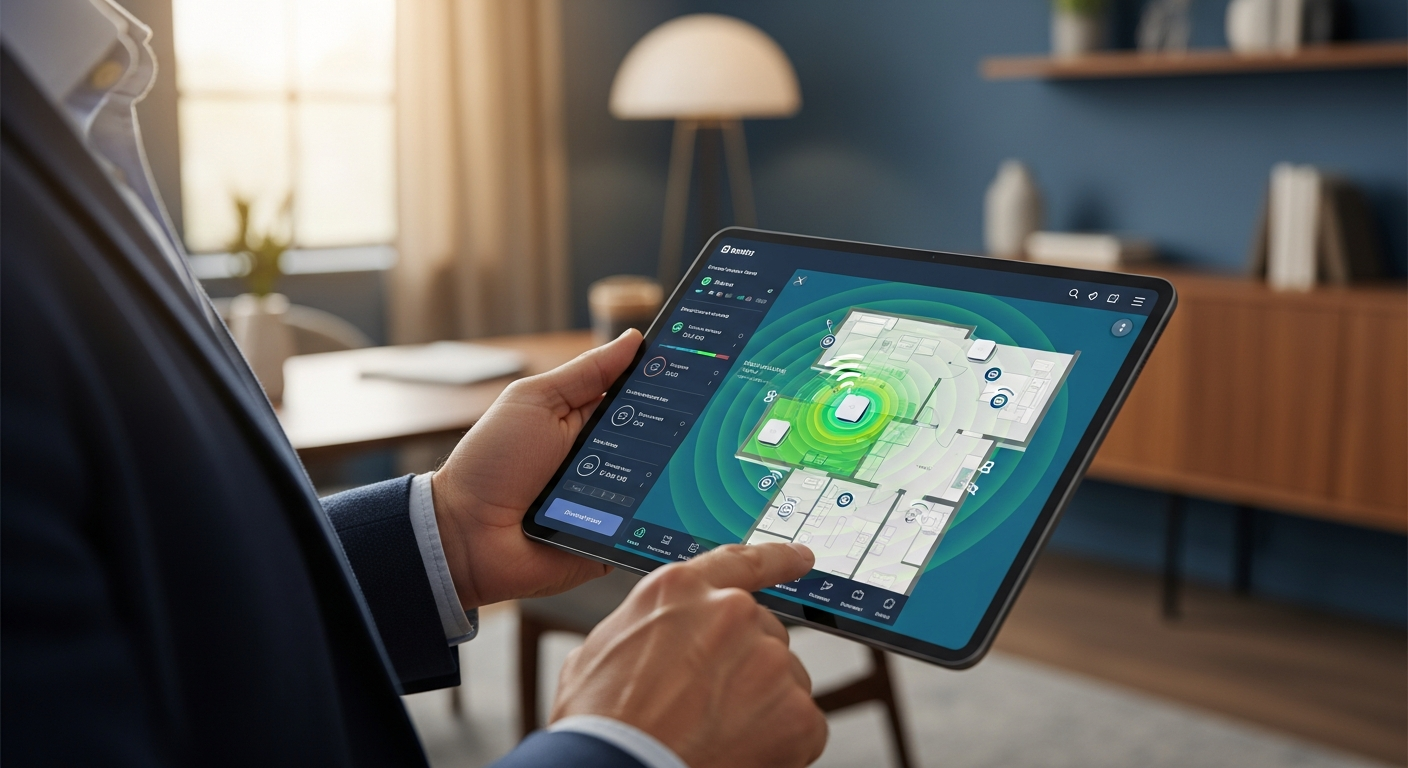
Conquer Wi-Fi Dead Zones: The Ultimate Guide to the Best Mesh System for Your Very Large Home
>>As a business professional, your home isn't just a living space; it's often a remote office, a command center for smart devices, and a hub for high-bandwidth entertainment. In a very large home, traditional routers simply don't cut it. You've likely experienced the frustration: dropped <video calls in the study, buffering 4K streams in the media room, or smart home devices struggling to connect in the far corners of your property.<
The problem is clear: your current Wi-Fi infrastructure is failing to provide the seamless, high-performance connectivity your expansive home and demanding lifestyle require. You need robust coverage, consistent speed, and rock-solid reliability across every square foot, without unsightly range extenders or complex wiring.
The promise: This comprehensive guide cuts through the technical jargon and marketing hype to present you with the definitive solutions. We've meticulously researched and evaluated the top mesh Wi-Fi systems engineered specifically for very large homes (typically 5,000+ sq ft). By the end of this article, you'll be equipped with the knowledge to select a system that delivers unparalleled whole-home Wi-Fi, transforming your connectivity from a constant headache into an invisible, high-performing utility.
Quick Comparison: Top Mesh Systems for Expansive Properties
>Before diving into the granular details, here's a rapid overview of our top recommendations. This table highlights key features to help you quickly identify systems that align with your immediate needs.<
| System | Coverage (Sq Ft) | Max Speed (Mbps) | Bands | Key Feature | Price Range | Ideal For |
|---|---|---|---|---|---|---|
| TP-Link Deco BE95 | Up to 10,000+ | 26000 (BE26000) | Quad-Band (Wi-Fi 7) | Future-proof Wi-Fi 7, Unrivaled Speed | $$$$ | Early Adopters, Extreme Performance |
| Netgear Orbi RBKE963 (Wi-Fi 6E) | Up to 9,000 | 10800 (AXE11000) | Quad-Band (Wi-Fi 6E) | Dedicated 6GHz Backhaul, Enterprise-grade | $$$$ | High-Bandwidth Users, Smart Homes |
| Eero Pro 6E | Up to 6,000 (3-pack) | 5400 (AXE5400) | Tri-Band (Wi-Fi 6E) | Simplicity, Robust Security, Matter Ready | $$$ | Ease of Use, Apple Ecosystem Users |
| Google Nest Wifi Pro | Up to 6,600 (3-pack) | 5400 (AXE5400) | Tri-Band (Wi-Fi 6E) | Sleek Design, Google Home Integration | $$$ | Smart Home Enthusiasts, Modern Aesthetics |
| Asus ZenWiFi ET8 | Up to 6,000 (2-pack) | 6600 (AXE6600) | Tri-Band (Wi-Fi 6E) | >Advanced Controls, AiProtection Pro< | $$$ | Power Users, Customization Seekers |
| Netgear Orbi RBK752 (Wi-Fi 6) | Up to 5,000 (2-pack) | 4200 (AX4200) | Tri-Band (Wi-Fi 6) | Cost-Effective Orbi, Dedicated Backhaul | $$ | Value-Conscious, Still High Performance |
In-Depth Analysis: The Best Mesh Wi-Fi Systems for Very Large Homes
Let's delve deeper into each of our top recommendations, examining their strengths, weaknesses, and unique selling propositions. This detailed breakdown will help you understand which system truly aligns with your specific demands for performance, features, and budget.

1. TP-Link Deco BE95 (BE26000) - The Pinnacle of Future-Proof Performance
Overview:> The TP-Link Deco BE95 isn't just a mesh system; it's a statement of intent. As one of the first Wi-Fi 7 (802.11be) systems on the market, it offers truly staggering speeds and unprecedented capacity. With quad-band support, including the new 6GHz band, it's designed to handle hundreds of devices and multi-gigabit internet connections with ease. If you demand the absolute best and are ready to invest in the future of Wi-Fi, the BE95 is your answer.<
- Coverage: Up to 10,000+ sq ft (3-pack)
- Speed: Up to 26 Gbps aggregate (BE26000)
- Bands: Quad-Band (2.4GHz, 5GHz, 5GHz, 6GHz)
- Ports: 2x 10 Gigabit ports, 2x 2.5 Gigabit ports per unit
- Key Technologies: Wi-Fi 7, MLO (Multi-Link Operation), 320MHz Channels, 4096-QAM, AI-Driven Mesh
Pros:
- Unrivaled Wi-Fi 7 speeds and capacity, future-proofing your network for years.
- Quad-band design ensures dedicated backhaul and maximum device allocation.
- Multiple multi-gigabit Ethernet ports (10GbE and 2.5GbE) for wired connections.
- Exceptional coverage for extremely large homes and properties.
- AI-Driven Mesh technology intelligently optimizes network performance.
Cons:
- Premium price point, significantly higher than Wi-Fi 6E alternatives.
- Wi-Fi 7 client devices are still scarce, limiting immediate full benefits.
- Large physical footprint of the units may not suit all aesthetics.
2. Netgear Orbi RBKE963 (Wi-Fi 6E) - The Gold Standard for Premium Wi-Fi 6E
Overview: For those seeking top-tier Wi-Fi 6E performance without the bleeding-edge cost of Wi-Fi 7, the Netgear Orbi RBKE963 series is an undisputed champion. Its quad-band architecture dedicates an entire 6GHz band exclusively for backhaul, ensuring your satellite units communicate with the main router at phenomenal speeds, regardless of client device activity. This translates to incredibly consistent and fast Wi-Fi across vast areas, ideal for homes filled with smart devices and bandwidth-intensive activities.
- Coverage: Up to 9,000 sq ft (3-pack)
- Speed: Up to 10.8 Gbps aggregate (AXE11000)
- Bands: Quad-Band (2.4GHz, 5GHz, 6GHz dedicated backhaul, 6GHz client)
- Ports: 1x 10 Gigabit WAN, 3x Gigabit LAN (router); 1x 2.5 Gigabit LAN, 3x Gigabit LAN (satellite)
- Key Technologies: Wi-Fi 6E, Dedicated 6GHz Backhaul, Orbi App, WPA3, Smart Parental Controls (optional)
Pros:
- Dedicated 6GHz backhaul provides unmatched stability and speed for inter-node communication.
- Exceptional performance for large homes with numerous devices.
- Robust security features and optional advanced parental controls (Netgear Armor).
- Easy setup and management via the intuitive Orbi app.
- Sleek, professional design that blends into high-end interiors.
Cons:
- High price point, though justified by performance.
- Some advanced features like VPN server require a subscription.
- Units are relatively large, requiring thoughtful placement.
3. Eero Pro 6E - Simplicity, Security, and Seamless Connectivity
Overview:> Amazon's Eero Pro 6E stands out for its blend of user-friendliness, robust security, and impressive Wi-Fi 6E performance. While not reaching the raw speed peaks of Orbi or Deco BE95, Eero excels in providing a consistently reliable and secure network experience. Its tri-band design, incorporating the 6GHz band, ensures excellent speeds and capacity for homes up to 6,000 sq ft with a 3-pack. Eero's focus on ease of use and integrated security makes it a compelling choice for business professionals who value a 'set it and forget it' solution.<
- Coverage: Up to 6,000 sq ft (3-pack)
- Speed: Up to 5.4 Gbps aggregate (AXE5400)
- Bands: Tri-Band (2.4GHz, 5GHz, 6GHz)
- Ports: 2x Gigabit Ethernet ports per unit
- Key Technologies: Wi-Fi 6E, TrueMesh technology, built-in Zigbee smart home hub, Matter ready, Eero Secure (optional)
Pros:
- Incredibly simple setup and management via the Eero app.
- Strong focus on security with automatic updates and optional Eero Secure/Secure+ subscriptions.
- Integrated Zigbee smart home hub and Matter readiness streamline smart device management.
- Compact and discreet design, easy to place anywhere.
- Reliable performance and seamless roaming across the network.
Cons:
- No multi-gigabit Ethernet ports, potentially bottlenecking ultra-fast internet connections.
- Advanced security and parental controls are subscription-based.
- Maximum coverage might be slightly less than Orbi for extreme properties.
4. Google Nest Wifi Pro (Wi-Fi 6E) - Smart Home Integration with Style
Overview: Google Nest Wifi Pro is designed for the modern smart home, offering excellent Wi-Fi 6E performance wrapped in a sleek, minimalist aesthetic. It prioritizes ease of use and deep integration with the Google Home ecosystem, making it an ideal choice for users already invested in Google's smart devices and services. With tri-band support including the 6GHz band, it delivers fast, reliable coverage for homes up to 6,600 sq ft (3-pack) and intelligently manages traffic for optimal performance.
- Coverage: Up to 6,600 sq ft (3-pack)
- Speed: Up to 5.4 Gbps aggregate (AXE5400)
- Bands: Tri-Band (2.4GHz, 5GHz, 6GHz)
- Ports: 2x Gigabit Ethernet ports per unit
- Key Technologies: Wi-Fi 6E, Proactive Network Optimization, Built-in Thread border router, Matter ready, Google Home app management
Pros:
- Sleek, attractive design that blends seamlessly into modern decor.
- Deep integration with the Google Home app and ecosystem.
- Proactive network optimization to prioritize traffic and minimize interference.
- Built-in Thread border router for enhanced smart home device connectivity.
- Simple setup and user-friendly management.
Cons:
- No multi-gigabit Ethernet ports.
- Lacks some of the advanced networking controls found in competitor systems.
- Reliance on the Google Home app may not appeal to all users.
5. Asus ZenWiFi ET8 (Wi-Fi 6E) - Power User's Choice with Robust Features
Overview:> The Asus ZenWiFi ET8 combines the power of Wi-Fi 6E with Asus's renowned router software and feature set. This tri-band mesh system is perfect for power users who appreciate granular control over their network, advanced security features, and robust performance. With coverage up to 6,000 sq ft (2-pack), it offers excellent speed and stability, making it a strong contender for large homes where customization and security are paramount.<
- Coverage: Up to 6,000 sq ft (2-pack)
- Speed: Up to 6.6 Gbps aggregate (AXE6600)
- Bands: Tri-Band (2.4GHz, 5GHz, 6GHz)
- Ports: 1x 2.5 Gigabit WAN, 3x Gigabit LAN per unit
- Key Technologies: Wi-Fi 6E, AiProtection Pro (lifetime free), AiMesh, Instant Guard VPN, Adaptive QoS
Pros:
- Comprehensive and powerful software features, including AiProtection Pro (free lifetime subscription).
- Flexible backhaul options (wired, wireless on 5GHz or 6GHz).
- Includes a 2.5 Gigabit WAN port for future-proofing internet connections.
- Strong performance and reliable coverage for large homes.
- Supports AiMesh for easy expansion with other Asus routers.
Cons:
- Interface can be overwhelming for novice users.
- Units are somewhat large.
- Coverage might require a 3-pack for truly sprawling estates.
6. Netgear Orbi RBK752 (Wi-Fi 6) - High Performance, Excellent Value
Overview: If Wi-Fi 6E is beyond your current budget or immediate needs, but you still require premium performance for a very large home, the Netgear Orbi RBK752 (AX4200) is an outstanding choice. This tri-band Wi-Fi 6 mesh system offers a dedicated 5GHz backhaul, ensuring that your satellite units maintain a strong, fast connection to the main router. It provides expansive coverage up to 5,000 sq ft (2-pack) and delivers consistent speeds, making it a highly effective and more value-conscious option for large properties.
- Coverage: Up to 5,000 sq ft (2-pack)
- Speed: Up to 4.2 Gbps aggregate (AX4200)
- Bands: Tri-Band (2.4GHz, 5GHz dedicated backhaul, 5GHz client)
- Ports: 1x Gigabit WAN, 3x Gigabit LAN (router); 2x Gigabit LAN (satellite)
- Key Technologies: Wi-Fi 6, Dedicated 5GHz Backhaul, Orbi App, WPA3, Smart Parental Controls (optional)
Pros:
- Excellent value for a high-performance tri-band mesh system.
- Dedicated 5GHz backhaul ensures reliable and fast inter-node communication.
- Strong coverage and consistent speeds for very large homes.
- Easy setup and management via the Orbi app.
- Supports a high number of devices simultaneously.
Cons:
- No Wi-Fi 6E (6GHz band) support for the absolute latest devices.
- Only Gigabit Ethernet ports, no multi-gig options.
- Optional security features require a subscription.
Pricing & Suitability: Matching Your Budget to Performance Needs
Investing in a mesh system for a very large home is a strategic decision. Understanding the typical price ranges and what they offer will help you align your budget with the performance and features you truly need.
Entry-Level Premium (Around $300 - $500 for a 2-3 pack)
Systems: Netgear Orbi RBK752 (Wi-Fi 6), Linksys Velop MX4200
Ideal For: Large homes (5,000 - 6,000 sq ft) with standard Gigabit internet connections. You have numerous devices, require good coverage, and value reliability. You might not need the absolute bleeding edge of technology or multi-gigabit wired ports, but you won't compromise on stable Wi-Fi.
What to Expect: Solid Wi-Fi 6 performance, often tri-band with a dedicated backhaul. Excellent for 4K streaming, online gaming, and extensive smart home deployments. Provides a significant upgrade over traditional routers.
Mid-Range Premium (Around $500 - $800 for a 2-3 pack)
Systems: Eero Pro 6E, Google Nest Wifi Pro, Asus ZenWiFi ET8
Ideal For: Very large homes (6,000 - 8,000 sq ft) with multi-gigabit internet service (2.5Gbps) or a high concentration of Wi-Fi 6E compatible devices. You demand excellent performance, advanced security, and potentially deep smart home integration. You appreciate a balance between cost and future-proofing.
What to Expect: Wi-Fi 6E with the 6GHz band for less interference and faster speeds for compatible devices. Often includes multi-gigabit WAN ports and enhanced software features. Excellent for demanding professional use, VR, and large-scale smart home ecosystems.
High-End & Future-Proof (Above $800 - $1500+ for a 2-3 pack)
Systems: Netgear Orbi RBKE963 (Wi-Fi 6E), TP-Link Deco BE95 (Wi-Fi 7)
Ideal For: Expansive estates (8,000+ sq ft) or users with multi-gigabit internet connections (5Gbps, 10Gbps) and a strong desire for the absolute best performance and future readiness. You're an early adopter, manage a complex network, or simply want the most robust, high-capacity system available, regardless of cost.
What to Expect: Quad-band Wi-Fi 6E or Wi-Fi 7, often with dedicated backhaul on the 6GHz band. Multiple multi-gigabit Ethernet ports (up to 10GbE). Unparalleled speed, capacity, and coverage for the most demanding environments and devices. This is an investment in cutting-edge technology.
Who Should Use Which Mesh System? Persona-Based Recommendations
Let's tailor our recommendations to specific types of business professionals and their unique home network demands.

The Executive Technophile (Early Adopter, Demands the Best)
Profile: You have the latest gadgets, a multi-gigabit fiber internet connection, and your home is a showcase of smart technology. You conduct frequent high-bandwidth video conferences, engage in VR/AR, and want your network to be future-proof for the next 5-7 years. Budget is less of a concern than unparalleled performance and cutting-edge features.
Recommended System: TP-Link Deco BE95 (Wi-Fi 7) or Netgear Orbi RBKE963 (Wi-Fi 6E)
- Why: Both offer extreme performance, multi-gigabit ports, and superior coverage. The Deco BE95 provides a leap into Wi-Fi 7, while the Orbi RBKE963 offers proven, enterprise-grade Wi-Fi 6E stability with a dedicated backhaul. You'll get the speeds and capacity to handle anything you throw at it.
The Smart Home Maestro (Integrator, Seamless Ecosystem)
Profile: Your home is a symphony of interconnected devices – smart lighting, thermostats, security cameras, voice assistants, and more. You value ease of management, robust security, and seamless integration with your preferred smart home ecosystem (e.g., Apple HomeKit, Google Home). Consistent connectivity for all devices, even in remote areas, is crucial.
Recommended System: Eero Pro 6E or Google Nest Wifi Pro
- Why: Eero Pro 6E's built-in Zigbee hub and Matter readiness, combined with its renowned simplicity and security, make it perfect for managing a complex smart home. Google Nest Wifi Pro offers similar Matter readiness and deep integration with the Google ecosystem, along with a sleek design. Both prioritize stability and ease of use for device proliferation.
The Remote Work & Entertainment Hub (High Bandwidth, Reliability)
Profile: Your home office requires flawless video conferencing and large file transfers. Simultaneously, family members are streaming 4K content, gaming online, and downloading large files. You need a network that can handle multiple concurrent high-bandwidth activities without a hitch, across a very large footprint.
Recommended System: Netgear Orbi RBKE963 (Wi-Fi 6E) or Asus ZenWiFi ET8 (Wi-Fi 6E)
- Why: The Orbi RBKE963's dedicated 6GHz backhaul ensures consistent, high-speed connectivity for all nodes, making it ideal for distributed high-bandwidth usage. The ZenWiFi ET8 offers excellent performance with advanced QoS features to prioritize your critical work traffic, plus strong security. Both provide the power needed for a demanding household.
The Value-Conscious Performer (Optimal Performance without Overspending)
Profile: You have a very large home and require excellent Wi-Fi coverage and speed, but you're also mindful of budget. You may not have a multi-gigabit internet connection (yet) or dozens of Wi-Fi 6E devices, but you need a significant upgrade from a traditional router and want a reliable, future-ready system that delivers strong ROI.
Recommended System: Netgear Orbi RBK752 (Wi-Fi 6)
- Why: The RBK752 offers the core benefits of the Orbi platform – dedicated backhaul and excellent coverage – at a more accessible price point. It delivers robust Wi-Fi 6 performance that will satisfy the vast majority of very large home users for years to come, without the premium for Wi-Fi 6E or 7.
Seamless Implementation: Your Getting Started Guide to Mesh Wi-Fi
Transitioning to a mesh system for your very large home doesn't have to be daunting. Follow these steps for a smooth setup and optimal performance.
Step 1: Preparation is Key
- Assess Your Current Setup: Note down your existing Wi-Fi network name (SSID) and password. Consider if you want to reuse them for a seamless transition for existing devices or create a new network.
- Internet Service Provider (ISP) Modem: Most mesh systems work best when your ISP modem is in "bridge mode" or "modem-only mode." This disables its Wi-Fi capabilities and routing functions, preventing double NAT issues. Consult your ISP or modem manual for instructions.
- Map Your Home: Identify key areas with poor coverage or high Wi-Fi demand (e.g., home office, media room, outdoor patio). This will help you strategically place your mesh units.
- Unpack and Identify: Unbox your new mesh system. Typically, one unit is designated as the "router" (connects to your modem), and the others are "satellite" or "node" units.
Step 2: Initial Setup of the Main Router Unit
- Power Down: Disconnect your old router and power cycle your ISP modem (unplug it for 30 seconds, then plug it back in).
- Connect the Main Unit: Plug the main mesh router unit into your ISP modem's Ethernet port using the provided Ethernet cable.
- Power On: Plug the main mesh router unit into a power outlet. Wait for its indicator lights to stabilize (refer to your system's manual for light status).
- Download the App: Most modern mesh systems are configured via a dedicated mobile app (e.g., Orbi App, Eero App, Deco App). Download it from your smartphone's app store (iOS or Android).
- Follow App Instructions: The app will guide you through creating an account, detecting the main router unit, and setting up your new Wi-Fi network name (SSID) and password.
Step 3: Deploying Satellite Units for Whole-Home Coverage
- Strategic Placement: Place your satellite units strategically. For very large homes, aim for even distribution, ensuring each satellite is within good range of another unit (either the main router or another satellite). Think of it like drawing a line between nodes – you want a strong signal for the "backhaul" connection. Avoid placing them in enclosed cabinets or near major appliances (microwaves, cordless phones) that can cause interference.
- Power On Satellites: Plug in your satellite units. The app will usually detect them automatically or provide simple pairing instructions.
- Verify Connection: Most apps will show the connection strength between nodes. Aim for "Good" or "Excellent" status. If a node shows "Weak," try relocating it closer to another unit.
- Add More Units (If Needed): For extremely large or complex layouts (e.g., multiple floors, detached garages, extensive outdoor areas), you may need to purchase additional satellite units. Most systems are highly scalable.
Step 4: Optimization and Advanced Configuration
- Firmware Updates: Ensure all your mesh units are running the latest firmware. Most systems update automatically, but it's good practice to verify in the app.
- Guest Network: Set up a separate guest network for visitors to enhance security and keep your primary network private.
- Parental Controls & Security: Explore the app's features for parental controls, content filtering, and network security (e.g., threat detection, ad blocking).
- Wired Backhaul (Optional but Recommended): If your home has Ethernet wiring, connect your satellite units to the main router via Ethernet. This creates a "wired backhaul," which is the most robust and fastest connection between nodes, freeing up wireless bands for client devices. This is especially beneficial in very large homes where wireless backhaul can be challenged.
- Quality of Service (QoS): If your system supports it, prioritize critical devices or applications (e.g., your work laptop, video conferencing) to ensure they always get the necessary bandwidth.
- Test Performance: Use a Wi-Fi analyzer app on your phone or conduct speed tests in various parts of your home to confirm optimal coverage and speeds.
By following these steps, you'll transform your home's connectivity, ensuring a robust and reliable Wi-Fi experience across your entire property.
Ready to Experience Flawless Whole-Home Wi-Fi?
Don't let dead zones and slow speeds hinder your productivity or enjoyment any longer. The right mesh Wi-Fi system is a critical investment for any business professional with a very large home.

Take control of your connectivity and unlock the full potential of your smart home and remote work setup. Compare the top systems, read user reviews, and make an informed decision that will elevate your entire digital experience.
Still Unsure? Our detailed comparison table and persona matching guide are designed to simplify your choice. Click below to revisit the options.
Revisit Comparison TableFrequently Asked Questions (FAQ)
Q1: How much coverage do I really need for a "very large home"?
A: A "very large home" typically refers to properties exceeding 5,000 square feet, and often up to 8,000-10,000+ square feet, especially when considering multiple stories, basements, and potentially outdoor areas like patios or detached garages. For these spaces, a 3-pack or even 4-pack mesh system is usually recommended. Always check the manufacturer's stated coverage, but also factor in your home's construction materials (e.g., brick, concrete, plaster can reduce signal penetration) and layout (e.g., long, narrow homes may need more nodes than square ones).
Q2: What's the difference between Wi-Fi 6, Wi-Fi 6E, and Wi-Fi 7, and which is best for me?
A:
- Wi-Fi 6 (802.11ax): The current standard, offering significant speed and efficiency improvements over Wi-Fi 5, especially in congested environments. Operates on 2.4GHz and 5GHz bands. Excellent for most large homes.
- Wi-Fi 6E (802.11axe): Extends Wi-Fi 6 by adding the 6GHz band. This band is less congested, offers wider channels (up to 160MHz), and provides incredibly fast, low-latency connections for compatible devices. Ideal for multi-gigabit internet connections and homes with many new Wi-Fi 6E devices.
- Wi-Fi 7 (802.11be - "Extremely High Throughput"): The upcoming standard, promising even greater speeds, lower latency, and higher capacity than Wi-Fi 6E. It introduces features like Multi-Link Operation (MLO) and 320MHz channels. While cutting-edge, client devices are still rare and systems are very expensive. Best for early adopters or those truly future-proofing with a 5-10 year horizon.
Q3: Do I need multi-gigabit Ethernet ports on my mesh system?
A: If you have an internet service provider (ISP) plan that delivers speeds greater than 1 Gigabit per second (e.g., 2.5Gbps, 5Gbps, or 10Gbps fiber), then yes, you absolutely need multi-gigabit WAN ports on your main mesh router to take full advantage of those speeds. Additionally, having multi-gigabit LAN ports on your router and satellites is beneficial if you have wired devices (e.g., NAS, high-end desktop, gaming console) that can utilize those speeds for internal network transfers or direct internet access. For most users with standard Gigabit internet, Gigabit ports are sufficient, but multi-gig ports offer excellent future-proofing.
Q4: Can I use a wired Ethernet backhaul with a mesh system?
A: Yes, and it's highly recommended for very large homes with existing Ethernet wiring! Using a wired Ethernet connection between your mesh units (main router to satellites) creates a "wired backhaul." This is the most stable and fastest way for your mesh nodes to communicate, completely freeing up the wireless bands for your client devices. This significantly improves overall network performance, especially in challenging environments or for high-bandwidth activities. Most quality mesh systems support wired backhaul; simply connect an Ethernet cable from a LAN port on one unit to a LAN port on another (or through an Ethernet wall jack connected to a central switch).
Q5: What about security features? Are they important for a mesh system?
A: Absolutely. For business professionals, network security is paramount. Look for mesh systems that offer:
- WPA3 Encryption: The latest and most secure Wi-Fi encryption standard.
- Automatic Firmware Updates: Ensures your system always has the latest security patches.
- Built-in Antivirus/Anti-Malware: Some systems (like Asus AiProtection Pro or Netgear Armor) offer network-level threat detection and blocking.
- VPN Server/Client: For secure remote access to your home network or encrypting all your home traffic.
- Parental Controls: Essential for managing internet access and content for family members.
Q6: How many mesh units will I need for my 7,500 sq ft home?
A: For a 7,500 sq ft home, a 3-pack of a high-performance mesh system (like the Orbi RBKE963 or Deco BE95) is typically the minimum recommendation. Depending on your home's layout, construction materials (e.g., concrete walls are signal killers), and the density of devices, you might even consider a 4-pack or adding an extra satellite unit. Always start with the recommended pack size and add more if you find specific dead zones after initial setup and testing.



