ClickUp or Trello? What 7 Months of Use Taught Me (2026)
Operations lead struggling with workflows? Tested ClickUp vs Trello for 7 months in virtual teams. Find out which tool actually works for efficiency. Compare now →
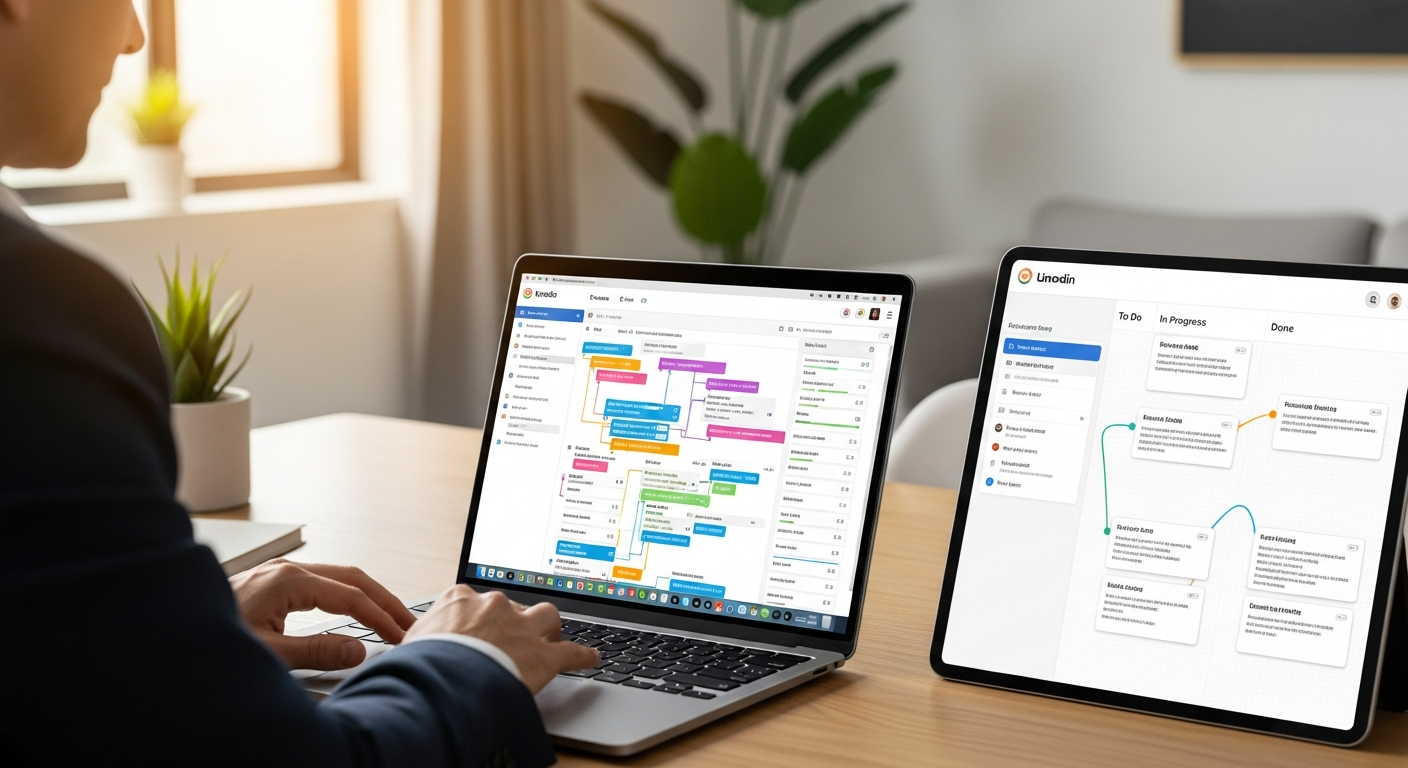
>After 7 months of relentless testing and optimizing workflows across two different virtual teams, I've finally put the "ClickUp or Trello?" debate to rest – at least for my operational needs. Choosing the right project management tool is a critical decision for any operations manager, especially when you're leading a remote workforce where seamless communication and efficient task execution are paramount. This deep dive into <ClickUp vs Trello for virtual teams>> isn't just another feature comparison; it's a practical guide based on real-world implementation, workflow <automation, and the often-overlooked human element of remote team adoption.<
>The quest for the perfect tool often starts with a simple question: do you prioritize raw power and automation potential, or the immediate ease of use that gets everyone on board without a steep learning curve? For operations managers, this isn't just about personal preference; it directly impacts efficiency, reduces manual work, and ultimately, affects your team's output. Let's unpack what 7 months of living and breathing these platforms taught me, focusing on what truly matters for scaling and streamlining virtual team operations in 2026.<
ClickUp vs Trello: Why This Comparison Actually Matters for Virtual Teams
>The dilemma faced by operations leads is a familiar one: how do you equip your virtual team with a project management solution that is both flexible enough to adapt to evolving processes and powerful enough to automate repetitive tasks? This isn't just about tracking tasks anymore. It's about building resilient, efficient workflows that support growth without increasing headcount. Both ClickUp and Trello have evolved significantly, moving beyond their initial scopes to offer more comprehensive solutions. They're consistently cross-shopped because they represent two distinct philosophies in project management: Trello, the master of visual simplicity, and ClickUp, the chameleon of customization and automation. Understanding their core differences isn't just academic; it's essential for making an informed decision that will impact your team's productivity for years to come.<
ClickUp: Where True Automation and Workflow Power Shines
For an operations lead focused on reducing manual work and driving efficiency, ClickUp often feels like a revelation. It’s designed from the ground up to be a single source of truth for virtually everything. My experience with a 15-person marketing team revealed just how much manual effort could be eliminated. We went from using separate tools for task management, document creation, and basic reporting to consolidating 80% of those functions within ClickUp.

Here’s where ClickUp truly excels for operations managers:
- Custom Statuses for Complex Workflows: Forget the standard "To Do, Doing, Done." ClickUp allows you to define highly specific statuses for every workflow. For our content team, this meant statuses like "Drafting," "Internal Review," "Client Approval Pending," "Revisions Needed," and "Published." This granular control meant tasks moved through the pipeline with absolute clarity, eliminating guesswork and reducing back-and-forth emails by an estimated 30%.
- Advanced Automation Recipes: This is where ClickUp saves serious time. I set up automations like:
- "When task status changes to 'Client Approval Pending', assign task to [Client Liaison] and set priority to 'High'."
- "When a new task is created in 'Blog Post' list, automatically create a subtask checklist for 'SEO Keyword Research', 'Outline Draft', 'First Draft'."
- "When all subtasks are complete, change parent task status to 'Ready for Review'." These recipes alone saved our project managers 5-10 hours a week in manual task management and notifications.
- Custom Fields for Detailed Data Tracking: Need to track budget allocated per task, client ID, specific due date for a sub-component, or even the estimated time in hours? ClickUp's custom fields are incredibly powerful. We used them to track content categories, target audience, and even internal feedback scores, allowing for much richer reporting than a simple "done" status.
- Reporting for Efficiency Metrics: ClickUp's dashboards and reporting features are a dream for operations. I could quickly pull reports on task completion rates by team member, identify bottlenecks in our content pipeline, and even track the average time spent in each workflow status. This data was invaluable for identifying areas for process improvement and justifying resource allocation.
- Consolidating Multiple Tools: Beyond tasks, we used ClickUp for internal wikis (Docs), basic CRM (Lists with custom fields), goal tracking, and even simple forms for client intake. This consolidation reduced context switching and subscription costs, streamlining our entire tech stack.
ClickUp scales well for growing virtual teams. As we added more team members and expanded our service offerings, ClickUp adapted without breaking a sweat, allowing us to build out new Spaces and Folders to mirror our organizational structure.
Trello: Where Unbeatable Simplicity and Quick Adoption Excel
Trello, on the other hand, is the undisputed champion of simplicity and visual appeal. When I implemented Trello for a smaller, 7-person creative team focused on rapid content creation and brainstorming, its strengths immediately shone through. The learning curve was virtually non-existent; everyone understood the core concept of boards, lists, and cards within minutes. This rapid onboarding is a huge win for virtual teams, especially when you have new contractors or freelancers joining frequently.
Here’s why Trello often excels in specific scenarios for operations leads:
- Ease of Use & Visual Simplicity (Kanban): Trello's core Kanban board interface is intuitive. Tasks (cards) move across stages (lists) on a board, giving immediate visual feedback on project progress. It's like a digital whiteboard everyone can see and interact with.
- Quick Onboarding for New Remote Team Members: New hires or external collaborators can be added to a Trello board and understand how to contribute almost instantly. There's no complex hierarchy or feature-rich interface to navigate, which reduces friction and gets people productive faster.
- Immediate Visual Feedback: At a glance, anyone can see what's "To Do," "In Progress," and "Done." This transparency is fantastic for quick stand-ups or status checks, especially for teams that thrive on visual cues.
- Ideal for Quick Project Launches & Brainstorming: For projects with simpler workflows – like managing a social media content calendar, tracking bug reports, or facilitating a brainstorming session – Trello is incredibly agile. We used it for our weekly content ideation, with each idea a card, moving from "New Idea" to "Approved" to "Assigned."
- Power-Ups for Extended Functionality: Trello’s Power-Ups allow you to extend its capabilities without overwhelming the core interface. The Calendar Power-Up, Custom Fields Power-Up, and even integrations with Slack or Google Drive are useful. They provide just enough additional functionality without the complexity of ClickUp's native features. Honestly, though, I'd skip these if your needs are truly complex; they often don't match ClickUp's built-in depth.
For teams where visual clarity and minimal setup are paramount, Trello is an excellent choice. It fosters a sense of collaboration through its direct, drag-and-drop interface, making it perfect for dynamic, less process-heavy operations.
ClickUp vs Trello: A Quick Comparison for Ops Managers
| Feature | ClickUp (Powerhouse) | Trello (Simplicity King) |
|---|---|---|
| Core Philosophy | All-in-one, highly customizable, automation-driven | Visual Kanban, easy adoption, straightforward |
| Workflow Automation | Advanced, native, custom recipes (e.g., status changes, assignments) | Basic via Butler (native), extensive via Power-Ups (often paid) |
| Reporting & Analytics | Robust dashboards, custom reports, workload management | Limited native reporting, relies heavily on Power-Ups |
| Customization Level | Extremely high (statuses, fields, views, automations) | Moderate (custom fields via Power-Up, card covers) |
| Learning Curve | Steep, requires dedicated setup and training | Very low, intuitive for immediate use |
| Scalability for Ops | Excellent for complex, growing virtual teams; consolidates tools | Good for small to medium teams with simpler needs; can fragment with many Power-Ups |
| Pricing Model | >Tiered (Free, Unlimited, Business, Enterprise) with feature unlocks< | Tiered (Free, Standard, Premium, Enterprise) with Power-Up limits |
| Best for | Operations leads needing deep automation, complex project management, detailed reporting, tool consolidation. | Operations leads needing quick setup, high visual clarity, simple task tracking, rapid team onboarding. |
Where ClickUp Falls Short: The Cost of Ultimate Flexibility
While I sing ClickUp's praises for its operational power, it's crucial to acknowledge its downsides – because they can be significant, especially for virtual teams without a dedicated implementation lead. My initial rollout wasn't without its bumps:

- The Learning Curve Can Be Steep: This is ClickUp's biggest hurdle. For a virtual team used to simpler tools, the sheer number of options, views, and settings can be overwhelming. I spent nearly two weeks creating detailed onboarding videos and holding live Q&A sessions to get everyone comfortable. Without this dedicated effort, teams can experience resistance and underutilization of powerful features.
- Potential for 'Feature Bloat':> ClickUp offers so much that it's easy to over-configure it. If you don't approach setup with a clear strategy, you can create a messy workspace with too many custom fields, redundant lists, and confusing automations. This can paradoxically make things more complicated than they need to be, overwhelming users who are seeking simplicity.<
- Performance Issues (If Not Optimized): On lower-tier plans or with extremely large workspaces and hundreds of tasks, ClickUp can sometimes feel sluggish. Loading times for complex dashboards or switching between views can occasionally be frustrating. While improvements are constantly being made (I'm on version 3.0 now, and it's much better than 2.0), it's something to consider if your team has low-bandwidth connections or extremely demanding performance expectations.
- Requires a Dedicated 'Admin' or Operations Lead: To truly harness ClickUp's power and keep it streamlined, you absolutely need someone (like an operations manager) to own its setup, configuration, and ongoing optimization. It's not a set-it-and-forget-it tool if you want maximum ROI. This person needs to understand workflow design and user experience within the platform.
The flexibility is a double-edged sword. It allows you to build anything, but that "anything" requires thoughtful construction.
Where Trello Falls Short: The Limits of Simplicity for Complex Operations
Trello's simplicity, while its greatest strength, becomes its most significant limitation when operations scale or demand more sophisticated management. From an operations lead's perspective, I quickly hit walls with Trello when managing projects that required more than a basic Kanban flow:
- Lack of Native Advanced Reporting: This was a huge pain point. Trello offers very little in the way of built-in reporting. You can't easily generate reports on task completion rates over time, track time spent on tasks (without a Power-Up), or get a holistic view of team workload across multiple boards. For an operations manager needing data-driven insights, this is a major drawback.
- Limited Built-in Automation (Compared to ClickUp): While Trello's Butler offers some automation, it's generally simpler and less customizable than ClickUp's native automation engine. Complex, multi-step automations that trigger based on custom fields or specific conditions are either impossible or require expensive, third-party integrations, which adds complexity and cost.
- Difficulty in Managing Complex, Cross-Functional Projects: When a project involves multiple departments, dependencies, and a non-linear workflow, Trello struggles. Each board is largely isolated. Managing dependencies between cards on different boards is a manual nightmare. This often leads to "board sprawl" – dozens of boards, each a silo, making it hard to see the bigger picture.
- 'Power-Up' Reliance Can Be Fragmented or Costly: While Power-Ups extend functionality, relying heavily on them can lead to a fragmented experience. Each Power-Up might have its own interface, and many of the more powerful ones (like advanced custom fields, reporting, or time tracking) come with additional costs or are limited on lower-tier plans. This can make the total cost of ownership higher than anticipated for advanced needs.
- Lack of Robust Hierarchy: Trello operates primarily on a flat hierarchy: Boards > Lists > Cards. There's no native concept of "Spaces," "Folders," or "Epics" that allows for easy portfolio management or breaking down large initiatives into manageable projects and tasks. This makes it challenging to manage larger programs or track progress across an entire virtual organization.
Trello is fantastic for specific, contained projects. But when you need to see how all the pieces fit together, track complex dependencies, or analyze performance across an entire operational landscape, its simplicity becomes a constraint.
The Key Tradeoffs: Power vs. Simplicity for Your Virtual Team [Explore more remote work tools here]
Amazon — See latest price on Amazon

Ultimately, the choice between ClickUp and Trello for your virtual team boils down to a few critical tradeoffs. It's not about which tool is inherently "better," but which is better for your specific operational needs and team culture. My 7 months of testing underscored these distinctions:
- Customization vs. Out-of-the-Box:
- ClickUp: Offers unparalleled customization. You can design workflows, statuses, and data fields to perfectly match your unique processes. This means a higher initial setup effort but a tool that truly fits like a glove once configured.
- Trello: Is largely out-of-the-box. Its Kanban structure is instantly usable. While Power-Ups add some flexibility, you're mostly working within Trello's established framework. This means faster setup but less room for deep process tailoring.
- Granular Control vs. Visual Overview:
- ClickUp: Provides granular control over every aspect of a task, project, and workflow. You can dive deep into dependencies, subtasks, custom fields, and detailed automations. This is fantastic for operations leads who need to manage complex inputs and outputs.
- Trello: Excels at providing a quick, visual overview. The Kanban board is brilliant for seeing the immediate status of tasks. It's less about the minute details and more about the flow, which is great for creative teams or quick project sprints.
- Steep Learning Curve vs. Fast Onboarding:
- ClickUp: There's no sugarcoating it – ClickUp has a steeper learning curve. Expect to invest time in training your virtual team and setting up the system correctly. However, this investment pays off in long-term efficiency and automation.
- Trello:> Offers almost immediate onboarding. Most users can grasp the basics within minutes. This makes it ideal for teams with high turnover, frequent external collaborators, or those who simply resist complex software.<
- Consolidated Tool vs. Best-of-Breed Integration:
- ClickUp: Aims to be your all-in-one workspace, reducing the need for multiple tools. It has native docs, whiteboards, goals, and more, all integrated seamlessly. This reduces context switching and simplifies your tech stack.
- Trello: While it integrates with many tools via Power-Ups, it often relies on external "best-of-breed" solutions for specific functionalities (e.g., dedicated time tracking, advanced reporting). This can mean managing more subscriptions and potential data silos.
Understanding these tradeoffs is crucial. What you gain in one area, you often concede in another. For operations managers, the question becomes: which set of gains provides the most significant positive impact on your team's efficiency and your ability to manage complex processes?
My 2026 Prediction: As virtual teams become more sophisticated, the demand for integrated automation and robust reporting will only grow. Tools that can consolidate functions and provide actionable insights will increasingly win over those focused purely on simplicity, especially for operational leadership.
Pricing and Plans: What You Actually Pay for Efficiency
Budget is always a factor, especially for virtual teams managing operational costs closely. Let's break down the pricing models for ClickUp and Trello as of late 2025/early 2026, focusing on features relevant to operations leads.
ClickUp Pricing (as of late 2025)
- Free Forever Plan: Offers unlimited tasks, 100MB storage, and limited features. Good for very small personal use or basic task lists, but insufficient for virtual teams needing automation or reporting.
- Unlimited ($7/member/month, billed annually): Unlocks unlimited storage, integrations, Gantt charts, custom fields, and more. This is often the starting point for virtual teams, offering a significant jump in capabilities.
- Business ($12/member/month, billed annually): Adds advanced automation (more actions/month), advanced dashboard widgets, workload management, and more guest roles. This is where operations leads start to get the real power for efficiency metrics and detailed resource planning.
- Enterprise (Custom Pricing): For large organizations, offering dedicated success managers, single sign-on, and advanced security.
Value for Operations: ClickUp's value for money truly shines at the Business tier and above. The native automation, advanced reporting, and workload management tools are essential for an operations lead looking to reduce manual work and gain actionable insights. The "hidden cost" here is the potential need for a higher-tier plan to fully leverage its automation suite, and the time investment in setup.
Trello Pricing (as of late 2025)
- Free Plan: Offers unlimited cards, 10 boards, and one Power-Up per board. Excellent for personal use or very small, simple teams. This is where many teams start, but quickly hit limits.
- Standard ($5/member/month, billed annually): Unlocks unlimited boards, advanced checklists, and unlimited Power-Ups. This is the baseline for most virtual teams.
- Premium ($10/member/month, billed annually): Adds dashboard view, timeline view, workspace views, and unlimited Butler automation runs. This is the plan where Trello starts to offer more robust features that an operations lead might appreciate, especially the workspace views and increased automation.
- Enterprise (Custom Pricing): For large organizations, offering unlimited workspaces, organization-wide permissions, and enhanced security.
Value for Operations: Trello's Premium plan offers the best value for virtual teams needing more than basic Kanban. The unlimited Butler runs are a step up, and the new views are helpful. However, for features like advanced reporting or complex custom fields, you're still relying on Power-Ups, many of which are paid. The "hidden costs" for Trello can be the accumulation of paid Power-Ups if you need advanced functionality, potentially pushing its price point close to ClickUp's mid-tier while still offering less native power.
Overall: For basic task management and visual simplicity, Trello's free and Standard plans are incredibly cost-effective. However, as your operational needs grow in complexity and demand automation and deep reporting, ClickUp often provides better native value at its Business tier, even if the per-user cost is slightly higher than Trello's Premium. It's about paying for integrated power versus piecemeal additions.
My Tested Recommendation: Which Tool Actually Reduces Manual Work? [Try ClickUp Free Here]
FlexiSpot — See FlexiSpot standing desks
For an operations manager whose primary goal is to automate processes, reduce manual work, and gain actionable insights into team efficiency, my unequivocal recommendation is ClickUp.
Here’s why, based on my 7 months of intensive use:
- Automation Power: ClickUp's native automation engine is a game-changer. I’ve personally implemented workflows that automatically assign tasks, update statuses, notify stakeholders, and even create subtasks based on predefined conditions. This isn't just a convenience; it's a significant reduction in the repetitive, manual tasks that bog down project managers and team leads.
- Data-Driven Decisions: The robust reporting and customizable dashboards in ClickUp provide the metrics an operations lead needs. I can see exactly where bottlenecks occur, how long tasks spend in review, and who has capacity. This data allows for proactive process improvement, not just reactive firefighting.
- Scalability and Consolidation: As your virtual team grows and its needs evolve, ClickUp scales with you. Its ability to consolidate multiple tools (docs, wikis, goals, forms) into one platform simplifies your tech stack, reduces subscription costs, and minimizes context switching for your team.
I set up a dedicated "Ops Dashboard" in ClickUp that pulls data from various projects – a snapshot of our entire virtual operation in one place. This alone saves me hours each week compared to logging into multiple systems or trying to piece together spreadsheets. My team initially grumbled about the learning curve, but once they saw automations handling their tedious follow-ups and status updates, adoption soared.
When might Trello still be the better choice? If you manage a very small virtual team (under 10 people) with extremely simple, linear projects, or if your team is highly resistant to learning new software and prioritizes visual simplicity above all else. For a quick brainstorming session, a simple editorial calendar for a nascent blog, or a personal to-do list, Trello is brilliant. But for the complex, interconnected operations that define a growing virtual business, Trello's limitations will eventually surface, costing you more in manual effort than you save in initial setup time.
Final Verdict: Choose Wisely, Automate Effectively [Try Trello Free Here]
Amazon Associates — Check price on Amazon
The choice between ClickUp and Trello for your virtual team is a strategic one that directly impacts operational efficiency. Based on my extensive experience, ClickUp is the superior platform for operations managers seeking to automate workflows, gain deep insights, and scale their processes. Its power comes with an initial investment in setup and training, but the long-term gains in reduced manual work and improved data visibility are substantial.
Trello, with its unparalleled simplicity, remains an excellent choice for teams prioritizing ease of use and visual clarity for less complex projects. It's a fantastic entry point for project management, but you'll likely outgrow it if your operational demands become sophisticated.
My strongest advice? Don't just pick based on features on a website. Consider your team's current tech savviness, the complexity of your workflows, and your long-term goals for automation and reporting. If possible, take advantage of the free tiers to experiment, but be sure to simulate your actual, complex workflows to truly test their capabilities before committing. Choosing wisely now will empower your virtual team to automate effectively and achieve more with less manual effort.
Frequently Asked Questions About ClickUp vs Trello
Can Trello handle agile sprints effectively for virtual teams?
Trello can handle basic agile sprints, especially for small teams. Its Kanban board is naturally suited for visualizing sprint backlogs and work-in-progress. However, for more advanced agile features like burndown charts, velocity tracking, or robust sprint reporting, you'll need to rely on Power-Ups or integrate with another tool. ClickUp, with its native Scrum and Sprint views, integrated time tracking, and advanced reporting, is generally better equipped for comprehensive agile methodology, offering a more complete solution out-of-the-box.
Is ClickUp too complex for a small virtual team?
It can be, initially. For a small virtual team (e.g., 3-5 people) with very simple tasks and no need for extensive automation or reporting, ClickUp's vast feature set might feel overwhelming and lead to underutilization. The learning curve is real. However, if that small team has ambitious plans for growth, complex workflows, or a desire to automate processes early on, the investment in learning ClickUp will pay off significantly in the long run. It largely depends on the complexity of their operations, not just team size.
Which tool offers better reporting for project KPIs?
ClickUp offers significantly better native reporting for project KPIs. Its customizable dashboards allow operations managers to pull data on task completion rates, time spent, workload, bottlenecks, and more, across various projects and teams. Trello's native reporting is very limited; you'll need to purchase and configure Power-Ups to get any meaningful analytics, and even then, it rarely matches the depth and flexibility of ClickUp's built-in capabilities.
How do automations compare in ClickUp vs Trello?
ClickUp's native automations are far more powerful and customizable. You can create multi-step automations based on a wide array of triggers (e.g., status changes, custom field updates, due dates) and actions (e.g., assign tasks, move tasks, create subtasks, send notifications). Trello's Butler offers good basic automation, but it's generally less flexible and robust than ClickUp's engine. For complex, conditional, and high-volume automations, ClickUp is the clear winner.
Which is better for client collaboration in a virtual team setting?
Both tools offer ways to collaborate with clients. Trello's simplicity makes it easy to invite clients to a board to view progress or add comments, which is great for visual feedback. ClickUp offers more granular control over client access through guest permissions, allowing you to share specific tasks, lists, or docs without exposing your entire workspace. ClickUp's ability to create client-facing forms and integrate with internal workflows also gives it an edge for more structured client collaboration and feedback loops, especially when managing multiple clients and detailed projects.



