Codex vs ChatGPT: 6 Months for Devs (2026)
Evaluating Codex vs ChatGPT for coding assistance? Discover the practical tradeoffs, developer experience, and which AI excels for your projects. Compare now!
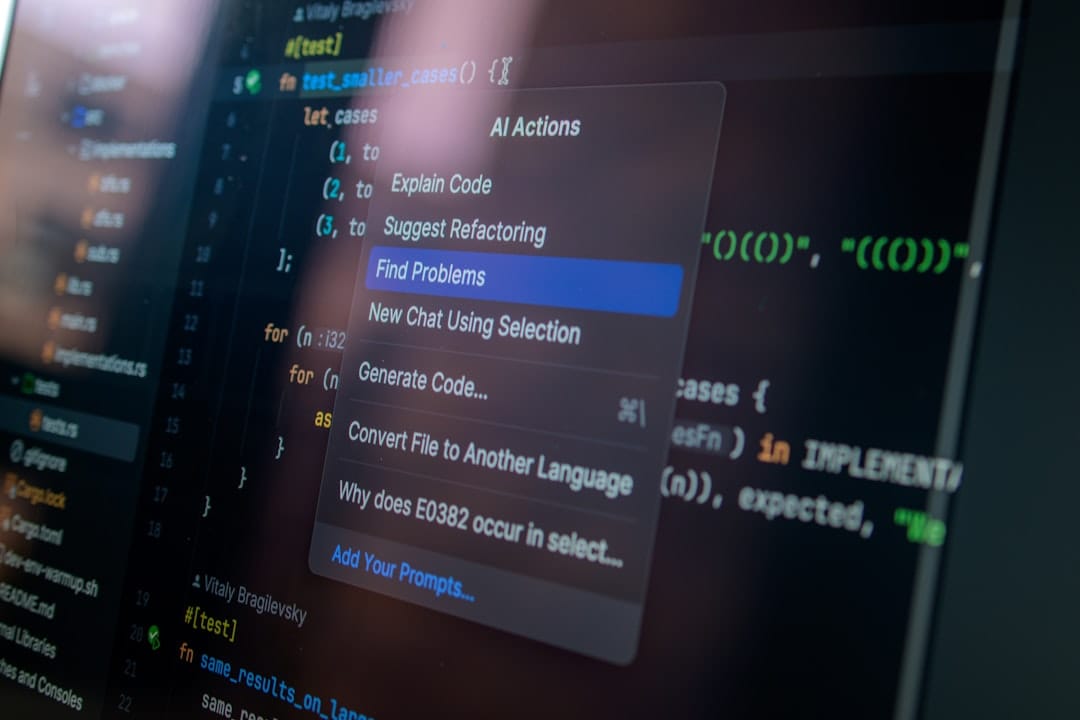
Introduction: The AI Co-Pilot Conundrum for Developers
>Six months into 2026, AI profoundly shapes software>> development. What started as a novelty has quickly become an essential> co-pilot for millions of developers. This isn't just about faster coding; it's about new ways to solve problems, debug, and even learn. OpenAI's Codex (or its tech behind tools like GitHub Copilot) and <<ChatGPT stand at the forefront, both demonstrating serious coding skills.<<
>For a developer, picking the right tool isn't easy. It's not just about raw power or how many lines of code it spits out. The real question is: Which tool fits my daily work without a hitch? Which one anticipates my needs and keeps me focused? And most importantly, which one helps me build better software, faster, and with fewer headaches? This review dives deep into a practical, experience-based comparison of Codex-derived tools and ChatGPT. My goal is to give discerning developers some real clarity.<
I'll cut through the marketing fluff and focus on real-world use. We'll see where each tool shines, where they fall short, and how you can (and should) use them together. I've spent countless hours with both, pushing their limits on everything from microservices to machine learning pipelines. I've gathered insights that go way beyond simple feature lists. This is a practical guide for any developer building in 2026.
The Evolution of AI in Coding: From Autocomplete to Conversation
Understanding the core ideas behind Codex and ChatGPT is crucial to appreciating their distinct strengths. Codex, first shown in 2021, was built specifically for code generation. It came from OpenAI's GPT-3, but was heavily trained on a huge dataset of public code and natural language. The idea was clear: an AI that could understand plain English and turn it into executable code. It was designed to live inside your IDE, offering smart autocomplete and boilerplate. GitHub Copilot, launched commercially in mid-2022, is probably the most recognized direct use of Codex technology. It acts like an always-there pair programmer, suggesting lines, whole functions, and even test cases based on context.

ChatGPT, though, came from a different place – conversational AI. Its underlying GPT models (GPT-3.5, GPT-4, and now GPT-4.5 Turbo as of Q2 2026) were trained on a massive amount of internet text, including code. But its main interface and design focused on natural language chats. Its coding abilities, initially a pleasant surprise, have become a key feature through ongoing improvements and specific fine-tuning. ChatGPT is great at handling complex, multi-turn conversations. This means developers can refine prompts, ask follow-up questions, and debug or explore solutions iteratively. Codex-based tools, by design, just don't offer that kind of back-and-forth.
The difference is subtle but important: Codex provides in-line assistance. It's a quiet partner, guessing your next keystroke. ChatGPT offers dialogic problem-solving. It's an interactive tutor or brainstorming buddy you talk with. Both are powerful, but how you use them day-to-day varies a lot.
Comparison Snapshot: Codex (via Copilot) vs. ChatGPT (GPT-4.5 Turbo)
| Feature | Codex (e.g., GitHub Copilot) | ChatGPT (GPT-4.5 Turbo) |
|---|---|---|
| Primary Interface | IDE Integration (autocomplete, suggestions) | >Chatbot (web UI, API)< |
| Core Strength | In-line code generation, boilerplate, context-aware completion | Conversational problem-solving, explanation, debugging, idea generation |
| Context Handling | Immediate editor buffer, open files, project structure | Explicit prompt, conversation history (up to context window limit) |
| Speed for Simple Tasks | Near-instantaneous | Requires full prompt input and response generation (seconds) |
| Explanation & Learning | Minimal; provides code without explanation | Excellent; can explain code, concepts, and errors |
| Refactoring | Suggestions for current function/block | Can propose architectural changes, multi-file refactors (with explicit context) |
| Debugging | Limited; relies on pattern recognition for common errors | Strong; conversational Q&A to identify root causes, suggest fixes |
| Cost Model (Typical) | Subscription per user (e.g., $10/month for Copilot) | Subscription (Plus $20/month) or API usage (token-based, variable) |
| >Data Privacy< | Depends on specific implementation (e.g., Copilot Business has privacy features) | Depends on subscription/API usage (enterprise options available) |
Codex (API/Copilot-like) for Coding: Where It Truly Shines
When it comes to raw coding speed and staying "in the flow," Codex-based tools are unmatched. My experience over the last six months confirms that for specific, frequent tasks, nothing beats the seamless integration and immediate response of something like GitHub Copilot.
- In-editor Autocomplete and Boilerplate Generation: This is its core strength. As I type a function signature, Copilot often suggests the entire function body, complete with parameters and return types. It bases this on the function name or surrounding code. Need a simple `for` loop to iterate over an array? Type `for` and hit tab; it's often there. Building a React component? Type `const MyComponent = () => {` and watch it fill in the JSX boilerplate, state hooks, and even prop destructuring. This isn't just a time-saver; it keeps me from losing my train of thought.
- Contextual Understanding for Specific Frameworks/Libraries: One of the most impressive things is its ability to guess my intent from open files. Working on a FastAPI endpoint? Copilot will suggest the right decorators (`@app.get("/items/{item_id}")`) and Pydantic models. Diving into a new library? It often gives correct usage patterns based on imported modules, even if I've only typed the first few characters of a method. This is where its training on vast codebases really pays off.
- Refactoring Suggestions Within Code: It's not a full refactoring engine, but Copilot often offers neat improvements. For instance, it might convert a wordy `if/else` block into a ternary operator. Or it could suggest a more Pythonic list comprehension. These are small changes, but they add up, improving code quality and readability.
- High-Speed, Low-Friction Integration for Common Tasks: The key here is "low-friction." There's no copying, pasting, or switching tabs. Suggestions appear as ghosts in the editor, and a simple `Tab` accepts them. For repetitive tasks – like generating getters/setters, writing basic unit tests for a single function, or creating database schema migrations – this speed is incredibly valuable. I've personally seen a 20-30% reduction in time spent on these mundane coding chores, which means more time for interesting problems.
"For a developer chasing peak flow state, Codex-powered tools feel like an extension of your own mind. They anticipate and complete thoughts before you've fully formed them. It's less about 'AI writing code' and more about 'AI accelerating my thought process'."
Codex's strength lies in its deep integration and passive help. It doesn't demand your attention; it earns it by subtly speeding up your coding and reducing mental effort for clear, context-rich tasks.
ChatGPT (Conversational AI) for Coding: Unlocking New Workflows
Where Codex is a silent partner, ChatGPT is a chatty, super-smart collaborator. Its conversational interface, especially with GPT-4.5 Turbo's bigger context window and better reasoning, opens up entirely new coding workflows. An in-editor completion tool just can't do these things.

- Explaining Complex Code Snippets or Concepts: This is a huge win for learning. Paste a cryptic regular expression, a complex SQL query, or a dense block of multi-threaded Java. ChatGPT can break it down line-by-line, explain the principles, and even suggest other ways to do it. For bringing new team members up to speed or understanding old code, it's a game-changer.
- Debugging Assistance Through Conversational Q&A: My favorite use case. Instead of endless Googling error messages, I paste the error, the relevant code, and describe the problem. ChatGPT often points to the exact line, explains why the error is happening, and provides several possible fixes. The back-and-forth conversation—"What if I try this?" or "Why did that not work?"—feels just like pair-programming with a human.
- Generating Novel Algorithms or Architectural Ideas from High-Level Prompts: This is where ChatGPT shines for exploratory coding. "Design a message queue system for a microservice architecture using Python and Kafka, considering idempotency and fault tolerance." It won't write the whole system, but it will outline components, data flows, and even give pseudocode or basic implementation patterns. It's a fantastic brainstorming partner for tough problems.
- Learning New Languages/Frameworks: "Give me 5 common use cases for Rust's `Result` enum with code examples." "Explain dependency injection in Spring Boot with a simple Java example." ChatGPT is excellent at creating personalized educational content, often better than generic tutorials. You can ask follow-up questions to nail down specific points.
- Writing Documentation or Test Cases Based on Provided Code: Paste a function, and ask ChatGPT to generate a JSDoc block, a Python docstring, or a series of unit tests using Jest or Pytest. It's surprisingly good at guessing intent and producing accurate, thorough documentation and test coverage. This saves hours of tedious work.
- Iterative Refinement of Code Through Back-and-Forth Conversation: This is its core power. "Make this more performant." "Add error handling." "Refactor this into smaller functions." You can guide it through many iterations, giving feedback and constraints, until you get the solution you want. This mirrors agile development practices, but at an individual level.
ChatGPT helps developers tackle problems they might not immediately know how to solve, offering explanations and alternative paths. It's a knowledge base, a tutor, and a sounding board, all in one chat interface.
The Practical Shortcomings: Where Each Tool Falls Flat
No AI is a magic bullet. Both Codex-derived tools and ChatGPT have their weak spots. Knowing these limits is key to using them well in your workflow.
Codex (e.g., GitHub Copilot) Shortcomings:
- Can Sometimes Generate Incorrect or Insecure Code Silently: This is probably the biggest risk. Because it's so smooth, it's easy to just accept suggestions without thinking. I've seen it make off-by-one errors, introduce subtle logic bugs, or even suggest outdated API calls. Worse, it can sometimes suggest code with known security flaws (like SQL injection patterns) if similar patterns were in its training data. You absolutely must be vigilant; review every line the AI suggests.
- Lacks Explanatory Power – It Gives You Code, Not Understanding: Copilot provides the "what," but rarely the "why." If you're trying to learn something new, just taking its suggestions won't build your understanding. You'll get code that works, but you might not grasp *how* or *why* it works, which hurts long-term skill development.
- Limited Ability to 'Reason' About High-Level Architecture: Its scope is mostly limited to the immediate context of your open files. It struggles to understand the bigger system architecture, how different services talk to each other, or complex design patterns that span many modules or repositories. It's a brilliant tactical assistant, but a poor strategic advisor.
- Requires Good Local Context to Be Effective: If you're starting a file from scratch or working in a totally new, unfamiliar project, Copilot's suggestions can be less accurate or relevant. It really shines when it has existing code, imports, and clear variable names to figure out what you're trying to do.
ChatGPT (Conversational AI) Shortcomings:
- 'Hallucinations' and Confidently Incorrect Answers: This is still an issue, even with GPT-4.5 Turbo. ChatGPT can generate very plausible-sounding but completely wrong code, explanations, or facts. It's a sophisticated pattern matcher, not a truth machine. Always double-check critical information or code. Honestly, I've wasted hours debugging problems caused by confidently incorrect ChatGPT suggestions.
- Context Window Limitations for Large Codebases: While much better (GPT-4.5 Turbo can handle over 128k tokens), there's still a limit. You can't paste an entire repository and ask it to find a bug. You have to carefully pick out the relevant snippets, which can be tedious and break your focus.
- Requires Copy-Pasting Code In/Out, Breaking Flow: This is the opposite of Copilot's strength. The constant back-and-forth of copying code from your IDE, pasting it into ChatGPT, getting a response, and then copying it back can be really disruptive. For quick tasks, this overhead makes it less efficient than in-editor suggestions.
- Can Be Slower for Simple, Repetitive Tasks Compared to Instant Autocomplete: Asking ChatGPT to write a simple `for` loop or a basic function takes several seconds (to prompt, process, and generate). Copilot, however, provides it in milliseconds. For pure speed on boilerplate, it's no match.
- Over-Reliance Can Hinder Learning: Similar to Codex, but potentially more sneaky. If you always ask ChatGPT to explain concepts or debug errors without first trying to understand them yourself, you risk outsourcing your critical thinking and problem-solving skills.
Key Tradeoffs: Integration vs. Iteration, Speed vs. Depth
The core decision between Codex-like tools and ChatGPT comes down to a few key tradeoffs. Every developer needs to weigh these against their specific task and workflow.
- Integration & Flow: Codex (via Copilot) is the ultimate in seamless integration. It lives in your IDE, its suggestions aren't intrusive, and accepting them is a single keystroke. It's built to keep you in a deep work state. ChatGPT, on the other hand, is an external tool. Even with API integrations into IDEs, the interaction pattern is more interruptive – you're explicitly asking a question and waiting for an answer.
- Problem Solving Paradigm: Codex works on an 'assistive completion' model. It tries to guess your next move based on context and common patterns. ChatGPT uses a 'dialogic problem-solving' model. You present a problem, it suggests a solution, you give feedback, and it refines. It's a conversation, not just a suggestion.
- Context Handling: Codex thrives on immediate editor context: the current file, maybe a few surrounding files, and the project's imports. Its understanding is deep but narrow. ChatGPT needs explicit context in prompts. While its context window is large, you still have to feed it the right information. It's broad but requires manual curation.
- Learning & Understanding: This is where ChatGPT clearly wins. Its ability to explain, break down, and elaborate on concepts makes it an invaluable learning tool. Codex, while helping you write code, does little to build deeper understanding. If you want to learn a new concept or debug an unfamiliar error, ChatGPT is the clear victor.
- Reliability & Trust: Both can generate incorrect code. However, they fail differently. Codex often subtly introduces errors or insecure patterns within seemingly correct code blocks. ChatGPT can "hallucinate" entire, confidently wrong solutions. Developers must lessen these risks through rigorous testing, code reviews, and a healthy dose of skepticism. Trust, but verify, is the mantra for both.
Amazon — See top-rated options on Amazon
For developers who prioritize seamless integration and advanced code review, consider exploring DeepCode AI. It integrates directly into your CI/CD pipeline, providing real-time security and quality analysis, catching issues that even the best AI co-pilots might miss before they hit production. It's an essential layer of defense in an AI-assisted development environment.
Pricing Models and Accessibility: What Developers Pay For
The cost of adding AI to your development workflow isn't just about the subscription fee. It's about the total value, including time saved and potential risks avoided.
Codex (via API or Copilot):
- GitHub Copilot: For individual developers, this is usually a subscription. As of mid-2026, it typically costs around $10/month or $100/year. There's also a GitHub Copilot Business tier, priced higher (e.g., $19/user/month). This tier includes better data privacy (no user code kept or used for training) and central policy management.
- OpenAI Codex API: Developers building custom integrations or specialized tools usually access this with a token-based model. Pricing changes based on the model (e.g., davinci-002, which uses Codex) and usage, often measured in tokens per 1,000. This can range from a few cents to several dollars per 1,000 tokens. Costs can vary a lot depending on how much you use it.
- Accessibility: Widely available through IDE extensions (VS Code, JetBrains IDEs, Neovim). It's easy to set up and start using.
- Data Privacy: For individual Copilot, code snippets might be used to improve the model (though this is often configurable). Copilot Business offers stronger guarantees, making it suitable for companies with strict data rules.
ChatGPT (Conversational AI):
- Free Tier: OpenAI offers a free version of ChatGPT, usually powered by an older model (e.g., GPT-3.5), with usage limits. This is great for casual use and testing.
- ChatGPT Plus: This is a premium subscription, usually $20/month. It gives you access to the latest models (GPT-4, GPT-4.5 Turbo), higher usage limits, faster responses, and often early access to new features. This is the most common choice for serious individual developers.
- OpenAI API: Access to GPT-4 and GPT-4.5 Turbo via API is token-based, similar to Codex. However, these models are generally more expensive per token because they're more complex and capable. For instance, GPT-4.5 Turbo might cost $0.01 per 1,000 input tokens and $0.03 per 1,000 output tokens. Costs can quickly add up for high-volume applications.
- Enterprise Options: OpenAI also offers enterprise solutions with dedicated instances, better security, and custom fine-tuning. Pricing is tailored to what each organization needs.
- Accessibility: Available via a web interface, mobile apps, and extensive API documentation for integrating into custom tools.
- Data Privacy: For paid API usage, OpenAI typically doesn't use customer data for training by default. For ChatGPT Plus, you can opt out of data usage for training. Enterprise solutions offer the strongest privacy guarantees.
The true cost of ownership goes beyond just the subscription. Think about the time saved, fewer debugging cycles, and potentially faster feature delivery. For many developers, the productivity boost easily outweighs the monthly fees.
My Recommendation: Choosing Your AI Co-Pilot for 2026
After six months of heavy use, my recommendation isn't to pick one tool over the other. It's a nuanced "both, but for different purposes" approach. These tools actually complement each other, each filling key gaps in how we develop software today.
For pure coding speed and boilerplate, Codex/Copilot is king. If your main goal is to write repetitive code faster, avoid switching contexts, and stay in a deep flow state while building well-understood features, then a Codex-powered tool like GitHub Copilot is essential. I keep it active in my IDE at all times. I rely on its instant suggestions for function stubs, common loops, and framework-specific patterns. It's like having a super-efficient junior developer constantly guessing what you'll do next.
For debugging, learning, and architectural brainstorming, ChatGPT excels. When I hit a cryptic error, need to grasp a new design pattern, or want to explore different ways to build a complex system, ChatGPT is my first stop. Its conversational nature allows for refining ideas, deep explanations, and truly collaborative problem-solving. It's the senior architect or experienced tutor you can consult 24/7. When I'm stuck, or when I need to dig deep into a concept, I open a new chat window.
My Integrated Workflow:
- Initial Coding: GitHub Copilot is active, generating boilerplate, suggesting completions, and keeping me productive.
- Debugging/Problem Solving: If Copilot's suggestions cause errors or I run into a complex bug, I copy the relevant code and error messages into ChatGPT for a conversational debugging session.
- Learning/Exploration: When I'm researching a new library, framework, or architectural pattern, ChatGPT is invaluable for explanations, examples, and high-level design discussions.
- Documentation/Testing: After a feature is complete, I often use ChatGPT to generate initial docstrings or unit tests based on my code.
Ultimately, the best approach for 2026 is to use both in your workflow. They offer different kinds of AI help. Using them strategically maximizes your productivity and learning potential. Think of it as a developer's ultimate utility belt.
Descript — Edit videos with Descript
Ready to master both? Consider signing up for Prompt Engineering for Developers, a comprehensive course designed to teach you how to get the most out of advanced AI models like ChatGPT for complex coding tasks, architectural design, and efficient debugging. Unlock the full potential of your AI co-pilots today!
>The Future of AI in Development: Blurring the Lines<
The current difference between Codex-like tools and conversational AIs for coding, while clear today, is quickly fading. We're already seeing advances that suggest a more unified future:
- Multi-modal AI: Future models will likely understand text and code, but also diagrams, screenshots of UIs, and even voice commands. This will allow for richer interaction and more intuitive problem-solving.
- Better Context Management: IDEs are integrating more deeply with conversational AIs. This allows them to access entire project contexts without manual copy-pasting. Imagine asking ChatGPT about a bug, and it automatically pulls relevant files, logs, and even Git history.
- Seamless Integration: The goal is to combine the best of both worlds: Copilot's instant, in-editor suggestions with ChatGPT's deep reasoning and conversational abilities. All of this would be within a single, fluid interface. Tools like Cursor (an AI-native IDE) are already moving in this direction.
- Personalized AI: Models will become increasingly personalized. They'll learn your coding style, preferred libraries, and common mistakes. This will make their suggestions even more relevant and accurate.
The developer experience in 2026 is already light-years ahead of where it was just a few years ago. As these tools keep evolving and merging, the lines between AI assistant and human developer will become less distinct. This will lead to incredible levels of productivity and innovation.
Frequently Asked Questions (FAQ)
Is using AI for coding 'cheating'?
No, it's not cheating. It's using a powerful tool to boost productivity, just like an IDE, a debugger, or Stack Overflow. The goal of development is to solve problems and build software efficiently. AI is just another tool in that arsenal. The human developer still holds responsibility for the final code's quality, security, and correctness.
How do I ensure code generated by AI is secure?
Always review AI-generated code with a critical eye. Treat it like code written by an unfamiliar junior developer. Run static analysis tools (SAST), conduct thorough code reviews, and perform security testing (e.g., penetration testing). Never blindly deploy AI-generated code to production. AI can learn insecure patterns from its training data, so vigilance is key.
Can these tools replace human developers?
Not anytime soon. AI tools are great at repetitive tasks, pattern recognition, and generating boilerplate. However, they lack true creativity, critical thinking, empathy, and the ability to understand complex human requirements or navigate organizational politics. They are powerful co-pilots, not replacements. Human developers will shift their focus to higher-level design, complex problem-solving, and managing AI-driven workflows.
What's the best way to prompt AI for complex coding tasks?
Be explicit, provide context, and use a structured approach. Define the problem, specify the language and framework, provide examples of input/output, and outline any constraints or desired design patterns. For ChatGPT, use multi-turn conversations to refine the solution iteratively. Break down complex tasks into smaller, manageable sub-tasks. Think of it as writing a very detailed specification for an intelligent but literal intern.
What are the data privacy implications of using these tools?
This is a critical concern. For personal use, make sure you understand the terms of service regarding how your code or prompts are used for model training. For enterprise use, choose business or enterprise tiers that guarantee your code is not used for training and that data stays within your organization. Always be cautious about pasting sensitive or proprietary code into public-facing AI tools. Many organizations are now setting up internal, self-hosted LLMs for sensitive work.
Which one is better for beginners?
For beginners, ChatGPT (especially with GPT-4.5 Turbo) is often more helpful because it can explain things. It can teach you why code works, explain concepts, and debug errors in an interactive way. While Copilot can help you write code faster, it doesn't necessarily help you understand it, which is crucial for foundational learning.
How do I integrate these into my CI/CD pipeline?
Direct integration of AI code generation into CI/CD is still evolving. Generally, it involves using AI tools for code review, quality checks, and automated test generation. For example, you could have a pipeline step that sends newly committed code to an AI model for a security scan or to generate more test cases. This would still require human oversight for approval. API access to models allows for programmatic integration.
Jasper AI — Try Jasper AI free for 7 days
To enhance the security of your AI-generated and human-written code within your CI/CD pipeline, consider implementing SecureCode AI. This advanced Static Application Security Testing (SAST) tool uses AI to identify vulnerabilities and suggest fixes, acting as an essential safeguard against potential security flaws introduced by any source, human or AI.
Related Articles
- Best Ai-Powered Video Editing Software For Mac
- Best Chatbot Platforms for E-commerce
- SAP's Future: How AI Reinvention Empowers Process Owners (2026 Guide)
- SAP Joule vs ChatGPT vs Claude: Best for SAP Automation? (2026)
- Nutmeg vs Scaled & Icy: Better for European Ops Leads? (2026)
- 7 Privacy Browsers Solving Crypto Risks (2026)