Gemini AI for Gmail: Master Email Responses & Save Hours
Boost Gmail productivity with Gemini AI. Compare tools for generating email responses, saving time, and improving communication. ```
Tired of Email Overload? Unlock Gemini AI for Gmail: Generate Perfect Responses, Instantly.
Imagine reclaiming hours every week.> As a business professional, your inbox is a battlefield. Endless emails demand your attention, your time, and your mental energy. Crafting thoughtful, professional, and effective responses can feel like a full-time job in itself. But what if you could automate the drudgery, elevate your communication, and significantly boost your productivity, all within Gmail? <
This comprehensive guide reveals how Gemini AI can transform your email workflow, helping you generate intelligent, context-aware responses with unprecedented speed and accuracy. We'll explore the best tools, compare their features, and show you exactly how to integrate AI into your daily Gmail routine to save time, reduce stress, and communicate more effectively.
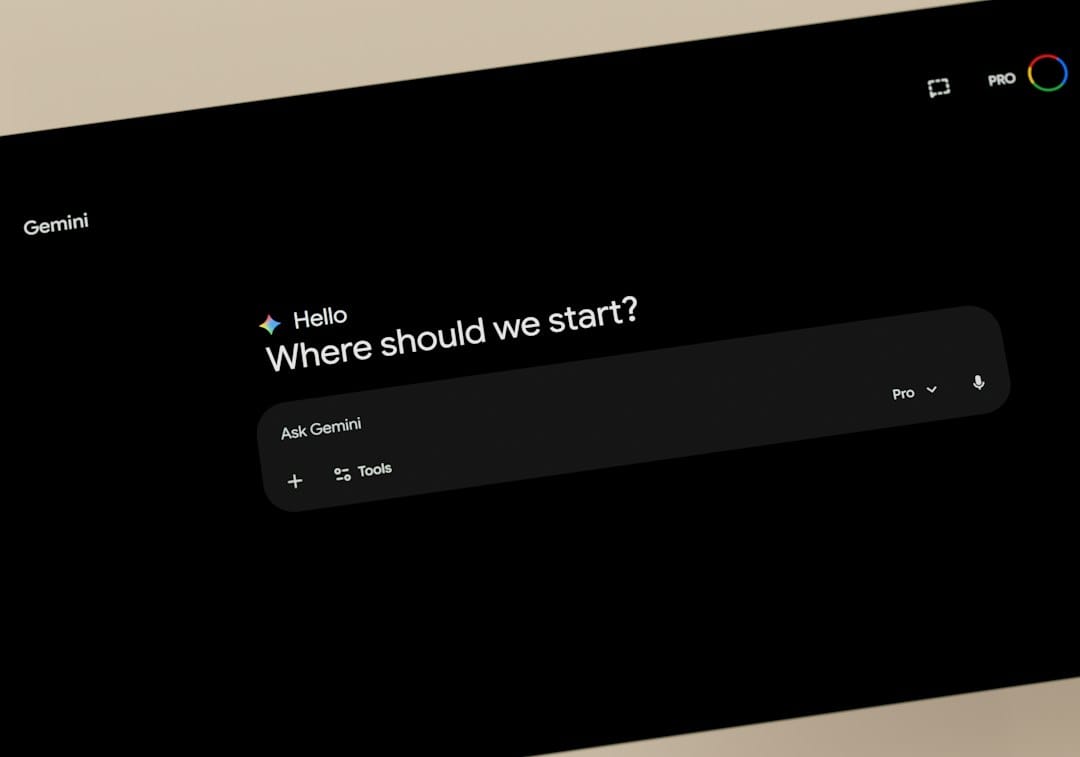
Visualize effortlessly crafting professional email responses with Gemini AI.
Quick Look: Top Gemini AI Tools for Gmail Response Generation
Before diving deep, here's a snapshot of the leading AI-powered tools that leverage Gemini's capabilities (or similar advanced LLMs) to supercharge your Gmail productivity. Each offers unique strengths for different professional needs.
| Tool/Feature | Best For | Key AI Capabilities | Integration | Starting Price (Approx.) |
|---|---|---|---|---|
| Gmail's Built-in "Help Me Write" (Powered by Gemini) | >Google Workspace Users, Basic Needs, Quick Drafts< | Drafting, Summarization, Tone Adjustment | Native (Gmail Web & Mobile) | Included with Google Workspace (Business Starter from $6/user/month) |
| Magic Write (Workspace Labs) | Advanced Google Workspace Users, Creative & Long-form Drafts | Sophisticated Drafting, Content Generation beyond responses | Native (Gmail, Docs, Sheets, Slides) | Included with Google Workspace (requires Workspace Labs access) |
| Compose AI | General Productivity, Autocomplete, Rephrasing | Autocomplete, Rephrase, Generate from prompts | Chrome Extension | Free (basic), Premium from $9.99/month |
| TextCortex AI | Content Creators, Sales, Marketing, Multi-purpose AI | Response Generation, Rewriting, Summarizing, Template Library | Chrome Extension, Web App | Free (limited), Pro from $19.99/month |
| Jasper (with Gmail integration) | Marketing Teams, Sales Professionals, Brand Consistency | High-quality Response Generation, Brand Voice, Templates, Campaigns | Chrome Extension, Web App | Creator Plan from $39/month |
Note: "Gemini AI" here refers to Google's underlying large language model. While some tools directly integrate Gemini, others use similar cutting-edge LLMs to achieve comparable results for email response generation.
In-Depth Analysis: Choosing Your Gemini AI Email Assistant
1. Gmail's Built-in "Help Me Write" (Powered by Gemini)
Overview: Google's native AI writing assistant, directly integrated into Gmail (and other Workspace apps), is your first and most accessible entry point to AI-powered email responses. It leverages the power of Google's Gemini large language model to understand context and generate relevant drafts.

Key Features:
- Contextual Drafting: Reads your email thread and drafts appropriate responses.
- Tone Adjustment: Can modify the tone of the draft (e.g., formal, casual, elaborate, concise).
- Summarization:> Helps condense long email threads.<
- Directly in Gmail: No external installation needed.
Pros:
- Seamless integration with Gmail and Google Workspace.
- Extremely easy to use, with a familiar interface.
- Free for Google Workspace users.
- >Continuously improving with Google's direct updates.<
- Strong privacy and security assurances from Google.
Cons:
- May not be as feature-rich or customizable as dedicated third-party tools.
- Response generation can sometimes be generic for highly niche topics.
- Requires a Google Workspace subscription.
Use Case Example: You receive an email from a client asking for an update on a project. Click "Help Me Write," type "Draft an update on Project Alpha, noting we're on track for the Tuesday deadline," and Gemini will generate a professional draft based on the email's context, ready for your quick review and send.
Ideal For: Business professionals already within the Google ecosystem, looking for a reliable, no-fuss solution for everyday email drafting and quick responses without leaving Gmail.
2. Magic Write (within Google Workspace Labs)
Overview: Magic Write is an enhanced generative AI experience within Google Workspace Labs, offering more expansive and creative writing capabilities than the standard "Help Me Write" feature. While still in experimental phases and requiring Labs access, it represents the cutting edge of Google's AI integration.
Key Features:
- Advanced Drafting: Generates longer, more detailed responses and even entirely new content.
- Brainstorming: Helps with idea generation for complex email communications.
- Content Expansion: Can take a short prompt and expand it into a comprehensive email.
- Cross-App Functionality: Available in Gmail, Docs, Sheets, and Slides for a unified AI writing experience.
Pros:
- More powerful and versatile than basic "Help Me Write."
- Excellent for crafting complex or creative email content.
- Benefit from being directly within the Google ecosystem.
- Free for those with Workspace Labs access.
Cons:
- Requires an invitation to Google Workspace Labs, which may not be immediately available to everyone.
- Still considered experimental, so features and performance may evolve.
- Not yet a standard feature for all Workspace users.
Use Case Example: You need to draft a detailed proposal follow-up email that summarizes key benefits and addresses potential client concerns. Instead of starting from scratch, you can use Magic Write with a prompt like "Draft a follow-up email for the Project X proposal, highlighting ROI and next steps." It will provide a richer, more comprehensive draft than standard "Help Me Write."
Ideal For: Google Workspace power users and early adopters who need advanced AI assistance for more complex email communications and are willing to engage with experimental features.
3. Compose AI (Chrome Extension)
Overview:> Compose AI is a popular Chrome extension designed to boost your writing productivity across various platforms, including Gmail. It focuses on autocomplete, rephrasing, and generating text from short prompts, making it a versatile tool for quick email responses and general writing tasks.<
Key Features:
- AI Autocomplete: Suggests words and phrases as you type, saving keystrokes.
- Rephrase Tool: Rewrites selected text in different tones or styles.
- Generate Text: Creates full sentences or paragraphs from a brief command.
- Email Reply Generation: Can suggest replies based on the context of an email.
Pros:
- Works across almost any text field in your browser, not just Gmail.
- Intuitive and easy to integrate into your existing workflow.
- Offers a generous free plan for basic usage.
- Strong focus on speed and efficiency for everyday writing.
Cons:
- As a third-party extension, it requires granting access to your browser data.
- The most advanced features are locked behind a premium subscription.
- May not have the deep contextual understanding of native Gmail AI for very complex threads.
Use Case Example: You're typing a quick thank-you email. As you start "Thank you for...", Compose AI might suggest "your prompt response" or "the detailed information." If you need to rephrase a sentence to sound more formal, simply highlight it and select the "rephrase" option.
Ideal For: Professionals who need an AI writing assistant that works beyond Gmail, offering quick autocomplete and rephrasing for various online tasks, alongside email response generation.
Try Compose AI for Free4. TextCortex AI (Chrome Extension & Web App)
Overview: TextCortex AI is a comprehensive AI writing platform that offers robust capabilities for email response generation, content creation, rewriting, and summarization. It stands out with its extensive template library and ability to learn from your writing style, making it a powerful tool for professionals who create a lot of written content.
Key Features:
- ZenoChat: An AI assistant that can generate responses, brainstorm ideas, and answer questions within your browser.
- Customizable AI Personas: Train the AI to write in your specific brand voice or style.
- Extensive Template Library: Pre-built templates for various email types (sales, marketing, customer service, etc.).
- Rewriting & Summarizing: Tools to refine and condense existing text.
- Multi-language Support: Generate content in over 25 languages.
Pros:
- Highly versatile for a wide range of writing tasks, not just emails.
- Customization options for brand voice and tone are excellent for consistent communication.
- ZenoChat provides a conversational interface for generating content.
- Offers a free tier with daily creation limits.
Cons:
- Can be more expensive than simpler tools if you require extensive usage.
- The sheer number of features might have a slight learning curve for new users.
- Like other extensions, it requires browser access.
Use Case Example: You're in sales and need to send personalized follow-up emails to 20 prospects. Using TextCortex's templates and AI, you can quickly generate unique, compelling emails that align with your sales strategy, then easily customize them for each recipient.
Ideal For: Sales and marketing professionals, content creators, and anyone who needs a powerful, customizable AI writing assistant for a high volume of diverse writing tasks, including sophisticated email responses.
Try TextCortex AI for Free5. Jasper (with Gmail integration via Extension)
Overview: Jasper is one of the most well-known and powerful AI content platforms, primarily used for long-form content generation but also highly effective for email responses, especially when brand voice and consistency are paramount. While not primarily a Gmail-specific tool, its browser extension brings its power directly into your inbox.
Key Features:
- Brand Voice Integration: Jasper can be trained to write in your specific brand voice, ensuring all communications are consistent.
- Recipes & Templates: Pre-built workflows and templates for various email types, including sales outreach, customer support, and internal comms.
- Long-form Content: Excellent for crafting detailed emails, newsletters, or even entire email campaigns.
- >Team Collaboration:< Features designed for teams to maintain consistency and efficiency.
Pros:
- Unmatched quality and consistency for professional-grade content.
- Ideal for maintaining a strong brand voice across all communications.
- Robust platform with extensive features beyond just email.
- Excellent for teams and agencies.
Cons:
- Higher price point, making it a significant investment compared to simpler tools.
- Might be overkill for individuals needing only basic email response generation.
- Learning curve for maximizing all its features.
Use Case Example: Your marketing team needs to send out a series of highly branded, persuasive emails for a new product launch. Using Jasper, you can ensure every email adheres to the company's tone and messaging guidelines, generating compelling subject lines and body copy that resonate with your target audience, all while drafting within Gmail.
Ideal For: Marketing and sales teams, agencies, and businesses that require high-quality, on-brand, and scalable AI content generation, including sophisticated email responses, across their entire organization.
Start Your Free Jasper TrialPricing & Suitability: Matching AI to Your Budget & Needs
Choosing the right Gemini AI tool for Gmail isn't just about features; it's also about cost-effectiveness and alignment with your specific professional role and team size. Here's a breakdown to help you decide:
For the Individual Professional / Small Business Owner:
- Budget-Friendly / Free Tier:
- Gmail's Built-in "Help Me Write": If you already have Google Workspace (Business Starter from ~$6/user/month), this is essentially free and perfectly adequate for daily quick responses.
- Compose AI (Free Plan): Great for individuals who need basic autocomplete and rephrasing across the web, with limited free generations daily.
- TextCortex AI (Free Plan): Offers more features than Compose AI's free tier, with a daily credit system. Excellent for those needing slightly more robust, occasional AI assistance.
- Mid-Range Investment (Under $20/month):
- Compose AI (Premium, ~$9.99/month): Unlimited usage for a modest price, ideal for heavy individual users who rely on autocomplete and rephrasing extensively.
- TextCortex AI (Lite/Pro, from ~$19.99/month): Provides significant features, including custom personas and more templates, a strong choice for individuals who write a lot and value customization.
For Teams / Marketing & Sales Departments / Agencies:
- Scalable & Feature-Rich (Over $20/month):
- Google Workspace Business Standard/Plus (from $12/user/month): While "Help Me Write" is included, upgrading provides more storage and advanced features that benefit teams. Magic Write (via Workspace Labs) becomes a powerful asset for collaborative content creation.
- >TextCortex AI (Business/Enterprise, from ~$39.99/month):< Offers team features, higher credit limits, and advanced customization, suitable for departments needing consistent, high-volume content generation.
- Jasper (Creator/Teams, from ~$39/month): The gold standard for brand consistency and high-quality content at scale. Essential for marketing, sales, and content teams where brand voice and complex content are critical. The investment is justified by the quality and efficiency gains across multiple content types.
Key takeaway: Start with what's free or low-cost to test the waters. If you find AI significantly boosts your productivity, consider upgrading to a paid plan or a more robust tool as your needs grow.
Who Should Use Which Gemini AI Tool for Gmail?
To help you pinpoint the perfect solution, let's match these AI tools to specific professional personas and their daily challenges:

1. The Everyday Google Workspace User (Project Manager, Administrator, General Professional)
- Challenge: Drowning in routine emails, needing to respond quickly and professionally without spending too much time.
- Best Fit: Gmail's Built-in "Help Me Write". It's already there, requires no setup, and handles basic drafting and tone adjustments perfectly for common email scenarios. It's the ultimate low-friction solution.
- Why: Seamless, secure, and sufficient for 80% of daily email tasks.
2. The Early Adopter / Google Power User (Tech-Savvy Leader, Innovation Manager)
- Challenge: Looking to push the boundaries of AI productivity within the Google ecosystem, willing to experiment with advanced features.
- Best Fit: Magic Write (within Google Workspace Labs). Access to this experimental feature provides more advanced and creative AI writing capabilities directly within Gmail and other Workspace apps.
- Why: Offers a glimpse into the future of Google's AI, providing more sophisticated drafting for complex communications.
3. The Productivity Hacker (Freelancer, Consultant, Small Business Owner)
- Challenge: Managing multiple clients/projects, needing to quickly generate text across various online platforms, not just email, and looking for immediate efficiency gains.
- Best Fit: Compose AI. Its autocomplete and rephrasing work everywhere you type online, making it invaluable for rapid content creation beyond just Gmail.
- Why: Fast, versatile, and excellent for boosting overall typing speed and text quality across the web.
4. The Content Creator / Sales & Marketing Professional (Marketer, Sales Rep, Blogger)
- Challenge: Generating a high volume of diverse written content, from personalized sales emails to marketing copy, requiring brand consistency and the ability to adapt tone and style.
- Best Fit: TextCortex AI. Its extensive templates, customizable AI personas, and ZenoChat make it a powerhouse for varied content needs, ensuring your email responses align with your broader content strategy.
- Why: Highly adaptable, great for maintaining specific tones, and offers comprehensive features for content generation beyond just simple replies.
5. The Enterprise Team / Brand Guardian (Marketing Director, Head of Sales, Agency Owner)
- Challenge: Ensuring all external communications are on-brand, high-quality, and consistent across a large team, requiring sophisticated content generation and collaboration features.
- Best Fit: Jasper. With its brand voice features, advanced templates, and robust platform, Jasper is designed for organizations that demand excellence and consistency in all written output.
- Why: Delivers professional-grade content at scale, critical for maintaining brand integrity and optimizing large-scale communication efforts.
Getting Started: Your Step-by-Step Guide to Gemini AI in Gmail
Ready to transform your email workflow? Here’s how to implement and start using these powerful AI tools in your Gmail account today.
Option 1: Activating Gmail's Built-in "Help Me Write" (Google Workspace Users)
- Ensure Workspace Access: You need an active Google Workspace account (e.g., Business Starter, Standard, Plus). If you're using a personal Gmail account, this feature might not be available yet or might be rolled out later.
- Check for Availability: Google is rolling this out gradually. Open Gmail in your web browser. When composing a new email or replying to an existing one, look for a "Help me write" button or an AI icon (often a pen with a sparkle) in the compose window toolbar.
- Click and Prompt: Click the "Help me write" button. A prompt box will appear.
- Provide Context: Type a brief instruction or question. For example, "Draft a polite decline for the meeting invitation," or "Ask for more details about the project proposal."
- Review and Refine: Gemini will generate a draft. Review it carefully. You can then:
- "Refine" the draft to change its tone (e.g., "Make it more formal," "Shorten it," "Elaborate").
- "Recreate" for a completely new draft.
- "Insert" the draft into your email.
- Edit Manually: Always perform a final manual edit to ensure the AI-generated text perfectly matches your intent and voice.
Option 2: Installing and Using a Chrome Extension (Compose AI, TextCortex AI, Jasper)
- Choose Your Tool: Decide which third-party tool best fits your needs (Compose AI, TextCortex AI, or Jasper).
- Navigate to the Chrome Web Store: Go to the Chrome Web Store.
- Search for the Extension: Type the name of your chosen tool (e.g., "Compose AI," "TextCortex AI," "Jasper") in the search bar.
- Add to Chrome: Click "Add to Chrome" and then "Add extension" in the pop-up window.
- Pin the Extension (Optional but Recommended): Click the puzzle piece icon in your Chrome toolbar, then click the pin icon next to your new extension for easy access.
- Sign Up/Log In: Most extensions will require you to sign up for an account or log in to an existing one. Follow their on-screen instructions.
- Grant Permissions: The extension will likely ask for permissions to read and change data on websites you visit. Review these carefully and accept if you're comfortable.
- Start Using in Gmail: Open Gmail. You'll typically see new AI icons or prompts directly within your compose window.
- Compose AI: Look for a small AI icon or just start typing for autocomplete suggestions.
- TextCortex AI: Often integrates with a sidebar or a floating icon, providing access to ZenoChat and templates.
- Jasper: The Jasper Everywhere extension will likely provide a pop-up or integration directly within text fields when you highlight text or begin typing.
- Experiment: Try generating different types of responses, rephrasing sentences, and leveraging templates to see what works best for your workflow.
Best Practices for All AI Email Tools:
- Always Review: AI is a powerful assistant, but it's not infallible. Always read and edit generated content before sending.
- Be Specific with Prompts: The more detailed your instructions, the better the AI's output will be.
- Maintain Your Voice: While AI can adjust tone, ensure the final message reflects your authentic professional voice.
- Privacy Awareness: Understand what data each tool accesses. Native Gmail features generally offer the highest level of privacy and security from Google.
- Start Small: Begin by using AI for less critical emails, then gradually integrate it into more important communications as you gain confidence.
Ready to Reclaim Your Inbox? Choose Your AI Advantage Today!
Stop wasting valuable time on repetitive email responses. Leverage the power of Gemini AI to communicate smarter, faster, and more effectively. Your productivity boost is just a click away.
For Google Workspace Users:
Explore Gemini in Google WorkspaceConsidering a Third-Party AI Assistant?
Try Compose AI for Free Try TextCortex AI for Free Start Your Free Jasper TrialFrequently Asked Questions About Gemini AI for Gmail
Q: What exactly is "Gemini AI" in the context of Gmail?
A: "Gemini AI" refers to Google's most advanced large language model, which powers many of its AI features. In Gmail, this specifically means features like "Help Me Write" and "Magic Write" (within Workspace Labs) are leveraging Gemini (or similar Google AI models) to understand your email context and generate coherent, relevant, and well-written responses or drafts. While some third-party tools might use other advanced LLMs, Google's direct integration uses its own cutting-edge AI.
Q: Is using AI for email responses secure and private?
A: When using Google's native "Help Me Write" or Magic Write, your data is handled according to Google Workspace's robust privacy and security policies. Google states that your content is not used to train models for other customers unless you opt-in. For third-party tools (Chrome extensions), you are granting them access to your browser data, which can include your emails. Always review the privacy policy of any third-party extension before installing it to understand how your data is used and protected.
Q: Can AI truly understand the nuance of my professional emails?
A: Advanced AI models like Gemini are highly sophisticated and can understand a significant amount of context, nuance, and intent. They excel at generating grammatically correct, coherent, and contextually appropriate responses. However, for highly sensitive, complex, or relationship-driven communications, AI should always be used as a drafting assistant, not a replacement. A final human review is crucial to ensure the tone, empathy, and specific details are perfectly aligned with your professional standards.
Q: Do I need a special subscription to use Gemini AI in Gmail?
A: For Google's native "Help Me Write" and Magic Write, you typically need a Google Workspace subscription (e.g., Business Starter, Standard, Plus). These features are included within the Workspace ecosystem. For third-party tools like Compose AI, TextCortex AI, or Jasper, they often offer a free tier with limited usage, and then require a paid subscription for full features and unlimited use. Check the specific pricing plans for each tool.
Q: How much time can I realistically save by using AI for email responses?
A: The time savings can be substantial, especially for professionals dealing with a high volume of emails. Users often report saving anywhere from 30 minutes to several hours per week. For simple replies, AI can cut drafting time by 70-90%. For more complex emails, it can provide a solid first draft, significantly reducing the mental effort and time spent staring at a blank screen. The cumulative effect over days and weeks is a considerable boost in overall productivity and reduced email-related stress.
Q: Can I train these AI tools to mimic my personal writing style?
A: Yes, some advanced tools offer this capability. TextCortex AI, for instance, allows you to create custom AI personas based on your writing samples. Jasper is renowned for its "Brand Voice" feature, where you can feed it your company's style guides and past content to ensure all AI-generated text adheres to a consistent brand voice. Google's native tools are continuously learning from a vast dataset but don't currently offer explicit user-based style training for individual users, though their "Refine" options help adapt the tone.
Disclaimer: This page contains affiliate links. If you make a purchase through these links, we may earn a commission at no extra cost to you. We only recommend products and services we genuinely believe will add value to our readers. Prices and features mentioned are subject to change by the respective providers.