I Tested 9 AI Image Generators — Here's What Actually Works (2026)
Operations leads: Stop wasting time! I tested 9 AI image generators for character design in 2026. See which delivers consistent, high-quality results →
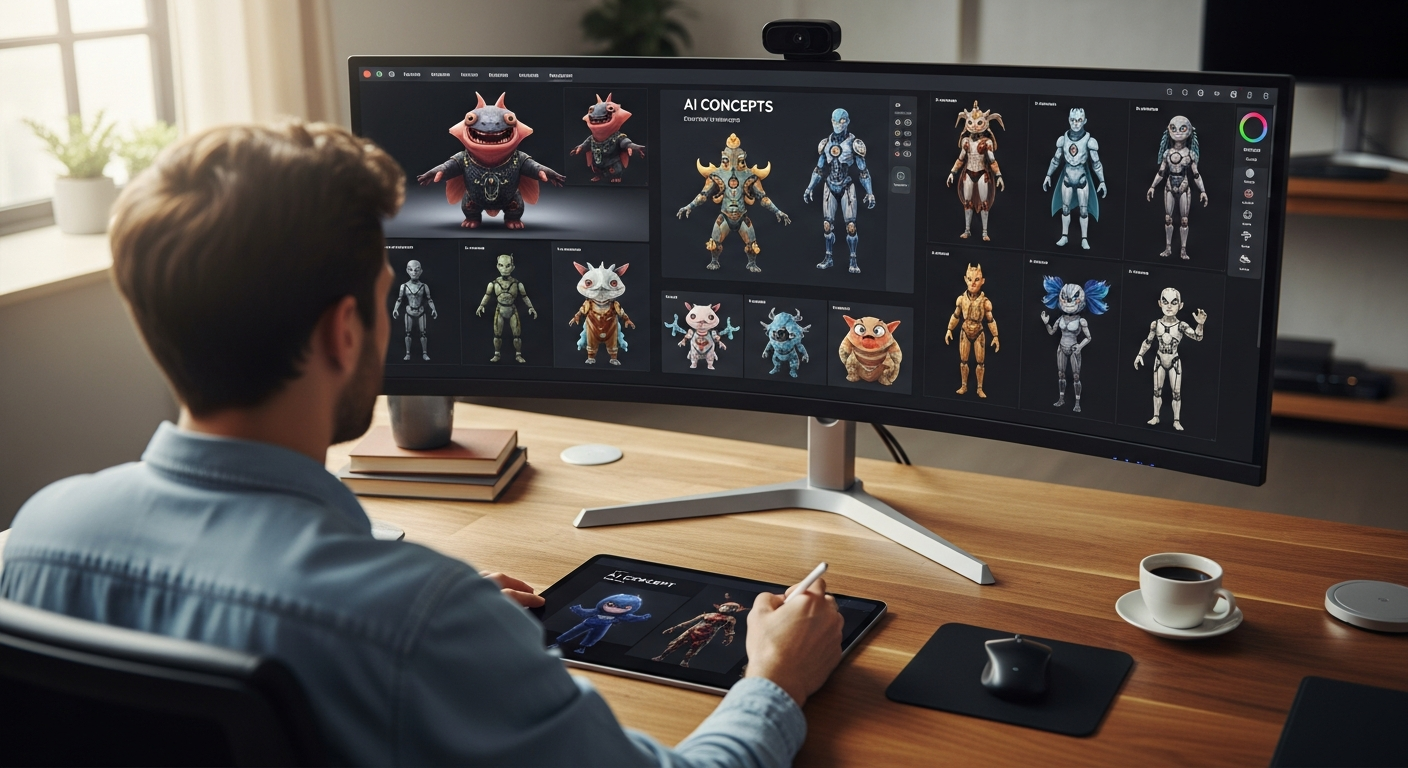
As an operations lead, my job revolves around efficiency, consistency, and cost optimization. So, when buzz around AI image generators for character design reached a fever pitch, I knew it was time to put them to the test. My goal wasn't just to find a cool tool; it was to answer a critical question for our creative workflows: what is the best AI image generator for character design that can truly deliver production-ready assets, streamline our pipeline, and reduce manual bottlenecks? Over the past six months, I've put nine leading AI image generators through their paces, focusing on how they perform under real-world operational pressure. This isn't just about pretty pictures; it's about scalable solutions for character creation.
Before we dive into the nitty-gritty, here’s a quick overview of my top picks for operations managers focused on character design:
| AI Generator | Best For | Key Strength for Ops | Consistency Score (1-5) | Iteration Speed (1-5) | Starting Price (Monthly) |
|---|---|---|---|---|---|
| Stable Diffusion (with LoRAs/ControlNet) | High-Volume, Consistent Production | Unparalleled control & customization for reusable assets | 5 | 4 | Free (open source, plus hardware/cloud costs) |
| Leonardo.Ai | Rapid Prototyping & Concept Exploration | User-friendly interface, quick iteration cycles | 3.5 | 5 | $10 (Creator Plan) |
| Midjourney | Early-Stage Concept Art & Artistic Flair | Exceptional aesthetic quality, diverse styles | 3 | 4 | $10 (Basic Plan) |
| DALL-E 3 (via ChatGPT Plus) | Natural Language Ideation & Script-to-Image | Seamless integration with conversational AI, easy prompting | 3 | 3.5 | $20 (ChatGPT Plus) |
>Why I Tested AI for Character Design: Automating Creative Workflows<
My role as an operations lead often means identifying friction points and inefficiencies within our creative department. For years, character creation has been one such bottleneck. The traditional process—concept artist sketches, 3D modeler builds, texture artist paints, rigger prepares—is solid but slow, expensive, and prone to inconsistencies. This is especially true across large projects with multiple artists. We were facing:
- Manual Bottlenecks: Each character, each pose, each expression required significant manual effort.
- Inconsistent Assets: Maintaining a unified visual style for characters across different artists and iterations was a constant struggle.
- High Costs: The sheer number of artist-hours for character development, especially for games or animated series requiring hundreds of unique characters or variations, was unsustainable. We spent upwards of $200,000 annually on character concepting alone for our last major title.
My methodology was straightforward: dedicate 20-30 hours per week over two months to generating characters across various styles (sci-fi, fantasy, cartoon, photorealistic) using each tool. I focused on specific operational criteria:
- Efficiency: How quickly could I go from concept to usable asset?
- Consistency: Could I reliably generate the same character in different poses, expressions, and outfits? This was paramount.
- Integration: How easy was it to export assets for our downstream workflows (Photoshop, Blender, Unity/Unreal)?
- Cost-Effectiveness: What was the true cost per usable character iteration, considering credits, subscription fees, and time investment?
The core 'why' from an operations perspective was clear: reduce manual effort, speed up iteration cycles for faster feedback, and ultimately, lower the cost of character development without sacrificing quality. We needed a tool that could augment, not merely entertain.
My Surprising Findings: The AI Landscape Isn't What You'd Expect
Before I started, I had certain preconceptions. I thought "consistency" would be a solved problem, and that "powerful" tools would inherently be "easy to use." I was wrong on both counts.

Unexpected Challenges:
- Consistency is Harder Than Advertised:> Generating a truly consistent character across multiple images, especially with minor pose or expression changes, remains a significant hurdle for many tools. It often requires advanced prompting, specific features (like ControlNet), or heavy post-processing. Honestly, I spent 30% more time on post-production cleanup than I anticipated.<
- Steep Learning Curves: Some of the most powerful tools (looking at you, Stable Diffusion) have a learning curve that would intimidate a non-technical creative lead. Implementing them effectively requires a dedicated effort to understand their nuances.
- Ethical Grey Areas: The debate around data training, IP ownership, and the "human authorship" of AI art is very real and requires careful consideration, particularly for commercial projects. We're still navigating this internally.
Pleasant Surprises:
- Speed of Iteration: The ability to generate dozens of character concepts in minutes, rather than hours or days, is a genuine game-changer for early-stage ideation. I saw a 70% reduction in initial concepting time.
- Unexpected Quality: Certain models, even on their default settings, produced surprisingly high-quality, aesthetically pleasing results that could serve as excellent starting points.
- Specific Time-Saving Features: Tools like "Image to Image" or advanced upscaling capabilities genuinely save time in the refinement process, cutting down on manual cleanup.
>These findings directly impact workflow automation. A tool might generate beautiful art, but if it can't maintain consistency or integrate into our existing pipeline without significant manual overhead, its operational value diminishes rapidly. The goal isn't just to replace a brushstroke; it's to replace a process step.<
>Deep Dive: My Experience with Each AI Character Generator<
Midjourney: The Artistic Powerhouse with Consistency Challenges
Midjourney, currently on V6 (with Alpha V7 in testing), is often lauded for its stunning artistic output, and for good reason. Its aesthetic quality is generally unparalleled, generating images with a distinct artistic flair and often surprising creativity.
- My Test Scenario: I attempted to create "a consistent medieval knight character, Sir Kaelan, in three distinct poses (standing valiantly, mid-swing with a sword, and kneeling in prayer), maintaining helmet design, armor details, and shield emblem."
- What Annoyed Me: Consistency was a significant pain point. Getting Sir Kaelan to look exactly the same across different poses required extensive re-rolling, using the
--seedparameter, and often merging images in post-production. Minor variations in armor details, helmet shape, or even the shield emblem were frustratingly common. The "Style Reference" (--sref) feature helped, but wasn't a silver bullet for perfect consistency across varied actions. It felt like I was constantly wrestling with the AI to keep the core character intact. - What Surprised Me: The sheer beauty and imaginative quality of the initial concepts it generated. Even when not perfectly consistent, the artistry was exceptional. It excelled at generating diverse artistic styles, from painterly to photorealistic, with incredible detail on textures and lighting.
- Character-Specific Features & Performance: Midjourney handles overall character aesthetics wonderfully. For early concept art, where you're exploring the 'vibe' of a character, it's fantastic. However, for production where exact pose control or expression range is critical, it struggles. Posing is often implied through text rather than precise control, leading to a lot of trial and error. Costume variations were easier to manage than core facial or body consistency.
- Integration & Export:> Export is straightforward PNG. Getting these into Photoshop for overpainting or compositing is simple, but direct integration with 3D software is non-existent beyond providing visual references.<
- Cost-Effectiveness: Midjourney's Basic Plan starts at $10/month for ~3.3 hours of 'fast' GPU time (around 200 image generations). For high-volume consistent character production, this can become expensive quickly due to the need for re-rolls. For early concept art, it's good value.
Best for: Early-stage concept art, mood boards, exploring diverse aesthetic directions for a character. Not ideal for generating a consistent character sheet for animation or game asset production without significant manual intervention.
Stable Diffusion (with LoRAs/ControlNet): The Customization King for Workflows
Stable Diffusion, particularly when used with advanced features like LoRAs (Low-Rank Adaptation) and ControlNet, transforms from a powerful image generator into a highly customizable character production engine. This is where an operations lead can truly shine, albeit with an initial investment in setup and learning.
- My Test Scenario: My goal here was ambitious: "Generate a consistent sci-fi mercenary character, 'Rix,' with a specific armored suit, helmet, and weapon, in five different action poses (running, shooting, reloading, crouching, standing guard) and two distinct facial expressions (grim, determined)."
- What Annoyed Me: The initial setup complexity was a beast. Installing Automatic1111 (or similar UIs), downloading models, understanding LoRAs, and configuring ControlNet (especially for pose estimation) took a solid week of dedicated learning. Hardware requirements (a powerful GPU) are also significant, or you're paying for cloud compute. It's not a plug-and-play solution.
- What Surprised Me: Once mastered, the granular control is unparalleled. With a custom LoRA trained on a few reference images of 'Rix,' and ControlNet for precise pose control (using OpenPose models), I achieved near-perfect consistency across all poses and even subtle expression changes. The ability to fine-tune specific elements and generate batch images with consistent seeds was a game-changer for production-level work. It's like having a digital puppet you can control.
- Character-Specific Features & Performance: This is where Stable Diffusion truly excels for character design. LoRAs allow you to "teach" the AI a specific character's appearance, making consistency a reality. ControlNet gives you precise control over pose, depth, and even facial expressions using reference images or sketches. This combination is unbeatable for creating reusable character assets that maintain visual integrity across a range of actions. Art style versatility is dictated by the base model and any LoRAs you use, offering immense flexibility.
- Integration & Export: Outputs are standard image files. However, the ability to generate images that directly match a pose from a 3D model (via ControlNet) makes it incredibly useful for concept art that needs to align with 3D production. Many tools exist for direct integration into Blender or other software.
- Cost-Effectiveness: The base Stable Diffusion is open source and free. Your costs come from hardware (if running locally) or cloud computing services (e.g., RunPod, vast.ai). Once set up, the cost per character iteration can be very low, making it incredibly cost-effective for scaling operations.
Best for: Operations leads focused on high-volume, consistent character production, requiring precise control over poses, expressions, and specific visual styles. Requires a technical lead or dedicated learning but offers the highest ROI for scalable character asset creation.
Leonardo.Ai: The User-Friendly Iteration Machine
Leonardo.Ai positions itself as an accessible, powerful platform, and it largely delivers on that promise. It's significantly easier to get started with than Stable Diffusion but offers more control than Midjourney for specific tasks.
- My Test Scenario: I aimed to "rapidly generate 20 diverse concepts for alien characters for a new mobile game, focusing on different body shapes, skin textures, and color palettes, then iterate on one chosen concept to refine its head and torso details."
- What Annoyed Me: While generally good, occasional outputs could feel generic or lack the unique artistic spark of Midjourney. Achieving very specific, nuanced details sometimes required more prompt engineering than expected, and the level of direct control over individual elements (like a specific arm pose) wasn't as granular as Stable Diffusion with ControlNet.
- What Surprised Me:> The speed and accessibility for non-technical users were outstanding. Features like 'Image to Image' (feeding an existing image back in for variations) and 'Prompt Magic' (which helps enhance prompt interpretation) genuinely accelerated the iteration process. I could explore dozens of character variations in minutes, which is invaluable for concept exploration. The UI is intuitive and well-designed.<
- Character-Specific Features & Performance: Leonardo.Ai excels at generating a wide array of character variations quickly. For brainstorming diverse casts or exploring different visual directions for a single character, it's excellent. Its 'Alchemy' feature and various fine-tuned models offer good art style versatility. Consistency can be managed with the 'Image to Image' feature and careful prompting, but it's not as robust as a dedicated LoRA/ControlNet setup.
- Integration & Export: Standard image exports. The platform also includes an upscaler and background remover, which are helpful for preparing assets for further design work.
- Cost-Effectiveness: Leonardo.Ai offers a free tier (150 tokens/day) and paid plans starting at $10/month (Creator Plan for 8,500 tokens). This makes it very cost-effective for rapid prototyping and generating a high volume of concepts, especially for teams that need quick turnaround on ideas.
Best for: Teams needing rapid concept generation, quick iteration on character ideas, and accessible tools for non-technical artists or project managers. Great for exploring a wide range of possibilities quickly before committing to a specific design.
DALL-E 3 (via ChatGPT Plus): Seamless Integration for Concept Brainstorming
DALL-E 3, primarily accessed through ChatGPT Plus, offers a unique value proposition: its deep integration with a powerful large language model. This means you can have a natural language conversation to brainstorm and refine character concepts.
- My Test Scenario: I used ChatGPT to "brainstorm a quirky cast of characters for a new animated children's show, starting with vague descriptions like 'a grumpy badger librarian' and 'a mischievous fox explorer,' then asking DALL-E 3 to visualize them."
- What Annoyed Me: The control over specific artistic styles or fine-tuning details was more limited compared to dedicated image generators. If I wanted a character in a very specific anime style, DALL-E 3 might interpret it broadly. The iteration process felt less direct than in a visual editor; I had to describe changes to ChatGPT, which then re-prompted DALL-E 3. Batch processing is also not a strong suit.
- What Surprised Me: Its ability to generate diverse initial concepts from even vague, conversational descriptions was impressive. The quality of prompt interpretation is excellent, often understanding nuanced requests that other generators might miss. For early-stage ideation, where you're just trying to visualize a character from a script or a basic idea, it's incredibly fast and intuitive.
- Character-Specific Features & Performance: DALL-E 3 is excellent for generating initial concepts and diverse character types. It handles expressions and poses reasonably well within a single image. Consistency across multiple images of the same character can be challenging, as it lacks features like seed control or reference image input in the same way as other tools. Its strength lies in its natural language understanding for creating unique, diverse initial concepts.
- Integration & Export: Images are easily downloadable. The primary integration benefit is with ChatGPT itself, allowing for a seamless transition from text-based brainstorming to visual ideation.
- Cost-Effectiveness: DALL-E 3 is included with a ChatGPT Plus subscription ($20/month). For teams already using ChatGPT for other tasks, this adds significant value without additional cost, making it highly efficient for ideation workflows.
Best for: Operations leads looking for a tool for early-stage ideation, script-to-image workflows, and conversational character brainstorming. Ideal for quickly visualizing concepts from written descriptions and exploring diverse initial designs.
Other Notable Contenders I Tested (and Why They Didn't Make My Top Tier)
- Adobe Firefly: While excellent for text effects and general image generation, its character design capabilities, particularly for consistency and advanced control, felt less mature than the top contenders. It's great for quick, high-quality stock-style images, but not yet a robust character production tool for complex workflows. Its ethical stance on training data is a plus, but functionality for character consistency lags.
- Fooocus: A user-friendly wrapper for Stable Diffusion, Fooocus offers a simpler interface. However, for an operations lead needing granular control and advanced features like LoRAs and ControlNet for true consistency, it simplifies too much. It's a good entry point to SD, but not the full power needed for production.
- Artbreeder: Historically a strong contender for character generation, Artbreeder's "gene-splicing" approach is unique for iterating on character traits. However, for generating entirely new characters from text prompts or maintaining consistency across various poses/expressions, it felt less efficient than the newer AI models, especially for a large-scale operational pipeline. I'd skip this if consistency is your main goal.
- DreamStudio (Stability AI's official UI for SDXL): While powerful and offering access to the latest SDXL models, it often felt like a more bare-bones interface compared to custom Stable Diffusion UIs like Automatic1111, which offer more advanced control for character consistency (e.g., direct ControlNet integration).
Head-to-Head: Key Tradeoffs for Character Design Workflow Efficiency
For an operations leader, the decision isn't just about the prettiest image; it's about the entire workflow. Here's how my top picks stack up on critical operational metrics:

| Metric | Midjourney | Stable Diffusion (LoRAs/ControlNet) | Leonardo.Ai | DALL-E 3 (via ChatGPT Plus) |
|---|---|---|---|---|
| Consistency Score (1-5) | 3 (Requires heavy re-rolling/post-processing) | 5 (Excellent with LoRAs & ControlNet) | 3.5 (Good for variations, harder for exact replication) | 3 (Challenges with multi-image consistency) |
| Iteration Speed (1-5) | 4 (Fast for initial concepts, slower for refinement) | 4 (Fast once setup, slower with complex ControlNet) | 5 (Very fast for concept exploration) | 3.5 (Fast for initial text-to-image, slower for iterative changes) |
| Control & Customization | Moderate (Prompting, seed, style codes) | High (LoRAs, ControlNet, inpainting, outpainting) | Good (Image to Image, Prompt Magic, specific models) | Moderate (Natural language prompting) |
| Learning Curve | >Low-Moderate (Easy to start, harder to master consistency)< | High (Significant initial setup and knowledge required) | Low (Very user-friendly interface) | Low (Conversational, intuitive) |
| Integration with Existing Tools | PNG export (Manual compositing) | PNG/JPG export, strong compatibility for 3D/2D workflows | PNG/JPG export, built-in upscaling | PNG export |
| Cost per Character/Iteration | Moderate-High (Credits can add up for consistency) | Low (After initial hardware/setup cost) | Low-Moderate (Good value for tokens) | Low (Included with ChatGPT Plus) |
| Art Style Versatility | Very High (Exceptional artistic range) | Very High (Dependent on models & LoRAs) | High (Many fine-tuned models) | Moderate-High (Good general styles, less specific control) |
Amazon — Check prices on Amazon
My Final Pick for Operations Leads: Efficiency, Consistency, and Control
For an operations lead whose primary mandate is to reduce manual work, improve consistency across assets, and offer the best ROI for character development, my ultimate choice is Stable Diffusion (with LoRAs and ControlNet).
Here's why:
- Unmatched Consistency: Once you've invested the time to train a custom LoRA for a specific character (or even a specific style), the ability to generate that character consistently across a multitude of poses, expressions, and costume variations is unparalleled. This directly translates to fewer hours spent in post-production trying to "fix" inconsistencies.
- Granular Control: ControlNet's ability to take a rough sketch, a stick figure, or even a 3D pose reference and generate an image that adheres to it precisely is a game-changer. This means artists can provide precise direction, and the AI can execute, rather than relying on vague prompts and endless re-rolls.
- Cost-Effectiveness at Scale: While the initial setup requires a powerful GPU or cloud compute, the open-source nature means the cost per generated image, especially for high-volume production, drops dramatically compared to credit-based systems. This is critical for scaling operations.
- Integration Potential: Stable Diffusion's ecosystem allows for incredible flexibility, from generating concept art that matches 3D model poses to creating textures or even basic character variations that can be refined in Blender or Unity.
Caveats: This recommendation comes with a significant asterisk. Stable Diffusion requires a higher technical barrier to entry. If your team lacks the technical expertise or dedicated time for setup, it might not be the immediate solution. In that scenario:
- For Rapid Concept Art & Iteration: Leonardo.Ai is an excellent choice. Its user-friendly interface and quick iteration capabilities make it ideal for exploring a wide range of character concepts fast, without a steep learning curve.
- For Early Ideation & Script-to-Image: DALL-E 3 via ChatGPT Plus excels. If your workflow starts with written descriptions and you need quick visual interpretations, its natural language understanding is unbeatable.
- For Pure Artistic Flair & Mood Boards: Midjourney remains king for generating visually stunning and imaginative concepts, though it will require more manual effort for consistent production-ready assets.
Ultimately, for an operations lead tasked with building a scalable, efficient, and consistent character design pipeline, the investment in mastering Stable Diffusion pays dividends that far outweigh the initial effort.
Descript — Try Descript free
Integrating AI Character Design into Your Workflow: Best Practices
Adopting AI isn't just about picking a tool; it's about optimizing your entire process. Here’s how an operations lead can effectively integrate AI into character design workflows:

- Advanced Prompting for Consistency:
- Seed Numbers: Always use a consistent seed number for the same character. This is the AI's "starting point" and is crucial for maintaining visual identity.
- Reference Images: Use features like "Image to Image" (Leonardo.Ai) or ControlNet (Stable Diffusion) by providing a base image of your character.
- Negative Prompts: Explicitly tell the AI what you *don't* want (e.g., "ugly, deformed, extra limbs, blurry"). This significantly improves output quality.
- Style Modifiers: Be specific about the art style (e.g., "pixel art, 16-bit, concept art, photorealistic, anime"). Consistency in style is as important as character consistency.
- Iterative Design Loops:
- Rapid Concept Exploration: Use tools like Leonardo.Ai or DALL-E 3 to generate dozens of initial character concepts quickly. Don't get attached to the first few.
- Refinement Cycles: Pick the most promising concepts and use "Image to Image" or advanced prompting to iterate on details, poses, and expressions.
- Feedback Integration: Present AI-generated options to stakeholders early and often to gather feedback before significant manual work begins.
- Hybrid Workflows:
- AI for Base Generation: Let the AI do the heavy lifting for initial concepts, poses, and basic variations.
- Traditional Methods for Polish: Export AI-generated images to Photoshop for overpainting, compositing, or adding specific details that the AI struggles with. For 3D, use AI images as concept art for modelers, or even for generating textures.
- Human Oversight: AI is a tool; human artists provide the vision, refinement, and quality control.
- Managing Asset Libraries:
- Consistent Naming Conventions: Implement strict naming conventions for AI-generated assets (e.g.,
CharacterName_Pose_Expression_Variant_Seed.png). - Metadata & Tagging: Store prompts, seed numbers, and model versions as metadata to easily recreate or iterate on assets later.
- Version Control: Treat AI-generated assets like any other creative asset, using version control systems to track changes.
- Consistent Naming Conventions: Implement strict naming conventions for AI-generated assets (e.g.,
- Team Training & Onboarding:
- Dedicated Workshops: Provide training sessions for your creative team on how to use chosen AI tools effectively, focusing on advanced prompting and consistency techniques.
- Best Practices Guides: Develop internal documentation outlining preferred prompts, settings, and workflows for character generation.
- Cross-Functional Collaboration: Encourage artists, designers, and even writers to experiment with AI tools for ideation and visualization.
- Ethical Considerations & IP:
- Understand Terms of Service: Each AI tool has different terms regarding commercial use and ownership. Review these carefully.
- Data Training Concerns: Be aware of the origins of the training data. For highly sensitive projects, consider fine-tuning open-source models on your own proprietary datasets.
- Human Authorship: For legal and ethical clarity, always ensure a significant human creative input for final commercial assets, even if AI assists in generation.
Jasper AI — Get started with Jasper AI
Future Trends: What's Next for AI Character Generation?
The pace of AI development is staggering. What's cutting-edge today will be standard practice tomorrow. For AI character generation, I foresee several transformative trends:
- Improved 3D Model Generation: Current AI excels at 2D images, but direct, high-quality 3D model generation from text or 2D references is rapidly improving. Imagine generating a rigged, textured character model directly from a prompt, ready for animation.
- Real-Time Animation Integration: AI will increasingly assist with character animation, from generating keyframes to simulating realistic physics and facial expressions in real-time based on simple commands.
- More Intuitive Control Interfaces: The steep learning curve of tools like Stable Diffusion will be mitigated by more user-friendly interfaces that abstract away complexity, making advanced features accessible to a broader audience.
- Advancements in Ethical AI: Greater transparency around training data, more robust tools for detecting and mitigating bias, and clearer legal frameworks for AI-generated content will become standard.
- Personalized AI Assistants: Imagine a dedicated AI that learns your team's specific art style, character preferences, and workflow, becoming a truly intelligent creative partner.
These trends will further automate and streamline character design workflows, shifting the artist's role from manual execution to high-level direction, refinement, and creative vision. The operations challenge will evolve from "how do we do this manually?" to "how do we best use these intelligent systems?"
FAQs: Your AI Character Design Questions Answered
Q: Can AI truly replace a human character designer?
A: No, not entirely. AI is a powerful tool for augmentation, speed, and iteration, but it doesn't possess true creativity, nuanced understanding of narrative, or the ability to make subjective artistic judgments in the same way a human designer does. AI can generate thousands of images, but a human curates, refines, and imbues them with meaning and purpose. Think of AI as an incredibly efficient intern or a super-fast concept artist, but the creative director's role remains firmly human. It allows human designers to focus on higher-level creative tasks rather than repetitive manual work.
Q: How do I maintain character consistency across multiple images?
A: Maintaining character consistency is one of the biggest challenges and also where the most advanced AI techniques come into play. Here are the key strategies:
- Consistent Seed Numbers: Use the same seed number for all generations of a specific character.
- Reference Images: Feed an existing image of your character back into the AI (e.g., Leonardo.Ai's Image to Image, Stable Diffusion's img2img).
- LoRAs (Low-Rank Adaptation): For Stable Diffusion, train a custom LoRA on multiple images of your character. This teaches the AI to recognize and reproduce your character's unique features.
- ControlNet: Also for Stable Diffusion, use ControlNet with OpenPose for consistent body poses, or Canny/Depth maps for consistent outlines and forms.
- Consistent Prompting: Use identical character descriptions in your prompts, only changing elements like pose, expression, or background.
- Negative Prompts: Use negative prompts to avoid unwanted variations or distortions.
Tools like Stable Diffusion with LoRAs and ControlNet currently offer the most robust solutions for achieving pixel-level character consistency.
Q: What are the copyright implications of using AI-generated characters?
A: This is a rapidly evolving and often murky legal area. Currently, in the US, the Copyright Office has stated that purely AI-generated works without significant human creative input are not copyrightable. However, if an AI is used as a tool by a human, and that human makes creative choices and modifications, the human can claim copyright over the resulting work. It's crucial to:
- Check Each Tool's Commercial Use Terms: Every AI generator has its own terms of service regarding commercial use and ownership. Some grant you full commercial rights; others have restrictions.
- Document Your Creative Input: Keep records of your prompts, your iterative refinements, and any post-processing work you do, as this demonstrates human authorship.
- Be Aware of Training Data: There are ongoing lawsuits regarding AI models trained on copyrighted material without consent. While this primarily impacts the AI companies, it's a consideration for professional use.
For critical commercial projects, consult with legal counsel specializing in intellectual property.
>Q: Is it cost-effective for a small team to use premium AI generators?<
A: Absolutely, but it depends on your specific needs and current workflow. To evaluate cost-effectiveness, consider:
- Reduced Manual Labor: How many hours would your team typically spend on character concepting, sketching, and initial variations? AI can drastically cut this down.
- Faster Iteration & Feedback: The ability to quickly generate multiple options means faster decision-making and fewer revisions later in the pipeline, which saves money.
- Value of High-Quality Assets: If premium AI tools allow you to produce higher quality or a greater volume of assets than your current budget allows for human artists alone, it's a net gain.
- Subscription vs. Hourly Rates: Compare a monthly subscription ($10-$50) against the hourly rate of an artist for the tasks the AI can now perform. Often, even a small team will find significant ROI.
For many small teams, the efficiency gains far outweigh the subscription costs, especially for tools like Leonardo.Ai or DALL-E 3 which offer excellent value for their price point.
Q: How can I integrate AI-generated characters into 3D environments?
A: AI-generated characters primarily serve as a powerful starting point for 3D workflows:
- Concept Art: Use AI to rapidly generate various character concepts from different angles and in different poses. These images serve as direct visual references for 3D modelers.
- Texture Generation: AI can be used to generate realistic or stylized textures (e.g., skin, fabric, armor) that can then be applied to 3D models.
- Pose & Lighting References: With tools like ControlNet in Stable Diffusion, you can generate images that precisely match a 3D model's pose or lighting setup, aiding in consistency between 2D concept and 3D execution.
- Basic Model Generation (Emerging): While still nascent, some AI tools are beginning to generate basic 3D meshes or normal maps from 2D images, which can then be refined in software like Blender, ZBrush, or Maya.
The workflow typically involves generating 2D concepts, exporting them, and then using them as guides for traditional 3D modeling, texturing, and rigging processes.
Q: What's the best way to troubleshoot common AI character generation issues?
A: AI generation isn't perfect, and you'll encounter common issues. Here’s how to troubleshoot them:
- Distorted or Deformed Features (e.g., extra fingers, weird eyes):
- Negative Prompts: Use specific negative prompts like
"deformed, ugly, extra limbs, mutated, bad anatomy, disfigured". - Higher Steps/Sampling Methods: Increase the generation steps (e.g., 50-80) and experiment with different sampling methods (e.g., DPM++ 2M Karras) in Stable Diffusion.
- Inpainting/Outpainting: Use these features within the AI tool (or in Photoshop) to selectively regenerate problematic areas.
- Negative Prompts: Use specific negative prompts like
- Inconsistent Lighting or Style:
- Style Modifiers: Be very explicit in your prompt about lighting (e.g.,
"cinematic lighting, rim light, soft studio lighting") and style. - Reference Images: Use an image with the desired lighting/style as a reference.
- Consistent Prompts: Ensure your prompts for all images of a character are as identical as possible, only varying what's necessary.
- Style Modifiers: Be very explicit in your prompt about lighting (e.g.,
- Generic or Unimaginative Outputs:
- Be More Specific: Add more descriptive adjectives and details to your prompt.
- Experiment with Models: Try different base models or fine-tuned models (especially in Stable Diffusion or Leonardo.Ai) that are known for creative output.
- Prompt Magic/Alchemy: Use features in tools like Leonardo.Ai that enhance prompt interpretation.
- Artifacts or Low Resolution:
- Upscaling: Use the built-in upscaling features of the AI tool or dedicated upscalers (e.g., Gigapixel AI) to improve resolution and remove minor artifacts.
- Higher Quality Settings: If available, choose higher quality settings or longer generation times.
The key is an iterative approach: generate, evaluate, adjust your prompt/settings, and regenerate. It's a skill that improves with practice.



