Mastering Your Ergonomic Home Office Setup for Small Spaces: Comfort & Productivity Unleashed
Transform your cramped corner into an ergonomic home office setup for small spaces. Discover smart furniture, accessories, and tips for comfort and productivity.
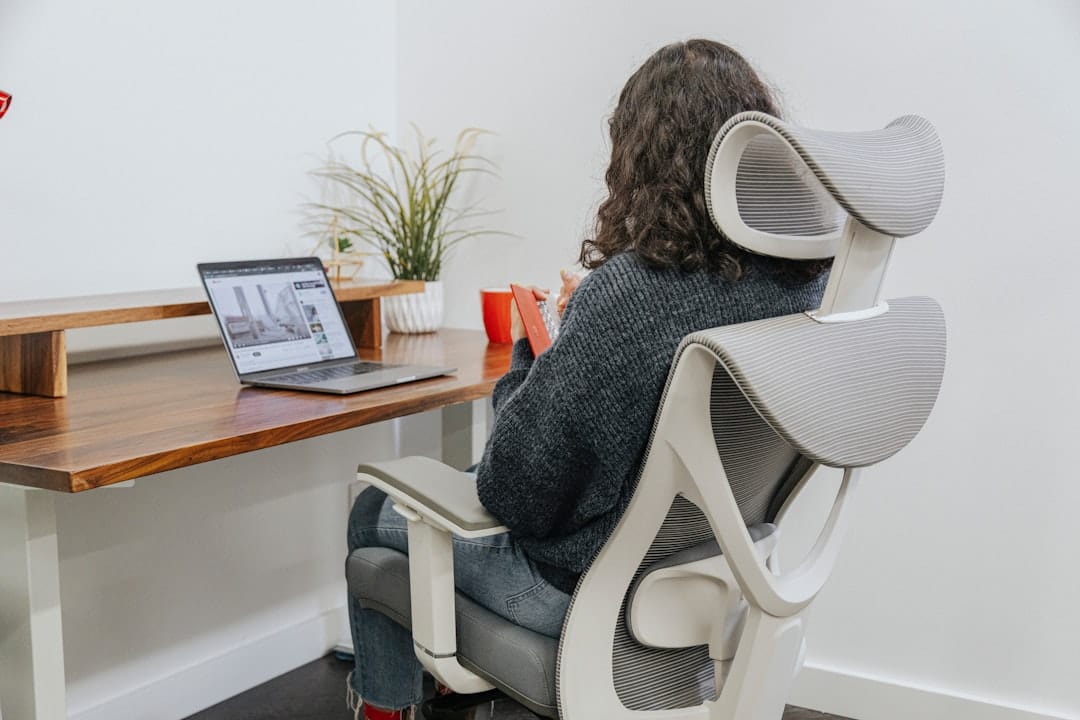
>Key Takeaways: Your Ergonomic Small Space Home Office at a Glance<
- Desk choice is your biggest decision: A wall-mounted, fold-away, or compact standing desk can reclaim significant floor space without sacrificing function.
- Your chair matters most:> An ergonomic chair with lumbar support and adjustable armrests is the single highest-ROI purchase for any home office, small or large.<
- Go vertical: Shelving, pegboards, and monitor arms free up desk surface area and keep your workspace breathable.
- Cable management isn't optional: In a tight space, tangled cables create visual noise that fragments focus and makes the space feel smaller.
- Habits amplify gear: The best setup still fails without regular movement breaks, proper lighting, and a defined work zone.
- Budget smartly: You don't need to spend $2,000. Prioritize chair → monitor position → lighting, in that order.
The Small Space Challenge: Why Ergonomics Matters More Than Ever
Let's be honest: most remote work ergonomics advice assumes you have a spare bedroom, a dedicated office, or at minimum a corner of the house that's entirely yours. For millions of people working from studio apartments, shared living situations, or rooms that double as bedrooms and offices, that advice falls flat fast.

The stakes are real. According to a 2023 report from the American Chiropractic Association, over 80% of Americans will experience back pain at some point in their lives — and prolonged, poorly configured desk work is one of the leading contributors. When you're cramped, you compromise. You hunch over a laptop on the couch. You stack books under your monitor. You use a dining chair because it's "close enough." None of it is close enough.
Small spaces actually make ergonomics more critical, not less. Here's why: in a larger office, a bad chair just means back pain. In a 400-square-foot apartment where your desk is three feet from your bed, a bad setup bleeds into your sleep, your mental health, and your ability to mentally "leave" work. The psychological separation between work and rest collapses. The physical discomfort intensifies because you can't even pace around a proper room.
"The goal of ergonomics isn't comfort for comfort's sake — it's reducing the physical tax your body pays every hour you spend working, so you have more energy left for everything else." — Dr. Alan Hedge, Professor Emeritus of Ergonomics, Cornell University
The good news? Small space ergonomics is a solved problem. It just requires smarter choices, not more money or more square footage.
Foundation First: Building Your Ergonomic Workstation from the Ground Up
Before you buy a single accessory, you need to nail the two foundational pieces: your desk and your chair. Get these right and everything else is optimization. Get them wrong and no amount of wrist rests or footrests will save your back.
The Space-Saving Desk: Your Command Center
The desk landscape for small spaces has exploded in the last five years. You have genuinely good options at every price point — the challenge is knowing which type fits your workflow and room layout.
Compact Standing Desks are my top recommendation for most people. Brands like Flexispot (the E7 Pro starts around $499) and Uplift offer models as narrow as 42 inches wide. The health benefits of sit-stand cycling are well-documented: a 2018 study in the British Journal of Sports Medicine found that sit-stand desks reduced sitting time by over 100 minutes per day in office workers. In a small space, look for models with a slim crossbar base — they allow you to pull your chair further under the desk, effectively shrinking the desk's footprint when you're not actively working.
Wall-Mounted Desks are the nuclear option for tiny spaces. Fully retracted, they occupy almost no floor space at all. The IKEA Norberg (around $70) is the budget classic, while the Prepac Wall-Mounted Floating Desk ($150–200) offers more surface area. The trade-off: wall-mounted desks are fixed-height, which means you need to be precise about your installation height relative to your chair. Measure twice, drill once.
Fold-Away and Murphy Desks take the wall-mount concept further — the desk folds flat against the wall when not in use and can include integrated shelving. These are ideal for studio apartments where your office genuinely needs to disappear at 6 PM. Expect to pay $300–800 for a quality unit with real structural integrity.
Corner Desks exploit dead space that most rooms have in abundance. An L-shaped corner desk in a 60-inch footprint gives you enormous working surface without eating into the room's center. The caveat: corner desks are notoriously hard to move and can make a small room feel boxier if they're not the right scale.
Regardless of which desk type you choose, build cable management into your planning from day one. A small desk with three loose cables running to the floor looks chaotic and eats psychological real estate. Cable raceways, adhesive clips, and under-desk cable trays (the Joto cable management sleeve runs about $10 for a two-pack) are cheap solutions that make a disproportionate visual difference.
The Ergonomic Chair: Small Footprint, Big Comfort
Amazon Associates — Check price on Amazon
Your chair is where you will spend eight hours a day. This is not the place to cut corners, and it's also not the place to assume "ergonomic" on the label means anything without checking the specs.
For small spaces specifically, you're looking for two things beyond standard ergonomic features: a narrower seat width (under 20 inches is ideal for tight quarters) and a base that tucks fully under your desk when you stand up.
Here's what genuinely matters in an ergonomic chair, in order of importance:
- Lumbar support: Adjustable lumbar — not just a static curve — allows you to dial in support for your specific spine. The Secretlab Titan and Herman Miller Aeron both offer this; so does the budget-friendly Hbada Office Chair (around $180) which I've tested for three months and find surprisingly solid for the price.
- Seat depth adjustment: This is the overlooked one. If the seat is too deep, you'll either push your back away from the lumbar support or cut off circulation behind your knees. Look for 2–3 inches of seat depth adjustment range.
- Adjustable armrests: Arms that adjust in height, width, and pivot angle let you rest your forearms at desk height without shrugging your shoulders — which is where neck tension originates.
- Breathable mesh back: In a small space, heat accumulates. Mesh backs (like those on the Ergohuman or the Branch Ergonomic Chair at $349) prevent the sweaty-back problem that plagues foam-padded options.
If budget is tight, the Branch Ergonomic Chair at $349 is the best value-to-ergonomics ratio I've found. If you can stretch to $700–900, the Steelcase Leap V2 or Haworth Fern are both genuinely excellent. Avoid chairs marketed as "ergonomic" under $100 — the lumbar "support" is usually a fixed plastic protrusion that hits the wrong spot for most people's anatomy.
Essential Ergonomic Accessories for a Compact Setup
With the desk and chair sorted, you're building on a solid foundation. Now the accessories make the difference between a functional setup and an optimized one.

Monitor Setup: Eye-Level Comfort in Tight Quarters
The rule is simple and non-negotiable: the top of your monitor should be at or slightly below eye level, with the screen 20–28 inches from your face. Most people's monitors are too low (hello, laptop-on-desk posture) and too close (hello, eye strain).
A monitor arm is the single best desk-space investment you can make. It mounts to the back of your desk, lifts the monitor off the surface entirely, and gives you 2–4 inches of usable desk depth back. The Ergotron LX (around $50) is the benchmark — solid build, smooth adjustment, handles most monitors up to 34 inches. For dual monitors in a small space, the Ergotron LX Dual Stacking Arm ($170) lets you go vertical instead of horizontal, which is often better in narrow spaces.
Speaking of single-monitor solutions: if you're doing multi-tasking work and want to avoid a dual-monitor sprawl, an ultrawide curved monitor (34-inch, 21:9 ratio) is genuinely transformative. The LG 34WN780-B at around $400 gives you the equivalent screen real estate of two 24-inch monitors in a single frame with no gap in the middle. For small desks, this is a serious option.
One more thing: laptop users, please use a laptop stand. A $30 adjustable aluminum stand (the Nulaxy is solid) lifts your screen to eye level, but you'll need an external keyboard and mouse to go with it. More on those next.
Keyboard and Mouse: Precision Without Bulk
Monday.com — Start your free Monday.com trial
The standard full-size keyboard with numpad is a space hog. Tenkeyless (TKL) keyboards cut the numpad and recover about 4 inches of horizontal desk space — that's meaningful on a 42-inch compact desk. Compact 65% or 75% layouts go even further.
For ergonomics specifically, split keyboards like the Kinesis Freestyle2 (~$119) or the Logitech Ergo K860 (~$130) position your hands at shoulder width instead of cramped together, which reduces ulnar deviation and forearm tension. I switched to a split keyboard in 2022 and the difference in wrist fatigue after a full writing day is noticeable.
Wireless is almost always better in small spaces. Fewer cables, more flexibility, and you can tuck everything away cleanly. The Logitech MX Keys Mini ($80) is wireless, compact, and has a quiet, satisfying keystroke — genuinely one of the better compact keyboards on the market right now.
For mice, two ergonomic categories deserve attention:
- Vertical mice (like the Logitech MX Vertical at $90) position your hand in a handshake orientation, reducing pronation strain significantly. Takes about a week to adapt.
- Trackball mice (like the Kensington Expert Mouse at $80) don't require you to move the mouse body at all — you roll the ball with your thumb. Excellent for small desks with limited mousing area.
Either option pairs well with a compact keyboard and keeps your wrist and forearm strain well below what a conventional mouse produces during long sessions.
Footrests and Other Posture Aids: Small Investments, Big Returns
Here's the thing about footrests that most people don't realize: if you're shorter than about 5'8" and using a desk set at standard height (29–30 inches), your feet probably aren't flat on the floor when your chair is at the right height. You're either dangling your feet (cutting off circulation) or dropping your chair (which then drops your arms below desk level).
A footrest solves this elegantly. The Amazon Basics Foot Rest (~$22) is functional and honestly sufficient for most people. If you want something with an active tilt feature for calf engagement, the Humanscale FM300 (~$80) is the gold standard.
Lumbar support cushions are worth mentioning for anyone using a chair without great built-in lumbar. The Everlasting Comfort Lumbar Pillow (~$30) attaches to your chair back and provides consistent lower-back support. It's not a substitute for a proper chair, but it's a legitimate bridge solution — and it travels well if you work from different locations.
Smart Storage & Organization: Maximizing Every Inch
Vertical Storage Solutions: Think Up, Not Out
Floor space is precious. Wall space is almost always underutilized. In a small office, your organizational strategy should be almost entirely vertical.
Floating shelves above your desk are the most impactful and accessible solution. A single shelf 12 inches above your monitor riser holds books, notebooks, and a plant without eating any desk surface. Two shelves at different heights create a mini-library. IKEA's LACK shelf ($10–15 each) is the entry point; for a more refined look, the IKEA BILLY system can be configured as a floor-to-ceiling bookcase in a corner that doubles as a room divider.
Pegboards have had a proper design renaissance. The IKEA Skadis pegboard ($15–25 depending on size) with its attachment accessories can hold headphones, a monitor light, small shelves, cable organizers, and more — all vertically mounted above your desk. It turns dead wall space into active storage and looks genuinely good doing it.
Monitor risers with built-in storage deserve a mention too. A riser that lifts your monitor 4–5 inches and has two small drawers underneath (like the VIVO Monitor Riser at $35) creates immediate desk storage without adding any new footprint.
Cable Management: Taming the Tangled Mess
Cable clutter is a specific problem in small spaces because there's nowhere to hide it. Every exposed cable bundle draws the eye and makes the space feel chaotic — which, research on environmental psychology confirms, actually increases cortisol levels and reduces focus performance.
A practical cable management system for a small desk setup:
- Under-desk cable tray: A wire mesh or solid tray mounted to the underside of your desk catches power strips, adapter bricks, and cable bundles. The J Channel Cable Management Kit on Amazon (~$15) is a solid no-drill option.
- Cable clips: Adhesive clips along the back edge of your desk route individual cables cleanly. BlueLounge CableClips (~$10 for a pack) are small and strong.
- Cable sleeves: For the vertical run from desk to floor (or wall), a fabric cable sleeve bundles multiple cables into a single clean column.
- Wireless charging pad: Eliminating your phone cable entirely with a wireless charging pad (Anker's 10W pad runs about $16) is a small win that compounds with everything else.
Lighting: Illuminating Your Small Workspace
Lighting is the most underrated ergonomic factor in a home office. Poor lighting — too dim, too harsh, the wrong color temperature, positioned to create glare on your screen — causes eye strain that compounds over hours into headaches, fatigue, and reduced reaction time.
The BenQ ScreenBar (~$109) is the most space-efficient monitor lighting solution available. It clips to the top of your monitor, shines downward onto your desk without creating screen glare, and has an ambient light sensor that adjusts brightness automatically. For a small desk, it eliminates the need for a separate desk lamp entirely.
If you prefer a traditional desk lamp, look for one with adjustable color temperature (2700K–6500K range) and at least 400 lumens of output. The TaoTronics LED Desk Lamp (~$35) checks these boxes at a reasonable price. Warmer light (2700K–3000K) promotes relaxed focus; cooler light (5000K–6500K) is better for detail work and fighting afternoon fatigue.
One rule: position your primary light source perpendicular to your monitor, not behind or in front of it. Behind creates backlight glare on your screen; in front creates reflection. Perpendicular is neutral.
Optimizing Your Space: Beyond Just Gear
Zoning and Defining Your Workspace
In a studio apartment or shared room, the psychological separation between "work mode" and "rest mode" doesn't come automatically. You have to create it. The brain is highly context-dependent — the same space associated with both sleeping and spreadsheets will struggle to fully commit to either.
Practical zoning strategies that actually work:
- A rug under your desk: Defining the office zone with a distinct rug (even a small 4x6) creates a visual and tactile boundary. When you're on the rug, you're at work.
- A room divider or bookcase: A tall bookcase perpendicular to a wall, or a fabric room divider, creates a physical separation without requiring walls. IKEA's KALLAX in a studio apartment is a classic solution for a reason.
- Consistent orientation: Positioning your desk to face a wall rather than the rest of the room reduces visual distractions and gives your workspace a more enclosed, focused feel.
Personalization & Aesthetics: Making it Your Own
Aesthetics aren't vanity in a workspace — they're productivity infrastructure. A 2020 study from the University of Exeter found that workers in "enriched" spaces (with plants, art, and personal objects) were 15% more productive than those in lean, minimalist environments.
A small plant on the shelf (pothos and snake plants are nearly indestructible and thrive in low light), a single piece of art on the wall above your monitor, and a consistent color palette that leans toward blues, greens, and warm neutrals will do more for your daily work mood than most people expect. Keep it intentional, not cluttered — in a small space, three well-chosen objects beat ten random ones every time.
The Ergonomic Routine: Habits for Health and Productivity
Regular Breaks & Movement: The 20-20-20 Rule and Beyond
The best ergonomic setup in the world doesn't compensate for sitting still for four hours straight. The body is not designed for sustained static postures — joints stiffen, circulation slows, and postural muscles fatigue. Movement is the actual medicine.
The 20-20-20 rule for eyes: every 20 minutes, look at something 20 feet away for 20 seconds. This relaxes the ciliary muscles in your eyes and meaningfully reduces eye strain over a full workday.
For your body, aim for a position change every 30–45 minutes. If you have a standing desk, alternate sitting and standing in roughly equal blocks. Set a timer if you have to — the Stretchly app (free, cross-platform) gives you customizable break reminders and even shows you stretch suggestions during breaks. Five-minute walks around the block or a brief set of shoulder rolls and neck stretches are enough to reset your body's baseline tension.
Mindfulness and Focus in a Shared Space
Amazon — See latest price on Amazon
Noise and interruption are the invisible ergonomic problems of small home offices. Physical discomfort is obvious; cognitive fragmentation is sneaky. Research from Gloria Mark at UC Irvine has consistently found that it takes an average of 23 minutes to fully recover focus after an interruption. In a shared apartment, that's a brutal tax on your productive hours.
Noise-canceling headphones are, in my experience, the highest-impact purchase for anyone working in a shared or noisy space. The Sony WH-1000XM5 (~$350) and Bose QuietComfort 45 (~$280) are the benchmark consumer options; the Anker Soundcore Q45 (~$65) is the budget pick that genuinely punches above its price. Active noise cancellation specifically targets the low-frequency rumble of HVAC, traffic, and ambient conversation — the exact frequencies that fragment focus.
Beyond hardware, setting clear work-time boundaries with housemates or family members is ergonomics too — just for your attention rather than your posture. A simple "in focus time until 12:00" signal (a sticky note on your door, a status light like the Luxafor Flag at $29) reduces interruptions more effectively than hoping people will intuit your schedule.
Comparison Table: Top Ergonomic Desks for Small Spaces
| Desk | Type | Dimensions | Height Range | Weight Capacity | Price Range | Best For |
|---|---|---|---|---|---|---|
| Flexispot E7 (42" top) | Electric Standing Desk | 42" W × 24" D | 22.8" – 48.4" | 355 lbs | $399–$549 | Sit-stand cycling; narrow rooms with wall clearance |
| IKEA Norberg | Wall-Mounted Fold-Down | 26" W × 19" D | Fixed (user-set at install) | 22 lbs | $60–$80 | Ultra-minimalist setups; desks that disappear after hours |
| Varidesk ProDesk 48 | Desk Converter (sits on existing desk) | 48" W × 31" D | Raises 4.5" – 17" | 35 lbs | $395–$450 | Renters who can't drill walls; upgrading existing desks |
| Walker Edison Soreno Corner Desk | Corner L-Shaped | 51" W × 51" D (corner) | Fixed at 30" | 80 lbs | $150–$200 | Maximizing surface area in corner spaces; budget setups |
FAQs: Your Ergonomic Small Home Office Questions Answered
What is the ideal desk height for a small ergonomic setup?
The ideal desk height depends on your height and your chair height together — there's no universal number. The rule: when seated with your chair adjusted so your feet are flat on the floor (or on a footrest), your elbows should bend at roughly 90 degrees with your forearms resting on the desk surface. For most people between 5'4" and 5'10", this works out to a desk height between 28 and 30 inches. If you're outside that range, a height-adjustable desk matters more. A quick test: if you're hunching your shoulders to reach your keyboard, the desk is too high. If you're bending your wrists upward to type, it's too low.
Can I really have an ergonomic setup in a tiny apartment?
Absolutely — and I'd argue a well-designed small-space ergonomic setup beats a poorly configured large office every time. A wall-mounted desk, an ergonomic chair with a small base, a monitor arm, and vertical storage can create a fully functional, health-supporting workspace in a footprint under 20 square feet. The key is being deliberate: small spaces don't tolerate wasted gear or poor decisions. Every item needs to earn its place. That constraint actually produces better setups than the "accumulate and arrange" approach most people take in larger spaces.
How can I improve my posture without buying new furniture?
Several meaningful adjustments require nothing beyond what you probably already have. First: raise your laptop or monitor. Stack books, a ream of paper, or a shoebox under your current monitor to bring the screen top closer to eye level — it's imperfect but effective. Second: roll up a towel and place it at the lower curve of your back for lumbar support in any chair. Third: sit slightly forward in your chair (on the front third of the seat) to naturally engage your core rather than slumping into the backrest. Fourth: take a standing break every 30–40 minutes — even working at a kitchen counter for 20 minutes changes your postural loading significantly.
What's the most important ergonomic item to invest in for a small space?
Your chair, without question. Monitor position is the next priority — but it can be addressed cheaply with books and a monitor stand. A truly poor chair compounds damage hour by hour and day by day in ways that no other item compensates for. If you have $300 to spend on your entire setup, put $250 on the chair and $50 on everything else. The Branch Ergonomic Chair ($349) and the HON Ignition 2.0 ($300–380) are both strong choices in the entry-level ergonomic tier that will meaningfully protect your back and posture.
How do I deal with limited power outlets in a small office?
A quality surge-protected power strip is your first move — the APC 12-Outlet SurgeArrest (~$35) gives you 12 outlets in a small desk-mounted or floor unit and protects your equipment. For the desk surface itself, a compact USB charging hub (the Anker 10-port USB hub runs about $40) consolidates all your device charging into a single cable running to the strip. Where possible, go wireless: wireless keyboard and mouse, wireless headphones, and a wireless charging pad eliminate three to four cables entirely. If you only have one or two wall outlets available, a power strip with USB-A and USB-C ports built in (like the Belkin 12-Outlet model at $45) maximizes what you can run from a single plug.
Conclusion: Your Productive & Comfortable Small Space Sanctuary Awaits
A small space is a constraint, not a sentence. Every decision you make in a small home office has more impact than the equivalent decision in a larger space — which means you have more to gain from getting it right.
Start with the chair. Nail the monitor height. Manage the cables. Go vertical with storage. Build the habit of moving every 45 minutes. In that order. You don't have to do everything at once — building an ergonomic small home office is an iterative process, and even a single improvement (a monitor arm, a lumbar pillow, a proper footrest) compounds meaningfully over a 40-hour work week.
The goal isn't a showroom. It's a space that supports your health, sharpens your focus, and respects the reality that for many of us, work and life share the same walls. When those walls are small, every square foot you optimize becomes genuinely valuable. Your back will notice. Your focus will notice. And on the days when work is hard, you'll be grateful that at least your setup isn't making it harder.



