SAP CPI vs Mulesoft for Salesforce
Deep Dive Comparison for Business Pros
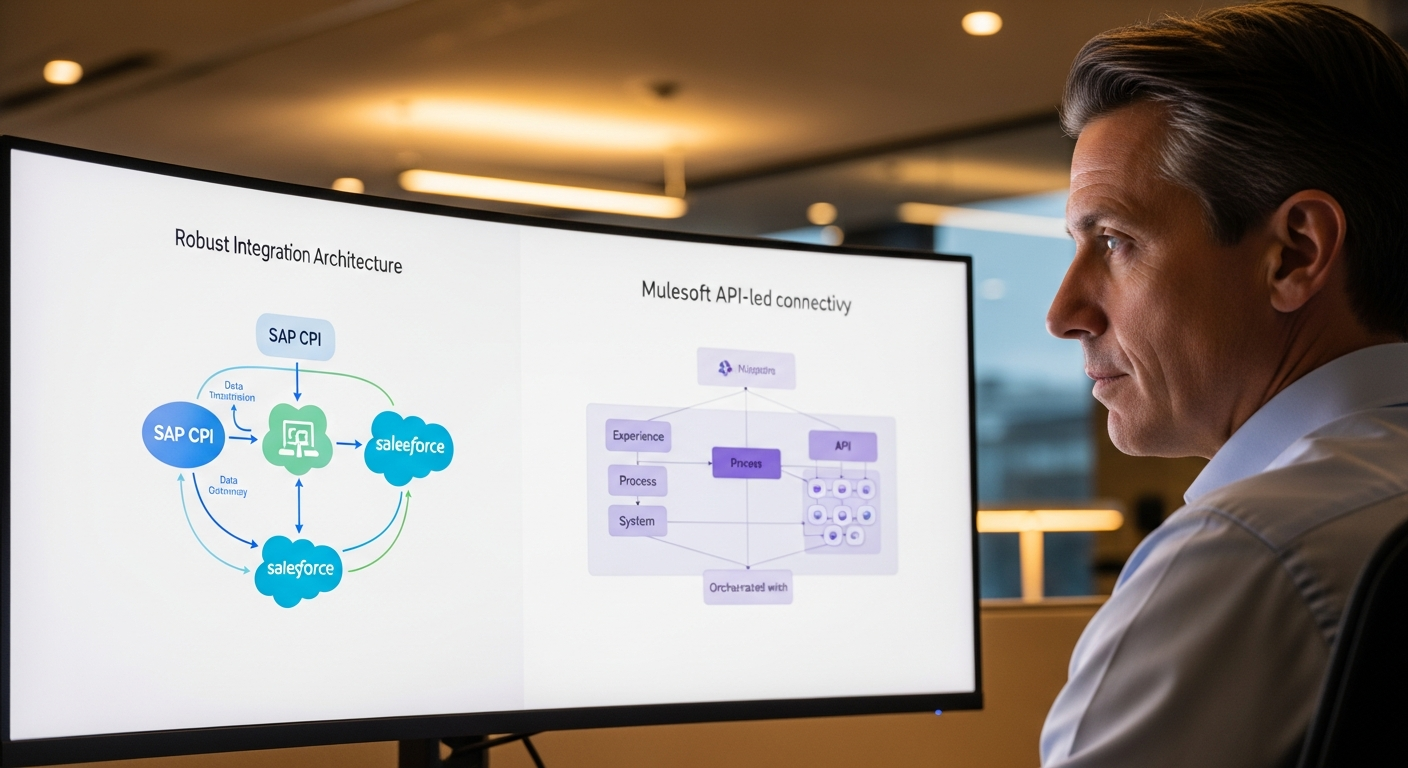
SAP CPI vs Mulesoft for Salesforce Integration: The Definitive Guide for Business Professionals
Unlocking seamless data flow between your SAP and Salesforce ecosystems is critical for modern enterprise agility. But which integration platform – SAP Cloud Platform Integration (CPI) or Mulesoft Anypoint Platform – is the right strategic choice for your organization? This comprehensive guide cuts through the complexity, empowering you to make an informed, high-impact decision.
The Integration Conundrum: Bridging SAP & Salesforce for Business Excellence
>Your enterprise relies on two powerhouses: SAP for core business operations – ERP, S/4HANA, SuccessFactors, Ariba – and Salesforce for customer relationship management, sales automation, and service delivery. The siloed existence of these critical systems is a common pain point, leading to:<
- Data Inconsistencies:> Outdated customer information, mismatched product catalogs, and conflicting financial records.<
- Operational Inefficiencies: Manual data entry, duplicate efforts, and slow lead-to-cash cycles.
- Limited 360-Degree Views: Inability to see a complete picture of customer interactions or supply chain status.
- Missed Business Opportunities: Slow response to market changes, delayed product launches, and suboptimal customer experiences.
>The promise? A robust, scalable, and secure integration strategy that transforms these challenges into competitive advantages. By intelligently connecting SAP and Salesforce, you can achieve real-time data synchronization, automate complex business processes, and unlock unprecedented operational efficiency and customer insight. But choosing the right platform – SAP CPI or Mulesoft – is a strategic decision with long-term implications for your IT landscape, budget, and business agility. We're here to guide you through that choice.<
Quick Comparison: SAP CPI vs Mulesoft at a Glance
For the busy executive, here's a rapid overview to frame your initial considerations. Dive deeper into each section below for comprehensive details.

| Feature/Aspect | SAP CPI (Cloud Platform Integration) | Mulesoft Anypoint Platform |
|---|---|---|
| Primary Vendor | SAP | Salesforce (acquired) |
| Core Focus | SAP-centric integrations (cloud & on-premise), B2B/EDI scenarios, API Management within SAP BTP. | Any-to-any integration, API-led connectivity, enterprise integration patterns, broader ecosystem. |
| Salesforce Integration | Strong native connectors and pre-built content for SAP-to-Salesforce. Generally requires more custom development for complex Salesforce-specific logic. | Excellent native Salesforce connectors, deep understanding of Salesforce APIs, comprehensive templates for Salesforce integration patterns. |
| SAP Integration | Unrivaled native connectivity to SAP systems (S/4HANA, ECC, SuccessFactors, Ariba, etc.) with pre-built content. | Strong SAP connectors (IDoc, BAPI, RFC, OData), but may require more configuration or custom code than CPI for complex SAP scenarios. |
| API Management | Part of SAP BTP, focused on managing APIs for SAP and partner solutions. | Comprehensive API Lifecycle Management (design, build, deploy, manage, secure, analyze) as a core offering. |
| Developer Experience | Web-based IDE (Cloud Integration), Eclipse-based tools for specific scenarios. Focused on integration flow design. | Anypoint Studio (Eclipse-based), web-based Design Center. Emphasizes API design and reusable assets. |
| Pricing Model | Subscription-based, often tied to SAP BTP consumption units (messages, storage, compute). Can be bundled with other SAP licenses. | Subscription-based, typically tiered by usage (e.g., vCores, API calls, data volume). Can be a significant investment. |
| Skillset Availability | SAP integration consultants, SAP PI/PO background. | Mulesoft developers, API specialists, general integration architects. |
| Best Fit For | SAP-heavy landscapes, existing SAP investments, need for deep SAP connectivity, simplified integration needs primarily involving SAP. | Heterogeneous landscapes, API-first strategy, complex integration patterns, strong governance, digital transformation initiatives beyond just SAP. |
>Deep Dive: Evaluating Each Platform for Your Salesforce Integration Needs<
SAP Cloud Platform Integration (CPI) - A Core Component of SAP BTP
SAP CPI, now officially known as SAP Integration Suite's Cloud Integration capability within the broader SAP Business Technology Platform (BTP), is SAP's strategic integration platform as a service (iPaaS). It's designed to connect SAP applications (cloud and on-premise) with non-SAP applications and third-party systems, including Salesforce.
Key Capabilities & Strengths for Salesforce Integration:
- Native SAP Connectivity: This is CPI's undisputed superpower. It offers out-of-the-box, highly optimized connectors for virtually every SAP system, including S/4HANA, ECC, SuccessFactors, Ariba, Concur, and more. This significantly reduces development time and complexity when integrating SAP data with Salesforce.
- Pre-built Integration Content: SAP provides a vast library of pre-packaged integration content (iFlows) for common SAP-Salesforce scenarios, such as master data synchronization (customer, material), sales order integration, and lead-to-cash processes. These accelerate implementation and provide best-practice templates.
- Part of SAP BTP Ecosystem: Being a native SAP solution, CPI benefits from seamless integration with other SAP BTP services like SAP API Management, SAP Event Mesh, and SAP Data Intelligence, enabling a holistic approach to enterprise integration and data management.
- Security and Compliance: Inherits SAP's robust enterprise-grade security features, compliance standards, and data privacy capabilities, which are crucial for sensitive business data.
- Cost-Efficiency for SAP-Centric Organizations: If your organization is heavily invested in SAP, CPI might be a more cost-effective option, potentially leveraging existing SAP licensing agreements or being bundled within your BTP consumption.
Considerations & Limitations:
- Salesforce-Specific Depth: While it connects to Salesforce, CPI generally offers less native depth for complex Salesforce-specific logic or advanced platform events compared to Mulesoft. More custom development might be needed for intricate Salesforce process orchestration.
- Broader Ecosystem Integration: While capable of integrating non-SAP systems, its primary design philosophy and strongest features are geared towards the SAP ecosystem. Integrating a highly diverse landscape of non-SAP applications might require more effort compared to a platform built for "any-to-any" integration.
- Developer Experience: The Cloud Integration designer is web-based and intuitive for many, but some advanced scenarios might still rely on Eclipse-based tools or require a deeper understanding of SAP-specific message formats and adapters.
- API-First Paradigm: While it includes API Management, CPI's core strength is more in flow-based integration rather than a complete API lifecycle management platform from design to deprecation, which is Mulesoft's forte.
Ideal Use Case for CPI: Organizations with a strong existing SAP footprint looking to efficiently integrate their core SAP systems with Salesforce, leveraging pre-built content and deep SAP native connectivity. It's particularly strong for scenarios where SAP is the system of record and data needs to flow to Salesforce, or vice-versa, in a well-defined manner.
Mulesoft Anypoint Platform - The API-Led Connectivity Powerhouse
Mulesoft Anypoint Platform, now a Salesforce company, is a leading enterprise integration platform that champions an API-led connectivity approach. It provides a comprehensive suite of tools for designing, building, deploying, managing, and securing APIs and integrations across any application, data source, or device.
Key Capabilities & Strengths for Salesforce Integration:
- Deep Salesforce Integration: As part of the Salesforce ecosystem, Mulesoft boasts exceptional native connectors, templates, and best practices specifically for Salesforce. It understands Salesforce APIs (SOAP, REST, Bulk, Streaming) intimately and offers robust capabilities for integrating with Salesforce Cloud, Marketing Cloud, Experience Cloud, and more.
- API-Led Connectivity: Mulesoft's core philosophy is to build a network of reusable APIs. This modular approach significantly accelerates future integrations, fosters agility, and promotes a standardized way of exposing and consuming data and services across the enterprise, including between SAP and Salesforce.
- Any-to-Any Integration: Mulesoft is designed for heterogeneous environments. It excels at connecting a vast array of systems – SaaS, on-premise, legacy, databases, IoT – making it ideal for complex landscapes where SAP and Salesforce are just two pieces of a larger puzzle.
- Comprehensive API Lifecycle Management: From API design (Design Center) to testing, deployment, security, and analytics (API Manager, Runtime Manager, Anypoint Monitoring), Mulesoft provides end-to-end governance for your entire API landscape.
- Developer Productivity: Anypoint Studio (IDE) offers a rich development experience with extensive tooling, data mapping capabilities, and support for various integration patterns. Its robust community and marketplace also contribute to faster development.
- Scalability and Resilience: Built for enterprise-grade performance, Mulesoft handles high volumes of transactions and complex orchestrations with strong error handling, logging, and monitoring capabilities.
Considerations & Limitations:
- SAP-Specific Depth: While Mulesoft has strong SAP connectors (IDoc, BAPI, RFC, OData), it might require more configuration, custom mapping, or specific SAP expertise compared to CPI's native, pre-packaged SAP integration content. The initial setup for complex SAP scenarios can be more involved.
- Cost: Mulesoft can represent a significant investment, especially for enterprises with high integration volumes or complex requirements. Its pricing model, often based on vCores, can scale up quickly.
- Learning Curve: Adopting Mulesoft's API-led connectivity paradigm requires a shift in thinking and a dedicated skillset. While powerful, it has a steeper learning curve for teams not accustomed to API design principles.
- Vendor Lock-in (Salesforce): While it integrates with everything, being a Salesforce company means its strategic direction and roadmap are naturally aligned with Salesforce's broader ecosystem.
Ideal Use Case for Mulesoft: Enterprises pursuing an API-first strategy, operating in highly heterogeneous environments, requiring sophisticated API management, and prioritizing a unified integration layer across their entire application landscape. It's particularly strong when Salesforce is a central hub for customer-facing processes and needs to orchestrate data and services from various backend systems, including SAP.
>Pricing & Suitability: Matching Platforms to Your Enterprise Segment<
Understanding the cost implications and how each platform aligns with different business sizes and integration philosophies is crucial for a strategic decision.
SAP CPI (SAP Integration Suite) Pricing & Suitability:
- Pricing Model: SAP Integration Suite operates on a consumption-based model within SAP BTP. You pay for resources consumed, such as message processing units, data volume, storage, and API calls. It's often packaged in various editions (Standard, Enterprise) or can be purchased via CPEA (Cloud Platform Enterprise Agreement) where you commit to a certain level of consumption.
- Typical Cost Range:> This can vary wildly based on volume and specific services used. For small to medium enterprises with moderate integration needs, it could range from a few thousand to tens of thousands per month. For large enterprises with high volumes, it could be significantly higher, but often becomes more cost-effective when integrated into existing SAP licensing structures.<
- Suitability by Segment:
- Small to Mid-Market (SAP-Centric): Highly suitable if the primary integration challenge revolves around connecting SAP ECC/S/4HANA with Salesforce and other core SAP applications. The pre-built content and tight SAP integration can offer a faster time-to-value.
- Large Enterprises (SAP-Dominant): An excellent choice for organizations with a massive SAP footprint. It leverages existing SAP investments and skillsets, provides deep, native SAP connectivity, and fits seamlessly into an SAP-centric IT strategy.
- Companies Prioritizing "SAP First": If your IT strategy dictates prioritizing SAP's native solutions for core processes, CPI is the natural extension for integration.
Mulesoft Anypoint Platform Pricing & Suitability:
- Pricing Model: Mulesoft's pricing is typically subscription-based, tiered by usage parameters like vCores (virtual CPU cores for runtime), API calls, and data volume. There are often different editions (e.g., Gold, Platinum, Titanium) offering varying features and support levels.
- Typical Cost Range: Mulesoft is generally positioned as an enterprise-grade platform, and its pricing reflects that. For mid-sized companies, annual subscriptions can start from the high tens of thousands to low hundreds of thousands of dollars. For large enterprises with extensive integration needs and high transaction volumes, annual costs can easily run into several hundred thousand to over a million dollars.
- Suitability by Segment:
- Mid-Market (Heterogeneous Landscape): Suitable for mid-sized companies with a growing number of applications (SaaS, on-prem) beyond just SAP and Salesforce, where an API-first approach and robust governance are becoming critical.
- Large Enterprises (Digital Transformation & API Economy): Mulesoft shines here. Organizations embarking on significant digital transformation, building an API economy, or managing a highly complex, heterogeneous application landscape will find Mulesoft's comprehensive capabilities invaluable despite the higher cost.
- Companies Prioritizing "API-First" & Agility: If your strategic vision is to expose all business capabilities as reusable APIs and foster agility across your entire digital ecosystem, Mulesoft is a strong contender.
Who Should Use What? Persona-Based Recommendations
Choosing an integration platform isn't just about technical features; it's about aligning with your organizational strategy, existing investments, and team capabilities. Let's match the platforms to common business professional personas.
For the SAP-Centric IT Director / Head of Enterprise Architecture:
- Primary Goal: Optimize existing SAP investments, ensure seamless data flow within the SAP ecosystem, and extend SAP functionalities to cloud applications like Salesforce with minimal disruption and maximum security.
- Recommendation: SAP CPI (SAP Integration Suite)
- Why: Leverages deep, native SAP connectors and pre-built content, reducing implementation time for SAP-Salesforce scenarios. Fits naturally into an SAP BTP strategy, providing a unified platform for SAP-related integration and extension. Cost-effective if already deeply invested in SAP.
- Consider Mulesoft if: Your enterprise landscape extends far beyond SAP, and you're building a broader API strategy for non-SAP systems, or if Salesforce is the absolute center of your customer experience and requires highly complex, real-time orchestrations with multiple backend systems.
For the Salesforce Administrator / CRM Lead:
- Primary Goal: Ensure Salesforce has accurate, real-time data from backend systems, automate customer-facing processes, and maximize the value of the Salesforce platform.
- Recommendation: Mulesoft Anypoint Platform
- Why: Offers unparalleled depth and native capabilities for Salesforce integration, understanding its APIs and data models intrinsically. Enables complex orchestrations and real-time event processing crucial for a dynamic CRM. Its API-led approach can create reusable services that empower Salesforce to connect to anything.
- Consider SAP CPI if: The integration is predominantly about syncing core SAP master data (customers, products, pricing) or transactional data (sales orders, invoices) with Salesforce, and the IT landscape is heavily SAP-dominated with limited other non-SAP systems requiring complex integrations.
For the Head of Digital Transformation / Chief Innovation Officer:
- Primary Goal: Drive agility, create new digital products/services, foster an API economy, and connect disparate systems across the entire enterprise to unlock new business models.
- Recommendation: Mulesoft Anypoint Platform
- Why: Its API-led connectivity model is foundational for digital transformation. It enables the creation of reusable building blocks (APIs) that can be rapidly assembled to create new experiences, connect partners, and democratize data access securely. It's designed for "any-to-any" integration, supporting a truly agile and expansive digital strategy.
- Consider SAP CPI if: Your digital transformation is primarily focused on modernizing and integrating within the SAP ecosystem and extending those capabilities to specific cloud platforms like Salesforce, but with less emphasis on building a broad, public-facing API economy beyond SAP.
For the CIO / Head of IT Strategy:
- Primary Goal: Balance cost-efficiency, scalability, security, and future-proofing across the entire IT landscape. Ensure architectural coherence and minimize technical debt.
- Recommendation: Depends on overall strategy.
- Choose SAP CPI if: Your enterprise is primarily an "SAP shop" with a long-term commitment to the SAP ecosystem, and you seek to consolidate integration tools within the SAP BTP. It offers a standardized, SAP-supported path.
- Choose Mulesoft if: Your enterprise has a highly diverse application landscape (many non-SAP SaaS, legacy, custom apps), and you are committed to an API-first strategy for enterprise-wide integration, data governance, and agility beyond SAP. It provides a more universal integration fabric.
Implementation & Getting Started: Your Roadmap to Integrated Success
Once you've made your strategic decision, the next step is a well-planned implementation. Here’s a high-level guide to getting started with either SAP CPI or Mulesoft for Salesforce integration.
General Implementation Best Practices (Applicable to Both):
- Define Clear Business Requirements: What data needs to be exchanged? In what direction? What are the triggers? What are the transformation rules? Map out your entire lead-to-cash, procure-to-pay, or service-to-resolve process flows.
- Data Model Harmonization: Identify common data entities (Customer, Product, Order) and map fields between SAP and Salesforce. Decide on the system of record for each data element. This is often the most complex step.
- Error Handling & Monitoring Strategy: Design robust error handling, alerting, and logging mechanisms. How will failed integrations be identified, resolved, and reprocessed?
- Security & Governance: Implement secure connectivity (OAuth, certificates), manage access controls, and ensure compliance with data privacy regulations (GDPR, CCPA).
- Phased Rollout: Start with a pilot project or a critical, high-value integration scenario. Learn, optimize, and then expand.
- Testing Strategy: Develop comprehensive unit, integration, and user acceptance test cases to validate data accuracy, performance, and business process integrity.
Getting Started with SAP CPI for Salesforce Integration:
- Provision SAP Integration Suite: Ensure you have the SAP Integration Suite service enabled within your SAP BTP subaccount.
- Configure Connectivity: Set up secure communication channels (e.g., OAuth 2.0, basic authentication with API keys) between CPI and both your SAP systems (via Cloud Connector for on-premise) and Salesforce.
- Explore Pre-packaged Content: Browse the SAP API Business Hub for pre-built integration packages for SAP-Salesforce scenarios. Import relevant iFlows into your CPI tenant.
- Adapt and Enhance iFlows: Customize the imported iFlows using the Cloud Integration designer. This involves mapping fields, applying transformation logic (Groovy scripts, XSLT), and adjusting routing.
- Deploy and Monitor: Deploy your iFlows to the CPI runtime. Use the monitoring tools within CPI to track message processing, identify errors, and ensure smooth operation.
Recommended Resource: SAP API Business Hub - Salesforce Integration Packages (External link to SAP)
Ready to explore SAP CPI's capabilities?
Amazon — Find SAP & AI books on Amazon
Getting Started with Mulesoft for Salesforce Integration:
- Set Up Anypoint Platform: Sign up for a Mulesoft Anypoint Platform account. Familiarize yourself with Design Center, Anypoint Studio, and Exchange.
- Design Your APIs: Using Design Center, define your API specifications (RAML/OAS) for exposing SAP data or consuming Salesforce services. Embrace the API-led connectivity principles (System, Process, Experience APIs).
- Build Integrations in Anypoint Studio: Use Anypoint Studio to develop your Mule applications. Leverage the extensive connector library for Salesforce (Salesforce Connector) and SAP (SAP Connector). Drag-and-drop components, apply data transformations (DataWeave), and orchestrate flows.
- Deploy to Runtime Manager: Deploy your Mule applications to CloudHub (Mulesoft's iPaaS) or your on-premise Mule runtime.
- Manage and Monitor APIs: Use API Manager to apply policies (security, throttling), and Anypoint Monitoring to track API performance, usage, and troubleshoot issues.
Recommended Resource: Mulesoft Salesforce Integration Solutions (External link to Mulesoft)
Curious about Mulesoft's power for Salesforce?
Amazon — Check related books on Amazon
Make Your Integration Decision with Confidence
The choice between SAP CPI and Mulesoft for Salesforce integration is a strategic one that impacts your operational efficiency, data integrity, and future innovation. Both are powerful, enterprise-grade platforms, but their strengths lie in different areas.
Ready to take the next step? We encourage you to explore each platform's capabilities firsthand. Engage with their resources, consider a proof-of-concept for your most critical integration scenario, and consult with experienced integration architects.
Amazon — Find SAP & AI books on Amazon
Clicking these links may take you to external vendor sites where you can learn more or begin a trial.
Frequently Asked Questions (FAQ)
Q: Can SAP CPI and Mulesoft coexist in the same enterprise?
A: Yes, absolutely. Many large enterprises adopt a multi-iPaaS strategy. For instance, an organization might use SAP CPI for all SAP-to-SAP and SAP-to-third-party integrations where SAP is the system of record or the primary data source. Simultaneously, they might leverage Mulesoft for broader enterprise integration, API management, and complex orchestrations involving numerous non-SAP SaaS applications, or where Salesforce plays a central role in orchestrating customer experiences across various systems. The key is to define clear architectural boundaries and use cases for each platform to avoid redundancy and maximize efficiency.
Q: Which platform is easier to learn for a new integration developer?
A: This largely depends on the developer's background. A developer with an SAP PI/PO background or experience with SAP's ecosystem might find SAP CPI's flow-based design and SAP-specific adapters more intuitive. A developer with a strong API background or experience with modern integration patterns might find Mulesoft's Anypoint Studio and API-led connectivity approach more natural. Mulesoft often has a slightly steeper learning curve initially due to its comprehensive API lifecycle management features, but it's also highly regarded for its developer productivity once mastered. SAP CPI's pre-packaged content can accelerate learning for specific SAP scenarios.
Q: What are the key security considerations for integrating SAP and Salesforce with these platforms?
A: Both platforms offer robust security features. Key considerations include:
- Authentication & Authorization: Using OAuth 2.0 (recommended), client certificates, or API keys for secure communication between the integration platform and SAP/Salesforce.
- Data Encryption: Ensuring data is encrypted both in transit (TLS/SSL) and at rest.
- Access Control: Implementing granular role-based access control (RBAC) within the integration platform to restrict who can develop, deploy, and monitor integrations.
- Compliance: Adhering to industry standards and regulations (e.g., GDPR, HIPAA, ISO 27001). Both platforms are designed with enterprise security and compliance in mind.
- Audit Trails: Comprehensive logging and auditing capabilities to track all integration activities.
Q: How do these platforms handle data transformation and mapping?
A: Both platforms provide powerful data transformation capabilities:
- SAP CPI: Offers graphical mapping tools (Message Mapping), XSLT transformations, and Groovy scripting for complex logic. It's particularly adept at handling SAP-specific message formats (IDocs, BAPIs, OData).
- Mulesoft: Features DataWeave, a powerful, functional programming language specifically designed for data transformation. DataWeave is highly versatile, supporting various data formats (JSON, XML, CSV, flat files, etc.) and complex mapping scenarios with high performance. Anypoint Studio provides a visual mapping experience layered over DataWeave.
Q: What kind of support and community resources are available for each platform?
A: Both platforms have extensive support and community resources:
- SAP CPI: Benefits from SAP's global support infrastructure, extensive documentation, SAP Community Network (SCN), and a large ecosystem of SAP partners and consultants. There are numerous blogs, tutorials, and forums focused on SAP BTP and Integration Suite.
- Mulesoft: Has a vibrant and active developer community, Mulesoft documentation, Mulesoft Training and Certification programs (MuleSoft U), and a strong network of partners. Salesforce's backing further enhances its resources and reach.
Q: How do these platforms handle real-time vs. batch integration?
A: Both platforms are capable of handling both real-time and batch integration scenarios:
- SAP CPI: Supports real-time integration through various adapters (SOAP, REST, OData, IDoc via tRFC/qRFC), event-based integration via SAP Event Mesh, and scheduled batch jobs for larger data loads.
- Mulesoft: Excels in real-time integration, especially with its API-led approach and robust event processing capabilities. It can also handle batch processing efficiently through its batch processing module, enabling large-scale data synchronization and transformations.



