7 Best Remote PM Tools That Actually Fix Client Comm (2026)
Ops leads: Stop client comm headaches! We tested 7 remote PM tools for client portals, feedback, & reporting. Find yours →
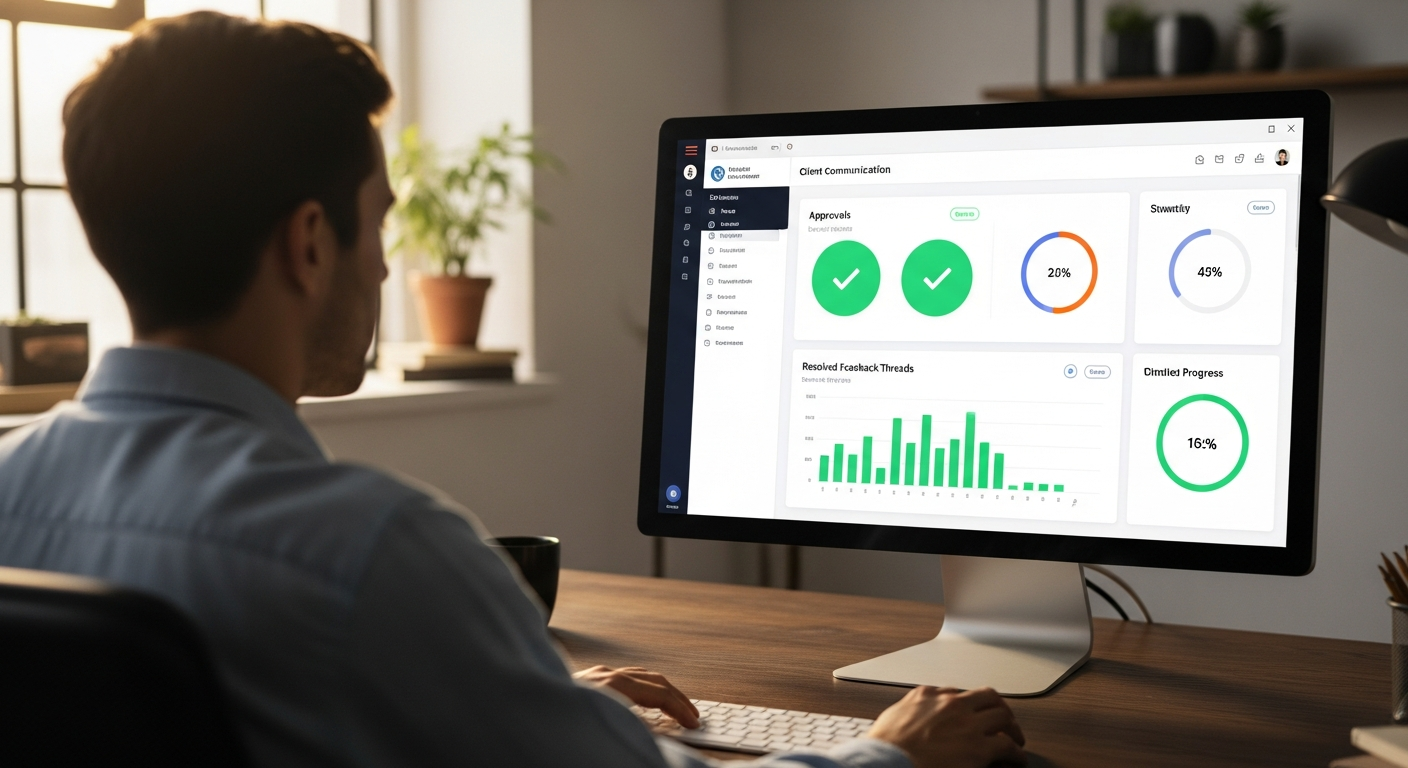
As an operations manager in a remote-first world, you know the drill: the constant juggling act of keeping projects on track, teams aligned, and, most critically, clients happy. Honestly, client communication often feels like a game of telephone played across time zones and email chains. That's why finding the best remote project management tool for client communication isn't just a nice-to-have; it's a strategic imperative.
I've personally navigated the labyrinth of PM tools. I can tell you, the generic ones simply don't cut it when your primary goal is crystal-clear, friction-free client interaction. This article isn't about internal task lists. It's about the tools that empower you to build trust, reduce rework, and delight your clients, even when you're thousands of miles apart.
Before we dive deep, here's a quick look at our top recommendations:
| Tool Name | Best For | Client Portal | White-Labeling | Feedback Workflows | Custom Client Reports | Client UX Score (1-5) | Starting Price (per month for client features) |
|---|---|---|---|---|---|---|---|
| ClickUp | Client Portals & White-Labeling | ✅ Yes | ✅ Yes | ✅ Advanced | ✅ Yes | 4.5 | $10/user (Business Plan) |
| Monday.com | Streamlined Client Feedback & Approvals | ✅ Yes | ✅ Limited | ✅ Intuitive | ✅ Yes | 4.7 | $10/user (Pro Plan) |
| Teamwork.com | Transparent Client Reporting & Dashboards | ✅ Yes | ✅ Yes | ✅ Strong | ✅ Yes | 4.2 | $19/user (Grow Plan) |
| Accelo | Secure Client Data Sharing & Compliance | ✅ Yes | ✅ Yes | ✅ Integrated | ✅ Yes | 4.0 | Custom/Quote |
| Asana | Simple Client Onboarding & UX | ✅ Guest Access | ❌ No | ✅ Good | ✅ Limited | 4.8 | $13.49/user (Business Plan) |
| HoneyBook | Integrating Client Comms with CRM (Service-Based) | ✅ Yes | ✅ Yes | ✅ Basic | ❌ No | 4.6 | $39/month (Unlimited Plan) |
| Nifty | Cross-Time Zone Client Collaboration | ✅ Yes | ✅ Yes | ✅ Good | ✅ Yes | 4.3 | $10/user (Pro Plan) |
The Silent Killer of Client Relationships: Bad Remote Communication
Imagine this: It's 3 PM on a Tuesday. Your team just finished a critical deliverable. You send it via email, hoping for quick feedback. Two days later, you get a fragmented response across three different email threads, a Slack message, and a comment on an old PDF. Sound familiar? This isn't just inefficient; it's a slow, agonizing death for client relationships.
In the remote landscape, manual updates become black holes. Missed feedback cascades into rework. Vague instructions lead to scope creep that eats away at your margins. The cost? Client frustration, a rapid erosion of trust, and ultimately, lost business. I've seen agencies hemorrhage clients not because of poor work, but because of poor communication. The assumption that 'any PM tool will do' for client comms is a dangerous fallacy that costs operations leaders untold hours and revenue.
Remote work amplifies these issues. The spontaneous hallway conversations, the quick desk-side check-ins – they're gone. What's left is a reliance on digital tools. If those tools aren't purpose-built for client interaction, you're fighting an uphill battle. You need systems that proactively prevent misunderstandings, not just react to them.
What Most Ops Leads Get Wrong When Choosing a PM Tool for Clients
Through countless tool implementations and migrations, I've observed a few recurring missteps operations leaders make when selecting a project management tool, especially when client communication is a priority:

- Prioritizing Internal Features Over Client-Facing Ones: Many tools are fantastic for internal sprint planning or resource allocation. But if their client-facing capabilities are an afterthought, you've missed the point.
- Assuming 'Guest Access' is Enough: Generic guest access often means clients are dropped into a complex interface, overwhelmed by internal tasks, or restricted from seeing what they actually need. It's rarely a tailored experience.
- Overlooking Security for Client Data: Are you sharing sensitive client information? You need strong access controls, encryption, and compliance features, not just a shared Google Drive link.
- Not Considering the Client's UX: Your clients are not project managers. They shouldn't need a tutorial to approve a deliverable or check project status. Simplicity and intuitiveness are paramount.
- Neglecting Feedback Loops: Email for feedback is archaic. You need direct, contextual feedback mechanisms built into the tool, with version control and clear resolution paths.
- Choosing Tools That Require Clients to Learn Complex Systems: If your client needs a 30-minute onboarding session just to leave a comment, you've already lost. The tool should be self-explanatory for them.
The difference between a generic PM tool and one optimized for client communication is like the difference between a Swiss Army knife and a surgeon's scalpel. Both are tools, but one is precisely engineered for a specific, critical task.
The 5 Non-Negotiable Criteria for Client-First PM Tools
When evaluating the best remote project management tool for client communication, I focus on specific, measurable criteria that directly impact efficiency and client satisfaction. These aren't just features; they're operational necessities:
-
Dedicated Client Portals/Guest Access Controls
This goes beyond simply inviting a client. I'm talking about granular permissions that allow you to dictate exactly what a client sees and does – no more, no less. Ideal tools offer white-labeling (branding the portal with your company's logo) and easy, intuitive client onboarding. For an ops lead, this means less time answering "where do I find X?" and more time on strategic work. A well-implemented client portal can reduce client support queries by 15-20% in my experience, freeing up valuable team resources.
-
Streamlined Feedback & Approval Workflows
How easily can a client provide feedback directly on a deliverable? Can they mark up PDFs, comment on specific sections of a document, or approve a design with a single click? Look for version control, clear approval paths (e.g., "pending approval," "approved," "revisions requested"), and notifications. This dramatically shortens feedback loops, often shaving days off project timelines and preventing costly misinterpretations.
-
Transparent Reporting & Progress Tracking
Clients want to know where their money is going and what progress has been made. Customizable client dashboards that visually represent project status, budget burn, and key milestones are invaluable. Automated status updates (daily/weekly digests) mean you're proactively informing, rather than reactively responding. This fosters trust and significantly reduces the "chasing" behavior from clients, which can consume up to 10% of a project manager's time.
-
Secure & Centralized Document Sharing
Forget email attachments or random cloud links. You need a secure repository for all client-related files, with clear access logs, version history, and strong data privacy compliance (GDPR, HIPAA, SOC 2, etc., depending on your industry). This centralizes information, minimizes risk, and ensures everyone is working from the latest version. It also simplifies audits and compliance checks.
-
Intuitive Client UX (User Experience)
This is arguably the most critical. The tool must be dead simple for non-PM users. A clean interface, minimal clicks to accomplish tasks, and mobile accessibility are non-negotiable. If clients resist using the tool because it's too complicated, then all other features are moot. A high CX score directly correlates with higher client adoption and satisfaction.
Our Top 7 Remote PM Tools for Flawless Client Communication (2026)
Tool #1: ClickUp - Best for Client Portals & White-Labeling
Overview: ClickUp has evolved into a powerhouse. Its client communication features are particularly strong. It's a highly customizable platform that, while it can be overwhelming for internal use at first, truly shines when configured specifically for client interactions.

Key Client Communication Features: ClickUp offers incredibly granular "Guest" permissions, allowing you to control visibility down to individual tasks, lists, or even comments. What truly sets it apart is the ability to create dedicated Client Portals (available on Business Plus and Enterprise plans) that can be fully white-labeled with your branding. This means clients interact with a platform that looks and feels like an extension of your company. You can share specific Dashboards, Lists, and Docs, and even create custom forms for feedback. Its "Proofing" feature allows clients to provide feedback directly on images, PDFs, and videos, complete with version control.
Why It Excels for Client Comm: The depth of customization for client views and the true white-labeling capabilities are unmatched. This drastically reduces brand confusion and makes clients feel like they're using your proprietary system, not a third-party tool. The proofing feature alone can reduce feedback turnaround time by 30-40% compared to email-based reviews. Plus, it centralizes all comments, eliminating fragmented feedback.
Client Experience (CX) Scorecard: 4.5/5. Once configured, the client experience is very clean and focused. The initial setup for the ops manager can be a bit steep, but the payoff for clients is excellent.
Best For: Agencies, marketing firms, and consultancies that handle multiple clients and prioritize strong brand consistency and a professional client-facing presence. It's excellent for complex projects requiring detailed feedback.
Potential Drawbacks: The sheer number of features can make initial setup complex. Clients might still see some ClickUp branding on lower-tier plans.
Client Communication Workflow Example: An agency sends a draft website design (PDF) to a client. The client accesses a white-labeled ClickUp portal, clicks on the design, and uses the proofing tools to highlight specific sections and leave comments. The PM is instantly notified, and all feedback is consolidated directly on the asset, with a clear "Approve" button for sign-off. Version history tracks all changes and approvals.
Tool #2: Monday.com - Best for Streamlined Client Feedback & Approvals
Overview: Monday.com is renowned for its highly visual, intuitive interface and flexible "boards" that can be adapted to almost any workflow. Its strength lies in making complex information digestible, which is perfect for client communication.
Key Client Communication Features:> Monday.com allows you to invite clients as "Guests" to specific boards, controlling their access to tasks, columns, and items. You can create dedicated client dashboards that visualize project progress, budgets, and timelines with colorful, easy-to-understand widgets. Its "Updates" section within each item acts as a centralized communication hub, keeping all discussions, files, and feedback tied to the relevant task. The "Forms" feature is excellent for collecting structured input, and its automation capabilities can trigger notifications for approvals or feedback requests.<
Why It Excels for Client Comm: The visual nature of Monday.com makes it incredibly easy for clients to grasp project status at a glance. The "Updates" section ensures all communication is contextual, reducing email clutter by easily 50%. I've seen clients adopt Monday.com faster than any other tool due to its low learning curve. The ability to create a "client board" specifically for their project, showing only what they need to see, is a game-changer.
Client Experience (CX) Scorecard: 4.7/5. Exceptionally user-friendly for clients, even those with no prior PM tool experience. It's highly visual and engaging.
Best For: Creative agencies, marketing teams, and any business where visual project tracking and intuitive feedback are paramount. It's great for clients who appreciate a modern, clean interface.
Potential Drawbacks: White-labeling options are limited. Granular permissions, while good, aren't as deep as ClickUp's for complex scenarios. Cost can scale quickly with many guest users.
Client Communication Workflow Example: A marketing team shares a content calendar board with a client. The client can see the status of each blog post, leave comments directly on the item, and upload review notes. When a post is ready for approval, an automation sends a notification to the client's email, linking directly to the item for a quick "Approve" or "Request Changes" action.
Amazon — See latest price on Amazon
Tool #3: Teamwork.com - Best for Transparent Client Reporting & Dashboards
Overview: Teamwork.com (formerly Teamwork Projects) is a strong project management solution that has always had a focus on client collaboration. It's particularly good at providing clear, actionable insights to clients.
Key Client Communication Features: Teamwork offers a dedicated "Client User" role with configurable permissions, ensuring clients only see what's relevant. You can create custom client dashboards that pull data from across projects, showing overall progress, milestones, and budget usage in real-time. Its "Notebooks" feature is excellent for shared documentation and meeting minutes, while "Files" provides secure, version-controlled document sharing. The "Project Health" report gives a quick, visual overview. Teamwork also allows you to white-label your client portal, providing a seamless brand experience.
Why It Excels for Client Comm: Teamwork's strength lies in its reporting capabilities for clients. Operations leads can set up automated, scheduled reports that get sent directly to clients, reducing manual reporting time by upwards of 60%. The customizable dashboards offer a single source of truth for project status, which greatly enhances transparency and client trust. I've found it particularly effective in managing client expectations around timelines and deliverables.
Client Experience (CX) Scorecard: 4.2/5. Solid and professional, though perhaps not as 'flashy' as Monday.com. Clients find it straightforward to navigate and get the information they need.
Best For: Professional services firms, consultancies, and agencies that require detailed, transparent reporting and strong project tracking for clients. It's ideal for long-term projects with ongoing client engagement.
Potential Drawbacks: The interface can feel a bit traditional compared to newer tools. Pricing can be higher than some competitors when factoring in client user licenses.
Client Communication Workflow Example: A consulting firm uses Teamwork to manage a 6-month digital transformation project. The client has access to a custom dashboard showing key milestones, budget spend, and upcoming tasks. Weekly, an automated "Project Health" report is emailed to the client, summarizing progress and highlighting any potential blockers, all from within their white-labeled portal.
Tool #4: Accelo - Best for Secure Client Data Sharing & Compliance
Overview: Accelo is a comprehensive client work management platform designed specifically for service businesses. It integrates sales, projects, billing, and support, making it a powerful choice for end-to-end client lifecycle management with a strong emphasis on security and compliance.
Key Client Communication Features: Accelo's "Client Portal" is a core offering. It provides a secure, branded space for clients to view project progress, submit requests, approve deliverables, and access shared documents. It boasts strong security features, including granular access controls and audit trails, crucial for compliance-heavy industries. All communication, including emails, is automatically logged against the client and project. It offers customizable dashboards and automated email updates for clients.
Why It Excels for Client Comm: For operations managers dealing with sensitive client data or operating in regulated industries (e.g., healthcare, finance), Accelo's focus on security and integrated compliance is a major advantage. The automatic logging of all client communication ensures a complete audit trail, which can save immense time during disputes or regulatory reviews. It centralizes client interactions across the entire business lifecycle, reducing information silos and enhancing data integrity.
Client Experience (CX) Scorecard: 4.0/5. Highly functional and secure, though the interface might feel less 'modern' than some others. Clients appreciate the centralized nature and security.
Best For: Professional services firms, IT consultancies, and any business that requires strict data security, compliance tracking, and a unified view of the client journey from lead to project completion. It's especially good for GDPR/HIPAA-conscious organizations.
Potential Drawbacks: Accelo is a more complex, enterprise-grade solution, which means a higher learning curve and potentially higher cost. It's not ideal for simple, quick projects.
Client Communication Workflow Example: A healthcare IT firm managing a client's system migration uses Accelo. The client can securely log into their portal to review compliance documents, approve project phases, and see real-time updates on data migration progress. All communications, approvals, and document access are logged, providing an unalterable audit trail for regulatory purposes.
Tool #5: Asana - Best for Simple Client Onboarding & UX
Overview: Asana is a popular project management tool known for its clean interface, task-oriented approach, and ease of use. While not primarily designed as a client portal, its guest access features are remarkably intuitive for clients.
Key Client Communication Features: Asana allows you to invite clients as "Guests" to specific projects or portfolios. Guests can view tasks, comment, attach files, and mark tasks complete, but cannot see internal team discussions or private projects. Its simple list and board views are very easy for clients to understand. You can use custom fields to track client-specific data and create basic client-facing dashboards (though these are less customizable than dedicated client portals).
Why It Excels for Client Comm: Asana's biggest strength for client communication is its low barrier to entry. Clients can be onboarded in minutes, requiring minimal explanation. The clean interface prevents information overload, making it ideal for clients who just need to see progress, provide feedback, and approve specific tasks. I've found Asana to be the easiest for clients to adopt without resistance.
Client Experience (CX) Scorecard: 4.8/5. Extremely intuitive and clean. Clients rarely struggle to navigate Asana, making it a top choice for ease of use.
Best For: Freelancers, small agencies, and teams working with clients who prefer a minimalist, straightforward approach to project tracking and feedback. It's excellent for clients who are new to PM tools.
Potential Drawbacks: No white-labeling. Guest permissions, while simple, are not as granular as dedicated client portals. Reporting for clients is basic compared to other tools.
Client Communication Workflow Example:> A web designer uses Asana to manage website development for a small business. The client is invited as a guest to the "Website Redesign" project. They can see the progress of tasks (e.g., "Homepage Design," "Content Review"), upload content, and leave comments directly on tasks. The PM uses a custom field "Client Approval" to clearly indicate when a task needs client sign-off.<
Tool #6: HoneyBook - Best for Integrating Client Comms with CRM (Service-Based)
Overview:> HoneyBook is an all-in-one platform specifically tailored for service-based businesses (freelancers, consultants, small agencies). It covers client proposals, contracts, invoicing, and project management.<
Key Client Communication Features: HoneyBook provides a branded "Client Portal" where clients can review proposals, sign contracts, make payments, and track project milestones. All communication, from initial inquiry to project completion, is centralized within the client's dedicated workspace. While its project management features are simpler than dedicated PM tools, its strength lies in integrating client communication seamlessly with the entire client lifecycle, including automated emails and reminders for payments or contract signatures.
Why It Excels for Client Comm:> For operations managers in service businesses, HoneyBook streamlines the entire client journey, not just project execution. It reduces the need for multiple tools for proposals, contracts, and payments, leading to a much smoother client experience. The automated communication ensures clients are always informed about next steps, improving conversion rates and reducing administrative overhead by automating follow-ups.<
Client Experience (CX) Scorecard: 4.6/5. Very professional and straightforward for clients, especially for handling administrative tasks like payments and contracts. Project tracking is simpler but effective.
Best For: Freelancers, consultants, and small service-based businesses where managing the entire client lifecycle (from lead to payment) is crucial. It's great for project management integrated with CRM functions.
Potential Drawbacks: Its project management capabilities are not as deep or flexible as dedicated PM tools. It's not suitable for complex, large-scale projects requiring extensive task management.
Client Communication Workflow Example: A wedding photographer uses HoneyBook. A client receives a proposal, signs the contract, and makes payments all through their branded client portal. As the wedding approaches, the photographer updates project milestones (e.g., "Engagement Shoot Complete," "Album Design Sent for Review"), and the client receives automated email notifications and can view progress directly in their portal, along with all prior communications and documents.
Tool #7: Nifty - Best for Cross-Time Zone Client Collaboration
Overview: Nifty is a relatively newer player that aims to be an all-in-one workspace, combining project management, team collaboration, and client communication into a single, intuitive platform.
Key Client Communication Features: Nifty offers dedicated "Guest" roles with customizable permissions, allowing clients to access specific projects, tasks, and discussions. Its "Milestones" feature provides a high-level overview of project progress, which is great for clients. Nifty's "Docs" and "Files" sections are secure and centralized for document sharing. What makes it stand out for cross-time zone collaboration is its integrated chat and discussion forums, which encourage asynchronous communication and reduce the need for real-time meetings. You can white-label your Nifty workspace for a branded client experience.
Why It Excels for Client Comm: Nifty's integrated communication features (chat, discussions) and milestone-focused approach are excellent for managing projects with clients across different time zones. It encourages clear, written communication, reducing reliance on synchronous calls that are often difficult to schedule. The ability to white-label also adds a layer of professionalism, making clients feel comfortable in the platform. I've found its discussion features particularly useful for clients to ask questions without needing to schedule a meeting, leading to faster issue resolution.
Client Experience (CX) Scorecard: 4.3/5. Clean and modern, with a good balance of features and simplicity for clients. The chat and discussion features are particularly engaging.
Best For: Remote teams and agencies with clients scattered across multiple time zones, where asynchronous communication and clear milestone tracking are critical. It's good for design, development, and content projects.
Potential Drawbacks: As an all-in-one solution, some individual features might not be as deep as specialized tools (e.g., reporting is good, but not as strong as Teamwork's). The learning curve can be moderate.
Client Communication Workflow Example:> A global software development agency uses Nifty for a client in a different hemisphere. The client logs into their white-labeled Nifty workspace to see the project roadmap and milestone progress. They can leave questions in a dedicated discussion channel, which the team answers asynchronously. Draft designs are uploaded to the "Files" section, and clients use comments for feedback, eliminating the need for late-night calls.<
FlexiSpot — See FlexiSpot standing desks
>Comparison Table: Client Communication Features At-a-Glance<
| Feature | ClickUp | Monday.com | Teamwork.com | Accelo | Asana | HoneyBook | Nifty |
|---|---|---|---|---|---|---|---|
| Client Portal | ✅ Yes (Advanced) | ✅ Yes (via Guests) | ✅ Yes | ✅ Yes | ✅ Guest Access | ✅ Yes | ✅ Yes |
| Guest Access Controls | ✅ Granular | ✅ Good | ✅ Customizable | ✅ Granular | ✅ Simple | ✅ Integrated | ✅ Customizable |
| White-Labeling | ✅ Yes | ✅ Limited | ✅ Yes | ✅ Yes | ❌ No | ✅ Yes | ✅ Yes |
| Feedback/Approval Workflows | ✅ Advanced Proofing | ✅ Intuitive Updates | ✅ Strong | ✅ Integrated | ✅ Good (Comments) | ✅ Basic | ✅ Good (Comments/Discussions) |
| Custom Client Reports | ✅ Yes (Dashboards) | ✅ Yes (Dashboards) | ✅ Yes (Automated) | ✅ Yes (Automated) | ✅ Limited | ❌ No (Milestones) | ✅ Yes (Dashboards) |
| Secure File Sharing | ✅ Yes | ✅ Yes | ✅ Yes | ✅ Yes | ✅ Yes | ✅ Yes | ✅ Yes |
| Pricing Tier for Client Features | Business+ ($19/user) | Pro ($16/user) | Grow ($24/user) | Custom/Quote | Business ($24.99/user) | Unlimited ($39/month) | Pro ($16/user) |
| Client UX Score (1-5) | 4.5 | 4.7 | 4.2 | 4.0 | 4.8 | 4.6 | 4.3 |
Beyond the Tool: Strategies for Maximizing Client Communication
Even the best remote project management tool for client communication is just that – a tool. Its effectiveness depends heavily on how you wield it. Here are some actionable strategies for operations leads:

- Setting Communication Expectations: From day one, establish clear communication SLAs (Service Level Agreements). Define preferred channels (e.g., "all project feedback goes into the PM tool, not email"), expected response times (e.g., "we'll respond to all portal comments within 24 hours"), and meeting cadences.
- Standardizing Feedback Loops: Create templates for feedback requests within your chosen tool. Designate specific channels or task types for approvals. This reduces ambiguity and ensures all necessary information is captured consistently.
- Proactive Reporting: Leverage automated reporting features. Set up weekly or bi-weekly automated status updates to clients. The "no surprises" policy is golden – clients prefer to know about potential issues early, even if it's just a heads-up.
- Training Clients (Gently):> Don't just invite them; onboard them. Provide a simple, 5-minute video tutorial or a concise PDF guide on "How to Use Your Client Portal." Focus on the 2-3 key actions they'll need to take (e.g., "how to approve," "how to leave a comment").<
- Cultural & Time Zone Considerations: Emphasize asynchronous communication. Encourage clients to leave detailed comments rather than expecting immediate responses. Use scheduling tools that account for time zone differences when live meetings are necessary. (This is where Nifty shines, for example.)
- Integrating with Existing Client Systems: If possible, explore integrations with your clients' CRM, billing, or presentation tools. A seamless flow of information can further reduce friction. For example, HoneyBook excels at this for its specific niche.
Implementation: Get Started in Under 30 Minutes (No IT Degree Required)
Feeling overwhelmed by the choices? Don't be. You can start testing a client-centric PM tool almost immediately. Here's my quick-start guide for operations leaders:
- Choose a Free Trial or Basic Plan: Most of the tools above offer free trials or affordable entry-level plans. Pick one that aligns with your primary need (e.g., ClickUp for white-labeling, Asana for simplicity).
- Set Up Your First 'Client Project' or 'Client Space': Create a new project or workspace specifically for a hypothetical client. Name it something like "Client X Onboarding Project."
- Invite a Test Client (Internal Team Member): Invite a colleague or even yourself (using a different email address) as a "Guest" or "Client User" to this project. This is crucial for experiencing the tool from the client's perspective.
- Share a Test Document/Task and Request Feedback: Upload a dummy deliverable (e.g., a sample report, a design mockup) and create a task asking your "test client" to review and provide feedback. Use the tool's native feedback features.
- Generate a Basic Client Report: If available, try to generate a simple progress report or view a client dashboard. See how easy it is to set up and understand.
This rapid prototyping approach will give you immediate insight into the client experience and the tool's suitability without a massive time investment. You'll quickly see the immediate value in streamlining those client interactions.
Final Thoughts: Transform Your Client Relationships, Boost Your Efficiency
Investing in the best remote project management tool for client communication isn't just about software; it's about investing in your client relationships and operational efficiency. By choosing a tool that prioritizes clear, secure, and intuitive client interaction, you're not just managing projects; you're building trust, reducing manual work, ensuring better project outcomes, and ultimately, boosting client retention.
The days of fragmented email chains and confusing spreadsheets for client updates are over. Embrace a solution that empowers your team to deliver exceptional service and allows your clients to feel connected, informed, and valued. The right tool will free up your operations team to focus on strategic initiatives, rather than chasing down feedback or explaining project statuses. Make the shift today, and watch your client satisfaction scores and internal efficiency soar.
Amazon Associates — See latest price on Amazon
FAQ: Your Client Communication Tool Questions Answered
1. What's the difference between 'guest access' and a 'client portal'?
Guest access typically means inviting external users (like clients) to specific projects or tasks within your internal PM tool. They often have limited permissions and might still see some of your internal tool's branding or interface elements. A client portal, on the other hand, is usually a dedicated, often white-labeled, separate interface designed specifically for clients. It's tailored to show only relevant client information, often with your branding, and has a much simpler UX, making it feel like an extension of your company. Tools like ClickUp and Accelo offer strong client portals, while Asana primarily uses guest access.
2. How do these tools handle client approvals and sign-offs?
Most of the recommended tools offer integrated approval workflows. This can range from simple "Approve" buttons on tasks or documents (e.g., Monday.com, Asana) to advanced proofing tools that allow clients to annotate directly on files (e.g., ClickUp, Teamwork.com). The key is that approvals are tracked within the system, providing a clear audit trail and version history, eliminating the need for email-based approvals that are easily lost or misunderstood.
3. Can I white-label these tools for my agency/brand?
Yes, several of the top tools for client communication offer white-labeling capabilities, though often on higher-tier plans. ClickUp, Teamwork.com, Accelo, HoneyBook, and Nifty all provide options to customize the client-facing interface with your company's logo, colors, and domain. Monday.com offers limited branding options. Asana does not currently offer white-labeling.
>4. What are the security implications of sharing client data in these platforms?<
Security is paramount. The tools recommended here generally employ strong security measures, including data encryption (in transit and at rest), secure hosting, and compliance certifications (e.g., SOC 2, ISO 27001, GDPR compliance). When choosing a tool, always review its security documentation and data privacy policies. Ensure it aligns with your internal security standards and any industry-specific compliance requirements (like HIPAA for healthcare data). Granular permission controls are also a key security feature, ensuring clients only see data relevant to them.
5. How do I convince my clients to use a new PM tool?
The key is to highlight the benefits for them. Emphasize how it will make their life easier: clearer communication, faster feedback, transparent progress tracking, and a centralized hub for all project information. Start with a simple onboarding guide (a short video or PDF) and offer ongoing support. Position it as an upgrade to your service delivery. For clients resistant to learning new software, tools with very intuitive UX (like Asana or Monday.com) are often easier to introduce. Remember, less friction for them means less friction for you.
6. Are there free options that are genuinely good for client communication?
While many tools offer free tiers, these are often quite limited in their client-facing features. They might offer basic guest access, but rarely dedicated client portals, white-labeling, or advanced reporting. For truly effective client communication that saves you time and builds trust, investing in a paid plan is usually necessary. Asana's free tier allows guest access, but its functionality for clients is quite basic. For serious operations leads, the cost of a paid plan is quickly recouped in efficiency gains and improved client retention.
7. How do these tools integrate with existing CRM or billing systems?
Many of these project management tools offer integrations with popular CRM (e.g., Salesforce, HubSpot) and billing systems (e.g., QuickBooks, Xero) either natively or through third-party connectors like Zapier. Tools like Accelo and HoneyBook are particularly strong in their native integration of CRM and billing functions within their platform, as they are designed as end-to-end client work management solutions. Before committing, check the specific integrations offered to ensure seamless data flow between your critical business systems. For more on optimizing your remote setup, check out our pillar page on remote work tools.