7 Proven SAP Service AI vs. RPA Choices (2026)
Stop wasting budget. Compare 7 proven SAP customer service automation choices: AI vs. RPA. Quantify ROI for your business case. Find yours →
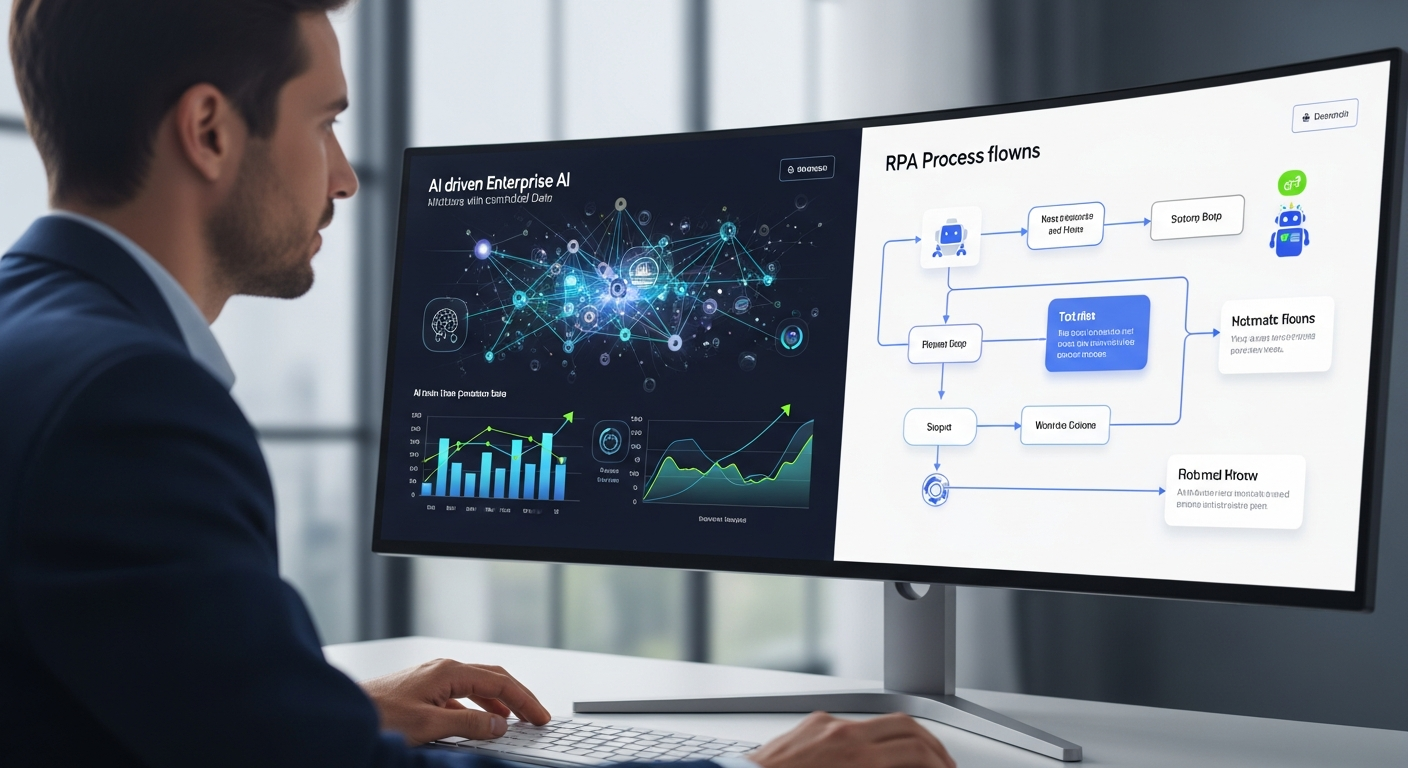
>Choosing the right automation strategy for SAP customer service isn't just nice to have anymore; it's essential. As a process owner, you're always balancing efficiency with customer experience, trying to figure out <how to choose between RPA and AI for SAP customer service to actually make a difference. The market throws a lot of promises at you, but what truly works for your SAP setup by 2026? This article cuts through the hype, giving you a clear guide to using SAP Service AI versus RPA, so your investment pays off big time.
The Real Cost of Slow SAP Customer Service
The hidden and direct costs of old-school, manual SAP customer service operations are huge. They eat away at your profits and erode customer loyalty. Just think about these points:
- Average Handling Time (AHT): For many companies running SAP ECC or S/4HANA, complex inquiry times often hit 8-12 minutes. Every minute adds to agent salaries, infrastructure, and lost opportunities. Reducing AHT by just 20% in a contact center with 100 agents handling 50 calls a day could save millions annually.
- First Contact Resolution (FCR) Rates: Industry figures show that FCR rates in non-optimized SAP environments can dip as low as 60-70%. Every follow-up call because an issue wasn't resolved costs 1.5 to 2 times the first interaction. That just piles on agent frustration and drives customers away.
- Agent Churn & Training Costs: Repetitive, low-value tasks and unhappy customers contribute a lot to agent burnout. Annual agent churn rates of 25-40% aren't uncommon. Each new hire can cost $5,000-$10,000 in recruitment and training before they even hit full productivity, which often takes 3-6 months.
- Error Rates: Manual data entry into SAP modules like SD, FI/CO, or MM from customer interactions introduces 1-3% error rates. These errors mean rework, billing arguments, compliance risks (think GDPR or SOX), and ultimately, unhappy customers. One wrong order entry can cause a domino effect across logistics, finance, and customer relations.
- Compliance Risks: Poorly documented or inconsistent processes for handling sensitive customer data in SAP can expose your organization to massive regulatory fines and damage your reputation.
- Customer Dissatisfaction (CSAT/NPS Impact): Slow resolution times, inconsistent information, and a lack of personalized service directly relate to lower CSAT scores and reduced Net Promoter Scores (NPS). A single point increase in NPS can boost revenue significantly, while a drop signals impending customer churn. Not innovating here means lost revenue and market share.
I've seen firsthand how a leading manufacturing client, still heavily reliant on manual processes for order status inquiries within SAP ECC, was spending nearly $2.5 million annually just on agent salaries for these repetitive tasks. Their FCR rate for certain complex queries was below 65%. The inefficiency was staggering, and the impact on their brand was palpable.
Amazon — Check related books on Amazon
How AI Changes SAP Customer Service Automation
>AI isn't just a small step up from traditional RPA; it's a completely different game. It's not about automating steps; it's about automating judgment and intelligence. AI brings cognitive abilities that allow for deeper, more human-like interaction and problem-solving within your SAP customer service ecosystem. Here's how:<

- Natural Language Understanding (NLU) & Processing (NLP): AI can grasp the intent and emotion behind customer inquiries, whether they're typed or spoken. This allows for smart routing to the correct SAP module or agent, accurate categorization of issues, and even proactive identification of emerging trends. Imagine a customer asking, "My order for SKU 12345, placed last Tuesday, hasn't arrived." AI can break this down, pinpoint the order number, date, and product, then query SAP SD (Sales and Distribution) or SAP SCM (Supply Chain Management) for real-time status.
- Machine Learning (ML) for Predictive Analytics: ML algorithms can analyze past SAP data (like service tickets, order history, billing cycles) to predict potential customer issues before they blow up. For instance, ML might spot a pattern of delays for certain product lines or shipping routes within SAP Logistics and proactively tell customers or trigger internal alerts.
- Sentiment Analysis: AI can pick up on the emotional tone of a customer interaction. If a customer sounds frustrated, the AI can escalate the query to a human agent, prioritize it, or adjust its response to calm things down. This is vital for keeping customer relationships positive, especially when dealing with sensitive issues related to SAP FI/CO (Financial Accounting and Controlling) disputes.
- Intelligent Routing: Beyond simple keywords, AI uses NLU and context to send inquiries to the most suitable agent or automated flow. It pulls relevant customer data from SAP CRM or C4C (Customer Experience solutions) to give the agent a complete view.
- Personalized Responses & Self-Service:> AI-powered chatbots and virtual assistants can access a huge knowledge base, tied into SAP master data and transaction details, to give highly personalized and accurate answers. This really boosts self-service, taking pressure off human agents. Think of an AI chatbot resolving a complex invoice query by accessing real-time ledger data from SAP S/4HANA FI and showing the customer a detailed breakdown.<
- Continuous Learning: Unlike rule-based RPA, AI systems constantly learn and get better from every interaction. As new data flows in from SAP systems and customer engagements, the AI refines its understanding, accuracy, and resolution abilities, leading to ever-improving service quality.
The difference is crucial: RPA follows predefined steps; AI understands, learns, and makes decisions. For SAP customer service, this means moving beyond just automating tasks to truly intelligent process automation.
RPA's Place in Streamlining SAP Interactions
While AI offers game-changing potential, we shouldn't forget the long-standing and very effective role of Robotic Process Automation (RPA) in SAP environments. RPA excels where AI might be overkill or too expensive: for repetitive, high-volume, rule-based tasks with clear inputs and outputs. Honestly, it's often the first step in an automation journey.
Here’s where RPA really shines in SAP customer service:
Amazon — See top-rated resources on Amazon
- Automated Data Entry: A classic RPA use case. Bots can automatically pull data from emails, web forms, or scanned documents and accurately input it into SAP GUI or Fiori screens. For example, creating sales orders in SAP SD, updating customer master data in SAP MDG, or posting journal entries in SAP FI/CO.
- Report Generation & Extraction: RPA can log into various SAP modules, navigate screens, pull specific reports (like daily sales reports, open order lists, inventory levels from SAP MM), format them, and send them to the right people.
- System Checks & Monitoring: Bots can perform routine checks, such as verifying system health, monitoring batch job statuses, or ensuring data consistency across different SAP instances.
- Simple Transaction Processing: Tasks like processing returns, updating customer contact information, or starting standard service requests (e.g., password resets in SAP GRC/IDM) that follow a precise, predictable path are perfect for RPA.
- Integration Bridge: When direct API integration between SAP and other systems is tricky or unavailable, RPA can act as a "digital swivel chair," mimicking human actions to move data between different systems.
Think of RPA as the super-efficient, tireless digital assistant that handles all the mundane work. It ensures accuracy and speed for tasks that don't need any judgment, freeing up your human agents to focus on complex, empathetic, and strategic customer interactions. In my experience, even organizations with advanced AI strategies still use RPA for these fundamental, high-volume operational tasks within their SAP landscape.
AI vs. RPA for SAP: A Strategic Comparison Framework
Deciding how to choose between RPA and AI for SAP customer service> requires a clear understanding of what each does best. This framework helps process owners make smart choices based on task characteristics and strategic goals.<

| Capability | Best Fit | Typical Use Cases in SAP CS | Implementation Complexity | Scalability | Cost Implications |
|---|---|---|---|---|---|
| Data Entry & Basic Transaction Processing | RPA | Creating sales orders (SAP SD), updating customer contact info (SAP CRM), posting simple journal entries (SAP FI/CO). | Low-Medium (scripting UI interactions) | High (easy to replicate bots for identical tasks) | Lower initial investment, scales linearly with bot count. |
| Complex Query Resolution (Unstructured Input) | AI | Resolving "Why is my bill so high?" (SAP FI/CO), "Where is my advanced order?" (SAP SCM/SD), "I need help with product X feature Y" (SAP PM). | High (NLU training, ML model development) | High (models improve with more data, handle diverse scenarios) | Higher initial investment (data scientists, infrastructure), scales non-linearly. |
| Sentiment Analysis & Contextual Understanding | AI | Identifying frustrated customers, prioritizing urgent tickets, tailoring responses based on emotional tone. | High (NLP models, continuous training) | High (improves with data volume and quality) | >Significant investment in AI platforms and expertise.< |
| Proactive Service & Predictive Analytics | AI | Predicting order delays (SAP SCM), identifying potential churn (SAP CRM), recommending personalized products/services (SAP Hybris/C4C). | High (ML model development, integration with multiple SAP modules) | High (predictive accuracy improves over time) | Requires robust data infrastructure and ML expertise. |
| Learning & Continuous Improvement | AI | Adapting to new customer query types, improving resolution accuracy, refining personalization. | Inherent to AI; ongoing model retraining | High (self-improving systems) | Ongoing operational costs for model management and compute. |
| Error Handling & Exception Management | Hybrid (AI for cognitive, RPA for execution) | RPA handles standard exceptions; AI identifies novel errors, suggests solutions, or routes to humans with full context. | Medium-High (depends on complexity of exceptions) | Medium-High | Blended cost structure. |
| Integration with Legacy SAP Systems (ECC) | RPA (UI-based) | Interacting with older SAP GUI screens where APIs are limited or non-existent. | Medium | Medium | Lower cost for legacy system integration. |
| Compliance & Audit Trails | Both | RPA provides detailed execution logs; AI can document decision-making processes, though explainability can be a challenge. | Medium (setup specific logging) | High | Cost for robust logging and audit features. |
The decision really comes down to:
- Task Complexity: Is the task purely rule-based (RPA) or does it need judgment, understanding context, or pattern recognition (AI)?
- Data Variability: Is the input data structured and predictable (RPA) or messy, diverse, and ambiguous (AI)?
- Strategic Objectives: Are you just looking for efficiency gains (RPA) or aiming to transform customer experience, create new service paradigms, and gain a competitive edge (AI)?
Often, the most powerful solutions combine both, using RPA for execution and AI for intelligence.
Amazon — Check related books on Amazon
5 Proven SAP Customer Service Automation Scenarios
Let's look at some real-world examples and quantify their impact in actual SAP environments.
1. Smart Ticket Triage & Resolution (Hybrid)
Before: Customers would send tickets via email or web forms. Agents had to manually read each one, categorize it, pull out relevant data, and then navigate multiple SAP modules (like SAP CRM, SAP ECC SD, SAP FI/CO) to find information. Only then could they route it to the right department or try to resolve it. Average handling time for just the triage was 3-5 minutes, and 20% of tickets were misrouted.
After: An AI-powered NLU engine analyzes incoming ticket text, figuring out the intent, sentiment, and key details (like order number, customer ID, product code). Based on this, it:
- Automatically categorizes the ticket (e.g., "Order Status," "Billing Dispute," "Technical Support").
- Triggers an RPA bot to access SAP S/4HANA (SD, FI) and pull relevant customer and transaction data.
- If the query is simple (e.g., "What's my order status?"), the AI generates a personalized response using data from SAP SCM and sends it directly to the customer.
- If complex, the AI pre-populates a new ticket in SAP Service Cloud with all extracted data and a summary, routing it to the specialist agent along with a suggested resolution or knowledge article.
SAP Modules Involved: SAP Service Cloud, SAP S/4HANA (SD, FI, SCM), SAP CRM (if applicable).
>Measurable Business Outcome:< Reduced AHT by 40% (from 8 minutes to 4.8 minutes), improved FCR by 15%, and a 75% reduction in misrouted tickets. This led to a projected 15% decrease in agent workload for simple inquiries, which is a significant win.
2. Proactive Order Status Updates (AI)
Before: Customers would call or email to ask about order delays, often already frustrated. Agents spent a lot of time looking up order statuses in SAP SD and SCM, then manually telling customers what was happening.
After: An ML model constantly monitors order data within SAP SCM and SD. It analyzes past delivery patterns, supplier performance, and logistical data to predict potential delays. For example, it might notice a specific vendor's parts are always late, or a shipping route frequently has problems. When a delay is predicted for a specific order:
- The AI triggers a proactive message to the customer through their preferred channel (email, SMS, or a notification in the customer portal).
- The message includes the predicted new delivery date, the reason for the delay, and options for the customer (e.g., accept delay, cancel order). All this data is pulled dynamically from SAP.
SAP Modules Involved: SAP SCM, SAP SD, SAP CRM (for customer communication preferences).
Measurable Business Outcome: Reduced inbound "Where is my order?" calls by 30%, improved CSAT by 10 points thanks to proactive communication, and a 5% reduction in order cancellations for delayed shipments. That's a triple win for customer experience and operations.
3. Automated Invoice Dispute Resolution (AI)
Before: Customers would dispute invoices via email or phone. Agents manually reviewed the dispute, accessed SAP FI/CO to check ledger entries, POs (Purchase Orders), and sales orders, often needing help from finance. This was a very time-consuming process, taking 20-30 minutes per dispute on average.
After: An AI system receives the invoice dispute (via email, portal, or transcribed call). It uses NLU to understand what the dispute is about (e.g., "incorrect quantity," "wrong price," "duplicate charge").
- The AI then accesses SAP FI/CO and SAP MM (Materials Management) to pull relevant invoice, order, and goods receipt data.
- It compares the disputed items against the system records, looking for differences.
- Based on predefined rules and learned patterns, the AI can either:
- Automatically resolve simple disputes (e.g., a clear pricing error by issuing a credit memo in SAP FI).
- Show the customer clear evidence from SAP (e.g., a screenshot of the signed goods receipt) to prove the charge is correct.
- For complex cases, it pre-populates a case in SAP Service Cloud with all relevant SAP data and a summary of its findings, sending it to a human specialist for final review.
SAP Modules Involved: SAP FI/CO, SAP MM, SAP SD, SAP Service Cloud.
Measurable Business Outcome: Reduced AHT for invoice disputes by 60%, increased FCR for simple disputes by 25%, and a 10% reduction in outstanding receivables due to faster resolution. This directly impacts the bottom line.
4. Self-Service Password Reset & Account Unlock (RPA)
Before: Users frequently called the help desk for password resets or account unlocks for various SAP systems (e.g., SAP S/4HANA, SAP Analytics Cloud, SAP SuccessFactors). This was a high-volume, repetitive task for IT support, with each call taking 5-7 minutes.
After: A customer accesses a self-service portal or an IVR system. After identity verification (e.g., via multi-factor authentication), they select "Reset Password" or "Unlock Account."
- An RPA bot, with appropriate security credentials, logs into SAP GRC (Governance, Risk, and Compliance) or SAP IDM (Identity Management).
- It navigates to the user's profile and performs the password reset or account unlock action, strictly following security policies.
- A confirmation is sent to the user, and the action is logged in SAP GRC for audit purposes.
SAP Modules Involved: SAP GRC, SAP IDM, potentially SAP S/4HANA user management.
Measurable Business Outcome: Reduced password reset/account unlock calls by 80%, freeing up IT support staff for more complex issues, and a significant improvement in user experience due to instant resolution. Who doesn't want that?
5. Automated Master Data Updates (Hybrid)
Before: Customers would request changes to their master data (e.g., address, contact details, payment terms) via email or phone. Agents manually extracted information, validated it, and then updated records in SAP MDG (Master Data Governance), SAP CRM, and potentially other SAP modules. This was prone to errors and took a lot of time.
After: A customer submits a master data update request through a web portal or email. An AI component:
- Uses NLU to parse the request and identify the specific data fields to be updated.
- Performs initial validation (e.g., checking address format, identifying potential duplicates).
- If the request is clear and straightforward, an RPA bot is triggered to log into SAP MDG and/or SAP CRM and perform the structured update.
- If the request is ambiguous, contains conflicting information, or needs human judgment (e.g., a new legal entity name requiring verification), the AI flags it and routes it to a human data steward with all context from SAP systems and the original request.
SAP Modules Involved: SAP MDG, SAP CRM, SAP S/4HANA (various modules impacted by master data).
Measurable Business Outcome: Reduced manual effort for master data updates by 60%, improved data quality by 10% through AI validation, and accelerated processing time for master data changes by 70%, ensuring business continuity. That's a huge boost to operational efficiency.
Implementation Roadmap: Complexity, Timeline & Resources
Deploying AI and RPA in your SAP environment isn't a single project; it's a strategic program. The journey usually involves distinct phases, each with different requirements.

Phase 1: Discovery & Process Mining (2-4 weeks)
- Objective: Identify and prioritize automation candidates, understand existing processes in detail.
- Activities:
- Process mapping of current SAP customer service workflows (e.g., using SAP Signavio).
- Data analysis of service tickets, call logs, and agent activities to pinpoint bottlenecks and high-volume, repetitive tasks.
- Interviews with process owners, agents, and IT stakeholders.
- Feasibility assessment for both RPA and AI based on task characteristics (rule-based vs. cognitive).
- Resources:> Business analysts, process consultants, SAP functional experts.<
Phase 2: Pilot Program (6-12 weeks for RPA; 12-24 weeks for AI)
This is where RPA and AI really start to diverge.
RPA Pilot:
- Objective: Prove RPA's viability and ROI for a selected, well-defined SAP task.
- Activities:
- Detailed solution design for bot development (e.g., using UIPath, Automation Anywhere, Blue Prism).
- Bot development and testing against SAP sandbox/test systems (e.g., creating a sales order in SAP SD).
- Integration with SAP (typically UI automation via SAP GUI or Fiori; potentially BAPIs for more robust integration).
- User acceptance testing (UAT) with process owners.
- Data Readiness: Less critical; RPA works with existing structured data.
- Infrastructure: RPA bots can run on virtual machines (on-premise or cloud-based).
- Skill Sets: RPA developers, SAP functional consultants, IT operations.
- Change Management: Relatively low; agents see immediate relief from repetitive tasks.
AI Pilot:
- Objective: Develop and test an AI model for a cognitive SAP customer service challenge.
- Activities:
- Extensive data collection, cleansing, and labeling from SAP (e.g., historical service tickets, customer interactions, product data from SAP MDG). Honestly, this is often the longest part.
- ML model development and training (e.g., NLU for ticket classification, predictive analytics for churn).
- Integration with SAP BTP (Business Technology Platform) for services like AI Business Services or direct API integration with S/4HANA.
- Rigorous testing of AI accuracy, explainability, and error handling.
- Fine-tuning of models based on real-world data.
- Data Readiness: Extremely critical; high-quality, labeled data is the lifeblood of AI.
- Infrastructure: Cloud-native AI platforms (e.g., Azure AI, AWS AI, Google Cloud AI) are often preferred for scalability and specialized services, integrated with SAP BTP.
- Skill Sets: Data scientists, ML engineers, AI architects, SAP technical architects, business analysts.
- Change Management: Higher; requires agents to trust AI suggestions and adapt to new workflows.
Phase 3: Rollout & Scaling (Ongoing)
- Objective: Expand automation across the organization, monitor performance, and continuously optimize.
- Activities:
- Gradual deployment to larger user groups or additional processes.
- Establishment of governance frameworks for bot management, AI model monitoring, and performance tracking.
- Continuous improvement cycles: RPA bot optimization, AI model retraining and re-calibration.
- Ongoing training for agents on how to interact with and use automation.
- Integration with existing SAP landscapes:
- RPA: Primarily UI automation (SAP GUI, Fiori), but can use BAPIs/RFCs for more stable integration where available.
- AI: API-first approach, leveraging SAP BTP (e.g., Integration Suite, AI Business Services), OData services, or direct S/4HANA APIs.
- Realistic Timelines: A typical RPA rollout can show initial value within 3-6 months. AI, with its data preparation and model training phases, often takes 9-18 months to deliver significant, measurable impact.
- Resource Estimates: AI projects usually need a larger, more specialized team (data scientists, ML ops) and more significant investment in cloud compute and data infrastructure compared to RPA.
From my vantage point, the most common pitfall I see is underestimating the data readiness required for AI. You can't just throw dirty, unorganized SAP data at an ML model and expect magic. It needs curation.
Building Your Business Case: A Solid ROI Framework
Quantifying the Return on Investment (ROI) for SAP customer service automation is crucial to get executive buy-in. Here’s a step-by-step guide to building a solid business case:
Step 1: Establish Baseline Metrics
Before any automation, you need a clear picture of your current state. Collect data on:
- Cost Metrics:
- Average Handling Time (AHT) for different query types (e.g., order status, billing, technical).
- First Contact Resolution (FCR) rates.
- Agent headcount, fully loaded cost per agent (salary, benefits, infrastructure, training).
- Cost of errors (rework, penalties, lost revenue).
- Cost of agent churn.
- Customer Experience Metrics:
- CSAT (Customer Satisfaction) scores.
- NPS (Net Promoter Score).
- Customer churn rates.
- Average time to resolution.
- Operational Metrics:
- Ticket volume by type.
- Backlog size.
- Compliance adherence rates.
Step 2: Identify and Quantify Cost Savings
- Reduced AHT:
Calculation: (Baseline AHT - Automated AHT) * (Annual Volume of Automated Interactions) * (Cost per Agent per Minute).
Example: If AHT drops from 8 minutes to 3 minutes, and you handle 100,000 interactions annually at $0.50/minute per agent, that's ($8 - $3) * 100,000 * $0.50 = $250,000 annual savings.
- Agent Headcount Reduction/Reallocation:
Calculation: (Number of agents freed up) * (Fully loaded cost per agent). This is often reallocation, not reduction, allowing agents to focus on higher-value tasks.
- Reduced Training Costs:
Calculation: (Reduced agent churn rate) * (Cost per new hire training).
- Error Reduction:
Calculation: (Baseline error rate - Automated error rate) * (Volume of transactions) * (Average cost per error).
- Compliance Risk Mitigation: Assign a monetary value to avoiding potential fines or legal costs.
Step 3: Quantify Revenue Generation & Growth Opportunities
- Improved CSAT/NPS: Higher scores lead to increased customer retention and potentially upsell opportunities.
Calculation: (Increased retention rate) * (Average customer lifetime value) + (Attributed upsell revenue).
- Faster Time to Market: For new products or services, faster support can accelerate adoption.
- Competitive Advantage: Position your company as an innovator, attracting and retaining customers.
Step 4: Calculate Implementation and Ongoing Costs
- >Software Licenses:< RPA platforms, AI platforms (e.g., SAP Conversational AI, Azure Bot Service).
- Development & Integration: External consultants, internal team salaries (developers, data scientists, SAP architects).
- Infrastructure: Cloud compute, storage, data warehousing.
- Training: For internal teams and agents.
- Maintenance & Support: Ongoing bot management, AI model monitoring and retraining.
Step 5: Determine Payback Period & Net Present Value (NPV)
- Payback Period: The time it takes for the cumulative savings and benefits to equal the initial investment.
Formula: Initial Investment / Annual Net Savings.
- NPV: Evaluates the profitability of the project by discounting future cash flows to their present value. This is crucial for long-term strategic investments like AI.
Step 6: Incorporate Qualitative Benefits
While harder to quantify, these are equally important:
- Improved employee morale and retention (agents doing more meaningful work).
- Enhanced brand reputation.
- Greater agility and responsiveness to market changes.
- Better data insights for strategic decision-making (AI).
Pilot Program Results: Always use the results from your pilot program to validate your ROI projections. If your pilot showed a 30% reduction in AHT for a specific SAP process, extrapolate that conservatively across the wider implementation. This gives your business case credibility.
I've seen business cases fall apart because they lacked robust baseline metrics. Start there. It's the bedrock of any credible ROI calculation.
Ready to Transform Your SAP Customer Service?
The choice between RPA and AI for SAP customer service isn't an "either/or" in most modern enterprises; it's about understanding where each technology brings the most strategic value and how they can work together. The undeniable costs of traditional service models demand innovation. By smartly applying AI for cognitive tasks and RPA for repetitive workflows, you can drastically improve efficiency, boost customer satisfaction, and unlock new levels of operational intelligence within your SAP landscape. Don't let your organization fall behind. The future of SAP customer service is intelligent, automated, and deeply integrated.
Embrace the chance to move beyond small improvements to a truly transformative service experience. Our experts specialize in designing smart automation solutions tailored to your unique SAP environment, whether you're running on ECC, S/4HANA, or using SAP BTP.
Request Your Personalized SAP Automation Assessment
Discover the precise automation opportunities within your SAP customer service operations. Our personalized assessment will identify high-impact use cases for AI, RPA, or a hybrid approach, providing a clear roadmap and a projected ROI tailored to your business. Let's unlock the full potential of your SAP investment together.
Technical FAQ: AI & RPA for SAP Customer Service
1. How do AI and RPA integrate with SAP S/4HANA vs. ECC?
Integration varies quite a bit. For SAP S/4HANA, both AI and RPA can use modern, API-first approaches. S/4HANA offers extensive OData services, REST APIs, and event-based communication via SAP Business Technology Platform (BTP). AI solutions can directly use these APIs for real-time data access and transaction processing. RPA can still automate Fiori app UIs, but robust API integration is generally better for stability and scalability.
For SAP ECC, integration is often tougher. RPA frequently relies on UI automation (mimicking human clicks and keyboard inputs) via SAP GUI, as native APIs are less common or harder to expose. AI integration with ECC usually needs custom ABAP development to expose necessary data via RFCs (Remote Function Calls) or BAPIs (Business Application Programming Interfaces), or leveraging data replication to a modern data platform where AI models can access it.
2. What are the data security and privacy considerations for AI in SAP?
This is extremely important. When deploying AI, especially with sensitive customer data from SAP, you must think about:
- Data Anonymization/Pseudonymization: Making sure PII (Personally Identifiable Information) is protected during AI model training and inference.
- Access Control: AI systems and their underlying data stores must follow strict SAP security roles and authorizations. Integrating via SAP BTP's security services is highly recommended.
- Data Residency & Compliance: Ensuring data used by AI models complies with regulations like GDPR, CCPA, or industry-specific standards (e.g., HIPAA). Cloud AI services must be chosen carefully to ensure data processing happens in approved locations.
- Bias & Fairness: AI models trained on historical SAP data might accidentally perpetuate biases present in that data. Regular auditing and ethical AI frameworks are essential.
- Audit Trails: Ensuring that AI decisions and actions taken within SAP are fully auditable, just like human actions.
3. Can I start with RPA and then transition to AI?
Absolutely, and this is a common and often smart approach. RPA can deliver quick wins and immediate ROI, building confidence and internal expertise in automation. It can also help streamline data pipelines, making data more accessible and cleaner for future AI initiatives. Once you have a stable foundation of automated, rule-based processes, you can then introduce AI to handle the more cognitive, unstructured tasks, gradually augmenting or replacing RPA where intelligence is needed. Many organizations use RPA to "feed" data to AI models or to execute AI-driven decisions within SAP.
4. What skills are needed in my team to manage these solutions?
The skill sets are different:
- RPA: RPA developers (often business analysts with technical aptitude), SAP functional consultants, IT operations for bot orchestration and monitoring.
- AI: Data scientists, ML engineers, AI architects, SAP technical architects (for integration), business analysts (for defining AI use cases and validating results), and potentially UX/UI designers for conversational AI interfaces.
For both, strong project management, change management, and a deep understanding of SAP processes are critical. Many organizations opt for external partners to bridge initial skill gaps.
5. How do I measure the performance of an AI-driven SAP customer service solution?
Measuring AI performance goes beyond typical operational metrics. You'll need to track:
- Accuracy: For NLU, how often does the AI correctly classify intent or extract entities? For predictive models, what's the precision and recall?
- Resolution Rate: For self-service, what percentage of queries are fully resolved by AI without human intervention?
- Containment Rate: How many interactions are handled end-to-end by the AI?
- Sentiment Shift: Does the AI positively impact customer sentiment over time?
- Agent Augmentation: How much time do agents save because AI provides context or suggests responses?
- Cost per Interaction: Compare the cost of an AI-handled interaction vs. a human-handled one.
- Continuous Learning Metrics: How quickly does the AI improve its accuracy and performance with new data?
Regular A/B testing and feedback loops are crucial for continuous improvement.
6. What's the role of process mining in choosing between AI and RPA?
Process mining is incredibly valuable. Tools like SAP Signavio Process Mining can analyze event logs from your SAP systems (e.g., S/4HANA, ECC, CRM) to visually reconstruct actual process flows. This helps you:
- Identify Bottlenecks: Pinpoint exactly where delays and inefficiencies occur.
- Discover Automation Candidates: Clearly see repetitive, high-volume tasks suitable for RPA, or complex variations that might benefit from AI.
- Quantify Impact: Provide data-driven insights on the potential time and cost savings of automating specific steps.
- Understand Process Variations: Reveal "shadow IT" processes or deviations that must be considered for robust automation.
It's the data-driven foundation for any intelligent automation strategy, making sure you automate the right things in the right way.
7. Are there specific SAP modules that benefit most from AI/RPA?
While almost any SAP module can benefit, some see more immediate and significant impact for customer service automation:
- SAP SD (Sales and Distribution): Order status, order creation, returns processing, pricing inquiries.
- SAP FI/CO (Financial Accounting and Controlling): Invoice disputes, payment inquiries, credit memo processing.
- SAP SCM (Supply Chain Management): Logistics tracking, delivery notifications, inventory checks.
- SAP CRM / Service Cloud: Ticket creation, routing, customer data updates, personalized communications.
- SAP MM (Materials Management): Purchase order status, vendor inquiries related to customer orders.
- SAP GRC / IDM (Governance, Risk, Compliance / Identity Management): User provisioning, password resets, account unlocks.
The key is to look at modules that frequently interact with customer-facing processes and where manual interventions are high.



