7 Top AI Image Generators for Unique Art Styles (2026)
Operations leads: Automate unique art generation. We tested 7 AI tools for novel styles, efficiency, and workflow fit. Find yours now →
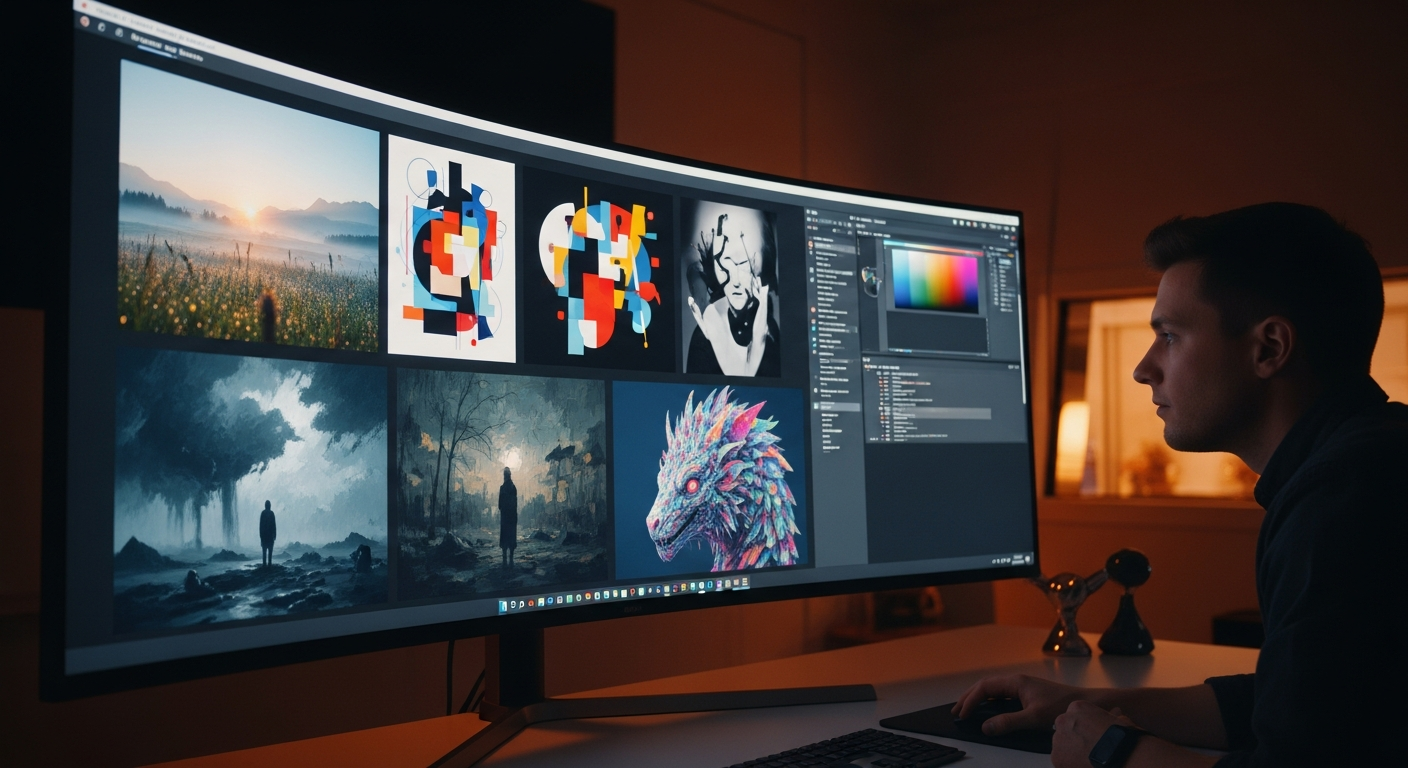
>As an operations manager, you know efficiency and distinctiveness are critical in a competitive market. AI-generated visuals used to be a neat trick, but generic outputs just don't cut it anymore. Your teams need tools that let them create truly novel, brand-aligned visuals without endless manual tweaking. That's why picking the <right AI image generator for unique art styles isn't just a creative decision; it's a strategic one.
>Comparison Matrix: AI Image Generators for Unique Art Styles (2026)<
Before we dive deep, here's a quick look at the top contenders for generating unique art styles. This matrix focuses on what really matters for operational efficiency and distinctive output.
| Generator | Cost (Avg. Monthly) | Ease of Use for Unique Styles | Customization Depth | Model Training Capability | Integration Potential | Commercial Rights Clarity | Best Use Case (Summarized) |
|---|---|---|---|---|---|---|---|
| Midjourney | $10 - $120 | High (Intuitive) | Medium (Prompting) | None (Pre-trained) | Low (Discord) | Good (Subscription Dependent) | >Quick, Distinct Styles & Small Teams< |
| Stable Diffusion | Variable (Free to $100s/mo for cloud) | Low (Steep Learning Curve) | Very High (Open-Source) | Very High (LoRAs, Fine-tuning) | Very High (APIs, Local) | Depends on Model & Use | >Advanced Customization & Large Teams< |
| Leonardo.Ai | Free - $48 | High (User-friendly) | High (Custom Models, Elements) | Medium (Custom Models) | Low (API in dev) | Good (Subscription Dependent) | On a Budget for Novel Styles |
| Adobe Firefly | Included in Creative Cloud ($20-$80) | High (Familiar UI) | Medium (Style Transfer, Prompts) | None (Pre-trained) | Very High (Adobe Ecosystem) | Excellent (Licensed Content) | Professional Style Development & Adobe Users |
| DALL-E 3 (ChatGPT Plus) | $20 | Very High (Conversational) | Medium (Conversational Prompting) | None (Pre-trained) | Medium (ChatGPT API) | Good (OpenAI Terms) | Blending Art Styles & Iterative Experimentation |
| RunDiffusion / Custom Cloud | $15 - $100s (Hourly/Monthly) | Low (Technical Setup) | Very High (Full Control) | Very High (Proprietary Training) | Very High (API, Custom) | Excellent (Your IP) | Training Your Own Unique Style |
7 Top AI Image Generators for Unique Art Styles (2026)
Let's break down these tools, focusing on their real-world value and how they can push your team's creative output past generic.

Why Your Choice of AI Generator Impacts Unique Output
The biggest challenge for operations managers isn't just making images with AI. It's making distinctive ones. Not every AI generator is built for truly unique styles. A basic tool might quickly churn out a "fantasy landscape" or "abstract painting," but these often feel recycled, like thousands of other AI-generated images. This leads to wasted time, more manual fixes by your designers, and ultimately, a weaker brand identity.
Operations leads should care about this because unique output directly translates to efficiency. It means generating distinct assets faster, cutting down on manual revisions, and helping your brand get noticed in a visually swamped market. The AI models, their training data, and the customization options determine how unique your art can really be. "Unique" here means more than just copying a style; it means creating visuals that feel fresh, new, and truly aligned with your specific creative vision or brand guidelines. Pick wisely, and you'll get cutting-edge visuals. Pick poorly, and you're just signing up for costly content churn.
Best for Quick, Distinct Styles & Small Teams: Midjourney
Amazon —
Check prices on Amazon
Amazon — Check prices on Amazon
BEST FOR: Small teams, marketing specialists, and operations leads who need to generate visually distinct assets fast, without deep technical prompting. Midjourney shines when aesthetic quality and speed are most important, offering a surprisingly easy way to create high-impact visuals.
Midjourney, now in its V6 iteration (with V7 on the horizon for 2026), is still a powerhouse for creating stunning, often surreal, and always beautiful images. What makes it a top AI image generator for unique art styles is its natural artistic bent. Unlike some models that default to photorealism, Midjourney's core model naturally leans toward artistic, often novel, outputs. I've personally used Midjourney since V3, and its progress in understanding complex stylistic prompts is genuinely impressive.
Its interface, mostly through Discord, makes it super easy for non-technical users to start generating unique styles almost immediately. You don't need to be a prompt wizard to get a "neo-expressionist portrait of a cyberpunk detective in a rainy alley" or "a rococo-inspired space opera scene." The community itself is a treasure trove of inspiration, showing off innovative prompt structures that really push the boundaries of unique style generation. For an operations manager, this means rapid iteration and concept generation, seriously cutting down the initial brainstorming time for visual assets.
Specific examples of unique styles achievable with simple prompts: Try "cinematic film still, moody lighting, 1970s sci-fi art style, detailed," or "utopian brutalist architecture, vibrant flora, pastel colors, digital painting." These aren't just generic images; they carry a distinct artistic signature that Midjourney reliably delivers. Its ability to quickly produce a variety of unique looks means your team can explore multiple creative directions in minutes, not hours or days.
Pricing (as of late 2025, subject to minor changes):
- Basic Plan: $10/month (or $96/year) - ~3.3 hours GPU time, private mode optional.
- Standard Plan: $30/month (or $288/year) - ~15 hours GPU time, unlimited relaxed GPU time.
- Pro Plan: $60/month (or $576/year) - ~30 hours GPU time, unlimited relaxed GPU time, stealth mode.
- Mega Plan: $120/month (or $1152/year) - ~60 hours GPU time, unlimited relaxed GPU time, stealth mode.
Best for Advanced Customization & Large Teams: Stable Diffusion (Open-Source)
BEST FOR: Large teams, R&D departments, and operations leads who need total control, custom model training, and seamless integration into existing workflows for truly proprietary art styles. If your goal is to build a unique visual language from the ground up, Stable Diffusion is your starting point.
Stable Diffusion is the open-source giant in AI image generation, and for good reason. For operations managers overseeing big creative or R&D teams, its unmatched control and flexibility are game-changers. Unlike proprietary models, Stable Diffusion lets you dive deep into customization. This means fine-tuning models on your internal data – like brand assets, existing art libraries, or specific product photos – to create truly unique, brand-aligned styles that no other tool can replicate right out of the box. This ability is crucial for keeping brand consistency across different campaigns while still exploring new creative territory.
The learning curve is higher; I won't pretend it's easy. Running Stable Diffusion locally often means using interfaces like Automatic1111 or ComfyUI. While powerful, they do require more technical know-how. But the reward for this effort is huge. You can use advanced prompting techniques: detailed negative prompts to get rid of unwanted elements, precise weighting of prompt terms to emphasize certain styles, specific seeds for repeatable results, and custom aspect ratios for unique compositions. You can also train custom LoRAs (Low-Rank Adaptation) on small datasets. This lets your team inject specific characters, objects, or micro-styles into the model without retraining everything. This level of granular control is essential for developing genuinely proprietary art styles.
For large companies, running Stable Diffusion locally (or on private cloud instances) addresses big concerns about data privacy and intellectual property. Your proprietary data never leaves your controlled environment. This is a vital point for operations leads managing sensitive creative assets.
Best On a Budget for Novel Styles: Leonardo.Ai
BEST FOR: Operations leads and small teams with tight budgets who still need advanced features to generate unique art styles. Leonardo.Ai finds a great balance between affordability and powerful creative tools.
Leonardo.Ai has quickly become a strong player, especially for anyone looking for a top AI image generator for unique art styles without spending a fortune. Its competitive pricing, including a generous free tier, makes it incredibly accessible. But don't let the price mislead you; Leonardo.Ai offers a solid set of features that help create novel aesthetics.
>The platform has a user-friendly interface that simplifies complex processes. A key difference is its access to a huge range of custom models, including community-trained ones. This means your team isn't stuck with just one base model; you can try out models specifically trained for "pixel art," "3D render," "anime," or even very specific artistic styles created by other users. This variety naturally pushes toward more unique outputs.<
Features like image-to-image generation (turning an existing image into a new style), prompt blending (combining elements from several prompts), and fine-tuned control over style strength (how much the AI should stick to a stylistic prompt) are invaluable for crafting distinct visuals. I've found its prompt blending particularly effective for creating hybrid styles that feel genuinely new. For instance, blending "renaissance painting" with "cyberpunk city" can give you truly surprising and unique results. For operations leads, this means efficient concept exploration and the ability to generate many unique ideas quickly, all within budget.
Pricing (as of late 2025, subject to minor changes):
- Free Plan: 150 tokens/day (approx. 75 generations), limited features.
- Apprentice Plan: $10/month (or $96/year) - 8,500 tokens/month, private generations.
- Artisan Plan: $24/month (or $230/year) - 25,000 tokens/month, higher priority.
- Maestro Plan: $48/month (or $460/year) - 60,000 tokens/month, priority support.
Best Premium Option for Professional Style Development: Adobe Firefly
Descript —
Edit videos with Descript
Descript — Edit videos with Descript
BEST FOR: Creative agencies, large companies, and operations leads who prioritize smooth integration with existing Adobe workflows, clear commercial rights, and high-quality, unique style generation. Firefly is built for professional settings where legal certainty and workflow integration are non-negotiable.
>Adobe Firefly is a strong contender for operations managers whose teams already use the Adobe Creative Cloud. Its main strength isn't just its generation abilities. It also offers enterprise-grade features and, critically, a commitment to content authenticity and clear commercial rights. Adobe trained Firefly on licensed content, Adobe Stock, and public domain content. This helps avoid many of the intellectual property worries that come with other AI models. That clarity is a huge benefit for operations leads managing legal risks and ensuring compliance.<
Firefly excels with features like 'style transfer' and 'text-to-vector graphic' generation. These allow for the creation of unique stylistic brand assets that fit perfectly with existing brand guidelines. Imagine quickly generating unique textures or patterns that match your company's visual identity, then immediately pulling them into Photoshop or Illustrator for tweaks. This boosts efficiency for creative teams already in the Adobe ecosystem like nothing else. It means less time exporting, importing, and adapting, and more time creating.
While it might not be as wild or experimental as Midjourney right out of the box, Firefly's strength is its ability to blend unique elements with a professional finish and within clear commercial boundaries. It's about developing unique styles that are ready for production, not just for brainstorming. For large organizations, this reliability and integration are priceless.
Pricing (as of late 2025, subject to minor changes):
- Included in Creative Cloud Plans: Many Creative Cloud subscriptions (e.g., Photoshop, Illustrator, All Apps) include Firefly credits.
- Firefly Premium Plan: $4.99/month for 100 generative credits, standalone.
- Enterprise Plans: Custom pricing, offering dedicated support, higher credit volumes, and enhanced security features for large organizations.
Best for Blending Art Styles & Iterative Experimentation: DALL-E 3 (via ChatGPT Plus)
BEST FOR: Operations leads and teams focused on rapid ideation, blending different artistic influences, and refining unique styles through conversational prompts. DALL-E 3, especially with its ChatGPT integration, is fantastic for creative discovery.
DALL-E 3, particularly when you use it through ChatGPT Plus, offers a uniquely conversational way to generate AI images. This is incredibly powerful for developing unique art styles through back-and-forth experimentation. The integration lets you use natural language to describe complex style mixes and refine them through dialogue. You don't need a perfectly crafted single prompt.
Its strength is interpreting intricate, multi-faceted style descriptions and creating surprisingly novel combinations. You can tell ChatGPT, "Generate an image of a futuristic city skyline, but in the style of a 19th-century oil painting, with hints of art deco architecture." Then, you can follow up with, "Now, make the lighting more dramatic, like a film noir, and add some subtle steampunk elements to the vehicles." This conversational approach is a huge efficiency boost for 'discovering' unique styles. It turns the AI from a simple prompt-response tool into a creative partner that can help explore stylistic nuances quickly.
For operations leads, this means your teams can rapidly prototype unique visual concepts, blending different artistic influences to create something truly original. It significantly speeds up the ideation phase. Artists and marketers can explore a wider range of unique styles in a fraction of the time it would take with traditional methods. While it doesn't offer the deep technical customization of Stable Diffusion, its conversational nuance makes it a top AI image generator for unique art styles thanks to its sheer creative flexibility.
Pricing (as of late 2025):
- ChatGPT Plus: $20/month - Includes access to DALL-E 3, GPT-4, and other advanced features.
- OpenAI API: Pay-as-you-go, pricing varies by usage (e.g., ~$0.04/image for DALL-E 3).
Best for Training Your Own Unique Style: RunDiffusion / Custom Cloud Instances
Jasper AI —
Get started with Jasper AI
Jasper AI — Get started with Jasper AI
BEST FOR: Operations leads in specialized creative industries, game development, or R&D departments who need to train AI models on proprietary art styles for truly unique, in-house outputs. This is the ultimate way to create a genuinely exclusive visual identity.
For organizations where a truly proprietary, unreplicable art style is a core competitive advantage – like a specific game's look, a unique animation style, or a distinct brand visual language – training your own AI model is the peak. Services like RunDiffusion, or setting up custom cloud environments (e.g., AWS SageMaker, Google Cloud AI Platform), let you go beyond just generating images. You can actually teach an AI your specific art style. This is, without a doubt, the most effective way to be the top AI image generator for unique art styles for your specific needs.
The process involves putting together a dataset of your existing art. Think 20-50 high-quality images of characters, environments, or objects in your desired style. You then use that data to fine-tune a base model (often Stable Diffusion). The benefits are profound: complete control over the output, generation of styles that are genuinely 'yours' because they're learned from your assets, and the ability to scale this unique style generation across your entire operation. Imagine creating consistent, on-brand assets for marketing, game development, and product design, all from a model trained on your unique IP.
Yes, there's technical complexity and resource needs involved. You'll need to grasp concepts like dataset preparation, model training parameters, and potentially cloud infrastructure. However, for an operations lead, the long-term efficiency gains and the strategic advantage of owning a truly unique, AI-powered art generation capability are unmatched. RunDiffusion simplifies some of this by offering pre-configured cloud instances for Stable Diffusion, making the training process more accessible than a full DIY cloud setup.
Workflow Example for Training a Unique Style:
- Data Curation: Gather 20-50 diverse, high-quality images that clearly show your unique art style. Make sure they're consistent in subject or aesthetic.
- Data Preparation: Caption your images with descriptive tags. Detail elements, styles, and moods.
- Platform Selection: Choose a service like RunDiffusion (for ease) or a custom cloud instance (for maximum control).
- Model Training: Upload your dataset and captions. Then, start a LoRA or Dreambooth training run. This might take several hours.
- Testing & Iteration: Generate images using your newly trained model. Refine prompts and, if needed, add more data or adjust training parameters.
- Integration: Deploy your custom model for your creative teams to use.
This approach transforms AI from a general tool into a custom engine for your specific creative vision.
Achieving Truly Unique AI Art Styles: Beyond the Basics
Just picking a powerful generator isn't enough. To truly unlock unique AI art styles and maximize operational efficiency, your teams need to move past basic prompting. This section offers practical advice for operations leads to guide their teams.
Advanced Prompting Techniques
The magic often hides in the prompt. While keywords like "impressionistic" or "surreal" are a start, real uniqueness comes from layering and precision:
- Negative Prompts: These are crucial for telling the AI what you don't want. For example:
"a vibrant futuristic city, neon glow, cyberpunk style --no cars, blurry, dark". This actively steers the AI away from common elements. - Weights and Emphasis: Many generators let you assign weights to prompt elements (e.g.,
"((dramatic lighting))"or"vibrant::2 colors::1"). This fine-tunes the AI's focus, creating nuanced styles. - Seeds: A specific seed number can reproduce an exact image (or variations from it). This is vital for consistency once you find a unique aesthetic.
- Aspect Ratios: Playing with non-standard aspect ratios (e.g., 16:9 for cinematic, 3:2 for classic photography) can dramatically change composition and perceived style.
- Prompt Chaining & Blending: Combining elements from multiple prompts or using conversational refinement (like with DALL-E 3) allows for complex stylistic fusions. Think "Gothic architecture + bioluminescent forest + Salvador Dalí."
Iterative Prompting & Experimentation
Treat AI like a creative partner, not a vending machine. A systematic, iterative approach is key. Start broad, then refine. For example, begin with "abstract art," then "abstract art, inspired by Kandinsky," then "abstract art, inspired by Kandinsky, with a monochromatic palette and dynamic lines." Document your prompts and the resulting images. This methodical exploration drives efficiency. It quickly shows you the limits of what's possible and helps pinpoint novel aesthetics.
Human Curation & Post-Processing
The AI generates, the human refines. Truly unique AI art often needs a human touch. Your artists can use AI outputs as a starting point, then apply their unique skills in Photoshop, Illustrator, or other tools for:
- Consistency: Making sure stylistic elements are consistent across a series of images.
- Quality Enhancement: Upscaling, color grading, and adding final artistic flourishes.
- Unique Touches: Adding elements that are hard for AI to generate consistently or with specific intent, like subtle emotional expressions or intricate details.
The Limitations of 'Unique'
While AI can create new combinations, generating truly novel, never-before-seen art styles (like a completely new artistic movement) is still a challenge. AI excels at remixing, blending, and reinterpreting existing styles. Pushing these boundaries requires a deep understanding of prompting, model training, and a willingness to experiment with abstract concepts that challenge the AI's learned patterns. We're still years away from an AI inventing "Cubism 2.0" from scratch. But we can guide it to create styles that feel utterly fresh by combining disparate elements.
Future Trends
Expect to see even more personalized AI models. Artists will be able to train AI on their specific brushstrokes or artistic quirks. Real-time style application and more intuitive 3D AI generation will also further democratize unique art creation. These tools will become even more essential for operations managing creative pipelines.
Legal & Ethical Considerations for Unique AI Art
For operations leads, understanding the legal and ethical landscape of AI-generated unique art is critical. This isn't just a creative issue; it's about risk management.

Copyright and Originality: The question of whether AI-generated art can be copyrighted is still developing. Current U.S. Copyright Office guidance generally says that human authorship is needed for copyright protection. This means if an AI creates an image with very little human input, it might not be copyrightable. However, if a human artist extensively guides, changes, and refines the AI's output, that human contribution could be protected. When aiming for unique styles, focus on the human involvement to strengthen your claim to originality.
Intellectual Property (IP): Be very aware of the training data used by different AI generators. Models trained on unvetted internet data might accidentally reproduce copyrighted styles or elements. This could lead to potential IP infringement claims. Tools like Adobe Firefly, trained on licensed content, offer a big advantage here for corporate use. For open-source models like Stable Diffusion, it's often up to the user to ensure their prompts and the resulting outputs don't infringe on existing IP.
Commercial Use: Always check the terms of service and licensing agreements of your chosen AI generator. Some free tiers might restrict commercial use, while paid subscriptions usually offer clearer commercial rights. For truly unique, proprietary styles, training your own model on your own IP (as discussed with RunDiffusion/Custom Cloud) offers the clearest path to ownership.
Ethical Implications: Think about the ethical impact of training models on artists' work without their explicit consent or payment. While the legal framework is catching up, operations leads should be mindful of these broader ethical discussions. This is especially true if your organization wants to be a leader in responsible AI adoption. Transparency about AI usage and attribution where appropriate can build trust.
My advice? For any assets meant for commercial use or that are central to your brand identity, prioritize generators with transparent licensing and a clear stance on IP (like Adobe Firefly). Or, invest in training your own models on proprietary data. This proactive approach minimizes legal risks and ensures the uniqueness you achieve is legally sound.
FAQ: Unique AI Art Generation for Operations Leads
1. How do I define 'unique' for my team's AI art?
For an operations lead, 'unique' means distinct enough to stand out in the market. It should align with your brand identity without being generic, and it needs to avoid common AI "tells" or derivative aesthetics. The goal is to minimize extensive human post-processing to achieve distinctiveness, which improves efficiency. Ultimately, it's about outputs that feel fresh and proprietary to your brand.
2. Can I truly copyright AI-generated art with a unique style?
Currently, the U.S. Copyright Office requires human authorship for copyright. If your team extensively guides the AI, iterates on prompts, makes creative choices, and performs significant post-processing to achieve a unique style, that human contribution is more likely to be copyrightable. Purely AI-generated images with minimal human input are generally not. For maximum protection, focus on the human creative input and consider custom model training on your own IP.
3. What's the fastest way to develop a consistent unique style with AI?
The fastest way combines iterative prompting with a powerful tool like Midjourney or DALL-E 3 (using ChatGPT for conversational refinement), followed by consistent human curation. Start with a core style prompt, generate variations, pick the best ones, and then use those as reference images or refine the prompt further. For consistency, use fixed seeds and strong negative prompts. If you have existing brand assets, Leonardo.Ai's custom model training or image-to-image features can speed this up.
4. How much data do I need to train an AI on my own unique art style?
For effective LoRA (Low-Rank Adaptation) training, you typically need 20-50 high-quality, diverse images that consistently represent your desired unique art style. More data can be better, but quality and consistency are more important than sheer quantity. Make sure your images cover various angles, lighting, and contexts if you want a versatile model.
5. What are the key efficiency metrics to track when using AI for unique art generation?
Track metrics such as: (1) Time-to-first-concept: How quickly can a unique visual idea be generated? (2) Iteration cycles: The number of prompts or generations needed to achieve a desired unique style. (3) Post-processing time: Time human artists spend refining AI outputs. (4) Asset uniqueness score: (Qualitative, but important) How distinct are the generated assets compared to competitors or generic AI output? (5) Cost per unique asset: Total credits/GPU time divided by usable unique assets.
6. How do these tools integrate into existing creative workflows?
>>Integration varies significantly. Adobe Firefly offers the smoothest integration with Creative Cloud applications. Stable Diffusion (via APIs or local setups) can be deeply integrated into custom pipelines and automation scripts. Midjourney and Leonardo.Ai typically involve exporting images for use in other <software. DALL-E 3 can be integrated via the OpenAI API. Operations leads should assess each tool's friction points and prioritize those that minimize disruption to established creative processes. Or, they might invest in custom API integrations where high volume is needed.<



