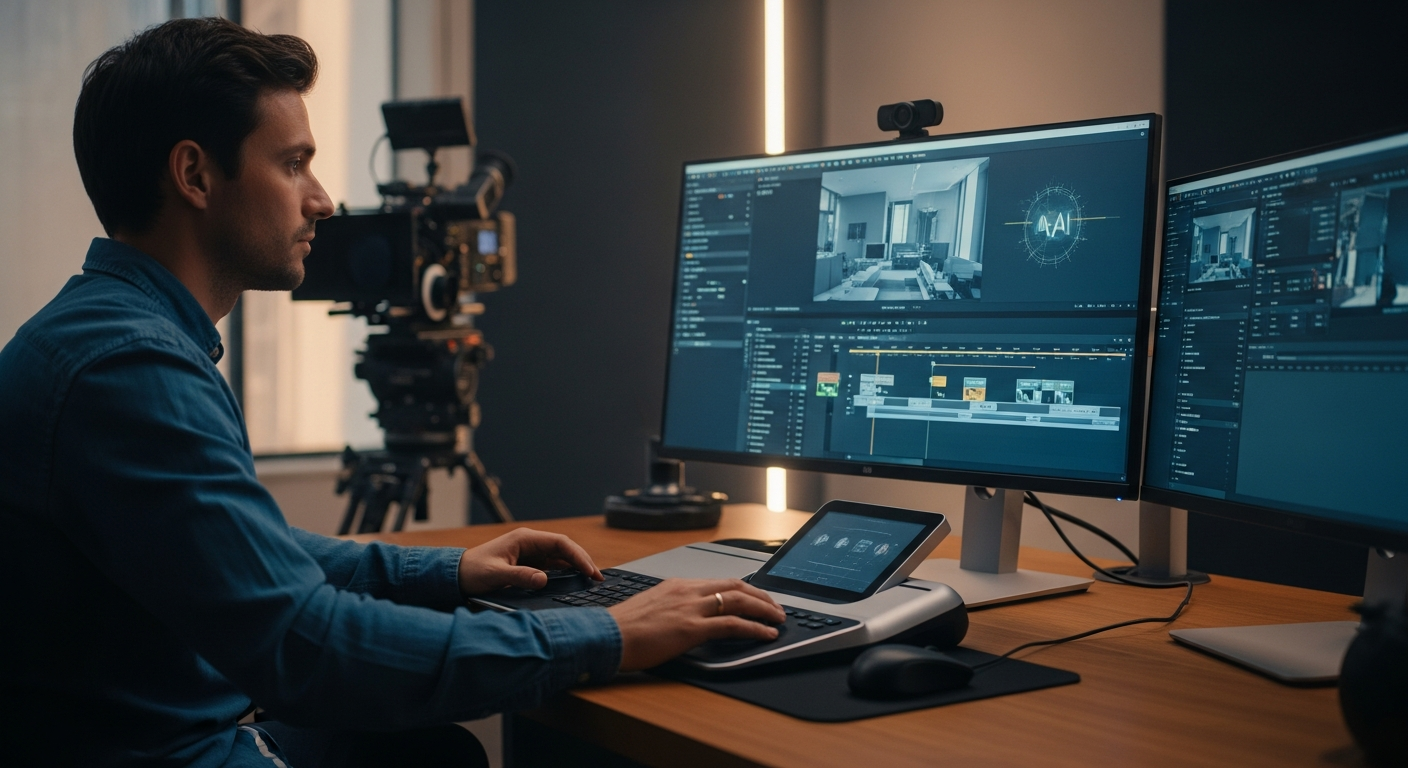
AI Video Editing Tools for Professional Filmmakers
Boost Workflow & Quality
Discover top AI video editing tools for professional filmmakers. Accelerate post-production, enhance quality, and streamline workflows
>AI <a href="https://pickgeniuslab.com/best-ai-video-editing-software/" title="Best Ai-Powered Video Editing Software For Mac">Video Editing</a> Tools for Professional Filmmakers - Boost Your Workflow<
Revolutionize Your Workflow: The Definitive Guide to AI Video Editing Tools for Professional Filmmakers
Are you a professional filmmaker drowning in hours of manual footage review, tedious cut selection, and time-consuming color grading?
The demands of modern production cycles are relentless, pushing creative teams to their limits.
Traditional editing workflows, while robust, often bottleneck your ability to scale, innovate, and meet tight deadlines without compromising quality or burning out your team.
Imagine a world where the most mundane, repetitive, and time-intensive editing tasks are automated with precision, freeing your creative talent to focus on storytelling, artistic vision, and high-impact decisions.
This isn't a distant future; it's the present reality offered by cutting-edge AI video editing tools.
This comprehensive guide will cut through the noise, providing professional filmmakers like you with a strategic overview and detailed analysis of the leading AI video editing solutions. We'll show you how to leverage these powerful tools to dramatically accelerate your post-production pipeline, enhance creative output, and ultimately, deliver exceptional results faster and more efficiently than ever before.
AI Video Editing Tools: A Strategic Shortlist for Filmmakers
>To give you a head start, here’s a quick comparison of top AI video editing tools, highlighting their core strengths and best-fit scenarios for professional production environments.<
Tool
Primary AI Strengths
Best For
Key Features
Integration
Pricing Tier (Estimate)
Adobe Premiere Pro (with Sensei AI)
Automated transcription, content-aware fill, auto-reframe, speech-to-text, color matching.
Full-suite professional post-production, integrating AI for efficiency within existing workflows.
Speech-to-text for captions, Auto-Reframe for aspect ratios, Remix for music, Enhanced Speech.
>Restoration, archival footage enhancement, upscaling for delivery platforms, VFX pre-processing.<
Proteus, Artemis, Dione models for enhancement, Frame Interpolation, Stabilization.
Standalone, export compatible with NLEs.
One-time purchase ($299)
Pictory.AI
Automated video creation from text, script to video, article to video, auto-summarization.
Content marketing, social media, quick explainers, rapid video generation from long-form content.
Script to Video, Article to Video, Visuals & Music Library, Auto-Captioning, Branded Intros/Outros.
Web-based, export MP4.
Standard ($19/month), Premium ($39/month), Teams ($99/month)
This table offers a snapshot. Dive deeper into each tool below to understand how their specific AI capabilities can integrate into and elevate your professional filmmaking workflow.
In-Depth Analysis: The Power of AI in Professional Post-Production
Let's unpack the capabilities of these leading AI video editing tools, detailing their features, use cases, and how they can be strategically deployed by professional filmmakers.
Overview: Adobe Premiere Pro is the industry-standard NLE for many professional editors, and its integration with Adobe Sensei, Adobe's AI and machine learning framework, has steadily increased its power. Sensei-powered features aren't about replacing the editor but augmenting their capabilities within a familiar environment.
Speech-to-Text for Captions: This is a game-changer for accessibility and efficiency. Premiere Pro can automatically transcribe your dialogue and generate accurate captions and subtitles directly within the timeline. Editors can review, refine, and style these captions, saving countless hours previously spent on manual transcription or outsourcing. This is particularly valuable for documentaries, interviews, and corporate communications.
Auto Reframe: As content needs to be delivered across diverse platforms (cinematic 16:9, social media 9:16, square 1:1), manually re-framing every shot is a nightmare. Auto Reframe uses AI to intelligently identify the most important action in your footage and keep it in frame, automatically adjusting aspect ratios for different outputs. This ensures your key visual elements are always visible, regardless of the platform.
Remix (for audio): Sensei can analyze a piece of music and intelligently re-time it to fit a specific duration, without sounding chopped or unnatural. This feature is invaluable for creating custom music edits for montages, intros, or outros, eliminating the need for complex manual audio editing or finding perfectly timed tracks.
Content-Aware Fill (in After Effects, integrates with Premiere): While primarily an After Effects feature, its seamless integration is crucial. Content-Aware Fill can automatically remove unwanted objects or elements from your footage (e.g., boom mics, distracting background elements) by intelligently filling the space with surrounding pixels. This is a massive time-saver for VFX cleanup.
Enhanced Speech: Recently introduced, this AI feature can significantly improve the quality of recorded dialogue by removing background noise and echo with a single click, making poorly recorded audio sound like it was captured in a professional studio.
Strategic Value: Premiere Pro's AI features are designed to streamline repetitive tasks, freeing up editors for more creative decisions. They enhance efficiency for multi-platform delivery, accessibility, and basic audio/visual cleanup, making it an indispensable tool for any professional workflow already rooted in the Adobe ecosystem.
" class="cta-button" target="_blank">Explore Adobe Premiere Pro
2. DaVinci Resolve Studio (with Neural Engine)
Overview: Blackmagic Design's DaVinci Resolve Studio is renowned for its unparalleled color grading capabilities and robust fusion VFX, but its "Neural Engine" has brought powerful AI-driven features to the forefront of its editing suite. Resolve's AI is deeply integrated, offering sophisticated solutions for complex post-production challenges.
Magic Mask: This groundbreaking feature allows you to quickly and accurately isolate people or specific objects in your footage with remarkable precision. Instead of tedious rotoscoping, you can simply draw a line or stroke over the subject, and the AI tracks it, generating a clean mask. This is revolutionary for color grading specific elements, applying effects, or even object removal.
Face Refinement: A godsend for interviews and beauty shots, the Face Refinement tool uses AI to detect faces and provides intuitive controls for smoothing skin, brightening eyes, whitening teeth, and even subtly reshaping facial features without complex masking.
Smart Reframe: Similar to Premiere's Auto Reframe, Resolve's Smart Reframe intelligently re-composes shots for different aspect ratios, ensuring the main action or subject remains centered and visually appealing.
Speed Warp: For incredibly smooth slow-motion or speed ramps, Speed Warp leverages AI to generate intermediate frames, resulting in far superior motion interpolation compared to traditional optical flow methods. This is crucial for high-quality cinematic slow-motion effects.
Scene Cut Detection: This AI feature can automatically analyze a single, continuous video file and detect all the original edit points, splitting it into individual clips. This is incredibly useful when working with rendered files or footage without original edit markers, allowing for easy re-editing.
Strategic Value:> DaVinci Resolve's Neural Engine excels in specialized, high-impact tasks, particularly in VFX, color grading, and advanced motion graphics. Its Magic Mask and Face Refinement tools alone can save hundreds of hours on complex visual effects and beauty work, making it essential for high-end cinematic and commercial productions.<
" class="cta-button" target="_blank">Get DaVinci Resolve Studio
3. Descript
Overview: Descript approaches video editing from a unique, text-first perspective. It's not a traditional NLE in the vein of Premiere or Resolve, but rather a powerful tool that leverages AI for rapid, text-driven video and audio editing. It's particularly strong for spoken-word content.
Text-Based Editing: Descript automatically transcribes your audio/video, allowing you to edit the video simply by editing the text transcript. Delete a sentence, and that segment of video is cut. Drag paragraphs, and the corresponding video moves. This paradigm shift dramatically accelerates the rough cut process for interviews, podcasts, and documentaries.
Overdub (AI Voice Cloning): A truly revolutionary feature, Overdub allows you to create a realistic AI clone of your voice. You can then type new words, and Descript will generate them in your cloned voice, enabling you to correct mistakes, add new sentences, or even create entirely new voiceovers without re-recording. This has profound implications for post-production efficiency and flexibility.
Studio Sound: With a single click, this AI feature can clean up audio, removing background noise and echo, making recordings sound like they were captured in a professional studio. It's a lifesaver for footage with less-than-ideal audio capture.
Filler Word Removal: Automatically identifies and removes "ums," "uhs," "you knows," and other filler words from your transcript and, consequently, your video, resulting in tighter, more professional dialogue.
Eye Contact Correction: For recorded presentations or interviews where the speaker might look away from the camera, this AI feature can subtly adjust the speaker's gaze to maintain eye contact with the viewer.
Strategic Value: Descript is invaluable for content creators, documentarians, and corporate video teams who deal heavily with spoken dialogue. It drastically reduces the time spent on transcription, rough cuts, and audio cleanup, enabling rapid iteration and content generation. While not a full NLE for complex VFX, it's a powerful pre-processor and a primary editor for specific content types.
4. RunwayML
Overview: RunwayML is at the bleeding edge of generative AI for video. It's a platform offering a suite of AI magic tools, from sophisticated video effects to groundbreaking text-to-video generation. It’s less about traditional linear editing and more about generative visual content and advanced VFX assistance.
Gen-1 & Gen-2 (Text/Image to Video): These are Runway's flagship generative AI models. Gen-1 allows you to apply the style or structure of an image or text prompt to an existing video. Gen-2 is even more revolutionary, allowing you to generate entirely new video clips from text prompts, images, or a combination. This opens up unprecedented possibilities for pre-visualization, concept art, and creating unique visual elements.
Inpainting & Outpainting: Similar to Photoshop's generative fill, Runway's inpainting can remove objects from video by intelligently filling the void, while outpainting can extend the canvas and generate new visual information beyond the original frame.
Rotoscoping & Green Screen: Runway's AI-powered rotoscoping tools significantly simplify the process of isolating subjects from their backgrounds, making green screen keying and general masking much faster and more accurate.
Motion Tracking: Automatically tracks objects or elements in your video, allowing you to easily attach graphics, text, or effects that follow the movement.
Frame Interpolation & Super Slow-Motion: AI can generate intermediate frames to create incredibly smooth slow-motion from standard footage or to stabilize shaky shots.
Strategic Value: RunwayML is for filmmakers and VFX artists pushing creative boundaries. It's a powerful tool for visual development, rapid prototyping of complex shots, creating abstract or stylized content, and significantly accelerating VFX processes like rotoscoping and object removal. It's an experimental powerhouse that can dramatically reduce costs and time on certain visual effects.
5. Topaz Video AI
Overview: Topaz Video AI is a specialized tool focused entirely on video enhancement and upscaling using deep learning. It doesn't edit in the traditional sense but rather acts as a crucial pre-processing or post-processing step for footage that needs significant quality improvement.
Upscaling (Resolution Enhancement): Topaz Video AI can intelligently upscale footage from lower resolutions (e.g., HD to 4K, SD to HD) with astonishing quality, adding detail and sharpness that traditional upscaling methods cannot achieve. This is invaluable for archival footage, VFX plates, or adapting older content for modern displays.
Deinterlacing: Converts interlaced footage (common in older broadcast formats) to progressive scan, eliminating artifacting and improving motion clarity.
Motion Interpolation (Frame Rate Conversion): Can convert footage from one frame rate to another (e.g., 24fps to 60fps) by intelligently generating new frames, resulting in incredibly smooth motion without traditional judder or artifacts. This is also used for creating super slow-motion.
Noise Reduction & Sharpening: Uses AI to differentiate between genuine detail and noise, allowing for effective noise reduction without softening the image, and intelligent sharpening that enhances detail without introducing artifacts.
Stabilization: AI-powered stabilization can smooth out shaky handheld footage more effectively than many traditional methods, making it appear as if it was shot with a gimbal.
Strategic Value: Topaz Video AI is a must-have for filmmakers working with mixed-resolution footage, archival material, or those needing to deliver exceptionally clean and high-resolution content. It can breathe new life into older assets, enhance VFX elements, and ensure your final output meets the highest quality standards, especially for streaming platforms or large-format displays.
6. Pictory.AI
Overview: Pictory.AI is an AI-powered video creation tool designed for speed and efficiency, especially for transforming text-based content into engaging videos. It's less about traditional cinematic editing and more about rapid content generation, making it ideal for marketing, explainers, and social media videos derived from existing scripts or articles.
Script to Video: The core feature. You input a script, and Pictory.AI analyzes it, automatically selecting relevant stock video clips, images, and background music from its extensive library to create a complete video. It's incredibly fast for generating first drafts or short-form content.
Article to Video: Similar to Script to Video, but it takes a blog post or article URL, summarizes the content using AI, and then transforms it into a video. This is a powerful tool for repurposing long-form written content into video assets.
Visuals & Music Library: Access to millions of royalty-free stock videos, images, and music tracks, all intelligently suggested by AI based on your script.
Auto-Captioning & Voiceovers: Automatically transcribes audio and adds captions. You can also generate AI voiceovers in various styles or upload your own.
Branding: Allows for custom intros, outros, logos, and brand colors to maintain consistency.
Strategic Value: For professional filmmakers involved in creating supplementary content – behind-the-scenes, marketing teasers, social media snippets, or corporate explainers – Pictory.AI is a tremendous time-saver. It allows for rapid production of high-volume, short-form video content without requiring extensive editing resources, freeing up your primary editing team for core film production.
" class="cta-button" target="_blank">Try Pictory.AI for Free
Strategic Investment: Pricing & Suitability for Your Filmmaking Segment
Choosing an AI tool isn't just about features; it's about aligning cost with your specific production needs and budget. Here’s a breakdown of how these tools fit different professional filmmaking segments.
Enterprise & High-End Feature Film Production
For large studios, VFX houses, and feature film productions, the investment in robust, deeply integrated AI solutions is critical for maintaining a competitive edge and managing complex workflows.
DaVinci Resolve Studio ($295 one-time): A no-brainer. Its one-time purchase model makes it incredibly cost-effective in the long run, especially for its unparalleled color grading and robust Neural Engine VFX capabilities. Essential for high-fidelity visual effects, advanced color work, and complex roto/masking.
Adobe Premiere Pro (with Sensei AI) ($20.99-$54.99/month): If your workflow is already deeply embedded in the Adobe Creative Cloud, Premiere Pro’s AI features provide seamless efficiency gains for daily editing, multi-platform delivery, and basic audio/visual cleanup. The subscription model is a standard operational cost.
Topaz Video AI ($299 one-time): An indispensable utility for any high-end production dealing with archival footage, VFX plates, or demanding delivery specifications for resolution and frame rate. Its ability to enhance footage quality can save costly reshoots or improve the perceived quality of existing assets.
RunwayML (Pro/Unlimited $35-$95/month): While potentially a monthly cost, its generative AI capabilities can drastically reduce pre-visualization time for complex VFX shots, create unique visual elements, or explore experimental aesthetics. It's an R&D and creative powerhouse that can justify its cost through innovation and efficiency in specific departments.
Key Takeaway: Invest in perpetual licenses where possible (Resolve, Topaz) for long-term value. Integrate subscription services (Adobe, Runway) where continuous updates and cutting-edge generative features are paramount.
Independent Filmmakers & Mid-Size Production Houses
Balancing budget with powerful capabilities is key. These segments need tools that offer significant AI advantages without exorbitant recurring costs.
DaVinci Resolve Studio ($295 one-time): Remains a top recommendation. Its comprehensive suite and powerful AI at a one-time price offer incredible value for independent productions that need high-quality output on a budget.
Adobe Premiere Pro (with Sensei AI) ($20.99-$54.99/month): If you're comfortable with the Adobe ecosystem, Premiere Pro still offers substantial efficiency benefits. Consider the single app plan if you don't need the full Creative Cloud.
Descript (Pro $24/month): Essential for documentary, interview-heavy films, or web series. Its text-based editing and Overdub feature can dramatically accelerate post-production, making it a highly cost-effective choice for dialogue-driven content.
Topaz Video AI ($299 one-time): For any filmmaker serious about image quality, especially when working with varied camera formats or aiming for a cinematic look from less-than-perfect footage.
RunwayML (Standard/Pro $15-$35/month): For indie filmmakers looking to experiment with unique visual styles or achieve complex VFX on a smaller budget, Runway's generative tools can be a game-changer. The monthly flexibility allows for project-based usage.
Key Takeaway: Prioritize tools that offer significant time savings for common tasks (Descript for dialogue, Resolve for color/VFX) or crucial quality enhancements (Topaz). Look for flexible subscription models for specialized tools like Runway.
Speed, volume, and consistency are paramount. AI tools that automate content generation and streamline repetitive tasks offer the most value.
Descript (Pro $24/month): Absolutely critical. For corporate communications, training videos, and marketing content heavy on narration or interviews, Descript's text-based editing, filler word removal, and Overdub feature are unparalleled for rapid production and iteration.
Pictory.AI (Premium/Teams $39-$99/month): For high-volume content generation from existing text assets (blogs, reports, scripts). It allows marketing teams to quickly repurpose content into video without needing a dedicated editor for every piece.
Adobe Premiere Pro (with Sensei AI) ($20.99-$54.99/month): For more polished corporate videos requiring custom graphics and effects, Premiere's Auto Reframe and Speech-to-Text are excellent for multi-platform delivery and accessibility.
Key Takeaway: Focus on tools that automate the creation process (Pictory) and dramatically accelerate dialogue-heavy content editing (Descript). These tools enable higher output with fewer resources.
Persona Matching: Finding Your Perfect AI Editing Partner
Understanding which tool best suits your role and specific challenges is crucial for successful integration. Here, we match AI tools to common professional filmmaking personas.
The Cinematic Storyteller (Feature Films, High-End Commercials)
Goal: Achieve the highest visual fidelity, complex VFX, and intricate narratives without compromising artistic vision or quality. Time is money, but quality is king.
Primary AI Tools:
DaVinci Resolve Studio (Neural Engine): For unparalleled color grading, precise VFX with Magic Mask, and advanced motion graphics. Essential for bringing cinematic visions to life.
Adobe Premiere Pro (with Sensei AI): For core editorial efficiency, especially for multi-platform deliverables and basic cleanup tasks.
Topaz Video AI: For enhancing the quality of all footage, from archival B-roll to VFX plates, ensuring a pristine final output.
RunwayML: For conceptualizing complex VFX shots, generative art, and pushing visual boundaries. Excellent for early-stage visual development and pre-production exploration.
Why these: These tools offer the most sophisticated AI for visual enhancement, complex masking, and generative capabilities, directly supporting the high demands of cinematic production.
The Documentary Filmmaker / Interview Specialist
Goal: Efficiently manage vast amounts of dialogue-heavy footage, ensure clear audio, and construct compelling narratives from interviews and observational material.
Primary AI Tools:
Descript: The undisputed champion. Text-based editing, Overdub, Studio Sound, and filler word removal are transformative for documentary workflows, drastically cutting down on rough-cut time.
Adobe Premiere Pro (with Sensei AI): For its robust Speech-to-Text for quick captioning and transcript generation, plus overall project management.
DaVinci Resolve Studio (Neural Engine): For any necessary color correction or subtle facial enhancements (Face Refinement) for interview subjects.
Why these: Focused on dialogue and narrative construction, these tools streamline the most time-consuming aspects of documentary editing, allowing more focus on story.
The Corporate & Marketing Video Producer
Goal: Produce high-volume, professional-quality videos for internal communications, marketing campaigns, and social media with rapid turnaround times and consistent branding.
Primary AI Tools:
Pictory.AI: For rapid conversion of text-based content (reports, blog posts, scripts) into engaging videos, ideal for quick explainers and social media snippets.
Descript: For corporate interviews, testimonials, and internal communications where clear audio and efficient, text-driven editing are paramount.
Adobe Premiere Pro (with Sensei AI): For more polished corporate narratives, training videos, and commercials, utilizing Auto Reframe for multi-platform delivery and Speech-to-Text for accessibility.
Why these:> These tools prioritize speed, automation, and repurposing content, directly addressing the need for high-volume, brand-consistent output in corporate environments.<
The VFX Artist / Motion Designer
Goal: Accelerate complex visual effects, generate new visual assets, and achieve impossible shots efficiently.
Primary AI Tools:
RunwayML: For generative AI (text/image-to-video), inpainting, rotoscoping, and experimental visual development. A playground for new VFX techniques.
DaVinci Resolve Studio (Neural Engine): For Magic Mask, object removal, advanced stabilization, and seamless integration with Fusion for complex compositing.
Topaz Video AI: For upscaling, de-noising, and enhancing source footage and renders, ensuring the highest quality for VFX elements.
Why these:> These tools provide cutting-edge AI for automating tedious VFX tasks and generating entirely new visual content, pushing the boundaries of what's possible in visual effects.<
Implementing AI in Your Workflow: A Step-by-Step Guide
Integrating AI tools into an established professional filmmaking workflow requires a strategic approach. Here’s a practical guide to get you started and maximize your return on investment.
Step 1: Identify Your Bottlenecks
Before adopting any tool, pinpoint where your current post-production workflow is slowest or most resource-intensive. Is it:
Transcription and captioning? (Consider Descript, Premiere Pro)
Rotoscoping or complex masking? (Consider DaVinci Resolve, RunwayML)
Dealing with inconsistent footage quality or upscaling needs? (Consider Topaz Video AI)
Generating high-volume short-form content from text? (Consider Pictory.AI, Descript)
Re-framing for multiple aspect ratios? (Consider Premiere Pro, DaVinci Resolve)
Creating quick rough cuts from dialogue? (Consider Descript)
Understanding your pain points will guide your tool selection and ensure a targeted implementation.
Don't overhaul your entire workflow overnight. Choose one or two AI features that directly address your biggest bottleneck and integrate them into a small pilot project or a specific phase of your current production.
Example: If transcription is a pain, use Descript for a single interview. If color grading specific elements is slow, try Resolve's Magic Mask on a few shots.
Measure Results: Track the time saved, the quality improvement, and the overall efficiency gain.
Step 3: Training and Skill Development
AI tools, while intuitive, still require a learning curve. Provide your team with dedicated time and resources for training.
Official Tutorials: Most tools offer excellent online tutorials and documentation.
Workshops: Consider bringing in experts for hands-on workshops.
Peer Learning: Encourage team members to share their findings and best practices.
"The biggest mistake we made initially was thinking AI would just 'do the work.' It's a powerful co-pilot, but you still need skilled pilots. Training was key to unlocking its full potential." - Lead Editor, Mid-Size Production Studio
Step 4: Integrate into Existing Pipelines
>Most AI tools are designed to complement, not entirely replace, your existing NLE (e.g., Premiere Pro, Resolve, Avid Media Composer). Plan how these tools will export/import into your primary editing software.<
Workflow Steps: Define where the AI step fits. Is it pre-editing (Topaz, Pictory), during the rough cut (Descript), or during VFX/finishing (Resolve, Runway)?
Version Control: Maintain clear versioning when assets pass through different AI processes.
Step 5: Refine and Scale
Once you see positive results, gradually expand the use of AI tools to other projects and other team members. Continuously gather feedback and adapt your workflow. The AI landscape evolves rapidly, so staying updated is crucial.
Review new features: Regularly check for updates and new AI capabilities from your chosen tools.
Experiment: Don't be afraid to try new AI tools as they emerge, always keeping your specific challenges in mind.
Ready to Transform Your Filmmaking Workflow?
The future of post-production is here, powered by AI. Don't let your competition outpace you. Leverage these advanced tools to save time, reduce costs, and elevate the quality of your cinematic creations.
Compare the top AI video editing tools and find the perfect fit for your professional needs. Many offer free trials or robust free versions, allowing you to experience the power of AI firsthand.
Frequently Asked Questions About AI Video Editing for Professionals
Q1: Will AI replace professional video editors?
A: No, AI is designed to augment, not replace, professional video editors. While AI can automate repetitive and time-consuming tasks like transcription, rough cuts, rotoscoping, and basic color correction, it lacks the creative intuition, storytelling prowess, and nuanced decision-making capabilities of a human editor. AI tools free up editors to focus on the higher-level creative aspects of filmmaking, enhancing efficiency and allowing for more ambitious projects.
Q2: How accurate are AI transcriptions and auto-captions?
A: Modern AI transcription services (like those in Premiere Pro or Descript) are remarkably accurate, often achieving 90-95% accuracy or higher, especially with clear audio. However, complex terminology, heavy accents, or poor audio quality can still lead to errors. Professional editors should always review and refine AI-generated transcripts and captions to ensure 100% accuracy and compliance with accessibility standards.
Q3: Can AI tools handle high-resolution and RAW footage?
A: Yes, most professional-grade AI video editing tools are built to handle high-resolution footage (4K, 6K, 8K) and various professional codecs, including RAW formats (like Blackmagic RAW, ProRes RAW, REDCODE RAW). Tools like DaVinci Resolve Studio and Topaz Video AI are specifically optimized for processing and enhancing high-fidelity footage. Performance will, of course, depend on your workstation's hardware specifications.
Q4: Are AI-generated visuals or voiceovers truly professional quality?
A: The quality of AI-generated visuals (e.g., from RunwayML) and voiceovers (e.g., Descript's Overdub) has improved dramatically. For specific use cases like pre-visualization, abstract art, or rapid prototyping, they can be highly professional. AI voice clones can be incredibly realistic, especially when trained on extensive data. However, for core cinematic visuals or primary narration, human-shot footage and professional voice actors often still provide a level of nuance and artistic control that AI hasn't fully replicated. AI is excellent for enhancing, supplementing, or creating unique stylized elements.
Q5: What are the primary cost considerations for integrating AI tools?
A: Cost considerations include:
Software Licensing: One-time purchases (DaVinci Resolve Studio, Topaz Video AI) versus monthly/annual subscriptions (Adobe Creative Cloud, Descript, RunwayML, Pictory.AI).
Hardware Upgrades: Some AI features, especially those involving complex processing or generative AI, are resource-intensive and may require powerful GPUs and CPUs.
Training: Investing in team training to ensure efficient adoption and utilization of new tools.
Cloud Costs: For cloud-based AI services, be aware of potential usage-based fees if you exceed certain limits.
The return on investment often comes from significant time savings and increased output, which can quickly offset these costs.
Q6: How do AI tools impact creative control and artistic expression?
A: Far from diminishing creative control, AI tools can enhance it. By automating mundane tasks, AI frees up editors and filmmakers to spend more time on creative problem-solving, exploring different artistic approaches, and refining the narrative. For example, AI-powered rotoscoping allows an artist to focus on the creative aspects of compositing rather than the tedious masking. Generative AI opens new avenues for visual experimentation. The human element remains critical for guiding the AI and making the ultimate artistic decisions.
Q7: What about data privacy and intellectual property when using cloud-based AI tools?
A: This is a critical concern for professional filmmakers. Always review the terms of service and privacy policies of any cloud-based AI tool you use. Ensure that your data (footage, scripts, audio) is handled securely and that your intellectual property rights are protected. Many professional tools offer enterprise-level security and data agreements. For highly sensitive projects, consider tools that primarily process data locally on your machine (like DaVinci Resolve's Neural Engine or Topaz Video AI) where possible.