Best Ergonomic Dual Monitor Arm
Boost Remote Work Productivity Find the best ergonomic dual monitor arm for your remote workspace. Our guide reviews top models for business professionals, comp
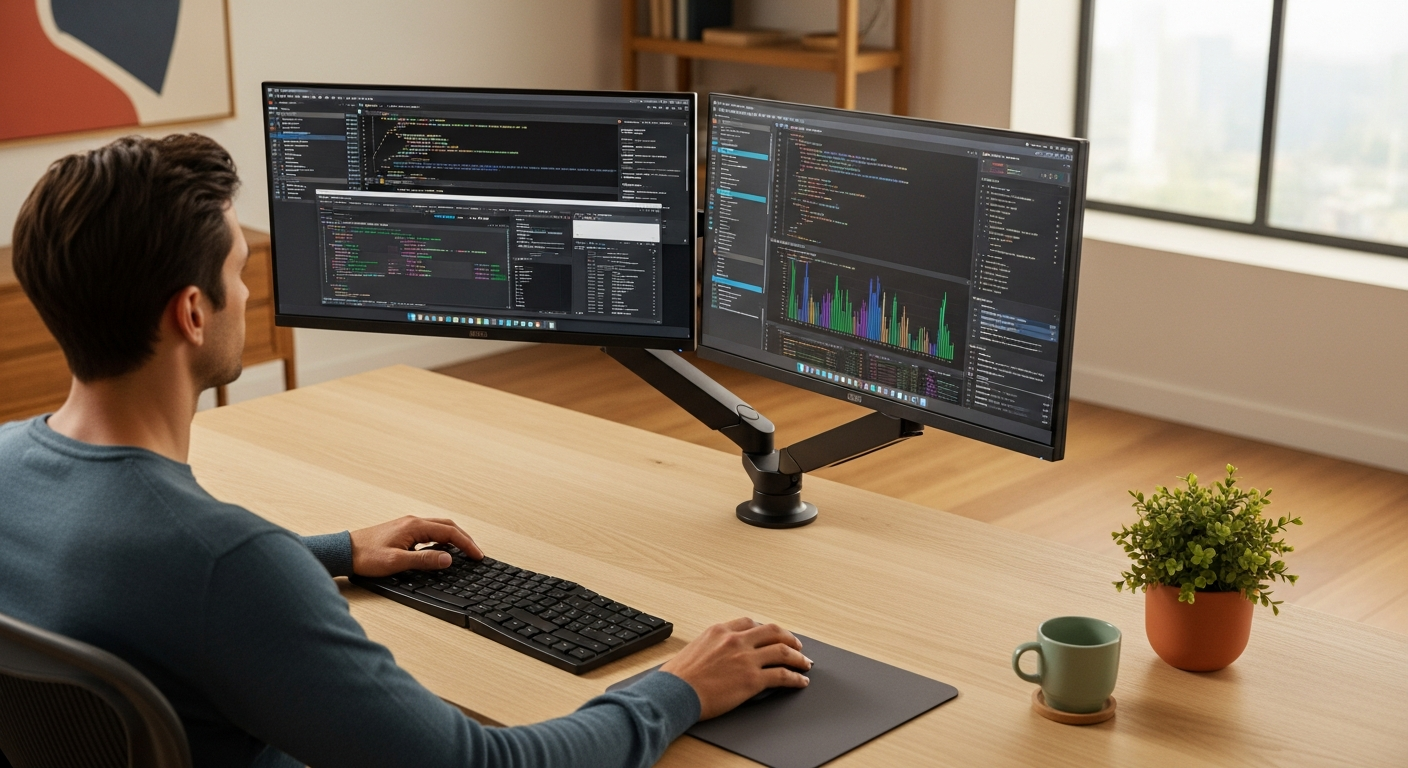
Reclaim Your Desk, Reinvigorate Your Workflow: Discover the Best Ergonomic Monitor Arm for Dual Monitors
Are you a remote professional grappling with a cluttered desk, neck strain, and inefficient screen management? If your dual monitor setup feels more like a burden than a productivity booster, you're not alone. The constant shifting, the inability to find that "sweet spot" for viewing, and the valuable desk real estate devoured by bulky stands can seriously hinder your focus and well-being.
Imagine a workspace where your dual monitors float effortlessly, adjusting to your perfect ergonomic posture at a touch. A space where your desk is clear, your posture is pristine, and your productivity soars. This isn't just a dream; it's the reality a high-quality ergonomic dual monitor arm can deliver. We've meticulously researched and tested the top contenders to bring you the definitive guide to choosing the best ergonomic monitor arm for dual monitors, ensuring you invest in a solution that truly transforms your remote work experience.
>Our Top Picks: Best Ergonomic Dual Monitor Arms for Business Professionals<
For the busy professional, time is money. Here’s a quick overview of our top recommendations, balancing performance, durability, and value.
| Feature | Ergotron LX Dual Stacking Arm | Humanscale M2.1 Dual Monitor Arm | FlexiSpot D7 Dual Monitor Arm | VIVO Dual Monitor Desk Mount (STAND-V002F) |
|---|---|---|---|---|
| Best For | Premium versatility, stacking monitors | >Sleek design, advanced cable management< | Value, quick release, robust build | Budget-conscious, reliable performance |
| Monitor Size Support | Up to 27" each (or 32" side-by-side) | Up to 30" each | 17" to 32" each | 13" to 27" each |
| Weight Capacity (per arm) | 7-20 lbs (3.2-9.1 kg) | 4.5-16 lbs (2-7.3 kg) | 4.4-19.8 lbs (2-9 kg) | 22 lbs (10 kg) |
| Mounting Options | Desk Clamp, Grommet | Desk Clamp, Grommet | Desk Clamp, Grommet | Desk Clamp, Grommet |
| Vertical Adjustment Range | 13 inches (33 cm) | 12 inches (30.5 cm) | 20.5 inches (52 cm) | 17 inches (43 cm) |
| Cable Management | Integrated clips | Advanced, hidden pathways | Built-in channels | Integrated clips |
| Material | Polished Aluminum, Steel | Recycled Aluminum, Steel | Aluminum Alloy, Steel | Steel, Aluminum |
| Price Range (Approx.) | $$$$ (Over $300) | $$$$ (Over $300) | $$$ ($150-$250) | $$ ($50-$100) |
| Key Feature | True stacking capability, superior durability | Minimalist aesthetic, frictionless movement | Effortless height adjustment, USB ports | Cost-effective, sturdy, easy setup |
| View Product | Check Price Amazon — Find the best deals on Amazon |
Check Price FlexiSpot — Check FlexiSpot prices |
Check Price Amazon Associates — Check price on Amazon |
Check Price Monday.com — Start your free Monday.com trial |
In-Depth Reviews: Finding Your Perfect Dual Monitor Arm
>Let's dive deeper into each of our top recommendations, examining their features, benefits, and why they stand out for the discerning remote professional.<

1. Ergotron LX Dual Stacking Arm: The Professional's Powerhouse
Why it's a top pick: The Ergotron LX series is a gold standard in ergonomic office equipment, and their Dual Stacking Arm is no exception. Built with polished aluminum and robust steel, this arm is designed for serious professionals who demand precision, durability, and a clean aesthetic. Its unique stacking capability allows you to position two monitors one above the other, which is invaluable for certain workflows (e.g., coding, data analysis, document review) where vertical screen real estate is paramount. Alternatively, you can easily position them side-by-side if that suits your workflow better.
- Unrivaled Flexibility: Offers 13 inches of vertical adjustment, 360-degree rotation, and extensive tilt and pan capabilities. The constant force technology ensures smooth, effortless adjustments without loosening or tightening knobs.
- Superior Build Quality: Constructed from high-quality materials, the LX arm is designed to last for years, backed by Ergotron's impressive 10-year warranty. It feels substantial and stable, even with two large monitors.
- Space Optimization: Frees up significant desk space by lifting monitors off their bulky stands. The integrated cable management system neatly routes wires, further reducing clutter.
- Ergonomic Benefits: Enables perfect monitor alignment at eye level, significantly reducing neck, shoulder, and eye strain. Crucial for long hours spent in front of screens.
- Monitor Compatibility: Supports two monitors up to 27 inches each (or 32 inches side-by-side if you utilize the full arm reach) with a weight capacity of 7-20 lbs per arm. This covers most standard business monitors.
Ideal for: Professionals needing precise vertical monitor stacking, those with heavier monitors within the specified range, and anyone prioritizing long-term durability and premium build quality. It's an investment that pays dividends in comfort and productivity.
Estimated Price Range: $350 - $450
2. Humanscale M2.1 Dual Monitor Arm: The Minimalist's Choice for Seamless Integration
Why it's a top pick: Humanscale is renowned for its commitment to minimalist design and peak ergonomic performance. The M2.1 Dual Monitor Arm embodies this philosophy perfectly. If your remote workspace aesthetic is as important as its functionality, and you appreciate frictionless, intuitive adjustments, the M2.1 is an outstanding choice. It's designed to complement modern office environments and virtually disappear into your setup while providing superior support.
- Sleek, Ultra-Thin Design: One of the slimmest and most elegant dual monitor arms available. Its sleek profile minimizes visual clutter, making your workspace feel more open and sophisticated.
- Effortless Movement: Utilizes Humanscale's patented spring technology for incredibly smooth and stable movement. Adjusting your monitors feels almost weightless, encouraging frequent posture changes.
- Advanced Cable Management: Features a highly effective, integrated cable management system that hides cords completely within the arm, contributing to its clean aesthetic.
- Sustainable Construction: Made with recycled aluminum and other sustainable materials, aligning with eco-conscious values often held by modern professionals.
- Comprehensive Adjustability: Offers 12 inches of dynamic height adjustment, 360-degree rotation, and excellent tilt and pan, ensuring optimal ergonomic positioning for monitors up to 30 inches and 4.5-16 lbs per arm.
Ideal for: Design-conscious professionals, those who value a clean, uncluttered aesthetic, and users who frequently adjust their monitor positions throughout the day. Its premium feel and effortless operation justify its higher price point.
Estimated Price Range: $380 - $480
3. FlexiSpot D7 Dual Monitor Arm: Best Value with Integrated Features
Why it's a top pick:> FlexiSpot has made a strong name for itself in the ergonomic furniture market by offering high-quality products at competitive prices. The D7 Dual Monitor Arm is an excellent example, providing a robust, highly adjustable solution that integrates thoughtful features often found in more expensive models. It strikes an impressive balance between performance, durability, and affordability, making it a fantastic option for many remote professionals.<
- Generous Adjustment Range: Boasts an impressive 20.5 inches of vertical adjustment, accommodating a wide range of user heights and desk setups, including standing desks.
- Quick Release VESA Plate: Simplifies monitor attachment and detachment, a minor but significant convenience for setup or when swapping monitors.
- Integrated USB Ports: A standout feature often not found at this price point. The base includes two USB 3.0 ports, allowing you to easily connect peripherals or charge devices without reaching for your computer's ports.
- Sturdy & Stable: Constructed from aluminum alloy and steel, the D7 feels very solid and securely holds monitors between 17 and 32 inches, up to 19.8 lbs per arm.
- Effective Cable Management: Built-in cable channels keep your workspace tidy, routing cables along the arm for a cleaner look.
Ideal for: Professionals seeking excellent value, those who need a wide range of height adjustment (especially for standing desks), and users who appreciate the convenience of integrated USB ports. It's a highly functional workhorse that doesn't break the bank.
Estimated Price Range: $160 - $220
4. VIVO Dual Monitor Desk Mount (STAND-V002F): The Reliable Budget Champion
Why it's a top pick: VIVO is a go-to brand for functional, affordable office accessories, and the STAND-V002F dual monitor mount is a testament to their commitment to value. While it lacks some of the premium features and effortless adjustments of higher-end models, it delivers solid performance and significant ergonomic benefits at an unbeatable price point. For remote professionals just starting to optimize their setup or working with a tighter budget, this VIVO mount is an excellent entry point.
- Exceptional Value: One of the most affordable dual monitor arms on the market that still offers good stability and adjustability.
- Sturdy Construction: Made from heavy-duty steel and aluminum, it can securely hold two monitors up to 27 inches and 22 lbs each.
- Good Range of Motion: Offers 17 inches of height adjustment along the center pole, plus tilt, swivel, and rotation for each monitor. While not as fluid as gas spring arms, it gets the job done effectively once adjusted.
- Easy Installation: Comes with clear instructions and all necessary hardware for both C-clamp and grommet mounting options.
- Space-Saving: Just like its more expensive counterparts, it clears valuable desk space by elevating your monitors.
Ideal for: Budget-conscious professionals, students, or anyone looking for a reliable, functional dual monitor arm without needing the absolute smoothest adjustments or premium aesthetics. It’s a significant upgrade from standard monitor stands.
Estimated Price Range: $60 - $90
Choosing the Right Arm for Your Budget and Needs
>Your ideal monitor arm depends heavily on your budget, the specific demands of your remote work, and your personal preferences for aesthetics and functionality.<
Entry-Level (< $100): VIVO Dual Monitor Desk Mount (STAND-V002F)
- Who it's for: Remote workers on a strict budget, students, or those who need basic ergonomic improvement without advanced features. If you set your monitors and rarely adjust them, this is a fantastic value.
- What to expect: Solid construction, good adjustability (though less fluid than gas spring arms), and significant desk space savings. You might need an Allen wrench to adjust tension for movement.
- Considerations: Less dynamic adjustability; not ideal if you frequently change monitor positions throughout the day.
Mid-Range ($100 - $250): FlexiSpot D7 Dual Monitor Arm
- Who it's for: Most remote professionals seeking a balance of features, performance, and value. Excellent for standing desk users due to its extensive vertical range.
- What to expect: Smooth gas spring adjustments, integrated USB ports, quick-release VESA plates, and robust build quality. A noticeable step up in convenience and fluid movement.
- Considerations: While excellent, it doesn't have the ultra-premium aesthetic or the absolute highest weight capacity of top-tier brands.
Premium ($250+): Ergotron LX Dual Stacking Arm & Humanscale M2.1 Dual Monitor Arm
- Who it's for: Discerning professionals who prioritize superior build quality, effortless adjustability, long-term durability, and a refined aesthetic. Ideal for those who view their workspace as a critical investment in their productivity and well-being.
- What to expect: Industry-leading engineering, incredibly smooth and stable adjustments (often with a 10+ year warranty), advanced cable management, and premium materials. The Ergotron excels in heavy-duty support and stacking, while the Humanscale offers unparalleled minimalist design and frictionless movement.
- Considerations: Higher initial investment, but the longevity and superior user experience often justify the cost over many years of use.
Persona Matching: Finding Your Perfect Ergonomic Companion
Let's match these top dual monitor arms to common remote professional profiles:

1. The Data Analyst / Programmer / Content Creator
- Needs: Often requires large screens, precise positioning, and sometimes vertical stacking for code, data, or multiple document views. Long hours demand superior ergonomics.
- Recommendation: Ergotron LX Dual Stacking Arm. Its robust build, exceptional stability, and true stacking capability make it ideal for managing multiple complex windows and ensuring optimal ergonomic alignment during extended sessions. The ability to shift between side-by-side and stacked configurations effortlessly is a huge advantage.
- Why: Handles larger, heavier monitors with ease, offers precise micro-adjustments, and is built to withstand heavy daily use.
2. The Executive / Design Professional
- Needs: A sleek, minimalist workspace is crucial for maintaining focus and a professional image. Demands effortless adjustment without compromising aesthetics.
- Recommendation: Humanscale M2.1 Dual Monitor Arm. Its incredibly slim profile, hidden cable management, and frictionless movement blend seamlessly into a sophisticated office environment.
- Why: It's an ergonomic tool that doubles as a design statement. Adjustments are so fluid they feel intuitive, allowing for quick, unobtrusive changes throughout the day.
3. The Hybrid Worker / Educator / Consultant
- Needs: A versatile setup that accommodates both sitting and standing positions, potentially with integrated connectivity for peripherals. Values strong performance without a premium price tag.
- Recommendation: FlexiSpot D7 Dual Monitor Arm. Its extensive vertical adjustment range is perfect for standing desks, and the integrated USB ports simplify connecting webcams, headsets, or charging devices.
- Why: Offers exceptional value, robust gas spring adjustment, and thoughtful features like USB ports that enhance productivity and convenience for dynamic work styles.
>4. The New Remote Worker / Small Business Owner<
- Needs: A reliable, budget-friendly solution to improve ergonomics and desk organization without a significant upfront investment.
- Recommendation: VIVO Dual Monitor Desk Mount (STAND-V002F). It provides a significant ergonomic upgrade from standard monitor stands at a fraction of the cost of premium options.
- Why: Delivers essential functionality and stability. While adjustments aren't as fluid, it securely holds monitors in place and frees up valuable desk space, making it an excellent starting point for ergonomic optimization.
Implementation Guide: Setting Up Your New Dual Monitor Arm for Success
Installing a dual monitor arm might seem daunting, but with a few simple steps, you can have your ergonomic powerhouse up and running in no time. Follow this guide for a smooth setup and optimal use.
Step 1: Assess Your Desk and Monitors
- Desk Compatibility: Check your desk thickness. Most arms support desks between 0.4" and 3.5" (1-9 cm) for C-clamp mounting. Ensure there's sufficient overhang for the clamp or a grommet hole if you choose that option.
- Monitor Compatibility (VESA): Verify your monitors have VESA mounting holes (75x75mm or 100x100mm). Almost all modern business monitors do.
- Monitor Weight & Size: Confirm your monitors' weight and size fall within the arm's specified limits. This is crucial for stability and proper function.
Step 2: Choose Your Mounting Option (Clamp vs. Grommet)
- C-Clamp: Most common and easiest. Clamps onto the edge of your desk. Ensure your desk edge is sturdy and not too thick or thin.
- Grommet Mount: More stable and cleaner aesthetic, as it mounts through a hole in your desk (often a pre-drilled cable management hole). Requires a hole and access to the underside of the desk.
- Through-Desk Mount: Similar to grommet, but specifically for desks without pre-existing holes, requiring you to drill one. Only attempt if comfortable and confident.
Step 3: Installation Process (General Steps)
- Attach the Base: Securely mount the arm's base to your desk using either the C-clamp or grommet method. Tighten all screws firmly.
- Assemble the Arms: Attach the monitor arms to the base pole or central hub, following the manufacturer's instructions. Some arms come pre-assembled, others require minor assembly.
- Attach VESA Plates to Monitors: If your arm has detachable VESA plates, screw them onto the back of your monitors. Use the correct length screws to avoid damaging the monitor.
- Mount Monitors to Arms: Carefully lift each monitor and slide or click its VESA plate onto the end of the arm. Ensure it locks securely in place. It's often easier with two people for larger monitors.
- Adjust Tension (if applicable): For gas spring arms, you'll need to adjust the tension to match your monitor's weight. Use the included Allen key to turn the adjustment screw (usually found on the arm joint) until the monitor floats effortlessly at any height. Too loose, and it will sag; too tight, and it will spring up.
- Position and Fine-Tune: Adjust the height, tilt, swivel, and rotation of each monitor to your ergonomic sweet spot.
- Height: The top of your monitor screen should be at or slightly below eye level.
- Distance: About an arm's length away.
- Angle: Tilt slightly upwards to reduce glare, and angle monitors inwards if side-by-side for better viewing.
- Cable Management: Route all monitor power and display cables through the integrated cable management channels or clips on the arm. This keeps your workspace tidy and prevents snagging.
Step 4: Ergonomic Best Practices
- Eye Level: Ensure the top third of your screen is at eye level. This prevents neck strain from looking down.
- Arm's Length: Position monitors about an arm's length away to reduce eye strain.
- Neutral Posture: Your head and neck should be balanced and in line with your torso. Shoulders relaxed, elbows close to your body at a 90-100 degree angle.
- Regular Breaks: Even with the best setup, remember the 20-20-20 rule (every 20 minutes, look at something 20 feet away for 20 seconds) and take short stretching breaks.
Ready to Transform Your Remote Workspace?
A cluttered desk, neck pain, and inefficient workflow are no longer acceptable in the demanding world of remote work. Investing in the right ergonomic dual monitor arm is not just a purchase; it's an investment in your health, productivity, and long-term career success.

>Stop settling for a sub-optimal setup. Browse our top recommendations, compare their features, and choose the arm that best aligns with your professional needs and budget. Experience the freedom of a truly ergonomic, organized, and efficient dual monitor workspace.<
Click the button above to explore detailed product pages and current pricing from trusted retailers. Your ideal ergonomic setup is just a click away.
Frequently Asked Questions About Dual Monitor Arms
Q1: Why do I need an ergonomic monitor arm for dual monitors?
A: An ergonomic monitor arm provides unparalleled flexibility to position your screens at the optimal height, distance, and angle for your body, significantly reducing neck, back, and eye strain. For dual monitors, it also frees up valuable desk space, reduces clutter, and allows for dynamic adjustments to suit different tasks, ultimately boosting comfort and productivity during long remote work hours.
Q2: Are all dual monitor arms compatible with my monitors?
A: Most modern monitors use the VESA mounting standard (either 75x75mm or 100x100mm hole patterns on the back). Almost all reputable monitor arms support these standards. However, it's crucial to check two things: 1) your monitor's VESA compatibility and 2) the weight and size limits of the monitor arm. Exceeding these limits can lead to instability or damage.
Q3: What's the difference between a C-clamp and a grommet mount? Which is better?
A: A C-clamp mount attaches to the edge of your desk, requiring no drilling. It's generally easier and quicker to install. A grommet mount passes through a pre-drilled hole in your desk (often an existing cable management hole) or requires you to drill one. Grommet mounts often provide a more stable, flush, and aesthetically cleaner look as the base is less visible. Neither is inherently "better"; the choice depends on your desk type, aesthetic preference, and willingness to drill.
Q4: How do I know if my monitor arm is properly adjusted for ergonomics?
A: The key indicators are:
- Eye Level: The top third of your monitor screen should be at eye level when you sit or stand with good posture.
- Arm's Length: Your monitors should be about an arm's length away from you.
- Neutral Neck: Your neck should be straight, not tilted up or down.
- Relaxed Shoulders: Your shoulders should be relaxed, not hunched.
- No Glare: Adjust tilt and angle to minimize glare from windows or lights.
Q5: Can I use a dual monitor arm with a standing desk?
A: Absolutely, and it's highly recommended! A good dual monitor arm, especially one with a wide vertical adjustment range like the FlexiSpot D7, is essential for a standing desk. It allows you to quickly and smoothly adjust your monitors to the correct ergonomic height whether you're sitting or standing, ensuring consistent comfort and posture throughout your workday.
Q6: How much should I expect to spend on a quality dual monitor arm?
A: The price range for quality dual monitor arms varies significantly based on features, build quality, and brand. You can find reliable entry-level options for $60-$100 (e.g., VIVO). Mid-range, feature-rich arms with gas spring technology typically cost $150-$250 (e.g., FlexiSpot). Premium, heavy-duty, or design-focused arms from brands like Ergotron or Humanscale can range from $300-$500+. Consider it an investment in your long-term health and productivity.
Q7: What is "gas spring" technology in monitor arms?
A: Gas spring (or gas piston) technology uses a compressed gas cylinder inside the arm to counterbalance the weight of your monitor. This allows for incredibly smooth, fluid, and effortless height adjustments with just a touch, without needing to loosen or tighten knobs. It's a premium feature that significantly enhances the user experience compared to mechanical spring or pole-mounted arms.



