Best Ergonomic Office Chairs Under $500
Top reviews for remote work comfort & value.
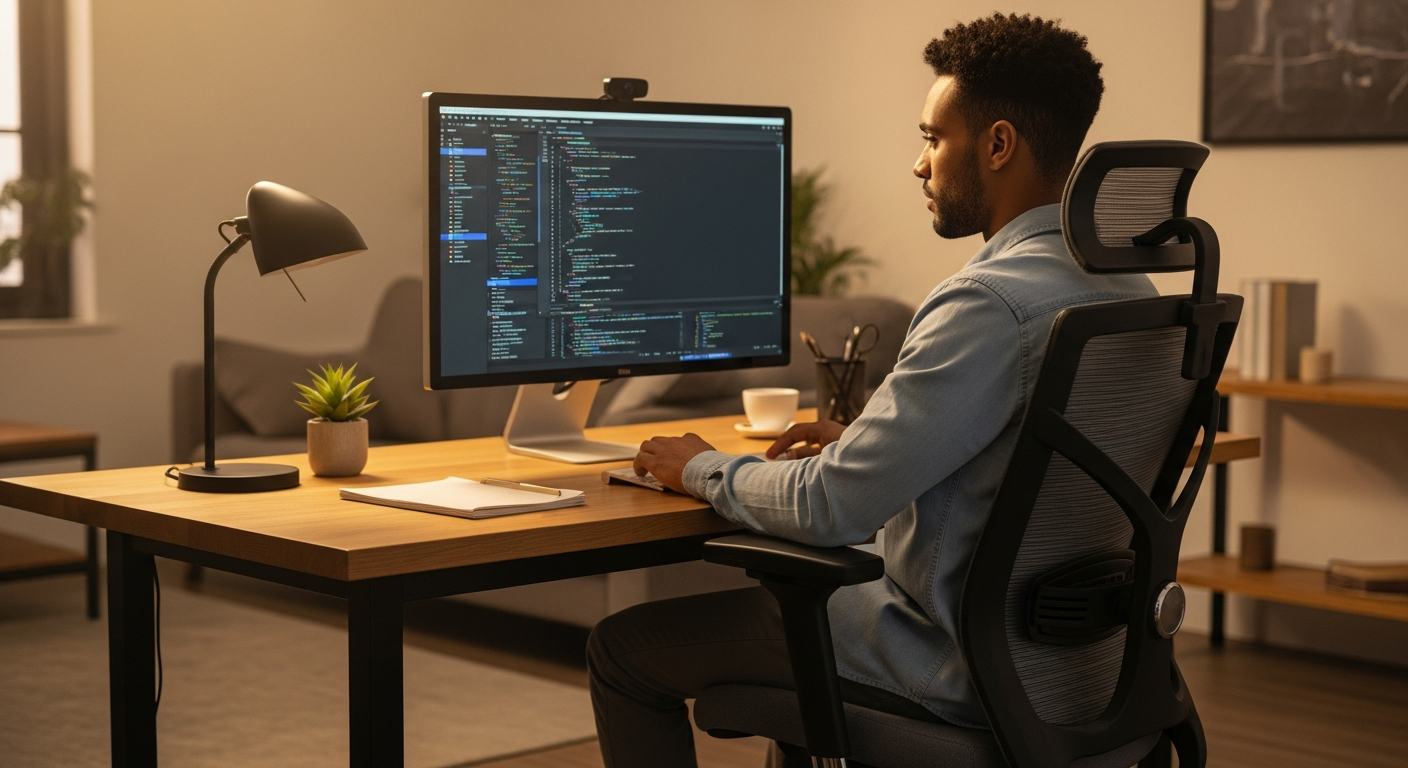
>Compare Ergonomic Office Chairs Under $500: Your Guide to Pain-Free Remote Work<
Are you a remote professional spending 8+ hours a day at your desk, battling back pain, neck stiffness, or general discomfort? You know the toll a subpar office chair takes on your productivity and well-being. Investing in an ergonomic chair isn't a luxury; it's a necessity for sustained performance and health in your home office. But with so many options, finding a truly effective ergonomic chair under $500 can feel like searching for a needle in a haystack.
The good news? It's absolutely possible to find a high-quality, supportive ergonomic office chair that won't break the bank.> We've done the exhaustive research, sifting through countless models, expert reviews, and user testimonials to bring you a definitive comparison of the best ergonomic office chairs under $500. Our goal is to empower you with the knowledge to make an informed decision, ensuring you select a chair that transforms your remote workspace into a hub of comfort and efficiency, without exceeding your budget.<
Say goodbye to midday aches and hello to sustained focus. Let's find your perfect ergonomic companion.
Quick Comparison: Top Ergonomic Office Chairs Under $500
Here’s a snapshot of our top picks, designed to give you an immediate overview of their key features and suitability for different needs. Dive into the detailed reviews below for a deeper understanding.
| Chair Model | Key Feature Highlight | Adjustability | Weight Capacity | Best For | Approx. Price Range | Our Rating | Action |
|---|---|---|---|---|---|---|---|
| SIHOO M57 | Exceptional Lumbar Support & Breathable Mesh | Full (Headrest, Armrests, Lumbar, Tilt) | 330 lbs | All-day comfort, taller users, budget-conscious | $250 - $350 | ★★★★★ | View Details |
| Ticova Ergonomic Office Chair | >Advanced Lumbar Support & Adjustable Headrest< | Comprehensive (Lumbar, Headrest, Armrests, Tilt) | 280 lbs | Targeted back pain relief, users needing precise adjustments | $200 - $300 | ★★★★☆ | View Details |
| Autonomous ErgoChair Core | Robust Build & Balanced Ergonomics | Standard (Height, Tilt, Armrests, Lumbar) | 250 lbs | General ergonomic upgrade, modern aesthetics | $300 - $400 | ★★★★☆ | View Details |
| Hbada Ergonomic Office Recliner Chair | Recline Function & Retractable Footrest | Recline, Height, Armrests, Headrest | 300 lbs | Users who take breaks, power naps, or prefer a recliner | $250 - $350 | ★★★★☆ | View Details |
| Gabrylly Ergonomic Mesh Office Chair | Large Seat & Multi-Adjustable Armrests | Height, Tilt, Armrests (Flip-up), Lumbar | 280 lbs | Larger individuals, those needing flexible armrests | $250 - $350 | ★★★★☆ | View Details |
In-Depth Reviews: Finding Your Perfect Ergonomic Match
Let's dive deeper into each of these contenders. We'll break down what makes them stand out, their strengths, weaknesses, and who they're best suited for, helping you pinpoint the chair that aligns perfectly with your remote work demands.

1. SIHOO M57 Ergonomic Office Chair
The SIHOO M57 consistently ranks as a top performer in the sub-$500 category, and for good reason. It offers an impressive array of ergonomic adjustments usually found in much more expensive chairs, making it a fantastic value proposition for the remote professional.
Key Features & Ergonomics:
- Dynamic Lumbar Support: The M57 features an adjustable lumbar support system that can be moved up and down, as well as in and out, allowing users to precisely target their lower back curve. This is crucial for maintaining a healthy spinal posture throughout long work sessions.
- 3D Armrests: These armrests can be adjusted for height, depth, and pivot, providing optimal support for your forearms and reducing strain on your shoulders and wrists, especially important for extensive typing or mouse work.
- Adjustable Headrest: The headrest can be adjusted for both height and angle, offering vital neck support, particularly beneficial during phone calls or when leaning back to think.
- Breathable Mesh Back & Seat: Both the backrest and seat are constructed from high-quality, breathable mesh. This prevents heat buildup, keeping you cool and comfortable even during long summer days or in warmer climates.
- Multi-Functional Tilt Mechanism: The chair offers a synchronized tilt, allowing you to recline while maintaining good posture. The tilt tension is adjustable, and you can lock the recline at various angles.
- Sturdy Build: With a robust nylon base and high-quality gas lift, the M57 is designed to support users up to 330 lbs, making it suitable for a wider range of body types.
Pros:
- Exceptional adjustability for its price point.
- Superior lumbar support that truly makes a difference.
- Breathable mesh keeps you cool and comfortable.
- High weight capacity and sturdy construction.
- Excellent value for money, often found closer to $250-$300.
Cons:
- Assembly can be a bit time-consuming (around 30-45 minutes).
- Armrests, while adjustable, are made of a harder plastic.
- Aesthetics are functional rather than overtly premium.
Ideal for: Remote professionals seeking comprehensive ergonomic support on a strict budget, those who spend long hours at their desk, and individuals needing robust lumbar and neck support. Taller individuals will also appreciate the generous headrest and backrest height.
Where to Buy:
Amazon — See latest price on Amazon
2. Ticova Ergonomic Office Chair
The Ticova Ergonomic Office Chair has garnered significant attention for its advanced lumbar support system and highly adjustable features, often competing with chairs in a higher price bracket. It's a strong contender for anyone prioritizing targeted back comfort.
Key Features & Ergonomics:
- Pressure-Relieving Lumbar Support: Ticova's standout feature is its adjustable lumbar support, which can be moved up, down, and forward/backward. This allows for precise contouring to your lower back, effectively reducing pressure and promoting a healthy S-curve in your spine.
- 90-Degree Adjustable Armrests: The armrests offer a unique 90-degree flip-up function, allowing you to push the chair completely under your desk when not in use, saving space – a significant advantage for smaller home offices. They also adjust for height.
- Ergonomic Headrest: Features a curved, height, and angle-adjustable headrest designed to support the natural curve of your neck and head, preventing strain during prolonged work.
- W-Shaped Waterfall Seat:> The high-density foam seat is designed with a waterfall edge, which helps to reduce pressure on your thighs and improve circulation, a common issue for desk workers.<
- Reclining Backrest with Lock: The backrest can recline up to 130 degrees and be locked at three different angles, offering flexibility for relaxation or different working postures.
- Durable Construction: Built with a sturdy steel base and BIFMA-certified components, ensuring longevity and supporting users up to 280 lbs.
Pros:
- Excellent, highly adjustable lumbar support for targeted relief.
- Flip-up armrests are great for space-saving and flexibility.
- Comfortable, pressure-relieving seat cushion.
- Solid build quality for its price.
- Good range of recline and lockable positions.
Cons:
- The armrests, while functional, could have more padding.
- Assembly can be a bit tricky for some, though instructions are clear.
- Mesh back is breathable but not as plush as some higher-end models.
Ideal for: Remote professionals experiencing specific lower back pain, those with smaller home office spaces who need to push their chair under the desk, and users who appreciate a firm, supportive seat.
Where to Buy:
FlexiSpot — See FlexiSpot standing desks
3. Autonomous ErgoChair Core (formerly MyoChair)
Autonomous is known for making ergonomic furniture accessible, and the ErgoChair Core (previously known as MyoChair) is their entry-level offering that punches above its weight class. It's a solid, aesthetically pleasing option for those looking for a balanced ergonomic experience.
Key Features & Ergonomics:
- Supportive Mesh Back: The backrest is made from a breathable, supportive mesh that adapts to your spine's natural curve, promoting good posture and airflow.
- Adjustable Lumbar Support: While not as dynamic as some, the ErgoChair Core offers adjustable lumbar support that can be moved up and down to fit your specific back curve.
- Height-Adjustable Armrests: The armrests can be adjusted for height, helping to keep your forearms parallel to your desk and reduce shoulder strain.
- Adjustable Headrest: Provides essential neck and head support, adjustable for height and angle.
- Smooth Recline and Tilt Lock: Features a smooth recline mechanism with adjustable tension and multiple lockable positions, allowing you to lean back comfortably without losing support.
- Durable Construction: Built with a strong nylon frame and a Class 4 hydraulic gas lift, supporting users up to 250 lbs. It feels robust and well-engineered.
- Modern Aesthetic: Unlike some purely functional chairs, the ErgoChair Core has a clean, minimalist design that fits well into a modern home office aesthetic.
Pros:
- Good balance of ergonomic features and affordability.
- Modern, appealing design.
- Solid and durable build quality.
- Comfortable for daily use for most body types.
- Relatively straightforward assembly.
Cons:
- Lumbar support is less dynamic than the SIHOO M57 or Ticova.
- Armrests are only 2D (height adjustable), lacking depth or pivot.
- Seat cushion is dense foam, which some prefer but isn't as breathable as full mesh.
Ideal for: Remote professionals seeking a reliable, aesthetically pleasing ergonomic chair for daily use without specialized pain points, who appreciate a modern design, and are looking for a great all-rounder under $400.
Where to Buy:
Amazon Associates — Check price on Amazon
4. Hbada Ergonomic Office Recliner Chair with Footrest
The Hbada Ergonomic Recliner Chair stands out for its unique blend of ergonomic support and leisure features. If your remote work routine includes short breaks, power naps, or you simply enjoy leaning back to relax during the workday, this chair offers an appealing proposition under $500.
Key Features & Ergonomics:
- Deep Recline (up to 155°): This is the star feature. The chair reclines significantly, allowing you to truly relax, stretch, or even take a quick power nap, which can be invaluable for maintaining energy levels during long remote workdays.
- Retractable Footrest: Complementing the recline, a pull-out footrest transforms the chair into a lounge-like experience. It neatly tucks away when not needed.
- Adjustable Lumbar Support: Features a built-in lumbar support that can be adjusted to provide targeted relief for your lower back.
- Adjustable Headrest: The headrest is both height and angle adjustable, ensuring proper neck support whether you're working upright or reclined.
- Flip-up Armrests: Similar to the Ticova, the armrests can be flipped up, allowing you to slide the chair completely under your desk and save space when not in use.
- Breathable Mesh Back: The backrest is made of a high-density mesh, promoting airflow and preventing heat buildup.
- Robust Construction: Supports up to 300 lbs with a sturdy base and BIFMA-certified gas lift.
Pros:
- Exceptional recline function with integrated footrest for ultimate relaxation.
- Flip-up armrests are excellent for space-saving.
- Good overall ergonomic adjustability for the price.
- Comfortable for both working and taking breaks.
- Stylish design with a sleek profile.
Cons:
- The footrest might not be long enough for very tall individuals.
- Lumbar support is good but not as customizable as some dedicated ergonomic chairs.
- Assembly can be slightly more involved due to the footrest mechanism.
Ideal for: Remote professionals who value the ability to recline and relax during their workday, those with limited space who benefit from flip-up armrests, and individuals who appreciate a chair that doubles as a comfortable spot for short breaks.
Where to Buy:
Monday.com — Start your free Monday.com trial
5. Gabrylly Ergonomic Mesh Office Chair
The Gabrylly Ergonomic Mesh Office Chair has gained popularity for its generous dimensions and highly adjustable features, particularly appealing to larger individuals or those who simply prefer more room. It's designed to offer comprehensive ergonomic support with a focus on breathability.
Key Features & Ergonomics:
- Full Mesh Design (Back, Seat, Headrest): A key differentiator is that not only the back, but also the seat and headrest are made of breathable mesh. This maximizes airflow and prevents any heat or moisture buildup, ensuring comfort even on the hottest days.
- Large Seat and Backrest: The Gabrylly is known for its spacious design, offering a wider and deeper seat, and a taller backrest, accommodating a broader range of body types comfortably.
- 4D Adjustable Armrests: These armrests can be adjusted for height, depth, width, and pivot, offering superior customization to support your arms, wrists, and shoulders in various working postures. This is a premium feature at this price point.
- Adjustable Lumbar Support: The chair includes an adjustable lumbar support that can be moved up and down to align with your natural spinal curve.
- Adjustable Headrest: The headrest can be adjusted for height and angle, providing crucial neck support.
- Tilt and Lock Mechanism: Allows you to recline the chair and lock it in multiple positions for comfort and flexibility.
- Sturdy Build: Supports up to 280 lbs with a robust base and BIFMA-certified components.
Pros:
- Full mesh design provides maximum breathability and comfort.
- Generous seat and backrest dimensions, great for larger individuals.
- Highly adjustable 4D armrests offer superior customization.
- Good overall ergonomic support.
- Durable and stable construction.
Cons:
- The mesh seat, while breathable, might feel too firm for some who prefer a plush foam seat.
- Aesthetics are functional, not as sleek as some minimalist designs.
- Can be slightly more expensive than other options closer to the $350-$450 range.
Ideal for: Remote professionals who are taller or heavier, those who prioritize maximum breathability, users who need highly customizable armrest support, and anyone who prefers a spacious seating experience.
Where to Buy:
Discover Gabrylly on AmazonPricing & Suitability by Segment: Getting the Most for Your Money
While all these chairs fall under the $500 mark, there are nuances in their pricing and the value they offer to different segments of remote professionals. Understanding these distinctions helps you optimize your investment.
The "Under $300" Segment: Maximum Value, Core Ergonomics
In this range, you're primarily looking at the SIHOO M57 and the Ticova Ergonomic Office Chair. These chairs are exceptional for their price, offering robust adjustability that often rivals chairs double their cost. They are ideal for:
- Budget-Conscious Professionals: If your budget is strict but you refuse to compromise on core ergonomic features like adjustable lumbar support, headrest, and decent armrests.
- First-Time Ergonomic Buyers:> An excellent entry point to experience the benefits of a truly adjustable chair without a significant financial commitment.<
- Users with Specific Back Pain: The Ticova, in particular, offers very targeted lumbar support that can be a game-changer for those with lower back issues.
- Students or Part-Time Remote Workers: While designed for full-time use, they offer incredible value for anyone spending significant time at a desk.
The "$300 - $400" Segment: Enhanced Features & Aesthetics
This category brings in the Autonomous ErgoChair Core, Hbada Ergonomic Recliner, and often the Gabrylly Ergonomic Mesh Office Chair when on sale. Here, you start to see more refined designs, additional comfort features, or specialized functions.
- Professionals Seeking a Balanced Approach: The Autonomous ErgoChair Core offers a great blend of ergonomics, aesthetics, and build quality for those who want a reliable, good-looking chair without specialized needs.
- Comfort & Relaxation Seekers: The Hbada Recliner is perfect for those who integrate breaks and relaxation into their workday, or whose work sometimes involves leaning back for calls or contemplation.
- Larger or Taller Individuals: The Gabrylly, with its generous dimensions and full mesh, shines here, providing ample space and breathability.
- Those Prioritizing Aesthetics: The Autonomous chair has a more modern, minimalist design that might appeal to those who care about their home office's visual appeal.
Beyond $400 (Still Under $500): Premium Features on a Budget
While most of our top picks sit comfortably below $400, some configurations or temporary price increases might push them closer to the $450-$500 mark. At this upper end of our budget, you're essentially getting near-premium features without the premium price tag. Look for:
- Advanced Armrest Adjustability: Chairs like the Gabrylly with 4D armrests are a standout feature here.
- Superior Material Quality: While still primarily mesh and nylon, you might find slightly more robust frames or higher-grade mesh.
- Specialized Functions: The integrated footrest and deep recline of the Hbada are examples of unique features that add significant value.
The takeaway: Don't just look at the price tag. Consider what features are most critical for your specific body, work habits, and home office environment. A slightly more expensive chair that perfectly addresses your needs will be a far better investment than a cheaper one that leaves you uncomfortable.
Who Should Use What: Persona Matching for Your Remote Work Style
Choosing the right ergonomic chair isn't a one-size-fits-all decision. Your personal work style, physical needs, and even your body type play a crucial role. Let's match these chairs to common remote professional personas.

Persona 1: The "Productivity Powerhouse" (8+ Hours Daily)
- Description: You spend the majority of your workday glued to your desk, often in deep focus. Sustained comfort and robust support are non-negotiable to prevent fatigue and pain.
- Ideal Chairs:
- SIHOO M57: Its comprehensive adjustability, particularly the dynamic lumbar support and 3D armrests, provides the sustained, customizable support needed for long hours. The breathable mesh is a huge plus.
- Ticova Ergonomic Office Chair: If you have specific lower back concerns, Ticova's advanced lumbar system offers precise relief, allowing you to maintain focus without discomfort.
- Why: Both chairs are built for endurance, offering the granular adjustments necessary to fine-tune your posture and reduce strain over extended periods.
Persona 2: The "Flexible Freelancer" (Varying Workloads & Breaks)
- Description: Your workday might involve intense sprints, but also frequent breaks, client calls, or even moments of leaning back to brainstorm. You need a chair that adapts to different postures.
- Ideal Chairs:
- Hbada Ergonomic Office Recliner Chair: The deep recline and retractable footrest are perfect for seamlessly transitioning from focused work to a quick relaxation break or a thoughtful lean-back during a call.
- Autonomous ErgoChair Core: Offers good all-around comfort and a smooth recline for varied postures, without being overly complex. Its modern aesthetic also fits well into a dynamic home office.
- Why: These chairs offer versatility, allowing you to shift positions and even truly relax, which can boost energy and creativity throughout a varied workday.
Persona 3: The "Larger or Taller Professional" (Need for More Space & Support)
- Description:> Standard chairs often feel too small, leading to discomfort in the hips, shoulders, or neck. You need a chair with generous dimensions and robust construction.<
- Ideal Chair:
- Gabrylly Ergonomic Mesh Office Chair: Its wider seat, taller backrest, and full mesh design make it an excellent choice for larger or taller individuals. The 4D armrests are also beneficial for ensuring proper arm support regardless of shoulder width.
- SIHOO M57: With a 330 lbs weight capacity and relatively generous dimensions, it's a strong contender for heavier users, though the Gabrylly offers more overall spaciousness.
- Why: These chairs prevent the "cramped" feeling, ensuring adequate support and comfort for larger body frames, which is critical for ergonomic effectiveness.
Persona 4: The "Aesthetic-Conscious Minimalist" (Form Meets Function)
- Description: Your home office is a reflection of your professional brand. You want an ergonomic chair that performs well but also blends seamlessly with a modern, clean aesthetic.
- Ideal Chair:
- Autonomous ErgoChair Core: Its sleek lines, minimalist design, and choice of colors make it a top pick for those who value aesthetics as much as ergonomics.
- Hbada Ergonomic Office Recliner Chair: While offering more features, its overall design is still quite modern and less "clunky" than some other highly adjustable chairs.
- Why: These chairs prove that you don't have to sacrifice style for support, offering a professional look that enhances your workspace.
Persona 5: The "Budget Maximizer" (Best Bang for Your Buck)
- Description: You're shrewd with your spending and want the absolute best ergonomic features possible without exceeding a strict budget. You prioritize function over brand name.
- Ideal Chairs:
- SIHOO M57: Consistently praised for delivering premium features at a mid-range price, offering incredible value.
- Ticova Ergonomic Office Chair: Another strong contender for value, especially if targeted lumbar support is your highest priority.
- Why: These chairs demonstrate that significant ergonomic benefits are attainable under $300, making them smart choices for savvy shoppers.
Implementation Guide: Setting Up Your Ergonomic Chair for Optimal Performance
Buying an ergonomic chair is only half the battle. Proper setup is crucial to unlock its full potential and truly benefit your posture and productivity. Follow these steps to maximize your new chair's effectiveness:
Step 1: Proper Assembly (Don't Rush It!)
- Read the Manual: Seriously. Each chair has unique assembly instructions. Follow them meticulously to ensure all parts are correctly installed and the chair is stable.
- >Gather Tools:< Most chairs come with the necessary Allen wrenches. Have a clear, spacious area to work.
- Check All Connections: After assembly, double-check that all screws are tightened and connections are secure. A wobbly chair isn't a safe or ergonomic chair.
Step 2: Adjusting for Your Body (The Ergonomic Sweet Spot)
This is where the magic happens. Take your time to fine-tune each adjustment. The goal is to achieve a neutral posture where your joints are stacked, and your muscles are relaxed.
- Chair Height:
- Sit with your feet flat on the floor, or on a footrest if necessary.
- Your knees should be at roughly a 90-degree angle, with your hips slightly higher than your knees.
- Your forearms should be parallel to the floor when resting on your desk.
- Backrest Angle & Lumbar Support:
- Lean back so your lower back is fully supported by the chair's lumbar curve.
- Adjust the lumbar support (height and depth) so it fits snugly into the natural curve of your lower back. You should feel gentle, firm pressure.
- For the backrest angle, start with an upright position (around 90-100 degrees) for focused work, and use the recline for breaks or varied postures.
- Armrest Height & Position:
- Adjust armrests so your arms gently rest on them, keeping your shoulders relaxed and elbows at approximately a 90-degree angle.
- They should support your forearms without shrugging your shoulders.
- If your chair has 3D or 4D armrests, adjust depth and pivot to support your arms comfortably while typing or mousing.
- Headrest Height & Angle:
- Adjust the headrest so it supports the natural curve of your neck, not pushing your head forward.
- It should be comfortable when leaning back, providing support without strain.
- Seat Depth (if applicable):
- Ensure there are 2-4 fingers' width between the edge of the seat and the back of your knees. This prevents pressure on your circulation.
- Tilt Tension:
- Adjust the tension knob so the chair reclines smoothly and supports your weight, but doesn't throw you back too quickly.
Step 3: Integrate with Your Workspace
- Desk Height: Your desk height should complement your chair. If your desk isn't adjustable, ensure your chair height allows your forearms to be parallel to the floor.
- Monitor Position: The top of your monitor screen should be at or slightly below eye level, about an arm's length away. This prevents neck strain.
- Keyboard & Mouse: Keep them close to your body to avoid reaching, which can strain shoulders and wrists.
- Footrest: If your feet don't sit flat on the floor after adjusting your chair height, invest in a good ergonomic footrest.
Step 4: Practice Dynamic Sitting
Even the best ergonomic chair isn't meant for static sitting. Move regularly!
- Change Postures: Utilize the recline, shift in your seat, and use different armrest positions throughout the day.
- Take Breaks: Every 30-60 minutes, stand up, stretch, walk around for a few minutes. This improves circulation and reduces muscle fatigue.
- Listen to Your Body: If you feel discomfort, re-evaluate your adjustments. Small tweaks can make a big difference.
By diligently following this guide, you'll not only have a fantastic ergonomic chair but also the knowledge to use it effectively, transforming your remote work experience.
Ready to Transform Your Remote Workspace?
Don't let discomfort dictate your productivity or jeopardize your long-term health. Investing in a quality ergonomic office chair under $500 is one of the smartest decisions you can make as a remote professional. You deserve a workspace that supports your well-being and fuels your success.

We've presented you with the best options, detailed their features, and matched them to your potential needs. Now it's time to take action.
Revisit Our Top Picks Comparison Table Shop SIHOO M57 - Our Top Value Pick!
Clicking the links above will take you directly to the product pages on our trusted retail partners, where you can view current pricing and make your purchase securely.
Still undecided? Explore the detailed reviews one more time to confirm your choice. Your back will thank you!



