Best RPA vs AI Agents for SAP: Which Fits Your Needs? (2026)
Struggling with SAP automation? Compare 7 top RPA tools and AI agent platforms. Find the perfect fit for your budget & team. See our picks →
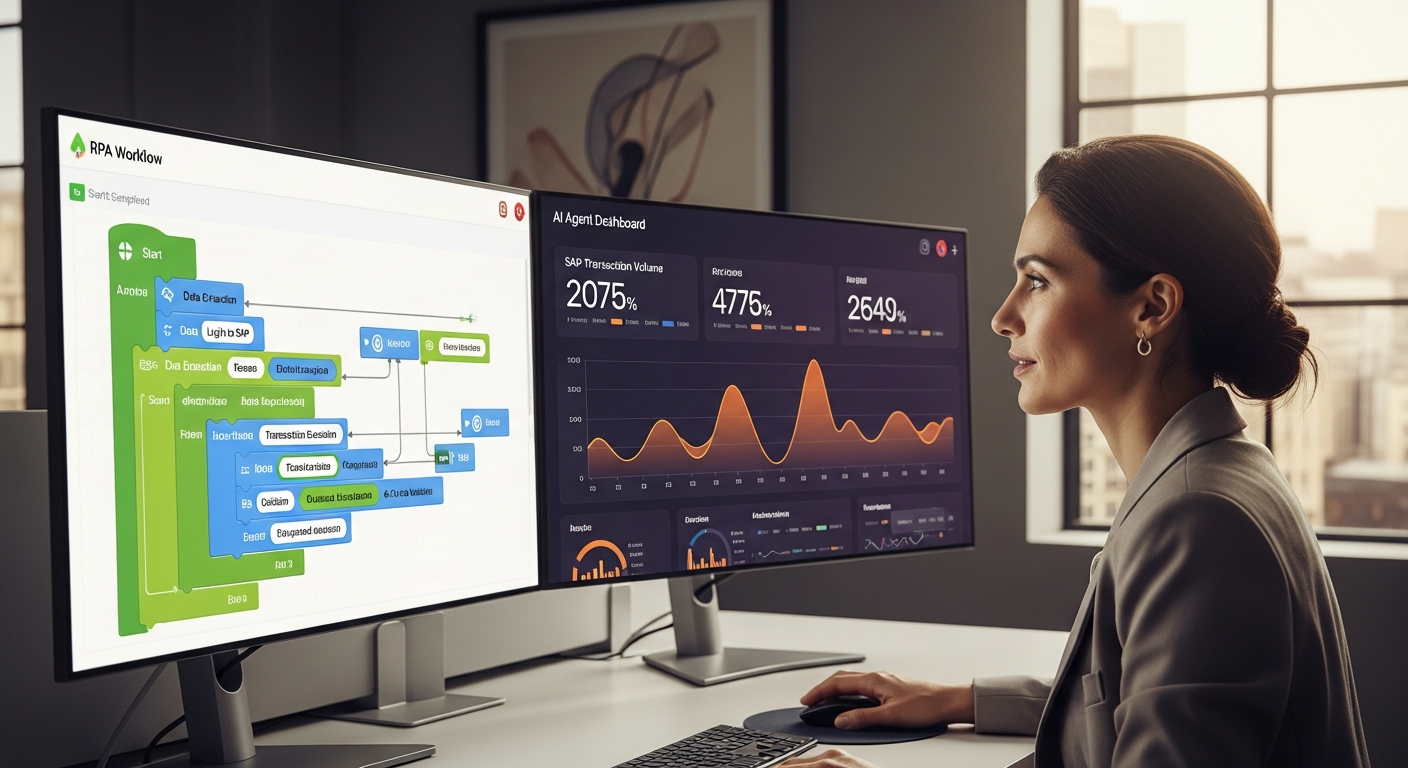
>>Trying to automate SAP can feel like a high-stakes gamble. As a process owner, you're always looking for ways to boost efficiency, cut costs, and free your teams from soul-crushing manual tasks. But when you're choosing between Robotic Process Automation (RPA) and newer AI Agent <platforms, the right path isn't always obvious. This article cuts through the noise. It's a definitive guide to the <best RPA tools for SAP vs AI Agent platforms, helping you figure out which solution truly fits your organization's unique needs in 2026.
Honestly, I've seen firsthand how easily companies can misstep. They invest heavily in the "wrong" technology for their specific SAP environment. My goal here is to give you the strategic insights you need to make an informed decision. We'll focus on measurable improvements, change management, and stakeholder buy-in, not just technical specs. The "best" tool isn't a universal truth; it's a strategic alignment with your operational realities.
>Quick Comparison Matrix: RPA Tools vs. AI Agents for SAP (2026)<
Before we dive deep, here's a quick overview to get you oriented. This matrix provides a snapshot of the leading contenders across both RPA and AI Agent categories. It allows for quick comparisons based on common process owner priorities.
| Tool Name | Type | Best For (Scenario) | Key SAP Integration Features | Scalability | Ease of Use | Pricing Tier | Unique Selling Proposition |
|---|---|---|---|---|---|---|---|
| UiPath StudioX | RPA | Beginners / Small Teams, Quick Wins on Simple SAP Tasks | SAP BAPI/RFC Connectors, UI Automation for Fiori/GUI | Moderate (Desktop-focused) | High (Low-code) | Budget/Mid | >Empowers business users with intuitive design for repetitive tasks.< |
| Microsoft Power Automate Desktop | RPA | Budget-conscious Teams, Microsoft Ecosystem Users | UI Automation, Data Connectors (limited direct SAP) | Moderate | High (No-code) | Free (Desktop) / Mid (Cloud) | Seamless integration with Microsoft 365, excellent free tier. |
| UiPath Enterprise Platform | RPA | Large Enterprises, Complex & High-Volume SAP Flows | Deep SAP BAPI/RFC, Fiori/GUI, Process Mining, AI Fabric Integration | High (Orchestrator-driven) | Moderate (Pro-code/Low-code) | Premium | End-to-end automation platform with robust governance and AI. |
| Automation Anywhere Enterprise A360 | RPA | Large Enterprises, Cloud-Native SAP Automation | Cloud-native SAP connectors, IQ Bot (IDP), Bot Insight analytics | High (Cloud-native) | Moderate (Low-code) | Premium | Cloud-first RPA with strong embedded AI for document processing. |
| Blue Prism Cloud | RPA | Regulated Industries, Secure & Scalable SAP Operations | Secure SAP connectivity, robust control room, operational resilience | High | Moderate (Visual design) | Premium | Enterprise-grade security, scalability, and control for critical processes. |
| Robocorp | RPA | Developers, Open-Source Advocates, Cost-Effective Scale | Python-based SAP libraries (customizable) | High (Cloud Orchestration) | Low (Code-heavy) | Budget (Consumption-based) | Open-source core, pay-per-use model, ideal for technical teams. |
| SAP Build Process Automation | Hybrid (RPA + Low-code + AI) | SAP-centric Enterprises, Integrated Business Process Orchestration | Native SAP integration, Workflow, Decision Management, AI/ML Services | High | High (Low-code) | Premium | Deepest native SAP integration, consolidates automation within SAP BTP. |
| IBM watsonx Orchestrate (AI Agent Platform) | AI Agent | Augmenting Knowledge Workers, Complex Decision Support, SAP Integration via APIs | API-based integration to SAP (e.g., S/4HANA APIs) | High | Moderate (Configuration) | Premium | Conversational AI agents for task execution across multiple systems. |
| Laiye Automation Platform (with IDP) | RPA + AI Agent | China Market Focus, IDP for Unstructured SAP Data, Intelligent Automation | SAP GUI/Fiori automation, IDP for invoices/receipts | High | Moderate | Mid/Premium | Strong AI capabilities, particularly for intelligent document processing. |
Stop Wasting Time: RPA vs. AI Agents for SAP Automation
Let's be blunt: if your teams are still manually re-entering data into SAP, reconciling discrepancies across spreadsheets, or slogging through repetitive report generation, you're not just wasting time – you're hemorrhaging money and talent. The gnawing pain of inefficient SAP processes is a universal truth for process owners. And in the quest for relief, the sheer volume of automation solutions can be overwhelming. Is RPA the answer? Or should you leapfrog to AI Agents?

At its core, the difference between RPA and AI Agents in the context of SAP boils down to their operational intelligence. RPA bots are digital assistants, executing rule-based, pre-defined tasks with unwavering precision. Think of them as hyper-efficient, tireless employees following a script. AI Agents, on the other hand, are more like intelligent colleagues. They can understand context, learn from data, make decisions, and even adapt to changing circumstances. Often, they interact with SAP via APIs or through more sophisticated, context-aware interfaces.
My experience tells me that "best" is entirely subjective here. The optimal choice hinges on your specific SAP environment, the complexity of the tasks you aim to automate, your budget, and perhaps most critically, your organization's appetite for change. This article will guide you through scenario-based comparisons, ensuring you pick the right tool for your specific situation, not just the loudest marketing message.
Why Your Automation Choice Depends on YOUR SAP Situation
A common pitfall I observe is organizations chasing the latest buzzword rather than solving their actual problems. When it comes to SAP automation, your decision between RPA and AI Agents needs to be deeply rooted in your current operational reality. Here's what I consider critical factors:
- Complexity of SAP Tasks:> Are you automating simple, repetitive data entry in SAP GUI (e.g., creating sales orders, posting invoices)? Or are you looking to automate complex, multi-system processes involving unstructured data, natural language understanding, or dynamic decision-making?<
- Existing Infrastructure & Tech Stack:> How modern is your SAP landscape (ECC vs. S/4HANA)? What other systems need to integrate? Do you have a cloud-first strategy, or are you heavily on-premise?<
- Budget & Resource Availability:> What can you realistically spend on licenses, implementation, and ongoing maintenance? Do you have internal IT resources with automation expertise, or will you rely on external consultants?<
- Team Skill Set: Does your team have developers capable of writing Python scripts, or do you need low-code/no-code platforms that business users can manage?
- Desired Level of Intelligence & Adaptability: Do you simply need to execute tasks faster, or do you require systems that can learn, predict, and handle exceptions autonomously?
- Change Management Capacity: How ready is your organization to embrace new ways of working? Implementing AI Agents often requires more significant shifts in processes and roles compared to RPA.
To put it succinctly: RPA excels at "doing." It's about automating rule-based, repetitive, high-volume tasks that mimic human interaction with SAP's user interface or its underlying APIs. Think of invoice processing, master data updates, or report generation. AI Agents, however, are about "thinking" and "doing." They use cognitive capabilities like natural language processing (NLP), machine learning (ML), and computer vision to understand, interpret, and make decisions. They often orchestrate multiple systems including SAP. This could involve intelligent document processing (IDP) for complex invoice approvals or conversational AI agents helping users navigate SAP transactions.
The "right tool for the job" isn't a cliché; it's sound strategy. Let's break down the best options for different scenarios.
Best for Beginners / Small Teams: Quick Wins & Easy Adoption
For teams just dipping their toes into the automation waters, or smaller organizations with limited IT support, the priority is often rapid deployment, ease of use, and a clear, fast ROI on simple, repetitive SAP tasks. You need tools that empower business users, not just developers, and offer low-code/no-code capabilities. Here are my top recommendations:

1. UiPath StudioX
- Best for: Business users and citizen developers looking to automate personal or departmental SAP tasks without extensive coding. Ideal for quick wins.
- Key Features: Drag-and-drop interface, pre-built activities for common applications (including SAP GUI), record-and-playback for UI automation, integration with Microsoft Office. It directly supports SAP GUI and Fiori automation, making it a great entry point for simple transaction processing.
- Pros: Extremely user-friendly, excellent learning resources, good community support, strong integration with the broader UiPath platform for future scaling. My team found it surprisingly effective for automating simple SAP data verification tasks in under a week.
- Cons: Primarily desktop-focused. It's less suitable for complex, enterprise-wide unattended processes without moving to the full Studio/Orchestrator.
- Approximate Pricing Tier: Budget/Mid. A free Community Edition is available for personal use, with paid licenses for StudioX starting around $1,000-$2,000 per user/year for commercial use (often bundled).
2. Microsoft Power Automate Desktop
- Best for: Teams heavily invested in the Microsoft ecosystem (Microsoft 365, Azure), needing free desktop automation, or looking for a stepping stone to cloud-based flows.
- Key Features: Free for Windows 10/11 users, intuitive visual designer, hundreds of pre-built connectors (though direct SAP connectors are more advanced in the cloud version), UI automation for SAP GUI.
- Pros: Unbeatable price (free for desktop use), seamless integration with other Microsoft products, easy to learn for anyone familiar with Excel macros. I've personally used this for automating simple SAP report downloads and email distribution.
- Cons: Desktop-bound for the free version. Scaling to unattended or enterprise-level SAP automation requires the paid cloud version, which can escalate costs. Direct SAP integration is primarily UI-based or via generic HTTP connectors unless you upgrade.
- Approximate Pricing Tier: Free (Desktop) / Mid (Cloud). The desktop version is free; cloud flows with premium connectors (including SAP) start from $15/user/month or $500/bot/month.
3. Laiye Automation Platform (RPA + entry-level AI)
- Best for: Small to medium businesses looking for a more integrated solution that combines RPA with some basic AI capabilities, especially for document processing. Strong in Asian markets.
- Key Features: RPA Designer (low-code), AI-powered IDP (Intelligent Document Processing) for invoices/receipts, chatbots. Their SAP GUI automation is robust.
- Pros: Good balance of RPA and AI features in a single platform, competitive pricing, particularly strong for handling unstructured data within SAP processes.
- Cons: Less brand recognition in Western markets. The community and support might be smaller outside of Asia.
- Approximate Pricing Tier: Mid. Often starts with a per-bot license model, competitive with other mid-tier RPA vendors.
Best for Power Users / Large Enterprises: Scalability & Complex SAP Flows
Amazon —
See top-rated resources on Amazon
Amazon — See top-rated resources on Amazon
Large organizations with complex, high-volume SAP processes demand enterprise-grade solutions. Here, scalability, strong governance, advanced analytics, and deep, secure SAP integration are paramount. These platforms are designed for dedicated automation teams and offer a comprehensive suite of tools.
1. UiPath Enterprise Platform
- Best for: Organizations requiring an end-to-end automation platform, from process discovery to scaling thousands of bots, with deep integration into SAP and AI capabilities.
- Key Features: UiPath Studio (pro-code/low-code), Orchestrator for centralized bot management and scheduling, AI Fabric for integrating ML models, Process Mining (from acquisition of ProcessGold and Explorer), Test Suite. Native SAP BAPI/RFC connectors are a game-changer for stability.
- Pros: Market leader, comprehensive feature set, strong partner ecosystem, excellent scalability, and a clear roadmap for AI integration. I've personally overseen deployments of UiPath automating complex procure-to-pay processes across multiple SAP instances, achieving 90%+ automation rates.
- Cons: Can be expensive. It requires significant upfront planning and skilled resources for optimal deployment. The learning curve for advanced features can be steep.
- Approximate Pricing Tier: Premium. Licenses are typically per bot (attended/unattended), per user, and for Orchestrator/AI Fabric. Expect six-figure investments for enterprise-wide deployments.
2. Automation Anywhere Enterprise A360
- Best for: Enterprises prioritizing a cloud-native RPA platform with embedded AI for intelligent document processing and powerful analytics.
- Key Features: Cloud-native architecture, Bot Creator (web-based development), Control Room (web-based orchestration), IQ Bot for intelligent document processing (a key differentiator for SAP invoice automation), Bot Insight for advanced analytics. Offers dedicated SAP connectors.
- Pros: Strong cloud focus, excellent IDP capabilities (IQ Bot is genuinely impressive for handling varied SAP-related documents), good analytics for process visibility.
- Cons: Can be resource-intensive. Pricing can be complex, and some users report performance variability depending on cloud region.
- Approximate Pricing Tier: Premium. Similar enterprise-level pricing to UiPath, often starting with bot licenses and additional modules.
3. Blue Prism Cloud
- Best for: Highly regulated industries (finance, pharma) and organizations where security, governance, and operational resilience are non-negotiable for SAP automation.
- Key Features: Robust Control Room for centralized management, secure credential management, strong audit trails, object-oriented approach to bot development, cloud-native managed service. Offers a good set of SAP accelerators.
- Pros: Unparalleled focus on security and governance, highly scalable, excellent for mission-critical SAP processes where errors are costly. Their architecture is designed for operational stability.
- Cons: Development can feel more structured and less 'low-code' than competitors, potentially requiring more technical expertise. The interface can feel less modern to some.
- Approximate Pricing Tier: Premium. Often positioned at the higher end, reflecting its enterprise-grade capabilities and managed service offering.
>Best on a Budget: Affordable SAP Automation Under $X/Month<
Tight budgets shouldn't stop automation. Many businesses need to achieve significant efficiency gains without breaking the bank. Here, we look at cost-effective solutions, including free tiers and open-source options, that can still deliver value for SAP automation.

1. Microsoft Power Automate Desktop (Free Tier)
- Best for: Individuals or small teams who need to automate personal or simple departmental SAP tasks and are already in the Microsoft ecosystem.
- How it keeps costs down: It's completely free for desktop use on Windows 10/11. This means you can automate tasks on your local machine without any license fees.
- Core Features: UI automation for SAP GUI, integration with local applications and files, basic logic and loops.
- Limitations: No unattended execution (requires a user to be logged in), no centralized orchestration or management, limited direct SAP API integration without premium connectors.
- Pros: Zero cost of entry, easy to learn, great for personal productivity boosts.
- Cons: Not scalable for enterprise needs, limited governance, primarily UI-based automation for SAP.
- Clear Pricing Structure: Free for desktop personal use.
2. Robocorp
- Best for: Technical teams (developers, Python enthusiasts) seeking a flexible, open-source RPA framework with a consumption-based cloud orchestration model.
- How it keeps costs down: Open-source core means no license fees for the bot framework itself. You only pay for the cloud orchestration (Control Room) based on actual bot run-time.
- Core Features: Python-based automation framework (Robot Framework), cloud-based orchestration, parallel execution, enterprise-grade security. Developers can build custom SAP integrations using Python libraries.
- Limitations: Requires coding skills (Python), higher learning curve for non-developers, less "out-of-the-box" for SAP than commercial tools.
- Pros: Highly flexible, powerful for complex logic, cost-effective for scaled execution, strong developer community. I've seen teams build incredibly robust SAP automations with Robocorp, especially for data migration and validation.
- Cons: Not suitable for citizen developers. It requires internal Python expertise.
- Clear Pricing Structure: Free for local development. Cloud Control Room pricing is consumption-based, typically starting at $0.0003/second for bot execution, with volume discounts.
3. UiPath Community Edition (for learning/small projects)
- Best for: Individuals learning RPA, small proof-of-concept projects, or very small non-commercial deployments for SAP.
- How it keeps costs down: Free to use for individuals and small organizations (under 250 employees and $5M annual revenue) for non-production purposes.
- Core Features: Access to UiPath Studio, Orchestrator (Community Cloud), and basic automation activities including SAP GUI.
- Limitations: Limited to specific use cases and organizational size, not for enterprise production environments, limited support.
- Pros: Full-featured platform for learning, access to a vast community and resources.
- Cons: Not a long-term enterprise solution.
- Clear Pricing Structure: Free under specific terms.
Best Premium Option: When Paying More Actually Works for SAP
For some organizations, the cost of manual errors in SAP, lost productivity, or missed business opportunities far outweighs a premium price tag. These solutions offer unparalleled performance, advanced AI capabilities, deep native SAP connectors, superior support, and highly specialized features that justify the investment.
1. SAP Build Process Automation
- Best for: SAP-centric enterprises running S/4HANA or ECC, seeking a deeply integrated, future-proof automation platform within the SAP Business Technology Platform (BTP).
- Unique Value Proposition: This isn't just an RPA tool; it's a holistic process automation suite. It combines RPA, low-code workflow management, decision management, and AI services (like Document Information Extraction) directly within the SAP ecosystem. It uses native SAP APIs and services, offering unparalleled stability and future compatibility. Think of it as automation "from within" SAP.
- Why it justifies the higher cost:
- Native Integration: Unmatched, stable integration with SAP S/4HANA and other SAP applications via BTP. This means fewer broken bots due to UI changes.
- Holistic Approach: Combines RPA with business process management (BPM) and workflow, allowing for end-to-end process orchestration, not just task automation.
- AI/ML Services: Uses SAP's own AI capabilities for intelligent document processing, sentiment analysis, and predictive insights directly within your SAP processes.
- Future-Proofing: As an SAP product, it's designed to evolve with S/4HANA and other SAP innovations.
- Reduced TCO (Total Cost of Ownership): While the initial license might be higher, the reduced maintenance overhead, fewer integration issues, and direct support from SAP can lead to lower total cost over time.
- Ideal Use Cases: Automating complex order-to-cash, procure-to-pay, or record-to-report cycles that span multiple SAP modules and involve human decision points. Intelligent invoice processing, automated master data governance workflows, and predictive maintenance processes are strong candidates.
- Pros: Deepest, most stable SAP integration; comprehensive low-code platform; strong governance; integrates human-in-the-loop workflows seamlessly.
- Cons: Primarily for SAP-centric environments. It has a higher entry cost. It can be overkill for simple, non-SAP related tasks.
2. IBM watsonx Orchestrate (AI Agent Platform)
- Best for: Organizations looking to empower knowledge workers with conversational AI agents that can understand requests, make decisions, and execute tasks across SAP and other enterprise systems.
- Unique Value Proposition: This is a true AI Agent platform, not just an RPA tool. It allows users to interact with a digital assistant (AI Agent) via natural language to perform complex tasks that might involve multiple steps, systems (including SAP via APIs), and conditional logic. It focuses on augmenting human intelligence rather than just replacing repetitive tasks.
- Why it justifies the higher cost:
- Cognitive Automation: Goes beyond rules to understand intent, context, and make dynamic decisions.
- Human-like Interaction: Conversational interface makes it highly accessible for business users to initiate and manage complex SAP processes without knowing specific transaction codes.
- Cross-System Orchestration: Can orchestrate tasks across SAP, Salesforce, ServiceNow, and other applications, acting as a "universal translator" for enterprise systems.
- Continuous Learning: AI models improve over time with more interactions and data.
- Enhanced User Experience: Transforms how employees interact with complex enterprise applications, reducing training time and improving productivity.
- Ideal Use Cases: Self-service HR tasks for SAP (e.g., "What's my PTO balance?" followed by "Submit a leave request for next week"), IT service desk automation involving SAP user unlocks or password resets, or sales teams quickly generating SAP reports or order statuses via natural language queries.
- Pros: True AI-driven decision making, natural language interface, strong for knowledge worker augmentation, broad system integration.
- Cons: Requires robust API strategy for SAP integration. It has higher complexity in initial setup and training of AI models. It's not for simple UI automation.
FAQs: Your Top Questions on SAP Automation Answered
1. Can RPA and AI agents work together for SAP?
Absolutely, and this is often the optimal strategy for comprehensive SAP automation. RPA can handle the highly repetitive, rule-based tasks (e.g., data entry into SAP GUI), while AI agents can manage the more cognitive aspects like understanding unstructured documents, making complex decisions, or orchestrating multi-step processes involving human interaction. For example, an AI agent could interpret an email request for a new vendor, extract key data, and then trigger an RPA bot to create the vendor master record in SAP. This hybrid approach uses the strengths of both technologies.
2. How long does it take to implement RPA/AI for SAP?
Implementation timelines vary significantly. For simple RPA bots automating a single SAP transaction, you could see deployment in as little as 2-4 weeks. More complex RPA automations (e.g., end-to-end procure-to-pay) might take 3-6 months. AI agent platforms, especially those involving machine learning model training or complex natural language understanding, typically require longer, often 6-12 months for initial significant deployments. This is due to data preparation, model training, and integration complexity. Pilot projects are crucial for both.
3. What are the security implications of using these tools with sensitive SAP data?
Security is paramount. Both RPA and AI agent platforms must adhere to strict enterprise security protocols. Key considerations include:
- Credential Management: Securely storing and accessing SAP credentials (e.g., using enterprise vaults like CyberArk or platform-native credential stores).
- Access Control: Bots should have the least privilege necessary to perform their tasks, similar to human users.
- Audit Trails: Comprehensive logging of all bot activities and interactions with SAP is essential for compliance and troubleshooting.
- Data Encryption: Ensuring data is encrypted both in transit and at rest.
- Compliance: Adherence to industry-specific regulations (e.g., GDPR, HIPAA, SOX). Premium platforms like Blue Prism and UiPath offer robust security features designed for enterprise environments.
4. Do I need coding skills to use these tools?
It depends on the tool and your ambition. Many RPA tools, especially those targeting citizen developers (e.g., UiPath StudioX, Power Automate Desktop), offer low-code/no-code interfaces that allow business users to build automations with minimal or no coding. However, for complex scenarios, custom integrations, or advanced exception handling, some coding (e.g., Python, C#) is often required or highly beneficial. AI agent platforms usually require more technical expertise for initial setup and training, but end-user interaction is typically natural language-based.
5. How do I measure the ROI of SAP automation?
Measuring ROI is critical for justifying investment and gaining stakeholder buy-in. I advise focusing on both tangible and intangible benefits:
- Tangible:
- Cost Savings: Reduced labor costs (FTE reallocation, not necessarily reduction), lower error rates, reduced infrastructure costs.
- Throughput Increase: Faster processing times, higher transaction volumes.
- Compliance Savings: Reduced audit costs, fewer fines due to improved accuracy.
- Intangible:
- Improved Employee Morale: Liberating employees from repetitive work.
- Enhanced Customer Satisfaction: Faster service delivery, fewer errors.
- Better Data Quality: More accurate SAP data leading to better decision-making.
- Faster Time-to-Market: Expedited business processes.
6. What's the role of change management in adopting these solutions?
Change management is absolutely critical, often more so than the technology itself. Without proper communication, training, and stakeholder engagement, even the most powerful automation tools can fail. Process owners must:
- Communicate Clearly: Explain the 'why' behind automation – it's about augmenting human capability, not replacing jobs.
- Engage Stakeholders: Involve end-users and departmental heads from the start.
- Provide Training: Equip employees with the skills to work alongside bots or manage automated processes.
- Manage Expectations: Automation is a journey, not a one-time project.
Making the Smart Choice: Your SAP Automation Journey Starts Here
Choosing between the best RPA tools for SAP vs AI Agent platforms isn't about finding a single "winner." It's about strategic alignment. The "best" tool is unequivocally the one that aligns most precisely with your specific SAP automation goals, your available budget, your team's existing capabilities, and your organization's readiness for change.
My recommendation? Start small. Identify high-impact, low-complexity SAP processes as pilot projects. Prove the ROI, build internal expertise, and foster a culture of automation. Whether you begin with a simple UiPath StudioX bot to automate a daily report or explore the free tier of Microsoft Power Automate Desktop for a personal productivity boost, the journey begins with a single, well-chosen step. As you gain confidence and demonstrate value, you can then scale up, integrating more sophisticated RPA platforms or venturing into the transformative capabilities of AI Agents that natively integrate with your SAP automation strategy.
Don't let analysis paralysis hold you back. The efficiencies are there for the taking. Evaluate your needs, select a promising candidate from the options discussed, and initiate a pilot. The future of your SAP operations is waiting to be automated.



