Best Standing Desk for Ergonomic Home Office
Boost Productivity Transform your remote office with the best ergonomic standing desk. Our guide for business professionals covers top models, features, and set
Transform Your Remote Work: The Best Standing Desk for Your Ergonomic Home Office
As a business professional navigating the demands of a remote-first world, you understand that your workspace isn't just a location—it's a critical tool for productivity, focus, and long-term health. Hours spent hunched over a traditional desk can lead to debilitating back pain, neck strain, reduced energy, and even impact your cognitive performance. You're not just looking for a desk; you're looking for a strategic investment in your well-being and your career.
Imagine a workday where you seamlessly transition between active standing and focused sitting, feeling energized, alert, and free from the aches that often accompany prolonged sitting. A truly ergonomic standing desk isn't a luxury; it's a necessity for sustaining high performance and preventing burnout in your home office. We've meticulously researched and rigorously evaluated the market's leading options to bring you the definitive guide to the best standing desks for an ergonomic home office, ensuring you make an informed decision that pays dividends in health and productivity.
Quick Comparison: Top Standing Desks for Business Professionals
To help you quickly identify potential candidates, here's a snapshot of our top recommendations. Dive into the detailed reviews below for a comprehensive breakdown of features, benefits, and suitability.
| Desk Model | Key Feature | Price Range (Est.) | Ideal For | Rating | Action |
|---|---|---|---|---|---|
| Fully Jarvis Bamboo Standing Desk | Eco-friendly, robust, wide height range | $600 - $1,100 | Designers, Executives, Tall Users | ★★★★★ | View on Fully Amazon — Find the best deals on Amazon |
| UPLIFT V2 Standing Desk | Extensive accessories, stable, 15-year warranty | $650 - $1,300 | Tech Professionals, Customization Enthusiasts | ★★★★★ | View on UPLIFT FlexiSpot — See FlexiSpot standing desks |
| FlexiSpot Comhar All-in-One Standing Desk | Integrated drawer, USB charging, compact | $500 - $800 | >Small Spaces, Minimalists, Hybrid Workers< | ★★★★☆ | View on FlexiSpot Amazon Associates — See latest price on Amazon |
| Ergonofis Alive Standing Desk | Premium solid wood, Canadian craftsmanship, silent motors | $1,500 - $2,500+ | Luxury Seekers, Design-Conscious Executives | ★★★★★ | View on Ergonofis Monday.com — Start your free Monday.com trial |
| Deskhaus Apex Pro Standing Desk | Extreme stability, heavy lifting capacity, gaming/multi-monitor setups | $800 - $1,500+ | Heavy Equipment Users, Power Users | ★★★★★ | View on Deskhaus |
| Vari Electric Standing Desk | Easy assembly, commercial-grade, sturdy | $600 - $1,000 | Quick Setup, Corporate Standard, General Business Use | ★★★★☆ | View on Vari |
Detailed Reviews: Unpacking the Best Ergonomic Standing Desks
Selecting the right standing desk is a strategic decision. It's not just about raising and lowering a surface; it's about investing in a piece of equipment that will support your productivity, comfort, and health for years to come. Our detailed reviews go beyond surface-level features, examining stability, motor quality, height range, aesthetics, and overall value for the discerning business professional.

1. Fully Jarvis Bamboo Standing Desk: The Eco-Conscious Workhorse
The Fully Jarvis has long been a benchmark in the standing desk market, and for good reason. Its blend of aesthetic appeal, robust performance, and commitment to sustainability makes it an outstanding choice for the modern professional. The bamboo desktop option, in particular, offers a warm, inviting aesthetic that complements a sophisticated home office while being an environmentally responsible choice.
Key Features & Benefits:
- Exceptional Height Range: With a typical range of 24.5" to 50" (for standard frames), the Jarvis accommodates a vast spectrum of user heights, from petite individuals to those over 6'5", ensuring optimal ergonomic positioning whether sitting or standing.
- Rock-Solid Stability:> The Jarvis frame, especially the 3-stage leg models, is renowned for its stability even at its highest settings. This is crucial for maintaining focus during video calls or detailed analysis without wobble distraction.<
- Powerful, Quiet Motors: Dual motors provide smooth, swift, and remarkably quiet transitions between sitting and standing. This means you won't disrupt colleagues on calls or family members in adjoining rooms.
- Eco-Friendly Bamboo Desktop: Beyond aesthetics, bamboo is a rapidly renewable resource, making it an excellent choice for the environmentally conscious professional. Other desktop materials like laminate and solid wood are also available.
- Programmable Memory Presets: Four memory presets allow you to effortlessly switch to your ideal sitting and standing heights with a single touch, saving valuable time and ensuring consistent ergonomics.
- Generous Warranty: Fully offers a 15-year warranty on the frame and 7 years on the desktop, underscoring their confidence in the product's durability.
Ideal for: Executives, designers, and professionals who prioritize sustainability, wide height adjustability, and a desk that looks as good as it performs. Its versatility makes it suitable for a wide range of tasks, from intense coding sessions to client presentations.
Price Point: Starts around $600 for a basic laminate top, ranging up to $1,100+ for larger bamboo or solid wood configurations.
Elevate Your Workspace with Fully Jarvis2. UPLIFT V2 Standing Desk: The Customization Champion
The UPLIFT V2 isn't just a desk; it's a complete ecosystem designed to optimize your home office. What sets UPLIFT apart is its unparalleled range of accessories and customization options, allowing you to tailor your workspace precisely to your workflow and ergonomic needs. If you're a professional who values a highly personalized setup, the UPLIFT V2 is engineered for you.
Key Features & Benefits:
- Accessory Mounting Points: The V2 frame features unique mounting points on the side of the desk, allowing for easy attachment of monitor arms, CPU holders, privacy panels, cable management solutions, and even a standing mat or balance board hook.
- Exceptional Stability (V2 Frame): The UPLIFT V2 frame is engineered for superior stability, particularly with its crossbar option, minimizing wobble even at maximum height. This is critical for professionals using multiple monitors or sensitive equipment.
- Broad Desktop Options: From eco-friendly bamboo and reclaimed wood to laminates and rubberwood, UPLIFT offers one of the widest selections of desktop materials and finishes, ensuring you can match your office aesthetic perfectly.
- Advanced Keypad: The advanced keypad includes four memory presets, a one-touch stand/sit button, and even a sedentary reminder system to prompt you to change positions throughout the day – a thoughtful feature for busy professionals.
- Industry-Leading 15-Year Warranty: UPLIFT stands behind its product with an impressive 15-year warranty on all desk components, offering peace of mind for a long-term investment.
- Integrated Cable Management: Many UPLIFT desks come with integrated grommets and optional cable management trays, essential for maintaining a clean, professional, and clutter-free workspace.
Ideal for: Tech professionals, content creators, or anyone who requires a highly organized, customizable, and accessory-rich workspace. If you envision your desk as the command center for your entire remote operation, the UPLIFT V2 provides the foundation.
Price Point: Entry-level laminate models start around $650, while larger, premium wood tops with extensive accessories can reach $1,300 or more.
Customize Your Productivity with UPLIFT V23. FlexiSpot Comhar All-in-One Standing Desk: The Compact Powerhouse
For business professionals operating in smaller home office spaces or those who value minimalist design with integrated functionality, the FlexiSpot Comhar is a game-changer. This desk cleverly integrates storage and charging capabilities directly into its sleek design, reducing the need for additional peripherals and clutter.
Key Features & Benefits:
- Integrated Drawer: A discreet, built-in storage drawer provides immediate access to essentials like pens, notebooks, and charging cables, keeping your desktop clear and organized.
- USB Charging Ports: Equipped with USB-A and USB-C charging ports, the Comhar allows you to power your devices directly from your desk, eliminating messy cables and power strips.
- Compact Footprint: Designed with efficiency in mind, its smaller desktop options and streamlined frame make it ideal for apartments, guest rooms, or shared living spaces where every inch counts.
- Tempered Glass Top: The elegant tempered glass surface is not only aesthetically pleasing but also incredibly easy to clean and maintain, projecting a modern, professional image.
- Intuitive Control Panel: Features four programmable memory presets and a child lock function, ensuring safety and ease of use.
- Solid Stability: Despite its compact design, the Comhar offers good stability for everyday office tasks, ensuring a wobble-free experience.
Ideal for: Remote workers in urban apartments, hybrid professionals with limited dedicated office space, or anyone seeking a clean, minimalist setup with smart integrated features. Perfect for those who need functionality without sacrificing style or valuable real estate.
Price Point: Typically ranges from $500 to $800, depending on size and finish, offering excellent value for its integrated features.
Optimize Your Small Space with FlexiSpot Comhar4. Ergonofis Alive Standing Desk: The Executive Statement Piece
When your home office needs to reflect the highest standards of professionalism and design, the Ergonofis Alive Standing Desk stands out. Handcrafted in Canada with exquisite solid wood tops, this desk is less a piece of office furniture and more a work of art that also happens to be incredibly functional. It's for the executive who values premium materials, unparalleled craftsmanship, and a silent, smooth operation.
Key Features & Benefits:
- Premium Solid Wood Desktops: Choose from stunning options like Walnut, Maple, or White Oak, each showcasing unique grain patterns and finished to perfection. This desk elevates the aesthetic of any high-end home office.
- Whisper-Quiet Operation: Equipped with industry-leading Linak motors, the Alive desk transitions almost silently, ensuring your focus is never broken and calls remain undisturbed. This is a significant advantage in a quiet home environment.
- Exceptional Stability: The heavy-duty steel frame combined with the substantial solid wood top provides outstanding stability, even at maximum height. This desk feels incredibly solid and reliable.
- Integrated Cable Management: Thoughtfully designed cable management solutions, including discreet channels and magnetic covers, ensure a pristine and clutter-free workspace, essential for a professional aesthetic.
- Intuitive Control Panel: Features programmable memory presets and a clean, minimalist design that complements the desk's overall premium feel.
- Made in Canada Quality: The commitment to local craftsmanship ensures meticulous attention to detail and superior build quality, backed by a solid warranty.
Ideal for: C-suite executives, senior managers, or business owners who demand the absolute best in design, materials, and performance. If your office is a reflection of your professional stature and attention to detail, the Ergonofis Alive is an investment that speaks volumes.
Price Point: As a premium product, prices start around $1,500 and can exceed $2,500 for larger sizes and exotic wood options.
Invest in Executive Ergonomics with Ergonofis5. Deskhaus Apex Pro Standing Desk: The Unyielding Powerhouse
For the professional who requires uncompromising stability, immense lifting capacity, and a desk built to withstand the heaviest multi-monitor setups or specialized equipment, the Deskhaus Apex Pro is the ultimate choice. It's engineered for power users, gamers, or anyone who simply refuses to tolerate even the slightest hint of wobble.
Key Features & Benefits:
- Unrivaled Stability: The Apex Pro frame is legendary for its stability. Featuring a robust 4-leg design and heavy-gauge steel, it virtually eliminates wobble at any height, even with multiple large monitors and heavy equipment.
- Massive Lifting Capacity: With a lifting capacity that often exceeds 400 lbs (depending on the specific configuration), this desk can comfortably handle multiple large displays, heavy PCs, and extensive peripherals without strain.
- Customizable Frame Options: Deskhaus offers various frame configurations (Apex Pro, Apex Two-Leg, etc.) allowing you to select the precise level of stability and lifting power for your specific needs.
- High-Quality Motors: Equipped with powerful and reliable motors, transitions are smooth and consistent, even under heavy loads.
- Extensive Desktop Compatibility: While Deskhaus offers its own high-quality desktops, the frame is also designed to be compatible with custom or third-party tops, offering flexibility.
- Designed for Longevity: Built with commercial-grade components, the Apex Pro is designed for years of heavy-duty use, making it a sound long-term investment.
Ideal for:>> Software developers, video editors, <financial analysts with numerous monitors, or any professional whose workflow demands extreme stability and heavy equipment. If you've experienced wobble with other desks and need a truly immovable platform, the Apex Pro is your answer.<
Price Point: Frames alone start around $800, with complete desk setups ranging from $1,000 to $1,500+ depending on desktop size and material.
Experience Unmatched Stability with Deskhaus Apex Pro6. Vari Electric Standing Desk: The Commercial-Grade Standard
Vari (formerly Varidesk) is a well-known name in the office furniture space, particularly for its easy-to-assemble and commercial-grade standing desk solutions. The Vari Electric Standing Desk offers a straightforward, robust, and reliable option for professionals who need a dependable standing desk without excessive frills, often preferred in corporate environments for its consistent quality and ease of deployment.
Key Features & Benefits:
- Effortless 5-Minute Assembly: Vari desks are famous for their incredibly simple assembly process. Most users can have their desk set up and ready to go in less than 5 minutes, which is a huge advantage for busy professionals.
- Commercial-Grade Quality: Built with sturdy laminated tops and a heavy-duty steel frame, Vari desks are designed for the rigors of commercial office use, offering excellent durability and reliability for your home office.
- Solid Stability: The Vari Electric Standing Desk provides excellent stability, even at higher settings, ensuring a secure and wobble-free workspace for typical office tasks and monitor setups.
- Powerful, Quiet Motors: Dual motors ensure smooth, quiet, and consistent height adjustments, allowing you to transition seamlessly between sitting and standing without distraction.
- Programmable Memory Presets: Three customizable presets allow for quick and easy adjustment to your preferred sitting and standing heights.
- Variety of Sizes and Finishes: Available in several sizes and finishes, making it easy to find a desk that fits your space and aesthetic preferences.
Ideal for: Professionals seeking a no-nonsense, highly reliable, and easy-to-assemble standing desk. It's an excellent choice for those who value speed of setup, consistent performance, and a desk that meets commercial quality standards without being overly complex.
Price Point:> Generally ranges from $600 to $1,000, offering competitive pricing for its build quality and ease of use.<
Get Started Fast with Vari Electric Standing DeskPricing & Suitability by Professional Segment
Understanding that "best" is subjective and tied to individual needs and budgets, we've broken down our recommendations by common professional profiles. Your investment in an ergonomic standing desk should align with your specific demands and the value it brings to your daily work life.
- The Entry-Level Remote Professional (Budget: $500 - $800):
- Recommendation: FlexiSpot Comhar All-in-One Standing Desk, Vari Electric Standing Desk.
- Why: These desks offer excellent foundational ergonomics and reliability without breaking the bank. The FlexiSpot Comhar adds integrated storage and charging, perfect for smaller spaces, while Vari focuses on quick setup and robust standard features. They provide a significant upgrade from traditional desks, preventing common posture-related issues.
- Value Proposition: A solid, reliable entry into ergonomic work, immediately addressing common pain points and boosting comfort for everyday tasks.
- The Mid-Career Specialist / Tech Professional (Budget: $600 - $1,300):
- Recommendation: Fully Jarvis Bamboo Standing Desk, UPLIFT V2 Standing Desk.
- Why: These are the workhorses of the standing desk world. They offer superior stability, wider height ranges, and more extensive customization options. The Jarvis appeals to those who appreciate sustainable materials and a clean aesthetic, while UPLIFT excels in its vast accessory ecosystem, perfect for those with complex tech setups (multiple monitors, specific peripherals).
- Value Proposition: Enhanced productivity through superior ergonomics, robust stability for demanding tasks, and the flexibility to adapt your workspace as your needs evolve. A long-term investment in health and efficiency.
- The Executive / High-Performance Professional (Budget: $1,200+):
- Recommendation: Ergonofis Alive Standing Desk, Deskhaus Apex Pro Standing Desk.
- Why: These desks represent the pinnacle of standing desk technology and design. The Ergonofis Alive is for those who demand premium materials (solid wood), silent operation, and a desk that makes a strong aesthetic statement. The Deskhaus Apex Pro is for the professional who requires absolutely uncompromising stability and immense lifting capacity for heavy, multi-monitor, or specialized equipment setups.
- Value Proposition: Unparalleled comfort, stability, and a workspace that reflects a commitment to excellence. These desks are built for longevity and peak performance, supporting the most demanding professional environments and projecting a sophisticated image.
Who Should Use What: Persona Matching for Your Ideal Standing Desk
To truly optimize your home office, you need a standing desk that aligns with your specific role, workflow, and personal preferences. Here's how to match your persona to the perfect ergonomic solution:

The "Always-On" Project Manager
Persona: Constantly collaborating, switching between documents, video calls, and project management software. Needs quick transitions and a clear, organized space to manage multiple tasks.
- Key Needs: Fast, quiet height adjustments; good cable management; ample desktop space for notes and multiple screens; reliable stability for intense focus.
- Best Fit: Fully Jarvis Bamboo Standing Desk or UPLIFT V2 Standing Desk. Both offer excellent stability, smooth transitions, and customization options (especially UPLIFT) to keep your command center tidy and efficient.
The "Deep Work" Developer / Analyst
Persona:> Spends hours coding, analyzing data, or writing complex reports. Requires absolute focus, often with multiple large monitors, and cannot tolerate any desk wobble.<
- Key Needs: Uncompromising stability; heavy lifting capacity; robust frame; ample space for large monitors and peripherals; quiet operation to maintain concentration.
- Best Fit: Deskhaus Apex Pro Standing Desk. Its 4-leg design and heavy-duty construction are specifically engineered for maximum stability, making it ideal for multi-monitor setups and heavy equipment.
The "Design-Conscious" Consultant / Creative
Persona: Values aesthetics as much as functionality. Their home office is a reflection of their personal brand and needs to inspire creativity and sophistication for client interactions.
- Key Needs: Premium materials; elegant design; seamless cable management; quiet operation; a desk that enhances the overall decor.
- Best Fit: Ergonofis Alive Standing Desk. With its solid wood tops and meticulous craftsmanship, it's a statement piece that combines high-end aesthetics with superior ergonomics.
The "Space-Optimizing" Hybrid Worker
Persona: Works from a smaller apartment or a shared living space. Needs a desk that maximizes functionality within a compact footprint, often needing to pack away or blend in when not in use.
- Key Needs: Compact size; integrated storage; minimal footprint; clean design; possibly integrated charging.
- Best Fit: FlexiSpot Comhar All-in-One Standing Desk. Its built-in drawer, USB ports, and sleek glass top make it incredibly efficient for small spaces, reducing clutter and the need for extra furniture.
The "No-Fuss" Corporate Professional
Persona: Needs a reliable, sturdy, and easy-to-manage standing desk without complex features or extensive customization. Values straightforward setup and consistent performance.
- Key Needs: Quick assembly; commercial-grade durability; good stability; intuitive controls; dependable performance.
- Best Fit: Vari Electric Standing Desk. Known for its incredibly fast assembly and robust, no-nonsense design, it’s a reliable choice for professionals who want to get up and running quickly with a trusted brand.
Implementation & Getting Started Guide: Maximizing Your Ergonomic Investment
Acquiring the best standing desk is just the first step. To truly unlock its potential and protect your health, proper setup and usage are paramount. Follow this guide to ensure your ergonomic home office delivers maximum benefits.
1. Assembly & Placement:
- Follow Instructions Carefully: While some desks (like Vari) are quick to assemble, others require more attention. Do not rush this step.
- Optimal Placement: Position your desk near natural light if possible, but avoid direct glare on your screen. Ensure adequate space for you to move freely when standing, without bumping into walls or furniture.
- Cable Management: Before loading up your desk, plan your cable routing. Utilize integrated cable trays, tie-wraps, or adhesive clips to keep wires tidy and prevent snags during height adjustments. A clean setup is a productive setup.
2. Ergonomic Setup - The Golden Rules:
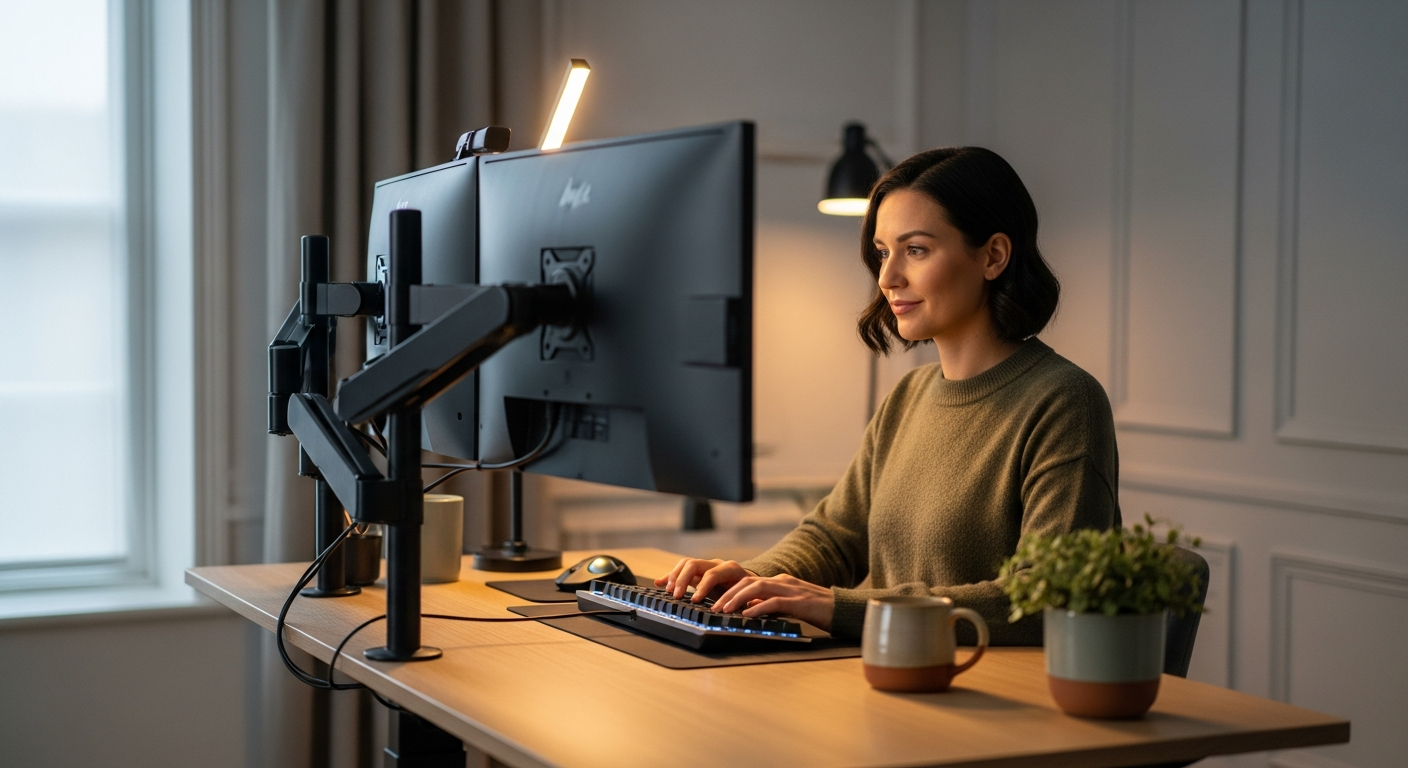
- Monitor Height: When standing or sitting, the top of your monitor screen should be at or slightly below eye level. If you use multiple monitors, ensure they are at the same height and distance. Consider a quality monitor arm for optimal adjustability.
- Keyboard & Mouse Position: Your forearms should be roughly parallel to the floor, with your wrists straight and relaxed. Your elbows should be at a 90-100 degree angle. Ensure your keyboard and mouse are close enough to avoid reaching.
- Standing Posture:
- Keep your head balanced directly over your shoulders.
- Shoulders relaxed, not hunched.
- Elbows at a right angle.
- Wrists straight.
- Slight bend in your knees (don't lock them).
- Distribute your weight evenly.
- Sitting Posture:
- Feet flat on the floor or a footrest.
- Knees at a 90-degree angle.
- Back supported by your chair's lumbar support.
- Shoulders relaxed, forearms parallel to the floor.
- Chair Choice: A high-quality ergonomic office chair is just as crucial as your standing desk. Invest in one that offers adjustable lumbar support, armrests, and seat depth.
- Anti-Fatigue Mat: When standing, an anti-fatigue mat (like those from Topo or Sky Solutions) is essential. It encourages subtle movement, reduces pressure on your feet and joints, and significantly extends your comfortable standing time.
3. Integrating Standing into Your Routine:
- Start Gradually: Don't try to stand for hours on day one. Begin with 15-30 minute standing intervals, gradually increasing as your body adapts.
- Use Presets: Program your ideal sitting and standing heights into your desk's memory. This makes transitions seamless and encourages frequent changes.
- The 20-20-20 Rule:> Every 20 minutes, look at something 20 feet away for 20 seconds. This helps reduce eye strain.<
- Listen to Your Body: If you feel discomfort, change positions. The goal is movement and varied posture, not static standing.
- Schedule Reminders: Use your desk's sedentary reminder (if available) or a simple timer on your computer/phone to prompt you to switch positions. Tools like "Stand Up! The Work Break Timer" or integrated features in macOS/Windows can help.
4. Essential Accessories for a Complete Ergonomic Setup:
- Ergonomic Monitor Arm: Essential for precise monitor positioning and reclaiming desk space. Brands like Ergotron, Fully, and UPLIFT offer excellent options.
- Cable Management Solutions: Cable trays, sleeves, and magnetic clips keep your workspace neat and prevent wires from snagging during height adjustments.
- Anti-Fatigue Mat: A non-negotiable for comfortable standing.
- Ergonomic Keyboard & Mouse: Reduce strain on your wrists and hands. Consider a split ergonomic keyboard (e.g., Kinesis Freestyle Pro) and a vertical mouse (e.g., Logitech MX Vertical).
- Foot Rocker/Balance Board: Encourages subtle movement while standing, further activating muscles and improving circulation.
By thoughtfully implementing these steps, your new standing desk will become an invaluable asset, not just a piece of furniture, fostering a healthier, more productive remote work experience.
Ready to Revolutionize Your Remote Work Experience?
The time for discomfort and diminished productivity is over. Investing in the right ergonomic standing desk is an investment in your health, your focus, and your long-term career success. Don't let back pain or fatigue dictate your workday.

Explore our top recommendations, compare features, and choose the desk that perfectly aligns with your professional needs and aspirations. Click below to take the first step towards a more energized and productive home office.
Find Your Perfect Standing Desk Now!
Frequently Asked Questions About Standing Desks
- 2-Stage Frames: Have two segments (one fixed, one moving). They typically offer a smaller height range and slightly slower adjustment speed. They are often found in more budget-friendly desks.
- 3-Stage Frames: Have three segments (one fixed, two moving). They provide a much wider height range, accommodating a broader spectrum of users (especially very tall or very short individuals). They also tend to be more stable at higher settings and usually feature faster, smoother, and quieter motors. Most premium desks use 3-stage frames.
- Stability: Crucial for focus, especially with multiple monitors.
- Height Range: Ensure it accommodates your sitting and standing heights comfortably.
- Motor Quality & Noise: Dual motors are generally preferred for smoother, quieter, and faster transitions.
- Memory Presets: Essential for quick, consistent height adjustments.
- Lifting Capacity: Important if you have heavy equipment.
- Desktop Material & Size: Choose based on aesthetics, durability, and space requirements.
- Warranty: A longer warranty indicates manufacturer confidence in durability.
- Cable Management: Integrated solutions are a huge plus for a tidy workspace.