Gemini AI Subscriptions Explained: What You Actually Need (2026)
Operations leads: Stop wasting money on unused AI features. This guide breaks down Gemini AI subscriptions to find your perfect plan. Optimize workflows now →
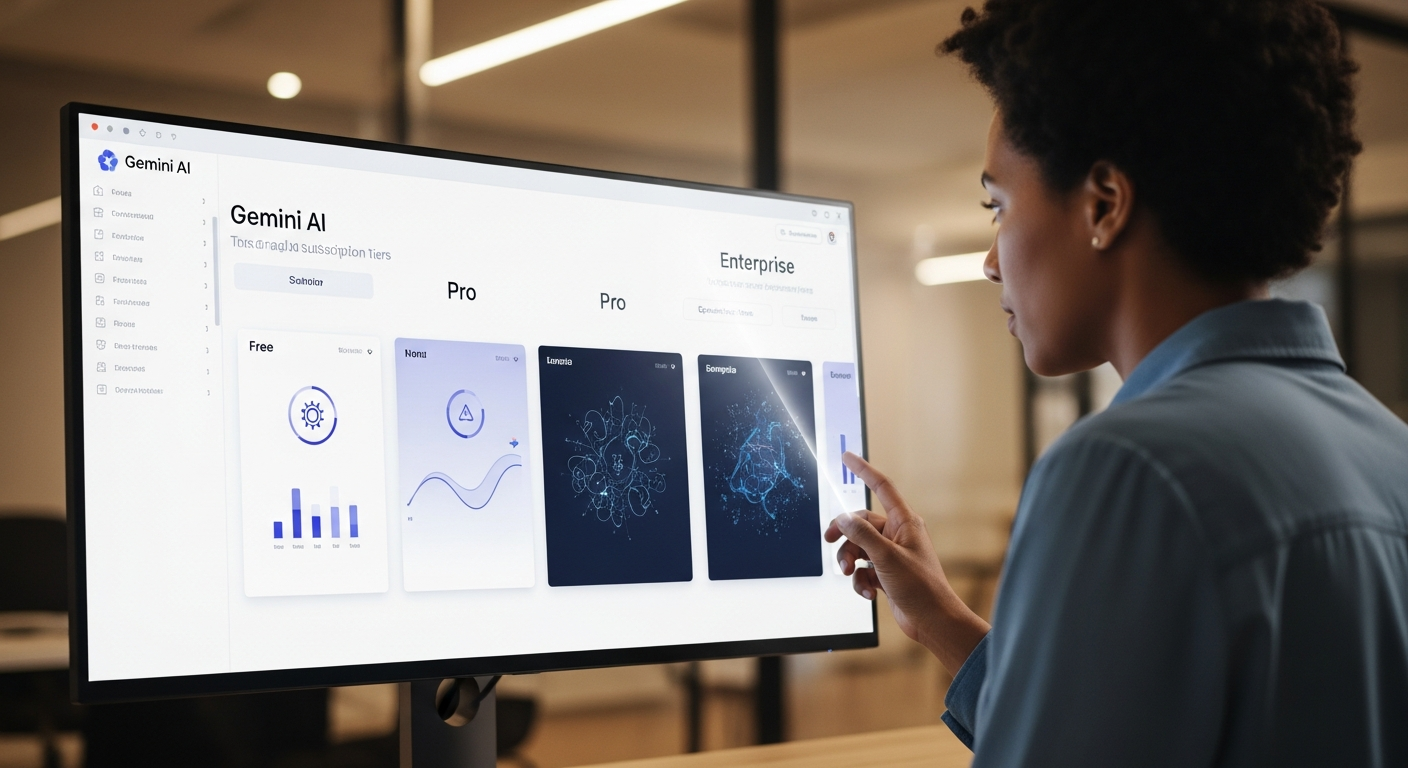
Welcome, operations managers, to the definitive >buyer's guide to Gemini AI subscriptions<. Figuring out which AI tools actually boost efficiency and which just complicate your tech stack is crucial. This guide will cut through the noise around Gemini AI subscriptions. It'll help you pick a plan that genuinely powers your workflows, rather than draining your budget. We're not just talking about features here; we're talking about real operational impact by 2026.
Why Your Operations Team Needs a Smart Gemini AI Plan (Not Just Any Plan)
>>As an operations leader, you're always looking for ways to improve efficiency, reduce manual work, and make smarter decisions. AI often sounds like a magic bullet, but without a clear strategy, it can quickly become another unused tool. I've seen countless companies waste money on AI subscriptions that don't match their team's actual needs. You don't just need "AI"; you need the *right* Gemini AI plan. It should tackle your specific pain points: <automating repetitive tasks, improving data analysis, streamlining communication, and boosting overall productivity. Choosing wisely isn't just about saving money; it's about maximizing your return on investment (ROI) by transforming how your operations run, from the ground up.<
Can you picture a world where your customer support team drafts personalized responses in seconds? Or where your supply chain analysts predict disruptions with incredible accuracy? This isn't some far-off dream; it's the immediate future, driven by smart AI integration. But to get there, you need a clear understanding of what each Gemini AI subscription offers. And, critically, how it fits into your operational plan.
Gemini AI Subscriptions: Your Workflow's Power Outlets Explained
Think of Gemini AI subscriptions like different power outlets for your operations. Some offer basic charging – great for light tasks or personal use. Others are heavy-duty industrial sockets, capable of running complex machinery and entire production lines. A few even come with smart meters, giving you precise control, detailed analytics, and strong security. Each 'outlet' provides varying levels of power – features, capacity, and support – for your 'appliances' (your team's workflows and tasks).

A Gemini AI subscription is your entry point to Google's advanced AI models, specialized tools, and unique features. It dictates the scale, speed, and sophistication of the AI capabilities you can integrate into your business processes. Whether you need basic text generation or advanced multimodal understanding and custom model fine-tuning, the right subscription is key. It's not just about getting access; it's about getting the *right* kind of access for your operational demands.
Diving Deep: Gemini's Subscription Tiers & What They Really Offer
Let's unpack the typical Gemini AI subscription tiers. For each, I'll cover the target user, key features, usage limits, API access, administrative controls, support levels, and pricing model. By 2026, these tiers will likely be even more refined, but the core differences will stick around.
Free/Basic Access: The 'Try Before You Buy' Tier
Who is it for?> Individuals, small teams exploring AI, or those with very limited, non-critical AI needs. It's the perfect sandbox for understanding Gemini's capabilities without spending a dime.<
Key Features: At this tier, you're usually getting access to Gemini's core conversational AI and basic text generation. Think simple summaries, drafting casual emails, brainstorming ideas, or asking general knowledge questions. It often includes a web-based interface for direct interaction.
Usage Limitations: This is where "free" comes with catches. Expect slower processing speeds, a smaller context window (meaning the AI remembers less of your conversation history), and strict daily or hourly query limits. There's generally no advanced API access for programmatic integration. Customization options are minimal or non-existent.
When it's enough: For personal use, quick internal concept testing, or very small-scale, non-critical internal tasks where speed and volume aren't priorities. For example, a single operations manager might use it to quickly draft meeting agendas or summarise long email threads. It’s excellent for initial experimentation before committing to a buyer's guide to Gemini AI subscriptions.
Gemini Business/Pro: The Workflow Workhorse
Target User: Small to medium-sized operations teams, departments looking to integrate AI into specific workflows, and businesses seeking real efficiency gains without enterprise-level complexity. This is where AI stops being a novelty and becomes a genuine productivity tool.
Key Features:
- Enhanced Context Window: Significantly larger than the free tier. This allows for more complex, multi-turn conversations and document analysis.
- Faster Processing & Higher Throughput: Reduced latency and higher query limits, which are crucial for operational tasks.
- Basic API Access: This is a game-changer. It lets your developers or integrators embed Gemini's capabilities directly into your existing applications, CRM, or internal tools.
- Team Collaboration Features: Shared workspaces, project folders, and potentially user roles to manage access.
- Usage Analytics: Basic dashboards to monitor team usage, identify popular prompts, and track efficiency gains.
- Priority Support: Faster response times compared to the free tier, often via email or a dedicated portal.
- Multimodal Capabilities:> Access to Gemini's ability to understand and generate content across text, images, and potentially audio/video inputs.<
Real-world applications:
- Automating customer support responses: Draft initial replies, summarise customer queries, or provide agents with instant knowledge base lookups.
- Drafting internal communications: Generate policy updates, project briefs, or meeting minutes.
- Data analysis & reporting: Summarise large datasets, extract key insights, or generate initial drafts of reports.
- Content generation: Create marketing copy, blog post outlines, or social media updates.
- Basic code generation & debugging: Assist developers with boilerplate code, syntax checks, or explaining complex functions.
>I've personally seen ops teams reduce the time spent on routine data entry by 30% and improve response times for common customer inquiries by 50% using Gemini Business. It provides a solid foundation for operational automation.<
Gemini Enterprise/Advanced: The Automation Powerhouse
Target User: Large enterprises, organizations with complex, mission-critical automation needs, and those requiring the highest levels of security, compliance, and customization. This is for operations looking to fundamentally transform their processes with AI at scale.
Key Features:
- Highest Context Window & Advanced Multimodal: Unparalleled capacity for understanding vast amounts of data. It interacts across all modalities (text, image, audio, video) simultaneously.
- Robust API Access with Granular Controls: Extensive API endpoints for deep integration, fine-grained access management, rate limiting, and dedicated IP addresses.
- Dedicated Enterprise Support: Account managers, 24/7 support, and potentially on-site technical assistance.
- Custom Model Fine-tuning Options: Train Gemini models on your proprietary data. This achieves highly specialized and accurate outputs tailored to your specific business domain. It's a massive differentiator.
- Advanced Security & Compliance: Data residency options (choosing where your data is stored), comprehensive audit logs, SOC2, ISO, HIPAA compliance, and enhanced encryption protocols.
- SSO Integration: Seamless integration with your existing identity management systems (Okta, Azure AD, etc.).
- Comprehensive Admin Dashboards: Advanced usage analytics, cost management tools, user provisioning, and policy enforcement across your organization.
- Guaranteed Uptime & SLAs: Service Level Agreements ensuring reliability and performance.
Real-world applications:
- End-to-end workflow automation: From supply chain optimization (predicting demand, managing inventory, identifying logistics bottlenecks) to complex financial report generation and compliance checks.
- Custom AI agent deployment: Building specialized AI agents for internal legal review, medical diagnostics support, or advanced research.
- Large-scale content localization: Automatically translating and adapting vast volumes of content for global markets while maintaining brand voice and cultural nuances.
- Advanced data extraction & processing: Extracting specific data points from millions of unstructured documents (e.g., contracts, invoices, research papers) with high accuracy.
For operations with significant data privacy concerns or those needing to process terabytes of proprietary information, the Enterprise tier is non-negotiable. I recently advised a pharmaceutical client who used Gemini Enterprise to automate the initial screening of research papers. This cut a multi-week manual process down to just days, all while meeting strict data governance requirements.
>Comparison Table: Gemini AI Subscriptions at a Glance<
Here’s a quick-reference buyer's guide to Gemini AI subscriptions comparison:

| Feature | Free/Basic Access | Gemini Business/Pro | Gemini Enterprise/Advanced |
|---|---|---|---|
| Price Model | Free (usage limits) | Per-user/per-token/per-query | Custom enterprise pricing (volume, features) |
| Context Window Size | Smallest | Medium-Large | Largest (up to 1M tokens or more) |
| API Access | Limited/None | Basic programmatic access | Robust, granular, dedicated API |
| Multimodal Capabilities | Basic (text, simple images) | Enhanced (text, images, video analysis) | Advanced, comprehensive (all modalities, deep understanding) |
| Custom Model Training | No | Limited fine-tuning (e.g., prompt engineering) | Full custom model fine-tuning on proprietary data |
| Security & Compliance | Standard | Enhanced encryption, basic compliance | Advanced (data residency, SOC2, ISO, HIPAA, custom audits) |
| Admin Controls | None | Basic user/team management, usage analytics | Comprehensive dashboards, SSO, policy enforcement, audit logs |
| Support Level | Community/Self-serve | Priority email/chat | Dedicated account manager, 24/7, SLAs |
| Ideal Use Cases | Personal use, exploration, simple tasks | Departmental automation, enhanced productivity, small-scale integration | Large-scale workflow transformation, mission-critical AI, custom agents, high security |
| Integration Capabilities | Web UI only | Basic APIs, common connectors | Extensive APIs, custom SDKs, deep system integration |
What Most Guides Get Wrong: Focusing on Features, Not Operational Impact
Here’s the unfiltered truth: most guides on AI subscriptions just list features. They never explain *why* those features matter to an operations lead. They miss the forest for the trees. As an ops manager, your main question isn't just "Does it have X feature?" but "How does X feature translate into Y operational improvement or Z cost saving?"
I've seen companies make critical mistakes when navigating the buyer's guide to Gemini AI subscriptions:
- Over-subscribing: They pay for a premium plan with advanced features like custom model fine-tuning when a Business/Pro tier would meet their actual needs. This is pure budget waste on unused capabilities.
- Under-subscribing: Choosing a basic plan to save money. Then they constantly hit usage limits, lack crucial API access for integration, or find the context window too small for complex tasks. This kills potential, frustrates teams, and ultimately costs more in lost productivity.
- Ignoring Integration Complexity: Assuming AI will "just work" with existing systems. Without proper API access and integration support, even the most powerful AI is an isolated island.
- Neglecting Scalability and Future Needs: Picking a plan that barely meets current needs. Then it buckles under increased demand or when new automation opportunities pop up.
- Not Considering Data Security and Compliance: This is especially critical for regulated industries. A cheap plan might expose sensitive data to unacceptable risks, leading to massive fines and reputational damage.
The "best" Gemini AI plan isn't the most expensive one. It's the one that perfectly aligns with your current and projected operational needs, budget constraints, and strategic automation goals. It's about finding that sweet spot where investment yields maximum, measurable ROI.
Practical Takeaways: Choosing Your Gemini AI Subscription for Maximum ROI
Alright, no more theoretical discussions. Here’s a step-by-step decision framework I use with clients to help operations leads make an informed choice:

- Audit Current Manual Workflows: Before you even look at a pricing page, identify your most time-consuming, repetitive, error-prone, or data-intensive manual processes. Quantify the time, resources, and costs associated with these. This is your baseline.
- Define Clear Automation Goals and Metrics: For each identified workflow, what specific outcome are you trying to achieve with AI? (e.g., "Reduce customer support response time by 40%," "Automate 70% of initial document screening," "Increase data extraction accuracy to 95%"). Define how you'll measure success.
- Assess Data Sensitivity and Compliance Requirements: What kind of data will Gemini AI interact with? Is it PII, financial, medical, or proprietary? What regulatory frameworks (GDPR, HIPAA, SOC2) apply? This immediately filters out plans that lack necessary security and data residency options.
- Evaluate Integration Needs with Existing Tech Stack: Does Gemini need to connect to your CRM, ERP, internal knowledge base, or custom applications? What level of API access and integration support will you require? List specific systems.
- Project Future Growth and Scalability: Where do you see your operations in 12-24 months? Will AI usage significantly increase? Do you anticipate expanding into new areas that will require more advanced multimodal capabilities or custom models?
- Start Small, Scale Up: Unless you have immediate, enterprise-level needs, consider starting with a Business/Pro plan for a pilot project. Validate the ROI, gather user feedback, and then scale to Enterprise if justified. Most providers offer easy upgrade paths.
- Consider a Pilot Program: Select a specific, high-impact workflow for a trial run. Use real data (anonymized if sensitive) and a small team. Measure before and after metrics rigorously. This data will be invaluable for justifying a larger investment.
- Negotiate Enterprise Terms: If you're a large organization considering the Enterprise tier, always negotiate. Volume discounts, custom features, and specialized support are often on the table.
By following this framework, you transform the daunting task of choosing an AI subscription into a strategic operational decision. It ensures that every dollar spent on Gemini AI directly contributes to your operational excellence.
Ready to Automate? Explore Gemini AI Plans
Now that you understand the nuances of a buyer's guide to Gemini AI subscriptions and how to align them with your operational goals, it's time to explore the official Gemini AI subscription options. Click here to compare plans and start your automation journey: Explore Gemini AI Plans.
FAQ: Your Top Gemini AI Subscription Questions Answered
Q1: Can I upgrade or downgrade my Gemini AI subscription?
Yes, absolutely. Most AI service providers, including Google with Gemini, design their subscription models with flexibility in mind. You can typically upgrade to a higher tier (e.g., from Business to Enterprise) if your operational needs grow, or downgrade if you find you're over-subscribed. Billing is usually prorated, meaning you only pay for the features you use during the current billing cycle. I'd always recommend checking the specific terms with Google Cloud Platform's billing department, but this flexibility is standard industry practice.
Q2: What's the difference between API access and the web interface?
This is a crucial distinction for operations teams. The web interface is what you interact with directly in your browser – typing prompts, getting responses, and managing settings through a graphical user interface. It's great for individual use, testing concepts, and ad-hoc tasks. API access> (Application Programming Interface), on the other hand, allows your software systems to communicate directly with Gemini's models programmatically. This means you can embed Gemini's capabilities into your own applications, automate workflows without manual intervention, and integrate it seamlessly with your existing tech stack (CRM, ERP, custom tools). For any significant operational automation, API access is essential.<
Q3: How do I calculate the potential ROI of a Gemini AI subscription?
Calculating ROI for AI involves quantifying both direct and indirect benefits. Here's how I approach it:
- Saved Labor Hours: Identify tasks currently performed manually that Gemini can automate. Estimate the time saved per task and multiply by the hourly cost of the employee. (e.g., 2 hours/day x $50/hour x 20 working days/month = $2,000/month saved).
- Improved Accuracy & Reduced Error Rates: Manual processes often lead to errors. Quantify the cost of these errors (rework, customer dissatisfaction, fines). AI can drastically reduce these.
- Faster Turnaround Times: If Gemini speeds up a process (e.g., report generation, customer response), quantify the value of that speed (e.g., closing deals faster, improving customer satisfaction).
- Increased Throughput: Can Gemini help you process more data or handle more requests with the same resources?
- Strategic Value: While harder to quantify, consider benefits like better decision-making from faster insights, increased employee satisfaction (by offloading mundane tasks), or competitive advantage.
Subtract the subscription cost from these quantified benefits over a specific period (e.g., 6-12 months) to get your ROI percentage. Remember, a comprehensive buyer's guide to Gemini AI subscriptions should always factor in ROI.
Q4: What data security measures are in place for enterprise plans?
For Gemini Enterprise plans, data security is paramount and significantly more robust than basic tiers. You can expect:
- Data Encryption: Data is encrypted both in transit (using TLS/SSL) and at rest (using advanced encryption standards like AES-256).
- Access Controls: Granular role-based access control (RBAC) ensures only authorized personnel and applications can access specific models or data. Integration with your Single Sign-On (SSO) provider is standard.
- Compliance Certifications: Adherence to industry-leading compliance standards such as SOC 2, ISO 27001, HIPAA (for healthcare data), and GDPR.
- Data Residency Options: The ability to specify the geographic region where your data is processed and stored. This is crucial for meeting regulatory requirements in various countries.
- Audit Logs: Comprehensive logging of all AI interactions and data access for compliance and security auditing.
- Private Connectivity: Options for private network connections (e.g., Google Cloud Interconnect) to further secure data transfer.
Always review Google Cloud's specific security documentation and service agreements for the most up-to-date and detailed information.
Q5: Is custom model training really necessary for my operations?
Custom model training, or fine-tuning, is a powerful feature but not always necessary. Here's a quick guide:
- When it's beneficial:
- Highly Specialized Tasks: If your operations involve unique jargon, industry-specific nuances, or proprietary processes that generic AI models struggle with.
- Proprietary Data: When you have a large, high-quality dataset that reflects your specific business context, fine-tuning can significantly improve accuracy and relevance.
- Brand Voice & Style: To ensure AI-generated content perfectly matches your company's unique tone and style.
- Niche Applications: For tasks where off-the-shelf models perform poorly, such as complex legal document analysis for a specific jurisdiction or highly technical medical coding.
- When a pre-trained model is sufficient:
- General Tasks: For common tasks like summarization, basic content generation, or language translation where standard models perform well.
- Limited Data: If you don't have a substantial, clean dataset for fine-tuning, the benefits might not outweigh the effort and cost.
- Prompt Engineering is Enough: Often, crafting very specific and detailed prompts (prompt engineering) can achieve excellent results with pre-trained models without needing custom training.
In my experience, many operations can achieve significant ROI with the Business/Pro tier and effective prompt engineering. Custom training becomes necessary when you're pushing the boundaries of AI for highly specialized, mission-critical applications where off-the-shelf accuracy isn't sufficient. For more on this, you might find our pillar page on Gemini AI Automation particularly useful.



