Gemini vs GPT-4o for Professionals: Ultimate AI Assistant Guide
Choose the best AI for your professional workflow: Gemini or GPT-4o. In-depth comparison, pricing, and persona matching for business productivity.
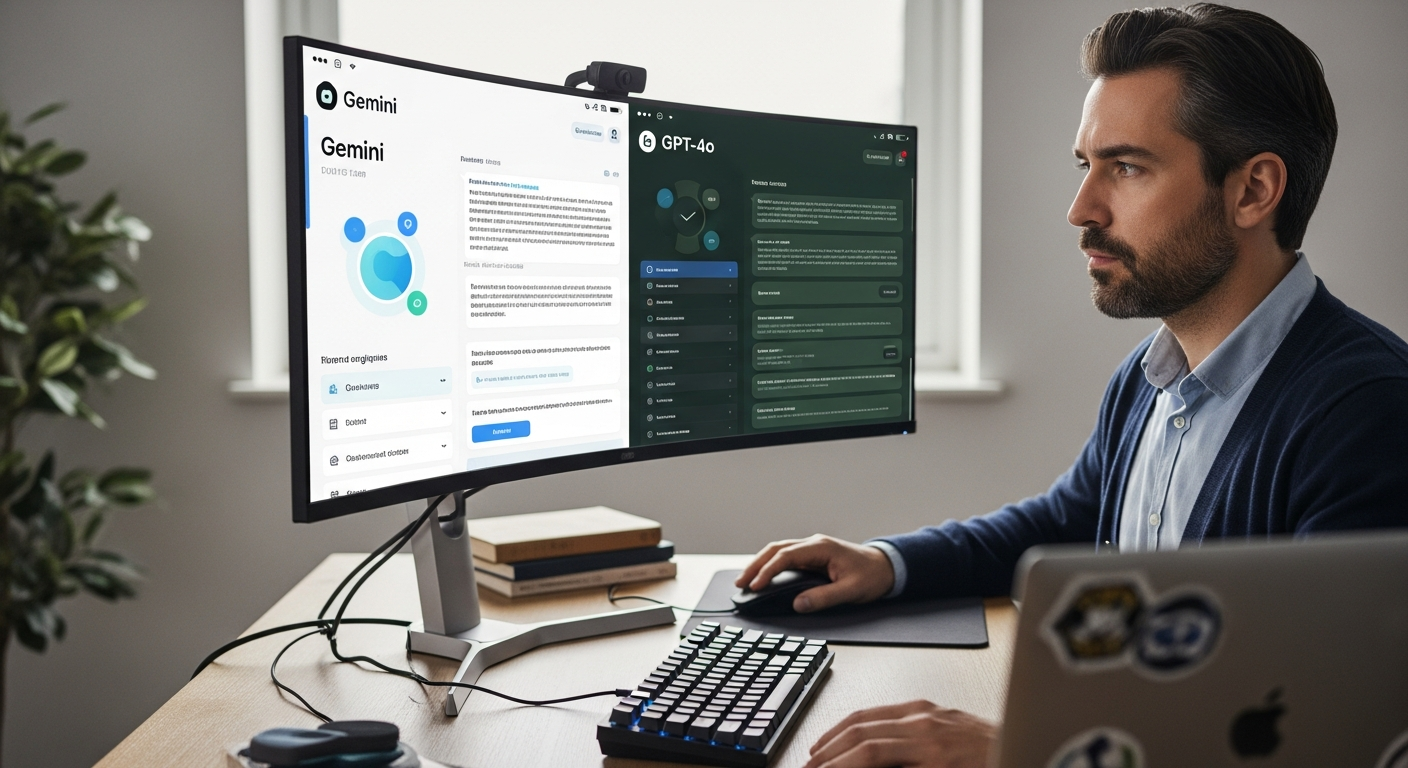
Choosing an AI Assistant: Gemini vs GPT-4o for Professionals
In today's fast-paced professional world, productivity isn't just a goal; it's a competitive necessity. You're constantly juggling tasks, synthesizing information, and striving for an edge. The promise of Artificial Intelligence to revolutionize your workflow is no longer a futuristic dream – it's here, now. But with powerful AI assistants like Google's Gemini and OpenAI's GPT-4o leading the charge, making the right choice can feel overwhelming.
Are you struggling to keep up with email, draft compelling reports, or analyze complex data efficiently?> This comprehensive guide cuts through the noise, providing a clear, data-driven comparison between Gemini and GPT-4o, tailored specifically for business professionals like you. Discover which AI assistant will truly elevate your productivity, streamline your operations, and empower your strategic decision-making.<
Why Your Choice of AI Assistant Matters
The right AI assistant isn't just a tool; it's a force multiplier for your intellect and efficiency. It can transform hours of tedious work into minutes, unlock new creative avenues, and provide insights that might otherwise remain hidden. Conversely, choosing the wrong one can lead to frustration, missed opportunities, and a significant drain on your valuable time and resources. For professionals, this decision impacts everything from daily task management to long-term strategic planning.
Quick Comparison: Gemini Pro vs. GPT-4o at a Glance
Before we dive deep, here's a snapshot to help you quickly grasp the core differences and strengths of each model from a professional's perspective.

| Feature/Aspect | Google Gemini (Pro/Advanced) | OpenAI GPT-4o |
|---|---|---|
| Developer | OpenAI | |
| Primary Strengths | >Multimodality (native image, audio, video processing), deep integration with Google ecosystem, real-time information access, strong coding capabilities.< | Advanced reasoning, exceptional text generation, superior language understanding, strong coding, multimodal input/output (text, audio, vision). |
| Real-time Data Access | Yes (via Google Search integration) | Yes (via web browsing feature) |
| Multimodal Capabilities | Native integration for text, image, audio, video understanding and generation. | Native integration for text, image, audio understanding and generation. Video understanding is evolving. |
| Context Window (approx.) | 1 million tokens (Gemini 1.5 Pro) | 128k tokens (GPT-4o) |
| Speed | Very fast, especially with 1.5 Pro. | Exceptionally fast, optimized for speed across modalities. |
| Integration Potential | Google Workspace (Docs, Sheets, Gmail, Calendar), Android, Google Cloud. | API access for custom applications, plugins for third-party services, Microsoft integrations (Copilot). |
| Pricing Model (Consumer) | >Gemini Advanced ($19.99/month for Google One AI Premium)< | ChatGPT Plus ($20/month) |
| Ideal For | Professionals deeply embedded in the Google ecosystem, those needing advanced multimodal analysis (especially video), developers, researchers requiring vast context. | Professionals requiring nuanced writing, complex problem-solving, creative brainstorming, robust coding, and broad third-party integrations. |
>Detailed Analysis: A Professional's Deep Dive<
Google Gemini: The Multimodal Powerhouse with Google's Ecosystem Advantage
Google's Gemini represents a significant leap in AI, particularly with its native multimodal capabilities. Unlike models that process different data types separately, Gemini was designed from the ground up to understand and operate across text, images, audio, and video simultaneously. This inherent multimodality is a game-changer for many professional applications.
Key Strengths for Professionals:
- Native Multimodality: Gemini's ability to seamlessly process and understand information from various formats is unparalleled.
- Example: Upload a complex technical diagram and ask Gemini to explain specific sections, or feed it a video of a product demo and request a summary of key features and potential improvements. This is incredibly powerful for engineers, marketers analyzing video content, and researchers.
- Example: Analyze an image of a spreadsheet and ask it to extract specific data points, or provide a voice memo and have it transcribe and summarize action items.
- Deep Google Ecosystem Integration: For professionals already reliant on Google Workspace, Gemini offers a natural extension.
- Example: Ask Gemini to draft an email based on information from a Google Doc, schedule a meeting in Google Calendar, or summarize recent correspondence in Gmail. This reduces friction and keeps your workflow within a familiar environment.
- Massive Context Window (Gemini 1.5 Pro): With a 1-million-token context window, Gemini 1.5 Pro can ingest and process an enormous amount of information at once – equivalent to an entire novel, 11 hours of audio, or 1 hour of video.
- Example: Upload an entire legal brief, a year's worth of financial reports, or a comprehensive project specification document and ask detailed, cross-referencing questions. This is invaluable for legal professionals, financial analysts, and project managers dealing with extensive documentation.
- Real-time Information Access: Through its integration with Google Search, Gemini can pull the latest information from the web, ensuring your responses are current and relevant.
- Example: Ask for the latest market trends for a specific industry, recent news about a competitor, or up-to-date regulatory changes.
- Strong Coding Capabilities:> Gemini is highly proficient in understanding, generating, and debugging code, making it a valuable asset for software developers, data scientists, and anyone working with scripts.<
Potential Limitations:
- While excellent, some users report that its pure text generation for creative writing or very nuanced, philosophical discussions might occasionally lag behind GPT-4o's peak performance, though this gap is rapidly closing.
- The full power of 1.5 Pro's context window is primarily available through API or specific advanced tiers, not always the standard consumer offering.
OpenAI GPT-4o: The Apex of Textual Nuance and Broad Utility
GPT-4o (the "o" stands for "omni") is OpenAI's latest flagship model, designed to be natively multimodal, fast, and highly efficient. While often lauded for its textual prowess, GPT-4o has significantly advanced its audio and vision capabilities, making it a formidable competitor across the board.
Key Strengths for Professionals:
- Unrivaled Textual Understanding and Generation: GPT-4o inherits and refines the exceptional text capabilities of its predecessors. It excels at nuanced language, complex reasoning, creative writing, and summarization.
- Example: Draft persuasive marketing copy, write detailed technical documentation, generate comprehensive reports from bullet points, or brainstorm complex strategic initiatives with highly articulate and coherent responses.
- Advanced Reasoning and Problem Solving: GPT-4o is renowned for its ability to tackle complex logical problems, analyze intricate scenarios, and provide structured solutions.
- Example:> Use it to break down a challenging business problem, explore different solution paths, or simulate stakeholder responses to a proposed change. This is invaluable for consultants, strategists, and decision-makers.<
- Robust Multimodal Input/Output: While historically text-centric, GPT-4o now processes audio and vision inputs natively and can respond with audio and images.
- Example: Have a real-time voice conversation with the AI for brainstorming or quick information retrieval. Upload an image of a graph and ask it to interpret trends or generate a caption.
- Example: Present an image of a whiteboard sketch and ask it to convert the ideas into a structured project plan.
- Speed and Efficiency: GPT-4o is significantly faster than previous GPT-4 models, making interactions more fluid and less disruptive to workflow. Its cost-efficiency for API users is also a major advantage.
- Extensive Plugin Ecosystem & API: ChatGPT Plus offers a rich plugin ecosystem that extends its functionality to interact with hundreds of third-party applications and services. Its powerful API allows for deep custom integration into business applications.
- Example: Connect it to your CRM to auto-generate sales reports, or integrate it with project management tools to update task statuses based on conversations.
Potential Limitations:
- While its multimodal capabilities are strong, its native video understanding is still developing compared to Gemini 1.5 Pro's established prowess.
- Its context window (128k tokens) is substantial but smaller than Gemini 1.5 Pro's, which might be a factor for professionals needing to process exceptionally long documents in a single prompt.
Pricing and Suitability by Segment
Understanding the cost and how each model aligns with different professional needs is crucial for making an informed decision.

Consumer-Level Pricing (ChatGPT Plus vs. Gemini Advanced)
- ChatGPT Plus: Typically $20/month. This grants you access to GPT-4o, higher usage limits, and features like custom GPTs, DALL-E 3 image generation, and web browsing.
- Gemini Advanced: Part of the Google One AI Premium Plan, priced at $19.99/month. This includes access to Gemini Advanced (powered by Gemini 1.5 Pro), 2TB of cloud storage, and other Google One benefits.
Note: Both offer free tiers (e.g., basic Gemini, limited ChatGPT) but these are significantly less capable than their paid counterparts and not recommended for serious professional use.
API-Level Pricing (for Developers and Enterprises)
For businesses looking to integrate these models into their own applications or workflows, API pricing becomes relevant. These prices are subject to change and vary based on input/output tokens.
- OpenAI GPT-4o API:
- Input: $5.00 / 1M tokens
- Output: $15.00 / 1M tokens
- This is significantly more cost-effective than previous GPT-4 models.
- Google Gemini 1.5 Pro API:
- Input: $3.50 / 1M tokens (standard 128K context)
- Output: $10.50 / 1M tokens (standard 128K context)
- Long context (up to 1M tokens): Input $7.00 / 1M tokens, Output $21.00 / 1M tokens
API pricing makes Gemini 1.5 Pro's massive context window a premium feature, reflecting its capability. GPT-4o offers a highly competitive price point for its performance across modalities.
Who Should Use What: Persona Matching for Optimal Productivity
Matching the AI assistant to your specific professional role and daily tasks is the key to unlocking its full potential.
The Google Ecosystem Professional (e.g., Marketing Manager, Project Coordinator, Educator)
You are: Heavily reliant on Google Workspace (Gmail, Docs, Sheets, Calendar, Drive). Your daily tasks involve a lot of email, document creation, scheduling, and data management within Google's suite. You might also process a fair amount of visual content or need quick access to real-time web information.
Best Fit: Google Gemini Advanced
- Why: Its deep, native integration with Google services means less context switching and a more seamless workflow. The ability to pull data from your Google Drive, draft emails in Gmail, or summarize meetings from Calendar entries directly is a massive time-saver. If you deal with video content (e.g., analyzing competitor ads, summarizing training videos), Gemini's native video understanding in 1.5 Pro is a significant advantage.
The Content Creator & Strategist (e.g., Copywriter, Marketing Specialist, PR Professional)
You are: Focused on generating high-quality, nuanced text content – from marketing copy and blog posts to press releases and strategic documents. You need an AI that excels at creative brainstorming, sophisticated language generation, and understanding subtle prompts.
Best Fit: OpenAI GPT-4o
- Why: GPT-4o's textual prowess, advanced reasoning, and ability to generate highly articulate and creative output remain industry-leading. Its capacity for nuanced understanding means it can grasp complex brand voices or strategic objectives more effectively, translating into superior content. The multimodal output (including images) can also be a boon for generating quick visuals for content ideas.
The Data Analyst & Researcher (e.g., Financial Analyst, Market Researcher, Academic)
You are: Regularly sifting through large datasets, complex reports, academic papers, or financial statements. You need an AI that can handle vast amounts of information, identify patterns, summarize key findings, and perform complex data interpretation.
Best Fit: Google Gemini Advanced (especially 1.5 Pro for massive context) or OpenAI GPT-4o with advanced data analysis tools.
- Why Gemini: If your data is largely text-based documents or even video/audio presentations, Gemini 1.5 Pro's 1-million-token context window is a game-changer. It can process entire reports, books, or transcripts at once, allowing for deep, cross-document analysis.
- Why GPT-4o: For highly structured data analysis, GPT-4o, especially when combined with its Code Interpreter (now called Advanced Data Analysis), excels at processing CSVs, performing statistical analysis, and visualizing data. Its reasoning capabilities can help interpret complex findings. Consider your primary data format: raw text/multimodal for Gemini, structured data for GPT-4o.
The Software Developer & Engineer (e.g., Coder, DevOps Specialist, QA Engineer)
You are: Writing, debugging, testing, and documenting code. You need an AI that understands various programming languages, can generate code snippets, explain complex functions, and assist with debugging.
Best Fit: Both Gemini and GPT-4o are excellent.
- Why Gemini: Known for its strong coding capabilities across multiple languages, and its ability to process large codebases (via 1.5 Pro's context window) can be beneficial for understanding an entire project.
- Why GPT-4o: Highly praised for its code generation, explanation, and debugging. Many developers find its ability to reason through complex programming problems particularly helpful. It often generates cleaner, more idiomatic code.
- Recommendation: Many developers find value in having access to both, as their strengths can complement each other for different coding tasks.
The Executive & Decision Maker (e.g., CEO, Director, Senior Manager)
You are: Needing quick, accurate summaries of complex information, strategic brainstorming, and assistance in drafting high-level communications. Time is your most valuable asset.
Best Fit: OpenAI GPT-4o (for broad utility and nuanced communication) or Google Gemini Advanced (for Google-centric workflows and real-time data).
- Why GPT-4o: Its superior summarization, reasoning, and ability to draft polished communications are paramount. The speed of GPT-4o also makes quick interactions highly efficient.
- Why Gemini: If your organization is deeply integrated into Google Workspace, Gemini's ability to pull information from your internal documents and emails for summaries or drafts can be incredibly powerful for context and speed. Its real-time web access ensures you have the latest market intelligence.
Getting Started: Integrating Your Chosen AI Assistant
Once you've made your choice, integrating your AI assistant into your daily workflow is straightforward. Here's a brief guide:

For Google Gemini Advanced:
- Subscribe to Google One AI Premium: Visit the Google One website and sign up for the AI Premium plan. This will give you access to Gemini Advanced.
- Access Gemini: Go to gemini.google.com and sign in with your Google account.
- Explore Integrations: In Gemini's settings, enable "Extensions" for Google Workspace (Gmail, Docs, Drive, YouTube, Maps, Flights). This allows Gemini to interact directly with your Google data.
- Start Prompting: Begin by asking Gemini to summarize emails, draft documents, analyze images, or answer questions using real-time web search. Experiment with multimodal prompts.
- Mobile Access: Download the Gemini app on your Android or iOS device for on-the-go assistance.
Remember to always be mindful of privacy and sensitive data when enabling extensions and sharing information with AI models.
For OpenAI GPT-4o (via ChatGPT Plus):
- Subscribe to ChatGPT Plus: Visit chat.openai.com and upgrade your account to ChatGPT Plus.
- Access GPT-4o: Once subscribed, select "GPT-4o" from the model dropdown at the top of the chat interface.
- Explore Features: Familiarize yourself with features like Custom GPTs, DALL-E 3 image generation, and the Advanced Data Analysis tool (formerly Code Interpreter).
- Utilize Plugins (if applicable): If you have specific third-party tools you want to integrate, explore the Plugin Store within ChatGPT Plus.
- Start Prompting: Begin by asking GPT-4o to draft content, analyze complex problems, generate code, or engage in voice conversations.
- Mobile Access: Download the ChatGPT app on your Android or iOS device for mobile access, including voice conversations.
For API access and enterprise solutions (e.g., OpenAI API, Azure OpenAI Service), consult the respective developer documentation for integration guides.
Ready to Supercharge Your Professional Productivity?
The choice between Gemini and GPT-4o hinges on your unique professional needs, existing ecosystem, and the specific tasks you aim to automate or enhance. Both are incredibly powerful tools poised to redefine how professionals work.
Don't let analysis paralysis hold you back. The best way to truly understand which AI assistant fits your workflow is to experience them firsthand.
Take the next step towards unparalleled efficiency and innovation.
Experience ChatGPT Plus (GPT-4o)!
Still undecided? Revisit the comparison table and persona matching sections to pinpoint the perfect match for your professional journey. Invest in your productivity today!
Frequently Asked Questions (FAQ)
Q: Is one AI assistant definitively "better" than the other?
A: No, there isn't a single "better" AI assistant for all professionals. The optimal choice depends entirely on your specific use cases, your existing technological ecosystem (e.g., Google Workspace vs. Microsoft/other), and the types of tasks you need assistance with. Gemini excels in multimodal processing and Google integrations, while GPT-4o leads in textual nuance and broad utility with its plugin ecosystem. This guide aims to help you identify which one aligns best with your needs.
Q: Can I use both Gemini and GPT-4o?
A: Absolutely! Many professionals find value in subscribing to both services, leveraging the unique strengths of each. For instance, you might use Gemini for tasks involving heavy Google Workspace integration or video analysis, and GPT-4o for drafting complex reports or engaging in advanced creative brainstorming. This hybrid approach maximizes your AI capabilities.
Q: What about data privacy and security when using these tools?
A: Both Google and OpenAI have robust privacy and security policies. However, it's crucial for professionals to understand how their data is used. Generally, for consumer-level products, your conversations might be used to train future models (though you can often opt-out). For enterprise-level APIs, data privacy is typically much stricter, ensuring your data isn't used for training. Always review the respective privacy policies and terms of service, especially when dealing with sensitive or confidential information. Avoid inputting highly confidential company or client data into consumer-facing AI interfaces without explicit organizational approval and understanding of data handling.
Q: Are the free versions sufficient for professional use?
A: For serious professional use, the free versions of Gemini and ChatGPT are generally not sufficient. They often come with significant limitations in terms of model capability (e.g., older, less powerful models), usage limits, speed, and access to advanced features (like massive context windows, multimodal input/output, or plugins). Investing in the paid tiers (Gemini Advanced or ChatGPT Plus) is highly recommended for professionals seeking consistent, high-quality performance and full feature sets.
Q: How quickly are these AI models evolving, and will this comparison remain relevant?
A: The field of AI is evolving at an unprecedented pace. New models, features, and improvements are released frequently. While the core strengths and architectural philosophies of Gemini and GPT-4o are likely to remain distinct for some time, specific capabilities and performance metrics will undoubtedly change. This guide provides a snapshot of their current standing. We recommend staying updated with official announcements from Google and OpenAI and periodically reviewing your AI tool choices to ensure they continue to meet your evolving professional needs.
Q: Can these AI assistants replace human jobs?
>A: The consensus among experts is that AI assistants are more likely to augment human capabilities rather than fully replace jobs, especially in professional fields requiring critical thinking, emotional intelligence, complex problem-solving, and creative oversight. These tools excel at automating repetitive tasks, synthesizing information, and generating drafts, freeing up professionals to focus on higher-value, more strategic work. They are powerful co-pilots, not substitutes, for human expertise and judgment.<



