How To Choose A Standing Desk For Your Home Office
Compare the best how to choose a standing desk for your home office — expert analysis, pricing, and recommendations.
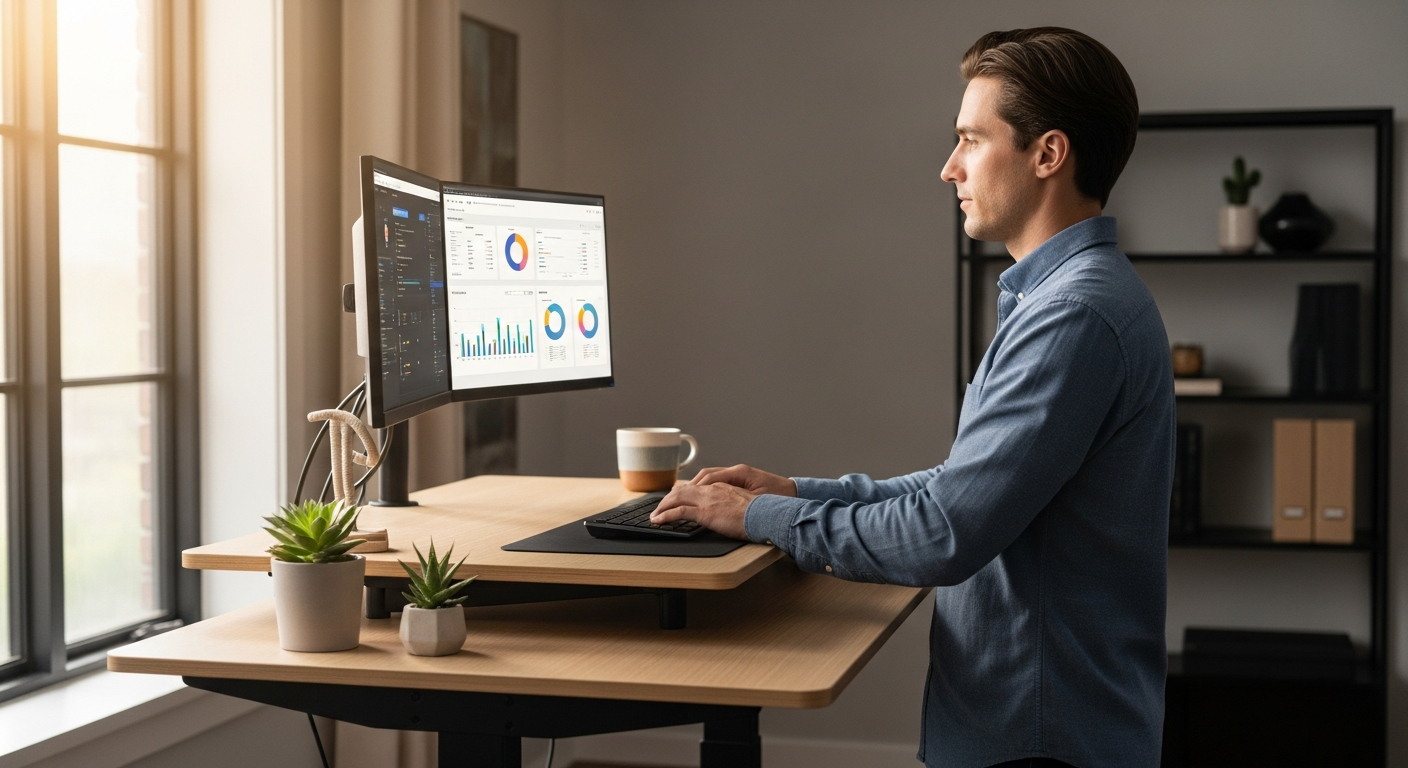
>How to Choose a Standing Desk for Your Home Office: The Definitive Guide for Business Professionals<
Are you spending 8+ hours a day tethered to your desk, feeling the familiar ache in your back and the drag on your energy levels? The rise of remote work has brought unprecedented flexibility, but it's also amplified the sedentary nature of our professional lives. You're a high-performing business professional, and your home office setup should empower, not hinder, your productivity and well-being.
The good news? A well-chosen standing desk can revolutionize your workday. It's not just a trend; it's a strategic investment in your health, focus, and long-term career sustainability. But with countless options flooding the market, how do you cut through the noise and select the perfect standing desk that truly aligns with your needs, your workflow, and your home office aesthetic?
This comprehensive guide is engineered specifically for you. We'll demystify the complexities of standing desks, providing actionable insights, data-backed comparisons, and expert recommendations to help you make an informed decision. By the end of this page, you'll have the clarity and confidence to choose a standing desk that transforms your home office into a dynamic, ergonomic powerhouse, boosting your productivity and safeguarding your health.
Why a Standing Desk is a Non-Negotiable for Remote Professionals
Before diving into specific models, let's briefly reiterate the undeniable benefits that make a standing desk an essential tool for any serious remote worker:
- Improved Health Outcomes: Reduces the risk of cardiovascular disease, type 2 diabetes, and certain cancers associated with prolonged sitting.
- Reduced Back and Neck Pain: Alleviates pressure on the spine and improves posture, a common complaint among office workers.
- Increased Energy Levels & Focus: Standing can boost blood flow to the brain, leading to greater alertness and cognitive function. A study published in the BMJ showed that standing desk users reported less fatigue and tension.
- Enhanced Productivity: While initial adjustments might occur, many users report improved concentration and task engagement.
- Greater Calorie Burn: Standing burns more calories than sitting, contributing to weight management.
This isn't just about comfort; it's about optimizing your personal peak performance and ensuring you can sustain your demanding career without compromising your physical well-being.
Quick Comparison: Top Standing Desks for Your Home Office
For the busy professional, here's a snapshot of our top recommendations, categorized by common needs. Dive into the detailed reviews below for a deeper understanding.

| Feature / Desk Model | UPLIFT V2 Standing Desk | Fully Jarvis Bamboo Standing Desk | Vari Electric Standing Desk | FlexiSpot E7 Pro Standing Desk | IKEA Bekant Sit/Stand Desk |
|---|---|---|---|---|---|
| Best For | Overall Best, Customization & Stability | Eco-conscious, Aesthetic, Smooth Operation | Quick Assembly, Robust Build, Corporate Standard | Value, High Weight Capacity, Feature-Rich | Budget-Friendly, Basic Functionality |
| Frame Type | 2-Leg, 3-Stage | 2-Leg, 3-Stage | 2-Leg, 3-Stage | 2-Leg, 3-Stage | 2-Leg, 2-Stage |
| Height Range (inches) | 25.3" - 50.9" | 24.5" - 50" | 25.5" - 50.5" | 25" - 50.6" | 22" - 48" |
| Weight Capacity (lbs) | 355 lbs | 350 lbs | 250 lbs | 355 lbs | 150 lbs |
| Desktop Material Options | Laminate, Wood, Bamboo, Rubberwood, etc. (50+) | Bamboo, Laminate, Solid Wood | Laminate, Butcher Block | Laminate, Bamboo, Solid Wood | Laminate, Ash Veneer |
| Motor Type | Dual Motor | Dual Motor | Dual Motor | Dual Motor | Single Motor |
| Noise Level (dB) | ~50 dB | ~50 dB | ~55 dB | <50 dB | ~60 dB |
| Warranty (Frame) | 15 Years | 15 Years | 5 Years | 10 Years | 10 Years |
| Approx. Price Range | $600 - $1200+ | $600 - $1100+ | $600 - $1000+ | $500 - $900+ | $400 - $600 |
| Key Features | Extensive accessories, stability, wide range of sizes | Eco-friendly, smooth lift, ergonomic curve options | Easy assembly, robust construction, cable management | Anti-collision, child lock, robust frame, value for money | Simple design, integrated cable management net |
| Action | View UPLIFT V2 | View Jarvis | View Vari | View FlexiSpot | View IKEA |
Detailed Reviews: The Best Standing Desks for Your Home Office
1. UPLIFT V2 Standing Desk: The Customizable Workhorse
Ideal For: Professionals seeking unparalleled customization, stability, and a vast ecosystem of accessories to build their ultimate ergonomic workstation. Those with extensive monitor setups or heavy equipment.
The UPLIFT V2 consistently ranks at the top for a reason. It's not just a desk; it's a modular system designed to adapt to your evolving needs. Its 3-stage dual-motor frame offers an impressive height range (25.3" to 50.9"), accommodating users from 5'0" to 6'8" comfortably. The steel frame, available in various finishes, is exceptionally stable, even at its highest settings, supporting up to 355 lbs. This stability is crucial for professionals running multiple monitors, docking stations, and other peripherals.
What truly sets UPLIFT apart is its dizzying array of desktop options—over 50 materials, sizes, and finishes, from durable laminates to exquisite solid woods and eco-friendly bamboo. This means you can perfectly match your desk to your home office aesthetic. Beyond the desktop, UPLIFT offers an extensive suite of integrated accessories: monitor arms, CPU holders, keyboard trays, cable management solutions, under-desk power strips, and even treadmill and bike attachments. Their patented frame design includes 48 mounting points, making accessory integration seamless and clean.
>The advanced keypad features four memory presets, a one-touch up/down button, and a convenient sit/stand reminder system. The motors operate smoothly and quietly (around 50 dB), ensuring minimal disruption during adjustments. With a robust 15-year warranty on the entire desk, UPLIFT demonstrates confidence in its build quality, making it a sound long-term investment for the discerning professional.<
Key Features:
- Unrivaled Customization: Over 50 desktop options, extensive accessory ecosystem.
- Exceptional Stability: Patented frame design and high weight capacity (355 lbs).
- Wide Height Range: Accommodates a broad spectrum of user heights.
- Industry-Leading Warranty: 15 years on frame, motor, and desktop.
- Quiet & Smooth Operation: Dual motors for seamless transitions.
Considerations: While assembly is straightforward, the sheer number of options can be overwhelming for some. Premium materials and accessories can drive up the total cost.
Pricing Segment: Mid-to-High Tier
Ready to build your ultimate workstation?
Amazon — Check price on Amazon
2. Fully Jarvis Bamboo Standing Desk: The Eco-Conscious Ergonomist
Ideal For: Professionals prioritizing sustainable materials, elegant aesthetics, and a smooth, reliable lift mechanism. Those who appreciate thoughtful design and ergonomic details.
The Fully Jarvis (now part of Herman Miller) has long been a favorite, particularly its bamboo variant, for its blend of environmental consciousness and ergonomic excellence. The bamboo desktop is not only beautiful and durable but also sustainably sourced, making it an excellent choice for eco-minded professionals. The desk features a robust 3-stage dual-motor frame that provides a wide height range (24.5" to 50"), ensuring comfortable standing for most users.
Jarvis desks are renowned for their incredibly smooth and quiet operation (around 50 dB). The frame can handle up to 350 lbs, making it suitable for multi-monitor setups. A unique offering from Jarvis is the contoured desktop option, which provides a more ergonomic edge for resting forearms, reducing pressure points during long work sessions. This attention to subtle ergonomic details is a hallmark of the Jarvis brand.
Like UPLIFT, Jarvis offers a solid 15-year warranty on the frame, electronics, and desktop, underscoring its commitment to quality and durability. While its accessory ecosystem isn't as vast as UPLIFT's, Jarvis provides all the essentials: monitor arms, CPU holders, and effective cable management solutions, all designed with a clean aesthetic in mind. The programmable memory keypad is intuitive, allowing you to save your preferred sit and stand heights with ease.
Key Features:
- Sustainable Bamboo Desktop: Beautiful, durable, and eco-friendly.
- Smooth & Quiet Operation: Renowned for its seamless transitions.
- Ergonomic Design: Optional contoured desktop for enhanced comfort.
- Excellent Warranty: 15 years on all components.
- Robust Build: 350 lbs weight capacity with a stable frame.
Considerations: While excellent, the accessory range is slightly less extensive than UPLIFT's. Some users might find the bamboo desktop susceptible to minor scratches if not properly cared for.
Pricing Segment: Mid-to-High Tier
Invest in sustainability and superior ergonomics:
FlexiSpot — See FlexiSpot standing desks
3. Vari Electric Standing Desk: The Corporate Standard, Simplified
Ideal For:> Business professionals who value quick and easy assembly, a rock-solid build, and a desk that feels familiar to corporate office environments. Those who prefer fewer choices and a streamlined purchasing process.<
Vari (formerly Varidesk) made its name with popular desk converters, and their full electric standing desk carries that legacy of robust construction and user-friendliness. The Vari Electric Standing Desk stands out for its incredibly simple 5-step assembly process, often taking less than 15 minutes. For busy professionals who want to get their new desk up and running with minimal fuss, this is a significant advantage.
The desk features a heavy-duty, 3-stage dual-motor lifting system that offers a height range from 25.5" to 50.5" and a respectable weight capacity of 250 lbs. While this is slightly less than UPLIFT or Jarvis, it's more than sufficient for most home office setups, including two large monitors. Vari desks are known for their exceptional stability, with minimal wobble even at full height, providing a secure platform for intense work.
Desktops are typically durable laminate, available in various colors and sizes, including popular butcher block options. Vari also offers a range of complementary accessories like monitor arms, file cabinets, and chair mats, all designed to integrate seamlessly with their desks. The control panel includes three programmable memory presets and a simple up/down toggle. While the warranty (5 years for frame and motor, 1 year for desktop) is shorter than some competitors, it reflects Vari's focus on robust, no-frills functionality.
Key Features:
- Ultra-Fast Assembly: Ready to use in minutes.
- Exceptional Stability: Minimal wobble at all heights.
- Heavy-Duty Construction: Built for daily professional use.
- Clean Aesthetic: Professional look and feel.
- Integrated Cable Management Tray:> Helps keep your workspace tidy.<
Considerations: Shorter warranty period compared to UPLIFT or Jarvis. Fewer desktop material options and less overall customization. The motor can be slightly louder than premium alternatives.
Pricing Segment: Mid Tier
Experience corporate-grade reliability in your home office:
Amazon Associates — See latest price on Amazon
4. FlexiSpot E7 Pro Standing Desk: The Value-Packed Performer
Ideal For: Professionals seeking a feature-rich, highly stable standing desk with a high weight capacity, without breaking the bank. Those who want premium features at a competitive price point.
FlexiSpot has rapidly gained market share by offering impressive value, and the E7 Pro is a prime example. This desk boasts a robust 3-stage dual-motor lifting system, providing an excellent height range (25" to 50.6") and an industry-leading weight capacity of 355 lbs. This makes it an incredibly stable choice, capable of handling heavy equipment, multiple large monitors, and even a small server if needed.
The E7 Pro's frame is constructed from carbon steel, ensuring durability and stability. Its motors are remarkably quiet (under 50 dB) and smooth, allowing for seamless transitions between sitting and standing. The desk includes advanced features like an anti-collision system (which stops the desk from moving if it encounters an obstacle), a child lock, and four programmable memory presets on its intuitive keypad. These are often features found on much more expensive models.
FlexiSpot offers a good selection of desktop materials, including laminates, bamboo, and solid wood, in various sizes and colors to match different aesthetics. While its accessory range is not as extensive as UPLIFT's, FlexiSpot provides essential add-ons like monitor mounts, under-desk drawers, and cable management solutions. The 10-year warranty on the frame and 5 years on the motor and controller is competitive for its price segment, offering peace of mind.
Key Features:
- Exceptional Value: Premium features at a competitive price.
- High Weight Capacity: 355 lbs for heavy setups.
- Quiet & Smooth Operation: Dual motors with anti-collision and child lock.
- Robust Carbon Steel Frame: Excellent stability.
- Good Warranty: 10 years frame, 5 years motor/controller.
Considerations: Desktop quality, while good, might not feel as premium as some higher-end solid wood options from competitors. Assembly, while manageable, can take a bit longer than Vari's quick setup.
Pricing Segment: Mid Tier
Get premium performance without the premium price tag:
Monday.com — Try Monday.com free — no credit card needed
5. IKEA Bekant Sit/Stand Desk: The Budget-Conscious Entry Point
Ideal For: Professionals on a tighter budget, those new to standing desks, or individuals who require basic sit/stand functionality without extensive features or heavy loads. Great for minimalist home offices.
The IKEA Bekant offers an accessible entry point into the world of standing desks. While it won't compete with the premium features or stability of the other desks on this list, it provides reliable sit/stand functionality at a significantly lower price. The Bekant uses a single-motor, 2-stage lifting system, which offers a height range of 22" to 48". This range is sufficient for many, though very tall or very short users might find it slightly limiting.
The desk supports up to 150 lbs, which is adequate for a laptop, a monitor, and some basic office supplies. If you run a complex multi-monitor setup or heavy equipment, this desk might not be suitable. The single motor is noticeably louder (around 60 dB) and slower than dual-motor systems, but it gets the job done. Assembly is typical IKEA – manageable but requires attention to detail.
One notable feature is the integrated cable management net under the desktop, which helps keep wires tidy and out of sight, a thoughtful touch for any office. The desktops are typically laminate or ash veneer over particleboard, offering a clean, modern aesthetic that blends well with other IKEA furniture. The 10-year warranty is surprisingly generous for a budget option, covering defects in materials and workmanship.
Key Features:
- >Affordable Price Point:< Excellent value for basic sit/stand functionality.
- Integrated Cable Management: Helps maintain a clean workspace.
- Modern & Minimalist Design: Blends well with contemporary decor.
- Decent Warranty: 10 years for a budget desk.
Considerations: Lower weight capacity, single motor (slower, louder), and less stable at higher heights compared to premium options. Limited height range for extreme users. Fewer customization options.
Pricing Segment: Entry Tier
Start your standing desk journey without a significant investment:
View the IKEA Bekant DeskKey Factors to Consider When Choosing Your Standing Desk
Beyond specific models, understanding these critical attributes will help you filter choices effectively:

1. Stability & Weight Capacity
- Why it matters: A wobbly desk is distracting and can lead to spills or damage to your equipment. High weight capacity ensures your monitors, laptop, and other gear are secure.
- What to look for:
- Frame Type: 3-stage frames (three telescoping segments) generally offer a wider height range and better stability than 2-stage frames.
- Crossbar/Feet Design: A robust crossbar and wide, heavy feet contribute significantly to stability.
- Weight Capacity: Aim for at least 150 lbs, but 250-350 lbs is ideal for multi-monitor setups or future expansion.
2. Height Range & Ergonomics
- Why it matters: The desk must accommodate your specific sitting and standing heights comfortably. Incorrect height can negate health benefits and cause discomfort.
- What to look for:
- Your Height: Use an ergonomic desk height calculator. Most desks accommodate users from 5'2" to 6'4". If you're outside this range, pay close attention to the minimum and maximum height.
- Keyboard & Monitor Placement: When standing, your elbows should be at a 90-degree angle to your keyboard, and the top of your monitor should be at eye level.
3. Motor System: Single vs. Dual
- Why it matters: Affects speed, noise, lifting capacity, and longevity.
- What to look for:
- Dual Motors: Highly recommended. Offer faster, smoother, quieter, and more stable adjustments. They also typically have higher weight capacities and longer lifespans.
- Single Motor: Found in budget desks. Slower, louder, lower weight capacity, and potentially less durable over time.
4. Desktop Material & Size
- Why it matters: Impacts aesthetics, durability, and workspace real estate.
- What to look for:
- Laminate: Durable, easy to clean, cost-effective. Good all-around choice.
- Bamboo: Sustainable, attractive, good strength-to-weight ratio.
- Solid Wood: Premium look and feel, highly durable, but more expensive and requires more care.
- Size: Measure your space and assess your equipment. Common sizes are 48x24, 60x30, and 72x30 inches. Ensure enough space for monitors, keyboard, mouse, and any documents.
5. Control Panel & Features
- Why it matters: Enhances convenience and customization.
- What to look for:
- Memory Presets: Essential for saving your ideal sit and stand heights (aim for 3-4 presets).
- Sit/Stand Reminders: Gentle nudges to change posture throughout the day.
- Anti-Collision System: Prevents the desk from crushing objects or fingers during adjustment.
- Child Lock: Useful for home offices with curious children.
6. Warranty & Customer Support
- Why it matters: Protects your investment.
- What to look for:
- Longer Warranties: A good indicator of manufacturer confidence. Look for 5+ years on the frame and motor.
- Dedicated Support: Ensure the company has responsive customer service for any issues.
7. Cable Management
- Why it matters: A tidy desk reduces clutter and visual noise, improving focus.
- What to look for: Integrated cable trays, grommets, or channels. Many desks offer optional cable management accessories.
Pricing & Suitability by Professional Segment
Your budget and specific professional demands will heavily influence your ideal standing desk choice. Here's how to match your needs to the right price segment:
Entry-Level (Under $500)
- Who it's for: New remote workers, freelancers on a tight budget, students, or those who need basic sit/stand functionality for lighter setups (laptop, single monitor).
- What to expect: Single motor, 2-stage frame, lower weight capacity (100-150 lbs), potentially louder operation, limited height range, basic desktop materials (laminate, particleboard), shorter warranties.
- Suitable Models: IKEA Bekant.
- Considerations: While cost-effective, these desks may lack the long-term durability and stability for heavy daily use or complex setups.
Mid-Tier ($500 - $900)
- Who it's for: Most business professionals, those with dual monitors, virtual meeting heavy users, or anyone seeking a balance of features, stability, and value.
- What to expect: Dual motors, 3-stage frame, good weight capacity (200-350 lbs), smoother and quieter operation, wider height range, good selection of durable desktop materials (laminate, bamboo), 5-10 year warranties. Includes essential features like memory presets and anti-collision.
- Suitable Models: FlexiSpot E7 Pro, Vari Electric Standing Desk.
- Considerations: This segment offers the best "bang for your buck" for most users. You get robust performance without venturing into premium prices.
High-End ($900+)
- Who it's for: Executives, designers, developers, power users with extensive monitor arrays, those who demand the absolute best in stability, customization, and premium aesthetics. Professionals who view their desk as a long-term investment in their health and productivity.
- What to expect: Top-tier dual motors, highly stable 3-stage frames, very high weight capacity (350+ lbs), whisper-quiet operation, widest height ranges, premium solid wood or specialty desktops, extensive accessory ecosystems, industry-leading warranties (10-15+ years). Advanced features and smart integrations.
- Suitable Models: UPLIFT V2 Standing Desk, Fully Jarvis Bamboo Standing Desk.
- Considerations: While a significant investment upfront, these desks offer superior durability, ergonomics, and customization, often leading to a better user experience and longer lifespan.
Who Should Use What: Persona Matching for Your Ideal Desk
Let's tailor our recommendations to specific remote professional archetypes:

The Tech-Savvy Multi-Tasker (Developer, Analyst, Trader)
- Needs: Extreme stability for multiple monitors (3+), robust weight capacity for heavy equipment (e.g., large GPUs, multiple docking stations), extensive cable management, and potentially integrated power solutions. Smooth, quiet operation is key for intense focus.
- Recommended Desks:
- UPLIFT V2: Unbeatable stability, vast accessory ecosystem for monitor arms, CPU holders, and power management. Its high weight capacity and customizable sizes are perfect.
- FlexiSpot E7 Pro: Excellent alternative for high weight capacity and stability at a more competitive price, with useful features like anti-collision.
- Key Accessories: Heavy-duty monitor arms (dual or triple), under-desk CPU holder, advanced cable management tray, integrated power strip.
The Creative Professional (Designer, Marketer, Writer)
- Needs: Aesthetic appeal, ample surface area for sketching or multiple projects, smooth transitions for flow, and quiet operation for concentration. Good lighting integration.
- Recommended Desks:
- Fully Jarvis Bamboo: Its elegant bamboo desktop and smooth, quiet lift provide an inspiring and calming workspace. Contoured edges add comfort for long sessions.
- UPLIFT V2: With its immense range of desktop materials and finishes (including solid wood), you can perfectly match your creative vision.
- Key Accessories: Large desk pad, monitor arm (to free up space), task lighting, integrated storage drawers.
The Executive / Corporate Professional (Manager, Director, Consultant)
- Needs:> Professional aesthetic, reliable performance, ease of use, robust build quality that reflects corporate standards. Minimalist setup with effective cable management for video calls.<
- Recommended Desks:
- Vari Electric Standing Desk: Quick assembly, rock-solid stability, and a clean, professional look that fits seamlessly into a polished home office.
- UPLIFT V2 / Fully Jarvis: For those seeking a higher-tier executive experience with more customization and premium materials.
- Key Accessories: Premium leather desk mat, wireless charging pad, integrated cable management, high-quality monitor.
The Budget-Conscious Remote Starter (New Freelancer, Part-Time Remote)
- Needs: Affordable entry point, basic sit/stand functionality, easy setup, and sufficient space for a laptop and perhaps one monitor.
- Recommended Desks:
- IKEA Bekant: The most accessible option to test the waters of standing work without a significant investment. Good for lighter loads and simpler setups.
- FlexiSpot E7 Pro: If the budget can stretch a little, the E7 Pro offers significantly more features and stability for its price, representing excellent long-term value.
- Key Accessories: Basic monitor stand, simple cable ties, ergonomic mouse and keyboard.
Implementation & Getting Started Guide: Maximizing Your Standing Desk Benefits
Simply buying a standing desk isn't enough; integrating it effectively into your routine is crucial for maximizing its health and productivity benefits. Follow these steps for a seamless transition:
Step 1: Proper Assembly & Setup
- Follow Instructions Meticulously: Especially for the motor and electronics. Incorrect assembly can lead to instability or malfunction. Consider professional assembly if you're not comfortable with DIY.
- Ergonomic Placement:
- Monitors: Top of the screen should be at eye level when standing and sitting. Use monitor arms to achieve this flexibility.
- Keyboard & Mouse: Keep them close to your body. When standing, your elbows should be at a 90-degree angle.
- Lighting: Ensure adequate, glare-free lighting.
- Cable Management: Utilize built-in trays, grommets, or add external solutions to keep your workspace tidy and safe from tripping hazards.
Step 2: Calibrating Your Ideal Heights
This is critical for comfort and ergonomic posture.
- Sitting Height: Adjust your chair so your feet are flat on the floor (or a footrest), knees at a 90-100 degree angle, and elbows at a 90-100 degree angle to your keyboard. Adjust the desk height to match.
- Standing Height: Stand tall with relaxed shoulders. Adjust the desk so your elbows are at a 90-100 degree angle to your keyboard. Your monitor should still be at eye level.
- Save Presets: Program these two heights into your desk's memory presets for one-touch transitions.
Step 3: Integrating Sit/Stand Transitions into Your Routine
Don't jump straight to standing for hours. Gradual integration is key.
- Start Small: Begin with 15-30 minutes of standing every hour or two.
- Use the 20-8-2 Rule: For every 30 minutes of work, sit for 20, stand for 8, and move/stretch for 2.
- Listen to Your Body: If you feel discomfort, switch positions. It takes time for your body to adapt.
- Set Reminders: Use your desk's built-in reminder system or a simple timer on your phone.
- Identify Standing Tasks: Use standing time for tasks like phone calls, brainstorming, quick emails, or reviewing documents. Sit for more intensive, focused work like coding or detailed analysis.
Step 4: Essential Accessories for Enhanced Comfort & Ergonomics
- Anti-Fatigue Mat: Non-negotiable for standing comfort. Reduces pressure on your feet, legs, and back. Look for thick, cushioned mats. Check out highly-rated anti-fatigue mats on Amazon.
- Monitor Arm(s): Allows for precise height, depth, and angle adjustment of your monitors, crucial for ergonomic posture in both sitting and standing positions.
- Ergonomic Chair: Even with a standing desk, you'll still be sitting. A good ergonomic chair is vital.
- Footrest (for sitting): Helps maintain proper posture when sitting, especially if your feet don't fully reach the floor.
- Cable Management: Solutions like cable trays, sleeves, and ties keep your workspace neat and prevent tangles.
Step 5: Regular Maintenance
- Clean Regularly: Wipe down your desktop with appropriate cleaners.
- Check Connections: Ensure all power and motor connections are secure periodically.
- Monitor for Issues: Listen for unusual noises or uneven movement, and consult your desk's manual or customer support if problems arise.
Ready to Transform Your Home Office?
Investing in the right standing desk is a strategic move for your health, productivity, and long-term career success. Don't let prolonged sitting dictate your energy or well-being.
We've provided the insights, the comparisons, and the expert guidance. Now it's time to take action.
>Compare our top recommendations and find the perfect standing desk that empowers your remote work lifestyle.<
View Our Full Comparison Table Explore Our Top Pick: UPLIFT V2(Clicking these links may take you to our trusted affiliate partners to complete your purchase.)
Frequently Asked Questions About Standing Desks
Related Articles
- Best Ai-Powered Video Editing Software For Mac
- Best AI Video Editing Software for Business
- How N8N Helps Sap Ai Strategy Consultants
- Comparison Of Ai Video Editing Platforms For Professionals
- Affordable AI Video Editing for Small Business
- Master Gemini Advanced: AI for Business Professionals
Read more

Best Monitor For Remote Work Zoom Calls
Compare the best best monitor for remote work zoom calls — expert analysis, pricing, and recommendations.

Best Online Collaboration Software 2026
PCMag Guide Discover PCMag's top online collaboration software for 2026. Compare leading tools, pricing, and find the perfect solution for your remote or hybrid

Best Ai Tools For Google Sheets Automation 2024
Compare the best best ai tools for google sheets automation 2024 — expert analysis, pricing, and recommendations.

Gemini AI Meeting Notes vs. Other Tools 2024
Meta Description (150-160 chars) Compare Gemini AI meeting notes with Otter, Fireflies, Zoom, Notta & Grain in 2024. Find the best AI tool for your business nee