Best Accessible E-Reader: Kindle vs Kobo for Professionals
Compare top e-readers for accessibility, eye comfort, and productivity. Find your ideal Kindle or Kobo for professional use.
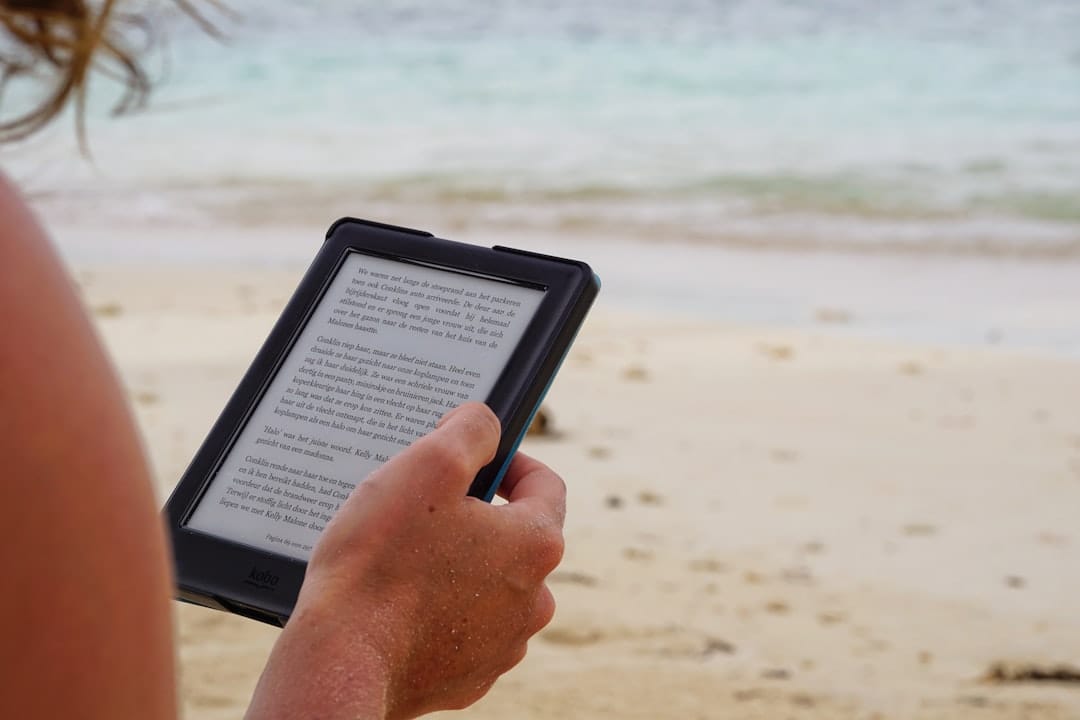
Unlock Uninterrupted Reading: Choosing the Best Accessible E-Reader for Business Professionals
Navigate the Kindle vs. Kobo debate to find the perfect e-reader that integrates seamlessly into your demanding professional life, ensuring accessibility without compromise.
The Challenge: Maximizing Productivity & Well-being with Accessible Reading
As a business professional, your time is a critical asset. You're constantly consuming information – reports, industry analyses, research papers, and crucial documents. Yet, the strain of prolonged screen time, the frustration of inaccessible digital formats, or the sheer bulk of physical books can hinder your efficiency and even impact your health. Eye strain, cognitive fatigue, and the inability to customize your reading experience are not just minor inconveniences; they are productivity killers that chip away at your focus and well-being.
Imagine an e-reader that not only makes your vast reading list manageable but actively enhances your reading experience, adapting to your specific needs, reducing eye strain, and boosting your comprehension. This isn't a luxury; it's a strategic investment in your personal and professional growth.
We understand that choosing the right e-reader, especially when accessibility is a paramount concern, can feel overwhelming. With Amazon's Kindle and Rakuten Kobo dominating the market, each boasting a suite of features, how do you cut through the noise to identify the device that genuinely aligns with your high-stakes professional demands? This comprehensive guide will dissect the nuances of Kindle and Kobo's accessibility features, helping you make an informed decision that empowers you to read more, read smarter, and read comfortably.
Quick Comparison: Kindle vs. Kobo for Accessibility-Focused Professionals
>Before we dive deep, here's a snapshot to help you quickly grasp the core differences in accessibility offerings between the leading e-reader platforms. This table focuses on features most relevant to professionals seeking an uncompromised reading experience.<

| Feature/Aspect | Amazon Kindle (General) | Rakuten Kobo (General) | Accessibility Focus (Kindle) | Accessibility Focus (Kobo) |
|---|---|---|---|---|
| Screen Technology | E-Ink Carta/Paperwhite | E-Ink Carta/Carta HD/Kaleido | High contrast, adjustable fonts, dark mode (Invert Black and White) | High contrast, adjustable fonts, dark mode (Invert Black and White), ComfortLight PRO for blue light reduction |
| Text Customization | Extensive font choices (including OpenDyslexic), size, boldness, line spacing, margins | Extensive font choices (including OpenDyslexic), size, boldness, line spacing, margins | Highly granular control over text presentation for visual comfort | Highly granular control over text presentation for visual comfort, advanced font weighting |
| Auditory Features | >VoiceView screen reader (on some models), Audible integration for audiobooks< | Limited built-in text-to-speech (some models/regions), audiobook support via Bluetooth (most models) | >Robust screen reader for navigation and reading aloud, direct audiobook access< | Bluetooth audiobook support, limited TTS (check specific model/region) |
| Physical Accessibility | Page turn buttons (Kindle Oasis), lightweight designs | Page turn buttons (Kobo Libra/Sage), lightweight designs | Ergonomic design options for single-hand use, physical buttons reduce touch reliance | Ergonomic design options, physical buttons, waterproof designs for worry-free use |
| Content Ecosystem | Amazon's vast Kindle Store, library borrowing (OverDrive/Libby in some regions) | Kobo Store, direct OverDrive integration for library borrowing | Seamless access to a massive library, including many accessible formats | Direct library integration simplifies borrowing, excellent EPUB support |
| Device Models for Accessibility | Kindle Paperwhite, Kindle Oasis, Kindle Scribe | Kobo Libra 2, Kobo Sage, Kobo Clara 2E | Oasis for buttons, Paperwhite for balance, Scribe for note-taking | Libra 2/Sage for buttons & audio, Clara 2E for portability & audio |
This table provides a high-level overview. For a professional, the devil is in the details, especially when considering specific conditions like dyslexia, visual impairment, or motor skill challenges. Let's delve deeper.
>Deep Dive: Unpacking Accessibility Features of Top E-Readers for Professionals<
>Choosing an e-reader isn't just about the brand; it's about the specific model and its feature set. We'll analyze the most relevant Kindle and Kobo devices, focusing on how their design and software contribute to an accessible, productive reading experience for busy professionals.<
The Amazon Kindle Ecosystem: A Deep Dive into Accessibility
Amazon's Kindle line has long been a market leader, and its accessibility features have matured considerably. Professionals often gravitate towards Kindles due to their vast content library and perceived ease of use. However, it's crucial to understand which models excel in accessibility.
1. Kindle Paperwhite (11th Gen) – The Balanced Performer
- Screen & Illumination: Features a 6.8-inch E-Ink display with a 300 ppi resolution, offering crisp text. The adjustable warm light (ComfortLight Pro equivalent) is a game-changer for reducing eye strain during evening reading, crucial for professionals who often read after hours. Dark mode (Invert Black and White) is also available, providing excellent contrast for low-light environments or those with light sensitivity.
- Text Customization: Offers a wide array of font sizes, bolding levels, line spacing, and margin adjustments. It supports popular fonts like OpenDyslexic, which is specifically designed to aid readers with dyslexia. The ability to save custom themes means you can quickly switch between optimized settings for different reading conditions or personal preferences.
- Auditory Features: While the Paperwhite itself doesn't have a built-in speaker, it supports Audible audiobooks via Bluetooth headphones or speakers. This is invaluable for multitasking professionals who can switch between reading and listening seamlessly. However, it lacks the full VoiceView screen reader present on some older Kindles or the Fire tablets.
- Physical Design: Lightweight and IPX8 waterproof, making it durable for commutes or reading by the pool. Its flush-front design is sleek, but it lacks physical page-turn buttons, relying solely on touch.
- Integration: Deep integration with the Amazon ecosystem, including Goodreads and Send to Kindle features for personal documents (PDFs, Word docs, web articles).
- Best For: Professionals seeking a robust, waterproof e-reader with excellent screen customization, warm lighting, and audiobook support, who don't necessarily require physical buttons or a full screen reader.
Amazon — Check price on Amazon
2. Kindle Oasis (10th Gen) – The Ergonomic Choice
- Screen & Illumination: Features a 7-inch 300 ppi E-Ink display, slightly larger than the Paperwhite. Its standout feature is the dedicated warm light and automatic light adjustment, which intelligently adapts to ambient light conditions. Dark mode is also included.
- Text Customization: Identical to the Paperwhite in terms of font choices, sizes, bolding, line spacing, and margin controls, including OpenDyslexic support.
- Auditory Features: Similar to the Paperwhite, it supports Audible audiobooks via Bluetooth. It also lacks a built-in speaker and the full VoiceView screen reader.
- Physical Design: This is where the Oasis truly shines for accessibility. Its unique ergonomic design with a thicker grip on one side and physical page-turn buttons makes it ideal for one-handed reading, particularly for individuals with motor skill challenges or those who prefer tactile feedback. The screen automatically rotates orientation when you switch hands. It's also IPX8 waterproof.
- Integration: Seamless Amazon ecosystem integration.
- Best For: Professionals prioritizing ergonomic design, physical page-turn buttons, and premium build quality for comfortable, extended reading sessions. Excellent for those with mild motor impairments or who simply prefer the tactile experience over touch gestures.
Amazon — See all smart home deals on Amazon
3. Kindle Scribe – The Note-Taking Powerhouse with Accessibility Potential
- Screen & Illumination: A large 10.2-inch 300 ppi E-Ink display, offering vast screen real estate. It includes adjustable warm light and dark mode, crucial for a device intended for long periods of use. The larger screen inherently benefits those with visual impairments as it allows for larger text display without excessive page turns.
- Text Customization: Offers the same comprehensive text customization options as other Kindles, which are even more impactful on a larger screen.
- Auditory Features: Supports Audible audiobooks via Bluetooth.
- Physical Design: While larger, it’s surprisingly thin and balanced. Its primary differentiator is the included stylus for note-taking directly on books, PDFs, and notebooks. For professionals who annotate heavily, this can be a significant accessibility feature, allowing for more natural interaction than typing on a small virtual keyboard.
- Integration: Strong integration with Amazon, including Send to Kindle for documents and exporting notes.
- Best For: Professionals who need a large, comfortable reading screen and robust note-taking capabilities. The ability to write directly on documents can be a powerful accessibility tool for those who process information better through active annotation, or for whom typing on a small screen is cumbersome.
The Rakuten Kobo Ecosystem: Innovation in Accessibility
Kobo has carved out a niche by focusing on open standards and often integrating features that directly address user comfort and accessibility. Their direct OverDrive integration is a significant differentiator for many.
1. Kobo Libra 2 – The Ergonomic & Auditory Champion
- Screen & Illumination: Features a 7-inch 300 ppi E-Ink Carta 1200 screen, known for faster page turns and higher contrast. Crucially, it includes ComfortLight PRO, Kobo's advanced system for reducing blue light exposure throughout the day, automatically adjusting color temperature. Dark mode (Invert Black and White) is also available.
- Text Customization: Kobo is renowned for its extensive font customization. Beyond standard font types, sizes, line spacing, and margins, Kobo allows for precise font weighting, letting you fine-tune the boldness of any font. This granular control is a major advantage for readers with specific visual needs, including dyslexia (OpenDyslexic is supported). You can save up to 5 custom settings.
- Auditory Features: A key differentiator: the Kobo Libra 2 supports audiobooks via Bluetooth, allowing you to listen to Kobo Audiobooks directly from the device. This is a crucial accessibility feature for those with visual impairments or who prefer auditory learning. While it lacks a full screen reader like Kindle's VoiceView, the direct audiobook support is robust.
- Physical Design: Like the Kindle Oasis, the Libra 2 boasts an ergonomic design with physical page-turn buttons and an auto-rotating screen, making it comfortable for one-handed use. It's also IPX8 waterproof.
- Integration: Direct OverDrive integration is a huge plus for professionals who leverage public library systems for research or leisure reading, eliminating the need for external apps. Supports a wider range of file formats (EPUB, EPUB3, PDF, MOBI, JPEG, GIF, PNG, BMP, TIFF, TXT, HTML, RTF, CBZ, CBR), making it versatile for professional documents.
- Best For: Professionals who prioritize physical page-turn buttons, advanced blue-light reduction, robust text customization (especially font weighting), and seamless audiobook integration. Its wide format support is also ideal for diverse professional reading materials.
Amazon — Compare models on Amazon
2. Kobo Sage – The Premium Reader & Annotator
- Screen & Illumination: An 8-inch 300 ppi E-Ink Carta 1200 screen, offering a larger viewing area than the Libra 2, which is beneficial for complex documents or larger text. It also features ComfortLight PRO for blue light reduction and dark mode.
- Text Customization: Identical, industry-leading text customization options as the Libra 2, including precise font weighting and OpenDyslexic support.
- Auditory Features: Like the Libra 2, the Kobo Sage supports audiobooks via Bluetooth.
- Physical Design: Shares the ergonomic design and physical page-turn buttons with the Libra 2, providing excellent one-handed usability. It's also IPX8 waterproof. The Sage introduces Kobo Stylus 2 support (sold separately) for note-taking and marginalia directly on books and PDFs.
- Integration:> Excellent OverDrive integration and wide file format support. Its note-taking capabilities are integrated with Dropbox and Google Drive, allowing for easy export of annotations and documents, a significant advantage for collaborative or research-intensive professionals.<
- Best For: Professionals who need a larger screen for reading, demand premium ergonomic features (physical buttons), value advanced blue-light filtering, and require integrated note-taking with cloud sync for their professional workflows. Ideal for annotating research papers or business documents.
>3. Kobo Clara 2E – The Portable & Eco-Conscious Choice<
- Screen & Illumination: A compact 6-inch 300 ppi E-Ink Carta 1200 screen, making it highly portable. It includes ComfortLight PRO and dark mode.
- Text Customization: Offers the same comprehensive Kobo text customization features, including font weighting and OpenDyslexic support, albeit on a smaller screen.
- Auditory Features: Despite its compact size, the Clara 2E supports Kobo Audiobooks via Bluetooth, making it an excellent portable device for auditory learners.
- Physical Design: No physical page-turn buttons, relying on touch. It is IPX8 waterproof and notably, made with recycled plastics, aligning with corporate sustainability initiatives.
- Integration: Full OverDrive integration and wide file format support.
- Best For: Professionals who prioritize extreme portability, robust text customization, blue-light reduction, and audiobook support in a compact, eco-friendly package. Ideal for quick reads on the go, or as a secondary device.
Specialized Accessibility Features: A Deeper Look
Beyond the core device features, both ecosystems offer specific functionalities that are paramount for accessibility:
- VoiceView (Kindle): This screen reader, available on some Kindle models (though more prevalent on Fire tablets), speaks aloud items on the screen, allowing visually impaired users to navigate the interface and read books. It requires specific Bluetooth audio accessories. While not universal across all Kindle e-readers, it represents a significant commitment to blind and low-vision users.
- OpenDyslexic Font (Kindle & Kobo): Both platforms natively support or allow the sideloading of the OpenDyslexic font, which features heavier bottoms to prevent letter confusion and improve readability for individuals with dyslexia. This simple yet powerful feature can dramatically improve reading fluency and reduce fatigue.
- Warm Light / ComfortLight PRO: This feature, present on most modern Kindles and all Kobo devices discussed, significantly reduces the amount of blue light emitted by the screen. Blue light is known to disrupt sleep patterns and contribute to eye strain. For professionals who read extensively, especially in the evenings, this is a non-negotiable accessibility feature for long-term eye health and sleep quality.
- Dark Mode / Invert Black and White: Both platforms offer a dark mode, which inverts the screen colors (white text on a black background). This can be incredibly beneficial for individuals with light sensitivity, certain visual impairments, or for reading in very low-light conditions to reduce glare and eye fatigue.
- Adjustable Font Weighting (Kobo): Kobo's unique ability to fine-tune the boldness of any font provides an unparalleled level of customization for visual comfort. This subtle adjustment can make a significant difference for readers with specific visual acuity challenges.
- Physical Page-Turn Buttons: Found on the Kindle Oasis, Kobo Libra 2, and Kobo Sage, these buttons offer tactile feedback and allow for single-handed reading without having to swipe the screen. This is a crucial accessibility feature for individuals with limited dexterity, motor tremors, or those who prefer a more traditional reading experience.
- Waterproofing (IPX8): While not directly an accessibility feature for reading, IPX8 waterproofing on most modern e-readers from both brands offers peace of mind. For professionals who might read in various environments (e.g., while commuting, during a relaxing bath after a stressful day), this durability reduces anxiety about accidental damage, ensuring the device remains a reliable tool.
Strategic Investment: Pricing & Suitability by Professional Segment
Your choice of e-reader is an investment in your productivity and personal well-being. Understanding the pricing and how each device aligns with different professional profiles is key.

Value Proposition & Price Points (Approximate, subject to change):
- Kindle Paperwhite (11th Gen): Typically starts around $139.99 (with ads). Offers an excellent balance of features, performance, and accessibility for its price.
- Kindle Oasis (10th Gen): Typically starts around $249.99. A premium device, justified by its ergonomic design, physical buttons, and premium build.
- Kindle Scribe: Starts around $339.99. A significant investment, but unique for its large screen and stylus note-taking capabilities.
- Kobo Clara 2E: Typically starts around $149.99. A compact, feature-rich option at a competitive price, with added eco-conscious design.
- Kobo Libra 2: Typically starts around $189.99. Offers a compelling blend of ergonomic design, advanced lighting, and extensive accessibility features for its mid-range price.
- Kobo Sage: Typically starts around $259.99. A direct competitor to the Oasis, offering a larger screen and stylus support at a similar premium price point.
Suitability by Professional Segment:
>The Analytical Professional (Consultants, Researchers, Academics):<
- Primary Need: Extensive research, annotation of complex documents (PDFs, scientific papers), seamless library access, eye comfort for long hours.
- Recommended:
- Kobo Sage: Its larger screen, stylus support for direct annotation, cloud integration (Dropbox/Google Drive), and superior PDF handling make it ideal for detailed document review. Direct OverDrive access is invaluable for academic libraries.
- Kindle Scribe: Similar benefits for note-taking and large screen, though Kobo might edge out for broader file format support and OverDrive integration.
- Kobo Libra 2: A strong contender if budget is tighter, offering excellent text customization and OverDrive for research.
The Executive & Manager (Frequent Travelers, Multi-taskers):
- Primary Need: Portability, durability, quick access to audiobooks, reduced eye strain, ergonomic design for reading on the go.
- Recommended:
- Kindle Oasis: Its premium build, physical buttons, and ergonomic design are perfect for reading in varied environments (planes, trains, waiting rooms).
- Kobo Libra 2: A strong alternative to the Oasis, offering physical buttons, robust audiobook support, and waterproofing at a more accessible price point.
- Kobo Clara 2E: For ultimate portability and eco-consciousness, especially if physical buttons aren't a deal-breaker. Great for slipping into a briefcase.
The Tech-Savvy Innovator (Early Adopters, Smart Home Enthusiasts):
- Primary Need: Cutting-edge features, seamless integration with digital ecosystems, advanced customization, future-proof design.
- Recommended:
- Kobo Sage: Its combination of a large, responsive screen, stylus integration, cloud sync, and open format support aligns well with an innovative mindset.
- Kindle Scribe: The novelty of a large E-Ink writing tablet appeals to those looking for new ways to interact with digital content.
- Kobo Libra 2 / Kindle Paperwhite: Both offer modern features like warm light and waterproofing, representing solid, reliable tech.
The Budget-Conscious Professional (Entry-Level, Start-up Environment):
- Primary Need: Cost-effectiveness, core accessibility features, reliability, access to content.
- Recommended:
- Kindle Paperwhite (11th Gen): Offers an exceptional feature set for its price, including warm light, waterproofing, and excellent text customization.
- Kobo Clara 2E: A fantastic value proposition for its size, offering ComfortLight PRO, audiobook support, and waterproofing at a very competitive price.
Strategic Alignment: Matching E-Readers to Your Professional Persona
Selecting the right e-reader isn't just about features; it's about how those features integrate into your daily workflow and personal reading habits. Here’s a breakdown of who benefits most from each platform, specifically through an accessibility lens.
Choose Kindle If You Are:
- Deeply Embedded in the Amazon Ecosystem: If you already have a vast Kindle library, Audible subscriptions, or frequently use Amazon's services, staying within the Kindle ecosystem offers unparalleled convenience and content integration.
- Prioritizing Audible Audiobooks: While Kobo now supports audiobooks, Kindle's long-standing integration with Audible is robust and seamless for those who frequently switch between reading and listening to professional development books or reports.
- Seeking a Simple, Polished User Experience: Kindle's interface is generally considered more streamlined and user-friendly, which can be beneficial for professionals who value simplicity and minimal cognitive load.
- Relying on "Send to Kindle" for Documents: If you regularly send PDFs, Word documents, or web articles to your e-reader for review, Amazon's "Send to Kindle" service is incredibly efficient.
- Requiring a Full Screen Reader: For individuals with significant visual impairment, the VoiceView screen reader (check specific Kindle models for availability, though more common on Fire tablets) can be a critical accessibility tool.
- Value Physical Buttons and Ergonomics (Oasis): If the tactile feedback of page-turn buttons and an ergonomic grip are paramount for comfortable, prolonged reading due to motor skill considerations or preference, the Kindle Oasis is a strong choice.
- Need Robust E-Ink Note-Taking (Scribe): If annotating documents and taking notes directly on an E-Ink screen is essential for your professional workflow, the Kindle Scribe is a powerful contender.
Ready to enhance your reading experience with a Kindle? Explore the latest models and features:
Amazon — Compare models on Amazon
Choose Kobo If You Are:
- An Avid Public Library User (OverDrive): Kobo's direct, built-in OverDrive integration is a game-changer for professionals who frequently borrow books, research materials, or audiobooks from their local public library. No need for external apps or sideloading.
- Demanding Unparalleled Text Customization: Kobo's granular control over font weighting, in addition to size, type, and spacing, offers a superior level of visual comfort and readability, especially for those with dyslexia or specific visual sensitivities.
- Reading Diverse File Formats: If your professional reading involves a variety of document types beyond standard eBooks (e.g., EPUB, PDF, CBZ/CBR for graphic reports), Kobo's broader native file support is a significant advantage.
- Prioritizing Blue Light Reduction: Kobo's ComfortLight PRO system is often lauded for its effectiveness in automatically adjusting color temperature to minimize blue light exposure, benefiting sleep quality and reducing eye strain during evening reads.
- Seeking an Open Ecosystem: Kobo generally offers more flexibility in terms of content sources and management, appealing to professionals who prefer less vendor lock-in.
- Value Physical Buttons and Ergonomics (Libra 2, Sage): Similar to the Oasis, Kobo offers devices with physical page-turn buttons and ergonomic designs, providing excellent accessibility for one-handed reading.
- Need E-Ink Note-Taking with Cloud Sync (Sage): The Kobo Sage, with its stylus support and integrated Dropbox/Google Drive sync, is ideal for professionals who need to annotate extensively and seamlessly integrate those notes into their cloud-based workflows.
- Environmentally Conscious: The Kobo Clara 2E, made with recycled plastics, aligns with professionals who prioritize sustainability in their tech choices.
Elevate your reading with Kobo's advanced accessibility and open ecosystem. Discover your ideal Kobo e-reader:
Explore Kobo E-Readers at Kobo.com"Switching to the Kobo Libra 2 was a revelation. The ComfortLight PRO has drastically reduced my evening eye strain, and the physical buttons are a godsend during long commutes. Plus, direct library access means I'm always stocked with new research." - Dr. Anya Sharma, Senior AI Researcher
"My Kindle Oasis has been indispensable. The ergonomic design means I can comfortably read lengthy reports with one hand, and the seamless Audible integration keeps me productive even when I'm on the move. It's a true professional tool." - Mark Jenkins, Management Consultant
Seamless Integration: Getting Started with Your Accessible E-Reader
Once you've made your choice, getting started and integrating your new e-reader into your professional life should be straightforward. Here’s a quick guide to maximize your accessible reading experience from day one.
For Kindle Users:
- Register Your Device: Connect to Wi-Fi and register your Kindle to your Amazon account. This will sync your existing Kindle library.
- Adjust Accessibility Settings: Navigate to "All Settings" > "Accessibility." Here, you can enable "Invert Black and White" (dark mode), adjust "VoiceView Screen Reader" (if available on your model and you use it), and explore other options.
- Customize Your Reading Experience: Open any book. Tap the top of the screen to bring up the menu, then tap the "Aa" icon. Experiment with fonts (including OpenDyslexic), font size, bolding, line spacing, and margins. Save your preferred settings.
- Send Documents to Kindle: Utilize your unique "Send to Kindle" email address (found in your Amazon account settings) to send PDFs, Word documents, and web pages directly to your device. Alternatively, use the Send to Kindle app for desktop or web browser extension.
- Connect Bluetooth for Audiobooks: If you have an Audible subscription, pair your Bluetooth headphones or speaker via "All Settings" > "Wi-Fi & Bluetooth" > "Bluetooth Devices" to listen to audiobooks.
- Explore Goodreads Integration: For professionals who enjoy tracking their reading and discovering new titles, link your Goodreads account for social reading features.
For Kobo Users:
- Initial Setup & Account Creation: Connect to Wi-Fi and either create a new Kobo account or log in with an existing one.
- Configure Accessibility Settings: Go to "Settings" > "Accessibility." Here you'll find options for "Invert black and white," "Full justification," and potentially "Screen rotation" or "Page turn button" customization (on relevant models).
- Master Text Customization: Open a book, tap the center of the screen, then tap the "Aa" icon. Kobo's options are extensive. Play with font type (including OpenDyslexic), size, line spacing, margins, and critically, the "Weight" slider to fine-tune boldness. Create and save custom profiles for different reading scenarios.
- Integrate OverDrive: Go to "More" > "Settings" > "OverDrive." Log in with your library card details. Once linked, you can browse and borrow books directly from your public library within the Kobo store, a huge time-saver.
- Connect Bluetooth for Audiobooks: If your Kobo supports audiobooks, pair your Bluetooth headphones or speaker via "Settings" > "Bluetooth" to listen to Kobo Audiobooks.
- Utilize Dropbox/Google Drive (Kobo Sage): For the Kobo Sage, connect your cloud storage accounts in "Settings" to easily transfer documents and sync your annotated notebooks.
- Managing PDFs and Other Formats: Kobo's broader file support means you can easily sideload PDFs, EPUBs, and other documents via USB. For PDFs, experiment with Kobo's "Advanced Reading" settings to optimize viewing.
Remember, the goal is not just to acquire a device, but to optimize your reading workflow. Invest a little time upfront in customizing your settings, and your e-reader will become an indispensable tool for maintaining peak professional performance and personal well-being.
Take Control of Your Reading Experience Today
You've seen the detailed breakdown, understood the nuances, and identified the e-reader that best fits your professional demands and accessibility needs. Now is the time to invest in your productivity, reduce eye strain, and unlock a truly comfortable and efficient reading experience.
Don't let inaccessible technology hold you back. Make an informed decision that empowers you to consume information faster, retain more, and enjoy every moment of your reading journey.
Click below to compare the latest models and take the first step towards optimized, accessible reading.
Compare Kindle & Kobo Models Now(As an Amazon Associate and Kobo Affiliate, we earn from qualifying purchases.)
Frequently Asked Questions About Accessible E-Readers for Professionals
Q1: Is Kindle or Kobo better for someone with dyslexia?
A: Both Kindle and Kobo offer excellent features for readers with dyslexia. Both platforms support the OpenDyslexic font, which is specifically designed to improve readability. Kobo, however, often provides more granular control over text customization, including unique font weighting adjustments that can be very beneficial for fine-tuning visual comfort. Ultimately, trying both (if possible) to see which interface and text rendering feels most comfortable is recommended, but Kobo often gets a slight edge here due to its advanced customization.
Q2: Which e-reader is best for reducing eye strain during long reading sessions?
A: Both modern Kindles (Paperwhite, Oasis, Scribe) and Kobo devices (Clara 2E, Libra 2, Sage) are excellent for reducing eye strain due to their E-Ink screens and adjustable warm front lights. Kobo's ComfortLight PRO system is particularly well-regarded for its advanced blue light reduction and automatic adjustment based on time of day. Additionally, the ability to use dark mode (white text on black background) on both platforms further minimizes glare. For professionals reading for extended periods, either brand with warm light is a significant upgrade over LCD/LED screens.
Q3: Can I listen to audiobooks on both Kindle and Kobo?
A: Yes, both platforms now support audiobooks via Bluetooth. Kindles integrate seamlessly with Audible (Amazon's audiobook service). Kobo devices, specifically the Clara 2E, Libra 2, and Sage, support Kobo Audiobooks via Bluetooth. If you have an existing Audible library, Kindle might be more convenient. If you prefer Kobo's ecosystem or its direct OverDrive integration for library audiobooks, Kobo is an excellent choice.
Q4: How do Kindles and Kobos handle PDFs and professional documents?
A: Both Kindles and Kobos can display PDFs. However, e-readers are generally optimized for reflowable eBook formats. For PDFs, especially those with complex layouts, tables, or images, a larger screen (like the Kindle Scribe or Kobo Sage) will offer a better experience. Kobo generally supports a wider range of file formats natively (EPUB, PDF, MOBI, etc.), and its integration with Dropbox/Google Drive on the Sage can be advantageous for managing professional documents and annotations. Kindle's "Send to Kindle" service is very convenient for converting many document types to Kindle format.
Q5: Is a screen reader available on these e-readers for visually impaired users?
A: Amazon's VoiceView screen reader is available on some Kindle models (and more extensively on Fire tablets), providing spoken feedback for navigation and text. Kobo devices currently do not offer a full screen reader equivalent to VoiceView. However, Kobo's strong audiobook support via Bluetooth provides an auditory alternative for consuming content. For professionals with severe visual impairment who rely on screen readers for device interaction, investigating specific Kindle models or Amazon Fire tablets with VoiceView is crucial.
Q6: Which e-reader is better for borrowing books from public libraries?
A: Kobo devices offer superior integration with public libraries through built-in OverDrive support. You can browse, borrow, and read library books directly on your Kobo device without needing a separate app or computer. While Kindles also support library borrowing via OverDrive/Libby, the process usually involves sending books from the Libby app to your Amazon account, adding an extra step. For seamless library access, Kobo is the clear winner.
Q7: Are physical page-turn buttons important for accessibility?
A: Absolutely. Physical page-turn buttons (found on Kindle Oasis, Kobo Libra 2, Kobo Sage) are a significant accessibility feature. They allow for one-handed reading without needing to swipe the screen, which is beneficial for individuals with limited dexterity, motor tremors, or those who simply prefer tactile feedback over touch gestures. They also prevent accidental page turns that can sometimes occur with touch-only screens.



