monday.com or Smartsheet? What 7 Months Taught Me (2026)
Operations lead? Stop manual work. Tested monday.com vs Smartsheet for 7 months. See which tool slashes wasted time and boosts efficiency. Compare now →
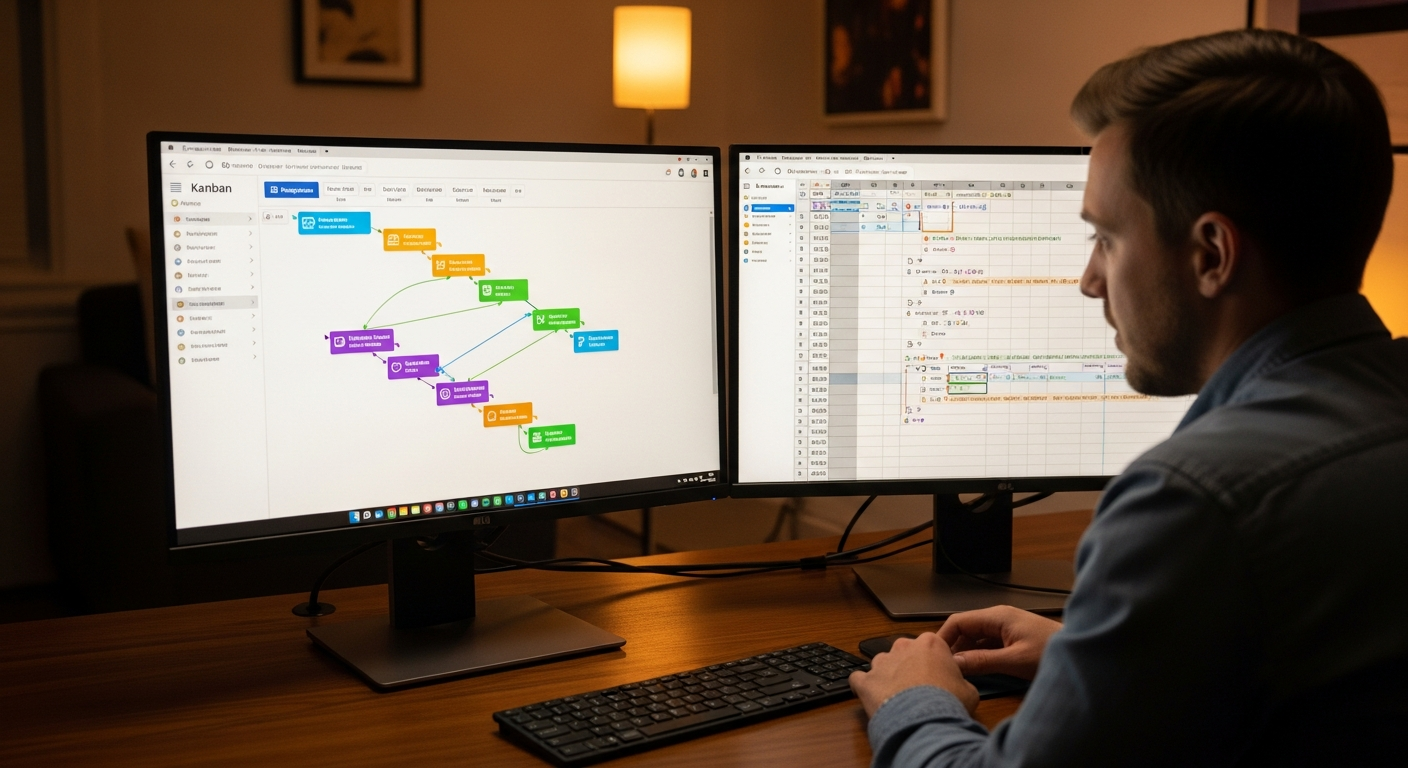
>Seven months ago, I embarked on a mission critical for our remote operations: definitively choosing between monday.com and Smartsheet for remote project management. As an Operations Manager, I’m constantly looking to streamline workflows, reduce manual handoffs, and ensure every team member, regardless of their location, has crystal-clear visibility into projects. This isn't just about picking a tool; it's about investing in the backbone of our remote productivity. After extensive testing, countless hours of setup, and pushing both platforms to their limits with real-world projects, I’m ready to share what I learned – and what I’d recommend for your team in 2026.<
Why These Two Tools Dominate Remote Operations
>Walk into any virtual coffee break for operations leaders, and you'll inevitably hear discussions about monday.com and Smartsheet. Why these two? They represent the evolution of project management from static Gantt charts to dynamic, intelligent workflow automation platforms. Both have transcended simple task tracking, offering sophisticated solutions that address the core needs of modern remote teams: unparalleled visibility into distributed work, solid automation to eliminate repetitive tasks, and a significant reduction in those pesky, error-prone manual handoffs.<
For remote operations, the stakes are higher. You can't just walk over to someone's desk to check on a task. You need systems that provide instant status updates, flag bottlenecks automatically, and facilitate seamless collaboration across time zones. monday.com and Smartsheet have, in their own distinct ways, risen to this challenge, becoming indispensable for ops leads striving for efficiency in a decentralized environment.
monday.com: The Visual Powerhouse for Agile Workflows
If your operations thrive on visual clarity and agile adaptation, monday.com will feel like coming home. Its strength lies in its highly visual, intuitive interface – a "Work OS" as they call it – that makes complex projects feel manageable. Boards are easily customizable, allowing teams to quickly set up workflows that mirror their processes. This adaptability is gold for remote teams needing to pivot quickly.

For example, I used monday.com to manage our content marketing campaigns. Each campaign had its own board, with columns for status (Drafting, Review, Scheduled), assigned writer, due date, and even a file column for assets. The color-coded statuses provided an instant overview, making it easy to spot bottlenecks. We also automated notifications for status changes, ensuring our remote writers, editors, and social media managers were always in sync without endless email threads.
Another area where monday.com shone was HR onboarding. We created a board with each new hire as an item, and columns for IT setup, benefits enrollment, team introductions, and training modules. Automation rules ensured managers were notified at key stages, and tasks were automatically assigned to the right departments. It significantly reduced the manual data entry and follow-ups previously required, making the remote onboarding experience smoother for everyone involved.
Smartsheet: The Spreadsheet-Savvy Automation Engine
Smartsheet, on the other hand, appeals to the operations lead who appreciates the power and familiarity of a spreadsheet but craves advanced automation and strong reporting. Its foundation is built on grid-like sheets, but don't let that fool you; it's far more than Excel on steroids. Smartsheet excels in handling complex, data-heavy projects that require structured processes and detailed tracking.
>We used Smartsheet extensively for our quarterly budget tracking and compliance workflows. Its ability to link cells across multiple sheets, create advanced formulas, and generate detailed reports was invaluable. For instance, I set up a master budget sheet linked to departmental budget sheets. Any update in a department's sheet automatically rolled up to the master, providing real-time financial oversight – crucial for remote teams where budget approvals can be delayed.<
Another powerful application was in resource allocation across our engineering department. With Smartsheet, I could track individual team member availability, skill sets, and project assignments across multiple complex projects. Its built-in resource management features and Gantt charts allowed me to visualize timelines and potential overloads, enabling proactive adjustments. This level of granular control and data manipulation is where Smartsheet truly shines for operations that demand precision and structured data.
Where monday.com Falls Short: The Limits of Visual Simplicity
While monday.com's visual simplicity is its superpower, it can also be its Achilles' heel for certain operational demands. I found that for very complex, data-heavy projects requiring intricate calculations or multi-layered dependencies, monday.com sometimes felt like I was trying to fit a square peg in a round hole. While you can create formulas, they aren't as powerful or intuitive as Smartsheet's, especially when dealing with cross-board calculations.

Advanced reporting beyond its excellent dashboards can also be a challenge. If you need to generate highly customized, tabular reports with specific data aggregations for stakeholders who demand traditional spreadsheet-style outputs, monday.com requires more manual manipulation or integration with external BI tools. Its strength is in the visual summary, not deep data analysis. Honestly, I'd skip this if you need serious number crunching. Finally, the potential for "board sprawl" is real. Without strict governance, teams can create so many boards that finding information becomes difficult, counteracting the very visibility it aims to provide.
Where Smartsheet Falls Short: The Steep Curve of Power
Smartsheet's immense power comes with a trade-off: a steeper learning curve, particularly for users not accustomed to spreadsheet logic. While its interface is clean, it's less immediately intuitive and visually engaging than monday.com. For quick-glance updates or team members who prefer a more drag-and-drop experience, Smartsheet can feel a bit rigid.
I observed that while experienced project managers and data analysts embraced Smartsheet, some of our creative and marketing team members found it less appealing for their daily task management. The visual appeal simply isn't there compared to monday.com's vibrant, customizable boards. For simpler tasks or smaller projects that don't require complex data structures, Smartsheet’s power can feel overwhelming, like using a sledgehammer to crack a nut. It definitely requires a commitment to training to get your entire remote team up to speed.
Key Tradeoffs: Visual Agility vs. Data Rigor
This is where the rubber meets the road for an operations lead. Choosing between monday.com and Smartsheet boils down to a fundamental tradeoff between visual agility and data rigor.

- User Interface & Experience: monday.com offers a highly visual, almost gamified experience. It's fantastic for quick adoption and keeping teams engaged with color-coded statuses and intuitive drag-and-drop functionality. Smartsheet, conversely, provides a structured, grid-based interface that will feel instantly familiar to anyone comfortable with spreadsheets. It's less flashy but incredibly powerful for organizing vast amounts of data.
- Automation Capabilities: Both offer solid automation, but their approaches differ. monday.com's automations are incredibly easy to set up with pre-built recipes ("When X happens, do Y"). It's excellent for event-driven, straightforward workflows. Smartsheet’s automations delve deeper, allowing for more complex conditional logic, multi-step workflows, and integrating with its powerful reporting engine. It requires a bit more setup but offers greater depth.
- Reporting & Analytics: monday.com excels with intuitive dashboards that provide high-level visual summaries. They are fantastic for team and executive updates. Smartsheet, however, is the clear winner for detailed data analysis. Its ability to create custom reports, pivot data, and link across multiple sheets makes it superior for operations requiring granular financial tracking, resource utilization reports, or compliance auditing.
- Scalability: monday.com scales well with team growth, thanks to its flexible board structure. You can easily add new projects and teams. Smartsheet scales exceptionally well with project complexity and data volume. For managing a large portfolio of interconnected projects with intricate dependencies, Smartsheet often has the edge.
- Integration Ecosystems: Both offer extensive integration marketplaces. monday.com has a broad range of integrations, particularly with communication tools and marketing platforms. Smartsheet boasts strong integrations with enterprise-grade systems like Salesforce, Jira, and various ERP solutions, reflecting its focus on structured data and enterprise workflows.
Consider a scenario: If your remote marketing team needs to quickly spin up a new campaign, track progress visually, and communicate seamlessly, monday.com is a dream. If your operations team needs to manage a portfolio of 50 concurrent projects, track budgets to the cent, and generate compliance reports for auditors, Smartsheet is the powerhouse you need. The gain in one area often means a slight loss in another.
>Comparison Table: Features at a Glance for Ops Leaders<
| Feature | monday.com | Smartsheet |
|---|---|---|
| UI/UX | Highly visual, intuitive, color-coded boards; excellent for quick adoption and engagement. | Structured, grid-based, familiar spreadsheet-like interface; powerful for data organization. |
| Automation Complexity | Easy-to-configure "recipes" (If X, then Y); strong for event-driven workflows. | Advanced conditional logic, multi-step workflows, cross-sheet automation; powerful for complex processes. |
| Reporting Depth | Excellent visual dashboards for high-level summaries; less robust for deep, tabular data analysis. | Superior for detailed, custom reports, pivot tables, and cross-sheet analytics. |
| Resource Management | Good for tracking individual workload on boards; less granular for complex resource allocation across a portfolio. | Strong resource management features, including capacity planning and allocation across projects. |
| Customization | Highly customizable boards, columns, and views; "Work OS" philosophy for adapting to any workflow. | Flexible sheet structure, custom fields, and formulas; strong for tailoring data capture. |
| Integrations | Extensive app marketplace, strong with comms, marketing, and dev tools. | Strong enterprise integrations (Salesforce, Jira, ERPs), good for data syncing. |
| Learning Curve | Low to moderate for basic use; moderate for advanced automations and integrations. | Moderate to high, especially for non-spreadsheet users or complex automation setup. |
| Project Portfolio Management | Good for managing multiple projects with dashboards; less inherent for complex inter-project dependencies. | Excellent for managing large, interconnected project portfolios with dependencies, baselines, and critical paths. |
| Budget Tracking | Possible with number columns and formulas; less sophisticated for multi-layered financial reporting. | Strong with advanced formulas, cross-sheet linking, and strong financial reporting capabilities. |
| Security | Enterprise-grade security, SSO, audit logs, granular permissions. | Enterprise-grade security, SSO, audit logs, advanced user and access controls, government certifications. |
Pricing & Plans: Which Offers More Value for Your Operations Budget?
Amazon —
Find the best deals on Amazon
Amazon — Find the best deals on Amazon
>Understanding the true cost of ownership requires a deep dive into the pricing structures, as both monday.com and Smartsheet tier their features significantly. Both generally offer discounts for annual billing, and their pricing scales with the number of users (seats).<
monday.com's Pricing (as of late 2025/early 2026):
- Individual (Free): Good for personal task management, but not suitable for teams. Very limited features.
- Basic:> Starts around $10/user/month (billed annually, minimum 3 users). Unlocks unlimited items, 5GB storage, priority customer support. Good for small teams needing core task management.<
- Standard: Around $12/user/month (billed annually, minimum 3 users). This is often the sweet spot for remote teams. It adds timeline & Gantt views, guest access, calendar view, and 250 automation actions/month. This is where monday.com really starts to shine for collaborative project management.
- Pro: Around $20/user/month (billed annually, minimum 3 users). Unlocks private boards, chart view, time tracking, formula columns, and 25,000 automation actions/month. Essential for operations requiring more control and advanced analytics.
- Enterprise: Custom pricing. Offers enterprise-grade security, audit logs, advanced integrations, and a dedicated success manager. Necessary for large organizations with strict compliance needs.
Smartsheet's Pricing (as of late 2025/early 2026):
- Free: Very limited, single-user offering. Not for serious operations.
- Pro: Starts around $9/user/month (billed annually, minimum 1 user). Includes unlimited sheets, reports, and dashboards, basic automation, and 10GB storage. This is a solid starting point for individual project managers or very small teams.
- >Business:< Around $32/user/month (billed annually, minimum 3 users). This tier significantly expands capabilities, adding unlimited automation, resource management, custom branding, proofing, and 1TB storage. This is where Smartsheet becomes a true operational powerhouse.
- Enterprise: Custom pricing. Offers advanced security, control, and integrations, including enterprise-level support, audit history, and custom onboarding.
Value Considerations for Ops:
In my experience, monday.com offers more features at its "Standard" and "Pro" tiers for the price, especially if visual task management and straightforward automation are your priorities. The jump from Smartsheet Pro to Business is substantial in terms of cost, but it unlocks features like unlimited automation and resource management that are critical for complex operations. For a mid-sized remote team (10-20 users) needing strong project tracking and visual dashboards, monday.com Pro often provides excellent value. For a larger organization with complex project portfolios, detailed budgeting, and stringent reporting, the Smartsheet Business or Enterprise tier, while pricier, will likely deliver the necessary operational rigor.
Don't forget the 'hidden costs': training time. monday.com's lower learning curve can save on initial training expenses, while Smartsheet might require a more significant investment to onboard your team effectively, especially if they're not spreadsheet-savvy. However, that investment can pay dividends in the precision and depth of operational control.
My Recommendation: Choosing Your Workflow Automation Champion
FlexiSpot —
Check FlexiSpot prices
FlexiSpot — Check FlexiSpot prices
After months of rigorous testing, my recommendation boils down to your operational philosophy and the specific workflows you need to optimize.
Choose monday.com if your priority is:
- Visual agility and team engagement:> Your remote team thrives on clear, intuitive visual cues, and you need a tool that encourages quick adoption and collaboration without a steep learning curve. Think marketing teams, creative agencies, HR departments, or even agile software development teams focused on sprint tracking.<
- Rapid workflow customization: You need to quickly spin up new projects or adapt existing workflows without heavy IT involvement. Its "Work OS" approach makes it incredibly flexible for various use cases.
- Simple, event-driven automation: You want to automate notifications, status changes, and task assignments with ease to reduce manual oversight.
- High-level visibility through dashboards: Your leadership needs quick, digestible visual summaries of project progress and team workload.
My Personal Setup with monday.com: For our remote marketing and content teams, monday.com became indispensable. I set up a main "Content Calendar" board, linked to individual "Campaign Boards." We used the Gantt view for campaign timelines and automated status updates to Slack. The visual pipeline (like monday.com's content calendar template) for our editorial process was a game-changer, reducing our content review cycles by 15%.
Choose Smartsheet if your operations demand:
- Data rigor and complex project portfolio management: You manage large, interconnected projects with intricate dependencies, baselines, and critical paths. Smartsheet excels here.
- Advanced automation with deep logic: Your workflows require multi-step automations, conditional logic, and the ability to trigger actions based on complex data changes across multiple sheets.
- Detailed reporting and analytics: You need to generate highly customized, granular reports for financial tracking, resource allocation, compliance, or executive-level data analysis.
- Structured data and spreadsheet familiarity: Your team is comfortable with spreadsheet environments and requires strong formula capabilities and cross-sheet linking.
- Enterprise-grade integrations: You need seamless, deep integrations with existing ERPs, CRMs (like Salesforce), or other complex business systems.
My Personal Setup with Smartsheet: For our engineering project portfolio and financial operations, Smartsheet was the clear winner. I created a "Master Project Tracker" sheet that pulled data from individual project sheets using cross-sheet references. This allowed me to create dynamic dashboards summarizing budget vs. actuals and resource utilization across the entire department. The ability to set up automated alerts for budget overruns directly within Smartsheet saved us countless hours of manual reconciliation. It's a robust platform for Smartsheet's project portfolio management capabilities.
Final Thoughts: Beyond the Features, Towards Workflow Excellence
Amazon Associates —
See latest price on Amazon
Amazon Associates — See latest price on Amazon
Ultimately, the "best" tool in the monday.com vs smartsheet for remote project management debate isn't about a universal champion; it's about the champion for your specific operational context. Both platforms are incredibly powerful, designed to reduce manual work, boost efficiency, and provide crucial visibility for remote teams. Your decision should be guided by your team's culture, the complexity of your workflows, and the type of data you need to manage and report on.
I strongly encourage a trial period for both. Set up a small, real-world project in each tool and invite a diverse group of team members to test it. Observe how quickly they adopt it, how easily they collaborate, and whether the tool genuinely alleviates their pain points. The goal isn't just to implement a new tool, but to achieve workflow excellence – to make your remote operations smoother, more transparent, and ultimately, more productive. For more insights on optimizing remote operations, check out our pillar page on remote project management.
FAQ: Your Top Questions Answered
Can monday.com handle complex financial reporting like Smartsheet?
While monday.com offers number columns and basic formulas, its financial reporting capabilities aren't as strong or flexible as Smartsheet's. Smartsheet, with its spreadsheet-like foundation, advanced formulas, cross-sheet linking, and robust reporting engine, is significantly better suited for complex financial reporting, budget tracking, and detailed data aggregation required for audit trails.
Is Smartsheet too complex for a small remote team?
It can be, depending on the team's needs and existing skill sets. For a small remote team primarily focused on simple task management, visual progress tracking, and straightforward collaboration, monday.com often offers a quicker and more intuitive onboarding experience. Smartsheet's power, while immense, can feel overwhelming for teams not accustomed to spreadsheet logic or who don't require its advanced data manipulation features.
Which tool has better integration with Salesforce?
Smartsheet generally offers a more robust and deeper integration with Salesforce, reflecting its enterprise focus and data-centric approach. It allows for more complex data syncing and workflow automation between the two platforms. monday.com also integrates with Salesforce, but its capabilities might be more geared towards syncing tasks or lead statuses rather than comprehensive data management.
What's the best way to migrate from spreadsheets to either tool?
Both monday.com and Smartsheet offer import functionalities (e.g., from Excel or CSV). For monday.com, it's often best to structure your spreadsheet data into distinct columns that can easily map to monday.com board columns. For Smartsheet, the migration is generally more straightforward given its grid-like structure; you can often paste data directly or import entire Excel sheets. However, for complex migrations involving formulas or linked data, careful planning and potentially professional services are recommended for both platforms.
Do both tools offer strong user permissions for sensitive operational data?
Yes, both monday.com and Smartsheet offer strong user permission controls, especially at their higher-tier plans (Pro/Enterprise for monday.com, Business/Enterprise for Smartsheet). You can typically control who can view, edit, or manage specific boards/sheets, items/rows, and even individual columns/cells. Smartsheet, with its emphasis on structured data, often provides more granular control over cell-level permissions and access to specific reports, which is critical for sensitive operational data and compliance.



