n8n vs. Power Automate for SAP: Ultimate Comparison
Compare n8n and Microsoft Power Automate for SAP integration & automation. Find the best solution for your enterprise with detailed features, pricing, and use c
>Disclosure: This page contains affiliate links. We may earn a commission if you make a purchase through these links, at no extra cost to you. This helps support our independent research and content creation.<
>n8n vs. Microsoft Power Automate for SAP: The Definitive Comparison for Enterprise Automation<
Are you struggling to integrate your critical SAP systems with the rest of your enterprise applications? Is manual data transfer costing your business time, money, and accuracy? In today's complex IT landscape, efficient SAP integration and automation are no longer a luxury—they are a necessity for maintaining a competitive edge. Choosing the right automation platform can drastically impact your operational efficiency, data integrity, and overall digital transformation journey.
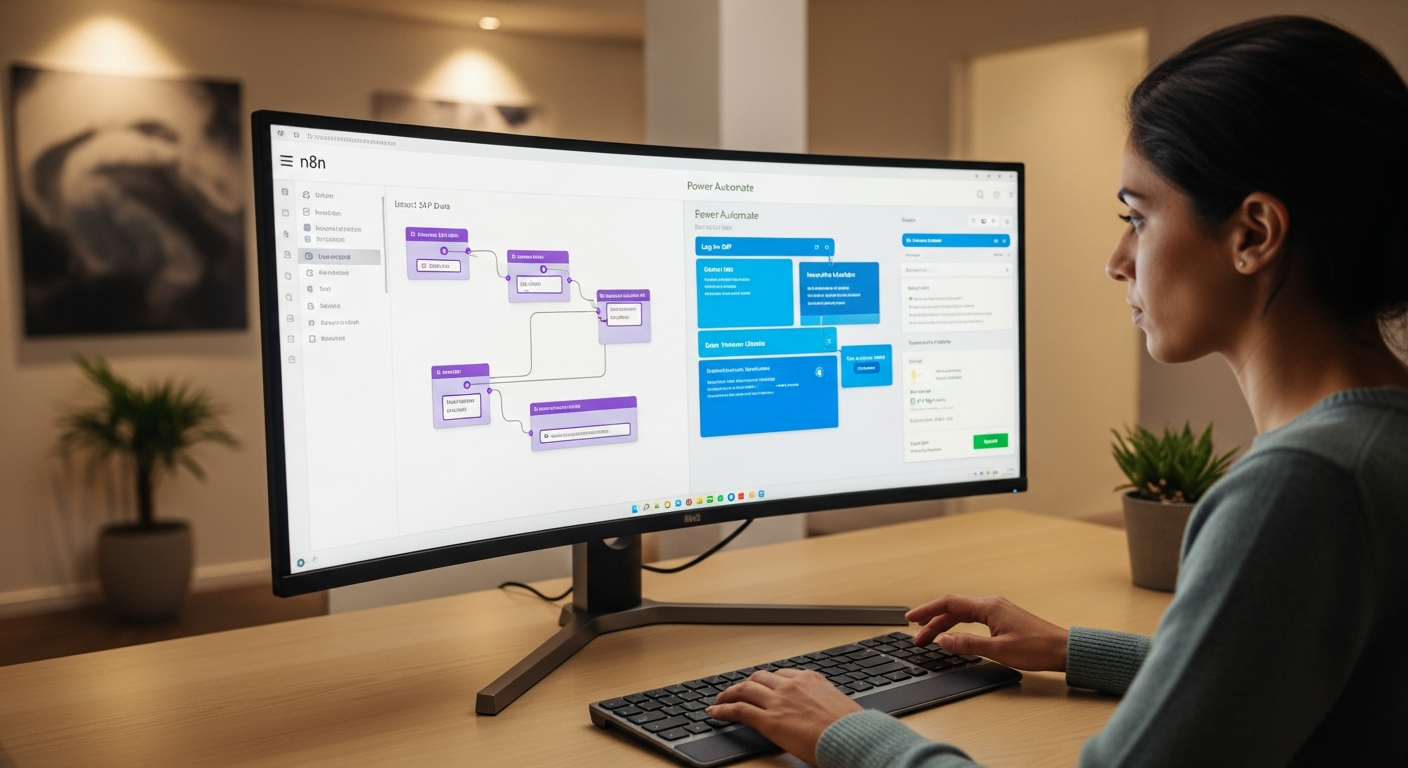
This comprehensive guide dives deep into a head-to-head comparison of n8n and Microsoft Power Automate, specifically tailored for business professionals looking to optimize their SAP workflows. We'll break down their capabilities, strengths, weaknesses, and ideal use cases, empowering you to make an informed decision that drives tangible value for your organization.
The Imperative for SAP Automation
SAP systems are the backbone of countless global enterprises, managing everything from ERP and SCM to CRM and HR. However, their robust nature often comes with integration challenges. As businesses adopt diverse cloud applications and specialized tools, the need to seamlessly connect SAP with these external services becomes paramount. Manual processes lead to:
- Data Silos: Information trapped within SAP, inaccessible to other critical systems.
- Operational Inefficiencies: Repetitive tasks consume valuable employee time and are prone to human error.
- Delayed Insights: Slow data flow hinders real-time decision-making.
- Increased Costs: Manual interventions and custom coding drive up operational expenses.
>Automation platforms like n8n and Power Automate offer a solution by acting as digital glue, orchestrating complex workflows that span across SAP and non-SAP environments. But which one is the right fit for your specific SAP integration strategy?<
Quick Comparison: n8n vs. Power Automate for SAP at a Glance
Before we dive into the granular details, here's a high-level overview to help you quickly grasp the core differences:

| Feature/Aspect | n8n | Microsoft Power Automate |
|---|---|---|
| Primary Focus | Open-source, self-hostable, extensible workflow automation for developers & technical users. | Low-code/No-code automation for business users & citizen developers within the Microsoft ecosystem. |
| SAP Integration | Direct SAP ECC & S/4HANA nodes (API-based, BAPI/RFC via custom code/middleware). Strong community support for custom solutions. | Dedicated SAP ERP connector, UI-based automation (RPA) for legacy SAP GUI. Deeper integration with Azure services. |
| Deployment Options | Self-hosted (Docker, Kubernetes), n8n Cloud (managed service). | Cloud-based (SaaS), On-premises data gateway for hybrid scenarios, Power Automate Desktop (RPA). |
| Flexibility & Customization | High. JavaScript functions, custom nodes, open-source codebase. | Moderate. Extensive pre-built connectors, custom connectors, limited code (Power Fx). |
| Pricing Model | Free (Community Edition), self-hosted options, n8n Cloud (tiered subscriptions). | Subscription-based (per user/per flow), part of Microsoft 365/Dynamics 365 licenses. |
| Target User | Developers, technical users, DevOps teams, IT departments. | Business users, citizen developers, IT professionals, Microsoft ecosystem users. |
| Open Source | Yes (MIT License). | No (Proprietary Microsoft). |
| RPA Capabilities | Indirectly via external tools or custom scripts. Not native. | Native via Power Automate Desktop (UI flows) for legacy system automation. |
Detailed Analysis: Diving Deeper into n8n and Power Automate for SAP
n8n: The Open-Source Workflow Automation Powerhouse for Technical Teams
>n8n (pronounced "n-eight-n") is a powerful, open-source workflow automation tool that allows you to connect applications and automate tasks. Its core philosophy revolves around empowering users with flexibility and control, often appealing to developers, technical consultants, and IT departments who value extensibility and self-hosting capabilities.<
n8n's Strengths for SAP Integration:
- Open Source & Self-Hostable: This is a massive advantage for organizations with strict data governance requirements or those looking to avoid vendor lock-in. You can run n8n on your own infrastructure, giving you complete control over your data and environment. The Community Edition is free, reducing initial investment.
- Developer-Centric Flexibility: n8n truly shines when custom logic or complex transformations are required. Its JavaScript-based function nodes allow developers to write arbitrary code within workflows, making it incredibly adaptable for nuanced SAP integration scenarios that might involve custom BAPIs, RFCs, or intricate data mapping.
- Robust SAP Nodes: n8n offers dedicated nodes for SAP ECC and S/4HANA. These nodes typically communicate with SAP via standard APIs (e.g., OData services, SOAP/REST APIs exposed by SAP Gateway or CPI). While direct BAPI/RFC calls often require a middleware layer (like SAP Cloud Platform Integration or a custom service exposing them as APIs), n8n can easily orchestrate workflows that leverage these exposed interfaces.
- Extensibility: If a connector doesn't exist, you can build your own custom nodes using JavaScript. This is crucial for integrating with highly specialized or bespoke SAP modules that might not have standard API coverage.
- Cost-Effectiveness (Self-Hosted): For organizations with the technical expertise to manage their own instances, the self-hosted version of n8n can be significantly more cost-effective than proprietary solutions, especially at scale.
- Community Support: The active n8n community provides a wealth of shared knowledge, custom nodes, and troubleshooting assistance.
n8n's Challenges for SAP Integration:
- Technical Learning Curve: While n8n has a visual workflow builder, leveraging its full potential, especially for complex SAP integrations, often requires coding skills (JavaScript) and a good understanding of SAP's API landscape. This makes it less accessible for pure business users.
- No Native RPA (UI Automation): n8n is primarily an API-driven integration platform. It lacks native Robotic Process Automation (RPA) capabilities. If your SAP automation needs involve interacting with the SAP GUI through screen scraping or UI clicks (common for legacy SAP systems without robust APIs), n8n would require integration with a separate RPA tool.
- Maintenance Overhead (Self-Hosted): While cost-effective, self-hosting n8n means your team is responsible for infrastructure, updates, security, and scaling. This requires dedicated IT resources.
- Less "Out-of-the-Box" for Microsoft Ecosystem: If your organization is heavily invested in Microsoft 365, Azure, and Dynamics 365, n8n will require separate connections and potentially more configuration compared to Power Automate.
Example n8n SAP Use Case: Automating sales order creation in SAP S/4HANA from a custom e-commerce platform. When a new order is placed, n8n receives the data via a webhook, transforms it using JavaScript functions to match SAP's expected payload, and then uses the SAP S/4HANA node to create the sales order via an OData API. Concurrently, it could update a CRM system and send a notification to the sales team.
Ready to explore n8n's capabilities?
Amazon — Check related books on Amazon
Microsoft Power Automate: The Low-Code Automation Engine for the Microsoft Ecosystem
Microsoft Power Automate, a key component of the Microsoft Power Platform, is a cloud-based service that helps users create automated workflows between their favorite apps and services. It's designed with a strong low-code/no-code philosophy, making it accessible to a broader audience, including business users and citizen developers, particularly within organizations heavily invested in Microsoft technologies.
Power Automate's Strengths for SAP Integration:
- Low-Code/No-Code Accessibility: Power Automate's drag-and-drop interface and extensive library of pre-built connectors make it incredibly easy for business users to create workflows without writing a single line of code. This democratizes automation across the enterprise.
- Deep Microsoft Ecosystem Integration: For organizations using Microsoft 365, Dynamics 365, Azure, SharePoint, Teams, and other Microsoft services, Power Automate offers unparalleled out-of-the-box integration. This significantly simplifies cross-system workflows involving SAP and Microsoft applications.
- Dedicated SAP ERP Connector: Microsoft offers a specific SAP ERP connector that allows direct interaction with SAP ECC and S/4HANA. This connector supports calling BAPIs (Business Application Programming Interfaces) and RFCs (Remote Function Calls) directly, which is a significant advantage for legacy SAP systems or complex business logic residing within SAP.
- Native RPA (Power Automate Desktop): A standout feature is its integrated RPA capabilities via Power Automate Desktop. This allows for UI-based automation, meaning you can automate tasks that involve interacting directly with the SAP GUI as if a human user were performing them. This is critical for older SAP modules or custom transactions that lack modern APIs.
- Enterprise-Grade Security & Governance: Being a Microsoft product, Power Automate benefits from Microsoft's robust security infrastructure, compliance certifications, and enterprise-level governance features, which are vital for large organizations.
- Scalability & Reliability: As a cloud-native service on Azure, Power Automate offers high scalability and reliability, capable of handling large volumes of automated tasks.
Power Automate's Challenges for SAP Integration:
- Vendor Lock-in: Being a proprietary Microsoft product, you are inherently tied into the Microsoft ecosystem. While it integrates with many non-Microsoft services, its deepest synergies are within Microsoft's stack.
- Cost Structure: Power Automate operates on a subscription model, often priced per user or per flow. While it might be included in some Microsoft 365 or Dynamics 365 licenses, advanced features, premium connectors (like SAP ERP), and RPA capabilities often require additional, sometimes substantial, licensing costs. Costs can quickly escalate with complex, high-volume scenarios.
- Less Flexibility for Custom Code: While Power Automate supports expressions (Power Fx) and custom connectors, it's not designed for extensive custom coding like n8n. If your SAP integration demands highly specialized data transformations or logic that can't be achieved with existing actions, you might hit limitations or need to integrate with Azure Functions.
- On-Premises Connectivity: While the On-premises Data Gateway facilitates connections to SAP systems behind firewalls, setting it up and managing it adds a layer of complexity for hybrid deployments.
- Performance for High-Volume Batch Processing: While scalable, for extremely high-volume, real-time batch processing of complex SAP data, specialized integration platforms (iPaaS) might offer better performance and monitoring capabilities.
Example Power Automate SAP Use Case: Automating invoice processing from SAP. When a new invoice is posted in SAP (triggered via the SAP ERP connector), Power Automate can extract relevant details, store them in SharePoint, notify the finance team in Microsoft Teams, and then use Power Automate Desktop to log into a legacy vendor portal (if no API exists) to initiate payment, all without human intervention.
Explore Microsoft Power Automate and its SAP capabilities:
Amazon — Find SAP & AI books on Amazon
Comparison Summary by Key Categories:
1. SAP Connectivity & Depth of Integration:
- n8n: Offers direct SAP ECC & S/4HANA nodes primarily leveraging standard APIs (OData, SOAP/REST). For BAPI/RFCs, it often requires SAP CPI or custom services to expose them as APIs. Highly adaptable for custom APIs.
- Power Automate: Provides a robust, dedicated SAP ERP connector with direct support for BAPI and RFC calls, a significant advantage for integrating with the core logic of SAP. Also excels with UI automation (RPA) for legacy SAP GUI.
- Verdict: Power Automate offers a more comprehensive and direct approach to SAP integration, particularly for legacy systems and BAPI/RFC interactions, while n8n provides superior flexibility for API-driven custom scenarios.
2. Ease of Use & Learning Curve:
- n8n: Moderate to high learning curve. While the visual builder is intuitive, advanced features and custom logic often require JavaScript knowledge. Best for users comfortable with technical concepts.
- Power Automate: Low learning curve for basic flows. Its drag-and-drop interface and extensive templates make it accessible for citizen developers. More complex flows or custom connectors still require some technical understanding.
- Verdict: Power Automate is generally easier for non-technical users to get started with, whereas n8n empowers technical users with deeper customization.
3. Flexibility & Customization:
- n8n: Extremely high. Open-source nature, JavaScript functions, and custom node development provide unparalleled flexibility for bespoke integrations and complex data transformations.
- Power Automate: High for standard scenarios within the Microsoft ecosystem. Custom connectors can extend functionality, but core logic customization is more constrained compared to n8n's coding capabilities.
- Verdict: n8n wins on raw flexibility and customizability, ideal for unique or highly specific integration requirements.
4. Deployment & Hosting:
- n8n: Highly flexible with self-hosted options (Docker, Kubernetes) for complete control and n8n Cloud for a managed service.
- Power Automate: Predominantly cloud-based SaaS, with an on-premises data gateway for hybrid scenarios. Power Automate Desktop for local RPA execution.
- Verdict: n8n offers more deployment freedom, critical for organizations with strict on-premise requirements. Power Automate simplifies deployment for cloud-first strategies.
5. Cost & Licensing:
- n8n: Free Community Edition for self-hosting. n8n Cloud offers tiered subscriptions based on workflow executions and active workflows. Can be very cost-effective for technically capable teams.
- Power Automate: Subscription-based, often per user or per flow, with premium connectors and RPA capabilities incurring additional costs. Can become expensive quickly for large-scale enterprise deployments.
- Verdict: n8n generally offers a more cost-effective entry point and scales well for self-hosted solutions. Power Automate's costs need careful consideration, especially for premium features.
6. Ecosystem & Integrations:
- n8n: Broad integration with thousands of apps via HTTP requests, webhooks, and a growing list of native nodes. Strong for connecting disparate systems regardless of vendor.
- Power Automate: Unmatched integration with the Microsoft ecosystem (Azure, M365, Dynamics, etc.). Also connects to hundreds of third-party services via connectors.
- Verdict: Power Automate is the natural choice for Microsoft-centric organizations. n8n is more agnostic and excels at connecting diverse, non-Microsoft systems.
Pricing & Suitability by Segment
n8n Pricing & Target Segments:
- Community Edition (Free):> Ideal for individual developers, small teams, startups, or organizations with strong DevOps capabilities who want full control and minimal cost. Perfect for proof-of-concepts and non-critical workflows initially.<
- Self-Hosted (Paid Plans for Advanced Features): The core open-source version is free, but n8n offers commercial licenses for advanced features like enterprise authentication, priority support, and advanced monitoring. This is suitable for mid-sized to large enterprises with technical teams that want the benefits of open-source flexibility combined with enterprise-grade features and support.
- n8n Cloud (Managed Service): Offers tiered subscriptions (Starter, Pro, Enterprise) based on workflow executions and active workflows. This is for businesses that prefer a fully managed solution without the overhead of self-hosting, but still value n8n's open-source ethos and flexibility. Pricing typically starts around $20/month for basic plans and scales up for higher usage.
Suitable for: Tech-savvy SMEs, startups, IT departments, development teams, organizations prioritizing data sovereignty, those with complex, unique integration needs, and budget-conscious enterprises willing to invest in technical talent.

Microsoft Power Automate Pricing & Target Segments:
- Included with Microsoft 365/Dynamics 365: Many basic automation capabilities are included with existing Microsoft subscriptions, making it highly attractive for existing Microsoft customers.
- Per User Plan (with Attended RPA): Typically starts around $15/user/month (USD) for cloud flows and connectors, with a premium for attended RPA. This is for individual users or small teams needing to automate personal or departmental tasks.
- Per User Plan (with Unattended RPA): Higher cost per user, including unattended RPA capabilities. Essential for automating tasks that run independently without human intervention.
- Per Flow Plan: Priced per flow instance, often starting around $500/month (USD) for 5 flows, suitable for organization-wide, business-critical flows where multiple users benefit. This can be more cost-effective for scenarios with many users but fewer, high-value flows.
- AI Builder Add-on: Additional cost for AI capabilities like form processing, object detection, etc., which can be integrated into flows.
Suitable for: Enterprises heavily invested in the Microsoft ecosystem, business units with citizen developers, organizations requiring RPA for legacy SAP GUI, those prioritizing ease of use, and companies that value integrated security and governance from a single vendor.
Who Should Use What: Persona Matching for Optimal SAP Automation
Choose n8n if you are a:
- Head of IT / CTO in a Tech-Forward Enterprise: You value open-source solutions, want full control over your automation infrastructure, and have a skilled development team capable of building and maintaining custom integrations. Data sovereignty and avoiding vendor lock-in are high priorities.
- SAP Technical Consultant / Developer: You need maximum flexibility to handle complex SAP APIs, custom BAPIs, or specific data transformations that off-the-shelf connectors might struggle with. You're comfortable writing JavaScript and want a tool that adapts to your code, not the other way around.
- Startup / SME with DevOps Expertise: You need powerful automation on a budget, are comfortable self-hosting, and can leverage the community for support. You're building a unique tech stack and need an integration layer that can keep up.
- Organization with Hybrid Cloud Strategy: You need to connect on-premises SAP systems with various cloud services, and prefer to host your integration middleware within your own secure network or private cloud.
Key Indicator: Your team is technically proficient, values open-source and flexibility, and potentially has unique integration requirements for SAP that go beyond standard API calls.
Discover n8n's potential for your SAP integrations: Try n8n Cloud Free
Amazon — Check related books on Amazon
Choose Microsoft Power Automate if you are a:
- Business Analyst / Process Owner in a Microsoft-Centric Enterprise: You need to automate departmental processes, integrate SAP with SharePoint, Teams, Dynamics 365, or Excel, and prefer a low-code interface that empowers you to build solutions without relying heavily on IT.
- IT Manager in an Enterprise with Legacy SAP GUI Needs: Your organization has critical SAP processes that still rely on the SAP GUI, and you need robust RPA capabilities to automate these tasks without extensive re-development or API exposure.
- Head of Operations / Digital Transformation Lead: You're looking for a comprehensive automation platform that integrates seamlessly with your existing Microsoft investment, offers enterprise-grade security, and can scale across various business units with minimal training for citizen developers.
- Organization Prioritizing Speed and Agility for Common Use Cases: You need to quickly deploy integrations for standard SAP scenarios (e.g., master data updates, simple document flows) and benefit from a vast library of pre-built connectors.
Key Indicator: Your organization is heavily invested in the Microsoft ecosystem, you have a mix of API-driven and UI-driven SAP automation needs, and you want to empower citizen developers.
Start automating with Microsoft Power Automate: Explore Power Automate Plans
Implementation & Getting Started: Your Path to SAP Automation
Getting Started with n8n for SAP:
- Choose Your Deployment:
- Self-Hosted: Download the Docker image or use Kubernetes. This requires server setup and maintenance. Ensure your server has access to your SAP network (e.g., via VPN or direct connection).
- n8n Cloud: Sign up for an n8n Cloud account. This is the fastest way to get started without infrastructure concerns.
- Install SAP Nodes (if self-hosting and not included by default): Ensure your n8n instance has the necessary SAP nodes installed and configured.
- Configure SAP Connectivity:
- API Credentials: Obtain necessary API keys, client IDs, and secrets from your SAP system (e.g., SAP Gateway for OData services).
- Network Access: If SAP is on-premises, ensure your n8n instance can reach it (firewall rules, VPN).
- Build Your First Workflow:
- Start with a simple trigger (e.g., webhook, scheduled time).
- Add the SAP node (e.g., "SAP S/4HANA Create Sales Order").
- Map data from your trigger to the SAP node's input fields.
- Add subsequent nodes for notifications, error handling, or further system updates.
- Test and Deploy: Thoroughly test your workflows with non-production SAP environments before deploying to production. Monitor performance and logs.
Pro Tip: Leverage n8n's HTTP Request node for highly custom SAP API interactions if a specific node isn't available or for advanced configurations.

Getting Started with Microsoft Power Automate for SAP:
- Access Power Automate: Log in to the Power Automate portal using your Microsoft account.
- Install On-premises Data Gateway (if SAP is on-premise): If your SAP system is behind a firewall, you'll need to install and configure the On-premises Data Gateway on a server within your network. This acts as a secure bridge between Power Automate's cloud service and your SAP system.
- Configure SAP ERP Connector:
- Create a new connection to SAP ERP within Power Automate.
- You'll need SAP credentials (username/password), application server details, and potentially client/system number.
- Ensure the data gateway is configured to allow access to your SAP system.
- Install Power Automate Desktop (for RPA/UI automation): If you plan to automate SAP GUI interactions, download and install Power Automate Desktop on the machine that will execute the UI flows.
- Build Your First Flow:
- Cloud Flow: Start with an automated cloud flow (e.g., "When an item is created in SharePoint"). Add the SAP ERP connector actions (e.g., "Call BAPI"). Map data.
- Desktop Flow (RPA): Record UI interactions with the SAP GUI using Power Automate Desktop, then integrate this desktop flow into a cloud flow.
- Test and Monitor: Rigorously test your flows. Use the Power Automate monitoring tools to track flow runs, identify errors, and optimize performance.
Pro Tip: Utilize Power Automate's templates for common SAP scenarios to accelerate your development process. For complex data transformations, consider integrating with Azure Functions.
Ready to Transform Your SAP Operations?
The choice between n8n and Microsoft Power Automate for your SAP automation needs hinges on your organization's unique technical capabilities, existing IT ecosystem, budget constraints, and specific integration requirements. Both platforms offer powerful capabilities, but they cater to different philosophies and user profiles.
Don't let manual processes hold back your SAP potential. Take the next step towards intelligent automation today!
To make the most informed decision for your enterprise, we recommend exploring both platforms' capabilities directly:
Try n8n Cloud Free & See How It Works
Amazon — Check related books on Amazon
Explore Microsoft Power Automate for SAP
Still undecided? Check our FAQ section for more insights or request a personalized consultation.
Frequently Asked Questions (FAQ)
Can n8n directly call BAPIs/RFCs in SAP ECC or S/4HANA?
While n8n has SAP nodes, direct BAPI/RFC calls typically require a middleware layer like SAP Cloud Platform Integration (CPI) or a custom service that exposes these functions as REST/SOAP APIs. n8n excels at consuming these exposed APIs. Microsoft Power Automate, on the other hand, offers more direct BAPI/RFC calling capabilities via its dedicated SAP ERP connector.
Is Power Automate's RPA capability sufficient for complex SAP GUI automation?
>Yes, Power Automate Desktop (its RPA component) is quite robust for automating SAP GUI interactions. It allows for recording UI actions, handling conditional logic, and integrating with cloud flows. However, complex, high-volume RPA scenarios might still benefit from dedicated enterprise RPA platforms, though Power Automate covers a significant range of use cases within the Microsoft ecosystem.<
What are the main security considerations for each platform when integrating with SAP?
n8n (Self-Hosted): You have complete control over security, including network isolation, access control, and data encryption. This also means you are responsible for implementing and maintaining these security measures. For n8n Cloud, security is managed by n8n, following industry best practices.
Power Automate: Benefits from Microsoft's Azure security infrastructure, compliance certifications (e.g., ISO 27001, SOC 2), and built-in governance features. Connections to on-premises SAP systems are secured via the On-premises Data Gateway, which encrypts data in transit.
In both cases, proper management of SAP user credentials and roles is paramount to ensure least-privilege access.
Can I use both n8n and Power Automate in my organization?
Absolutely. Many large enterprises adopt a multi-platform strategy. You might use Power Automate for citizen-developer-led initiatives and integrations deeply embedded in the Microsoft ecosystem, while leveraging n8n for highly technical, custom integrations, or scenarios where open-source flexibility and self-hosting are critical. The key is to define clear use cases and governance models for each tool.
How does the community support compare for SAP integrations?
n8n: Has a vibrant and supportive open-source community. You can find forums, GitHub discussions, and shared custom nodes. For specific SAP challenges, you might rely on the community or custom code. n8n Cloud users also get official support.
Power Automate: Benefits from Microsoft's extensive documentation, official support channels, and a large community of users and partners. The Microsoft Learn platform, community forums, and dedicated SAP connector documentation are excellent resources.
What about data transformation capabilities for SAP data?
n8n: Offers powerful data transformation capabilities through its JavaScript function nodes, custom code, and various data manipulation nodes (e.g., Set, Move, Split, Merge). This allows for highly complex and tailored data mapping to meet SAP's strict data structures.
Power Automate: Provides a range of built-in functions and expressions (Power Fx) for data manipulation. While robust for many scenarios, it might require more creative workarounds or integration with Azure Functions for extremely complex or highly specific transformations that would be simpler to code directly in n8n.
Do these platforms replace SAP Cloud Platform Integration (CPI)?
Not entirely. While both n8n and Power Automate can handle many integration scenarios, SAP CPI is a dedicated, enterprise-grade Integration Platform as a Service (iPaaS) specifically designed for complex SAP-to-SAP, SAP-to-cloud, and B2B integrations. It offers deeper, native SAP connectivity, pre-built content packages for SAP scenarios, advanced monitoring, and robust security features tailored for SAP landscapes. For simpler, application-level integrations, n8n or Power Automate can be excellent alternatives or complements, but for core SAP landscape integration, CPI often remains the go-to solution.



