Video Conferencing Software Comparison: Features & Pricing
Compare top platforms for your business needs, features, and pricing plans. Find the best video conferencing solution for remote work.
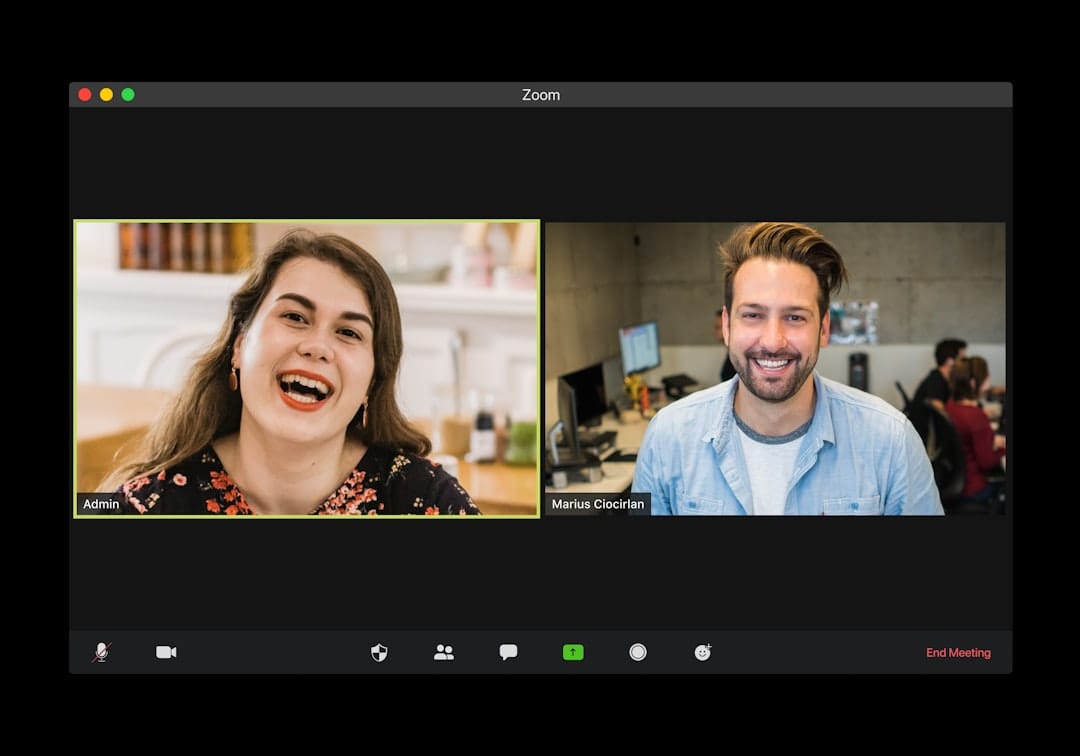
Struggling to Choose the Right Video Conferencing Software?
In today's remote-first world, seamless communication is non-negotiable. But with countless video conferencing tools vying for your attention, how do you cut through the noise and select the one that truly empowers your business? You need a solution that aligns with your team's size, technical needs, security requirements, and — crucially — your budget.
This comprehensive guide dives deep into the comparison of video conferencing software features and pricing>, meticulously breaking down the leading platforms. We'll help you navigate the complexities, understand the nuances, and confidently choose the perfect tool to boost your productivity, foster collaboration, and save you valuable time and money.<
Quick Comparison: Top Video Conferencing Platforms
For the busy professional, here's a snapshot of the industry leaders and their core offerings. Dive into the detailed reviews below for a deeper understanding.
| Platform | Best For | Free Tier? | Max Participants (Free/Paid) | Key Features | Starting Paid Price (Approx.) |
|---|---|---|---|---|---|
| Zoom Meetings | Versatility, large meetings, webinars | Yes | 100 (40min limit) / 1000+ | Breakout rooms, virtual backgrounds, advanced security, integrations | $14.99/month/host |
| Microsoft Teams | Microsoft 365 users, integrated collaboration | Yes | 100 (60min limit) / 300+ | Deep M365 integration, chat, file sharing, channels, external guests | Included with M365 Business Basic ($6/month/user) |
| Google Meet | Google Workspace users, ease of use | Yes | 100 (60min limit) / 500+ | Seamless G-Suite integration, live captions, background blur, recording | Included with Google Workspace Business Starter ($6/month/user) |
| Cisco Webex Meetings | >Enterprise-grade security, robust features, large organizations< | Yes | 100 (50min limit) / 1000+ | Advanced security, whiteboarding, transcription, events, call-in options | $13.50/month/host |
| GoTo Meeting | Reliability, professional meetings, smaller teams | No (Free Trial) | N/A / 250 | High-quality audio/video, screen sharing, drawing tools, robust reporting | $12/month/organizer |
| RingCentral Video | Unified communications (voice, video, messaging), SMBs to Enterprise | Yes | 100 (50min limit) / 200+ | UCaaS platform, team messaging, task management, advanced analytics | Included with RingCentral MVP plans (starts $20/month/user) |
Ready to explore these platforms further? Click below to compare features side-by-side or try a free version.
Amazon — Find the best deals on Amazon
In-Depth Reviews: Unpacking the Best Video Conferencing Software
Let's dive deeper into what each of these platforms offers, focusing on the features and pricing models that matter most to business professionals.

1. Zoom Meetings: The Go-To for Versatility and Scale
Zoom rose to prominence during the pandemic and has largely maintained its position as a market leader due to its robust feature set, intuitive interface, and ability to handle meetings of almost any size. It's a highly versatile tool, suitable for everything from one-on-one calls to large-scale webinars and virtual events.
Key Features & Capabilities:
- High-Quality Audio & Video: Consistently delivers clear communication, even with varying internet speeds.
- Breakout Rooms: Essential for workshops, training sessions, and collaborative group work, allowing hosts to split participants into smaller, temporary meetings.
- Virtual Backgrounds & Filters: Professionalism and fun combined, allowing users to maintain privacy or add branding.
- Screen Sharing & Annotation: Share your desktop, specific applications, or even a portion of your screen, with collaborative annotation tools.
- Recording & Transcription: Record meetings locally or to the cloud, with AI-powered transcription services available on higher tiers.
- Advanced Security: Waiting rooms, passcodes, end-to-end encryption (E2EE) for certain meeting types, and robust admin controls.
- Integrations: Extensive marketplace with integrations for CRM, project management, learning management systems, and more.
- Webinars & Events: Dedicated add-ons for large-scale broadcasts with Q&A, polling, and attendee management.
Pricing & Plans:
- Basic (Free): Up to 100 participants, 40-minute limit on group meetings. Unlimited 1:1 meetings.
- Pro ($14.99/month/host): Up to 100 participants, 30-hour meeting duration, 5GB cloud recording, custom personal meeting ID.
- Business ($19.99/month/host, min 10 hosts): Up to 300 participants, single sign-on, managed domains, company branding, advanced admin controls.
- Enterprise (Custom Pricing, min 50 hosts): Up to 500-1000 participants, unlimited cloud storage, dedicated customer success manager, executive business reviews.
Pros: Extremely user-friendly, feature-rich, scalable for all business sizes, excellent reliability, vast integration ecosystem.
Cons: Free tier has significant time limits, some advanced features can be add-ons, "Zoom fatigue" is real for some users.
2. Microsoft Teams: The Integrated Collaboration Powerhouse
For organizations deeply embedded in the Microsoft 365 ecosystem, Teams is a natural choice. It's more than just a video conferencing tool; it's a complete collaboration platform that unifies chat, file sharing, project management, and video meetings into a single interface. This deep integration is its greatest strength, simplifying workflows for M365 users.
Key Features & Capabilities:
- Unified Communications: Combines chat, video calls, voice calls, and file sharing in persistent channels.
- Seamless Microsoft 365 Integration: Directly access and collaborate on Word, Excel, PowerPoint, SharePoint, and OneNote files within Teams.
- Meeting Features: Screen sharing, virtual backgrounds, live captions, meeting recording with transcription, breakout rooms.
- External Collaboration: Securely invite guests from outside your organization to specific channels or meetings.
- Apps & Bots: Extensive app library to integrate with third-party services like Asana, Trello, Salesforce, and more.
- Webinars & Live Events: Tools for hosting large-scale broadcasts with audience engagement features.
- Robust Security & Compliance: Enterprise-grade security, data residency options, compliance with various industry standards.
Pricing & Plans:
- Microsoft Teams (Free): Up to 100 participants, 60-minute meeting limit, 5GB cloud storage per user.
- Microsoft 365 Business Basic ($6/month/user): Includes Teams, web and mobile versions of Office apps, 1TB cloud storage.
- Microsoft 365 Business Standard ($12.50/month/user): Adds desktop versions of Office apps, webinar hosting.
- Microsoft 365 Business Premium ($22/month/user): Adds advanced security, device management.
- Enterprise Plans (Custom Pricing): For larger organizations with specific needs, offering advanced features and support.
Pros: Unbeatable integration for M365 users, comprehensive collaboration suite, strong security, excellent for internal team communication.
Cons: Can be resource-intensive, interface can feel cluttered for new users, some advanced features require higher M365 tiers.
3. Google Meet: Simplicity and Google Workspace Harmony
Google Meet is Google's answer to video conferencing, deeply integrated into the Google Workspace ecosystem (formerly G Suite). It’s known for its ease of use, quick meeting starts, and seamless experience for anyone already using Gmail, Google Calendar, or Google Drive. It's particularly strong for businesses that prioritize simplicity and already leverage Google's productivity tools.
Key Features & Capabilities:
- Effortless Integration with Google Workspace: Schedule meetings directly from Google Calendar, invite contacts from Gmail, share files from Drive.
- User-Friendly Interface: Clean, intuitive design makes it easy for anyone to join or host a meeting.
- Live Captions: Real-time transcription of spoken words, improving accessibility and comprehension.
- Background Noise Cancellation & Blur: Reduces distractions and maintains privacy.
- Screen Sharing: Share your entire screen or specific windows/tabs.
- Recording to Google Drive: Available on paid plans, meeting recordings are automatically saved to the host's Drive.
- Polling & Q&A: Engage participants during meetings and webinars.
- Hand Raise: A simple way for participants to indicate they want to speak without interrupting.
Pricing & Plans:
- Google Meet (Free): Up to 100 participants, 60-minute meeting limit for group calls. Unlimited 1:1 meetings.
- Google Workspace Business Starter ($6/month/user): Includes Meet, Gmail, Calendar, Drive (30GB storage), up to 100 participants (24-hour duration).
- Google Workspace Business Standard ($12/month/user): Adds 2TB storage, up to 150 participants, meeting recordings, noise cancellation.
- Google Workspace Business Plus ($18/month/user): Adds 5TB storage, up to 500 participants, attendance tracking.
- Enterprise Plans (Custom Pricing): For large organizations, offering advanced security, unlimited storage, and even larger meeting capacities.
Pros: Extremely easy to use, excellent for Google Workspace users, reliable performance, good accessibility features.
Cons: Lacks some advanced features found in Zoom/Teams (e.g., advanced breakout room controls), standalone offering is less robust than integrated competitors.
4. Cisco Webex Meetings: Enterprise-Grade Security and Reliability
>Cisco Webex has been a staple in the enterprise video conferencing space for decades. It's renowned for its robust security features, high reliability, and comprehensive suite of collaboration tools. While it might have a steeper learning curve for some compared to more consumer-friendly options, its deep feature set and enterprise-grade infrastructure make it a strong contender for organizations prioritizing security and advanced functionality.<
Key Features & Capabilities:
- Advanced Security: End-to-end encryption, robust data privacy controls, compliance with strict industry regulations.
- High-Quality Audio & Video: Optimized for stable performance even in challenging network conditions.
- Intelligent Meeting Features: AI-powered noise removal, gesture recognition, personalized layouts, real-time transcription.
- Interactive Whiteboarding: Collaborative virtual whiteboard for brainstorming and visual communication.
- Breakout Rooms: Facilitate smaller group discussions within a larger meeting.
- Webinars & Events: Dedicated solutions for large-scale virtual events with advanced attendee management and analytics.
- Call-in Options: Extensive global dial-in numbers for audio-only participants.
- Integrations: Connects with popular business applications like Salesforce, Slack, Microsoft 365, and more.
Pricing & Plans:
- Free: Up to 100 participants, 50-minute meeting limit, screen sharing, basic recording.
- Meet Plan ($13.50/month/host): Up to 100 participants (24-hour limit), 5GB cloud storage, recordings, alternative host, customer support.
- Call Plan ($17/month/user): Adds business phone system features, unlimited domestic calling.
- Meet + Call Plan ($25/month/user): Combines both Meet and Call features.
- Enterprise Plans (Custom Pricing): For large organizations requiring advanced features, dedicated support, and higher capacities.
Pros: Top-tier security, highly reliable, comprehensive feature set for professional use, excellent for large enterprises and regulated industries.
Cons: Can be more expensive, interface can feel less intuitive for casual users, free tier has tighter restrictions than competitors.
5. GoTo Meeting: Professionalism and Reliability for Focused Meetings
GoTo Meeting has long been a favorite for businesses that need reliable, high-quality video conferencing without unnecessary frills. It emphasizes ease of use, professional presentation, and robust control over meetings. While it doesn't offer a free tier (only a free trial), its paid plans deliver consistent performance and features tailored for productive business interactions.
Key Features & Capabilities:
- High-Definition Video & Audio: Optimized for clear, stable communication.
- Screen Sharing & Drawing Tools: Share your screen and annotate directly for interactive presentations.
- Personal Meeting Room: A dedicated, always-on meeting link for quick connections.
- Meeting Lock: Prevent latecomers from disrupting your meeting once it has started.
- Robust Reporting & Analytics: Gain insights into meeting attendance, duration, and participant engagement.
- Breakout Rooms: Facilitate smaller group discussions.
- Toll-Free Options: Available as an add-on for audio conferencing.
- Integrations: Connects with Outlook, Google Calendar, Salesforce, and other business tools.
Pricing & Plans:
- Professional ($12/month/organizer): Up to 150 participants, 24/7 customer support, unlimited meetings, web audio.
- Business ($16/month/organizer): Up to 250 participants, unlimited cloud recording, transcription, note-taking, diagnostic reporting.
- Enterprise (Custom Pricing): For larger organizations, offering up to 3000 participants, dedicated account manager, and advanced security.
Pros: Extremely reliable, professional meeting experience, strong security features, excellent reporting, easy to set up and join meetings.
Cons: No free tier, higher cost than some entry-level competitors, fewer integrated collaboration features compared to Teams or Workspace.
6. RingCentral Video: Unified Communications for the Modern Business
RingCentral Video is a component of RingCentral's broader Unified Communications as a Service (UCaaS) platform, MVP (Message, Video, Phone). It stands out by integrating video conferencing seamlessly with team messaging, business phone services, and contact center solutions. For businesses looking to consolidate their communication stack and simplify vendor management, RingCentral offers a powerful, all-in-one solution.
Key Features & Capabilities:
- Unified Communications: Seamlessly switch between messaging, video calls, and phone calls from a single app.
- High-Quality Video Meetings: HD video and audio, screen sharing, virtual backgrounds, breakout rooms.
- Team Messaging: Persistent chat, file sharing, task management, and project collaboration.
- Business Phone System: Cloud PBX features including call management, auto-attendant, and IVR (on MVP plans).
- Analytics & Reporting: Detailed insights into meeting performance, call quality, and user adoption.
- Advanced Security: Enterprise-grade security protocols, data encryption, and compliance certifications.
- Integrations: Connects with over 200 business apps including Salesforce, Microsoft 365, Google Workspace, and more.
Pricing & Plans (as part of MVP):
- RingCentral Video Free: Up to 100 participants, 50-minute meeting limit, team messaging, 10 hours of cloud recordings.
- MVP Essentials ($20/month/user): Unlimited phone calls in US/Canada, business phone numbers, team messaging, video meetings (100 participants, 24-hour limit).
- MVP Standard ($27/month/user): Adds internet fax, 24/7 support, advanced call handling, up to 200 participants in meetings.
- MVP Premium ($35/month/user): Adds automatic call recording, advanced analytics, CRM integrations, up to 200 participants.
- MVP Ultimate ($50/month/user): Adds device monitoring, unlimited storage, up to 200 participants.
Pros: True UCaaS solution, excellent for consolidating communication tools, robust feature set for both video and voice, strong analytics.
Cons: Can be more expensive if you only need video conferencing, the full suite might be overkill for some smaller businesses, requires commitment to a broader platform.
Still weighing your options? Use our comparison tool or check out the latest deals.
Pricing & Suitability by Business Segment
Choosing the right video conferencing solution isn't just about features; it's about finding the best fit for your specific business size, budget, and operational needs. Here's a breakdown by segment:
Small Businesses (1-20 Employees)
For small teams, cost-effectiveness, ease of use, and core meeting functionality are paramount. You likely don't need all the bells and whistles of enterprise solutions, but reliability is key.
- Best Bets:
- Zoom (Pro Plan): Excellent balance of features, reliability, and price. The 40-minute limit on the free tier can be restrictive, but the Pro plan is highly affordable.
- Google Meet (Google Workspace Business Starter): If your team already uses Gmail and Google Calendar, this is a no-brainer. Seamless integration and strong core features.
- Microsoft Teams (Microsoft 365 Business Basic): Ideal for teams already on the Microsoft ecosystem, offering a unified hub for communication and collaboration.
- Considerations: Free tiers can be a good starting point, but often come with time limits or feature restrictions. Investing in a low-cost paid plan usually pays off in terms of productivity and professionalism.
Medium-Sized Businesses (21-250 Employees)
As your business grows, so do your needs for scalability, advanced collaboration features, integration with other business tools, and potentially more robust security and administrative controls.
- Best Bets:
- Zoom (Business Plan): Offers more participants, branding, and dedicated support, scaling well for growing teams.
- Microsoft Teams (Microsoft 365 Business Standard/Premium): Leverages the full power of M365, providing a comprehensive collaboration platform beyond just video.
- Cisco Webex Meetings (Meet Plan): Strong choice if security and reliability are top priorities, or if you anticipate needing enterprise-grade features down the line.
- RingCentral Video (MVP Standard): An excellent option if you're looking to consolidate all communications (voice, video, messaging) under one roof.
- Considerations: Look for solutions that integrate well with your existing CRM, project management, and HR software. Administrative features for user management and reporting become more important.
Large Enterprises (250+ Employees)
Enterprise-level requirements include massive scalability, advanced security and compliance, robust administrative controls, dedicated support, and deep customization options.
- Best Bets:
- Zoom (Enterprise Plan): Proven ability to handle thousands of participants, extensive integrations, and dedicated support.
- Microsoft Teams (Enterprise Plans): Unmatched for organizations already invested in the Microsoft ecosystem, offering advanced security, compliance, and global deployment.
- Cisco Webex Meetings (Enterprise Plan): A long-standing leader in enterprise communications, offering unparalleled security, reliability, and advanced features for complex environments.
- RingCentral Video (MVP Ultimate/Enterprise): Ideal for large organizations seeking a fully integrated UCaaS solution with global reach and advanced analytics.
- Considerations: Prioritize solutions with strong uptime guarantees, comprehensive APIs for custom integrations, and compliance certifications relevant to your industry (e.g., HIPAA, GDPR). Look for dedicated account managers and advanced analytics.
Who Should Use What? Persona Matching for Optimal Choice
To help you pinpoint the best solution, let's match common business professional personas with the video conferencing tools that best suit their workflows and priorities.

1. The Agile Project Manager
Needs: Quick stand-ups, collaborative brainstorming, screen sharing with annotation, breakout rooms for team exercises, integration with project management tools.
Recommendation: Zoom Meetings or Microsoft Teams.
- Zoom: Unbeatable for interactive sessions with breakout rooms and strong screen sharing.
- Teams: If your project management tools (e.g., Planner, Asana) are already integrated into M365, Teams provides a seamless, unified workspace for communication and task tracking.
2. The Remote Sales Professional
Needs: Professional presentation, reliable connection, screen sharing for demos, recording capabilities for follow-up, CRM integration, ease for clients to join.
Recommendation: Zoom Meetings or GoTo Meeting.
- Zoom: Widely adopted, so clients are likely familiar. Good for demos and recording.
- GoTo Meeting:> Known for its professional meeting experience and reliability, ensuring a smooth client interaction. Strong reporting helps track engagement.<
3. The HR & Training Coordinator
Needs: Large group training sessions, breakout rooms for exercises, recording for asynchronous learning, secure onboarding calls, polling for engagement.
Recommendation: Zoom Meetings or Cisco Webex Meetings.
- Zoom: Its webinar features and breakout room functionality are perfect for training.
- Webex: Offers enterprise-grade security for sensitive HR discussions and robust features for large-scale corporate training.
4. The IT Administrator / Security Officer
Needs: Enterprise-grade security, comprehensive admin controls, compliance certifications, data residency options, strong network performance, API access for custom integrations.
Recommendation: Cisco Webex Meetings or Microsoft Teams.
- Webex: Built with enterprise security at its core, offering granular control and robust compliance.
- Teams: Leverages Microsoft's extensive security infrastructure and compliance framework, especially compelling for M365 environments.
5. The Google Workspace Evangelist
Needs: Deep integration with Gmail, Calendar, Drive; quick meeting starts; live captions; simple, intuitive interface; minimal additional software.
Recommendation: Google Meet.
- Google Meet: The ultimate choice for anyone already living in the Google ecosystem. It streamlines workflows and reduces context switching.
6. The All-in-One Communications Seeker (SMB to Enterprise)
Needs: Unified platform for video, voice calls (PBX), and team messaging; consolidation of communication vendors; advanced analytics across all channels.
Recommendation: RingCentral Video (MVP).
- RingCentral: If you're looking to replace separate phone systems, messaging apps, and video conferencing tools with a single, powerful UCaaS solution, RingCentral is designed for you.
Implementation & Getting Started: A Smooth Transition
Once you've made your choice, the next step is implementation. A smooth rollout ensures high user adoption and maximum ROI. Here’s a general guide:
Phase 1: Planning & Setup
- Define Your Requirements (Again): Reconfirm core features, security needs, integration points, and budget. This step helps validate your choice.
- Choose Your Plan: Select the specific paid tier that aligns with your user count and feature needs. Don't overpay for features you won't use.
- Account Creation & Admin Setup: Set up your organizational account. Configure administrative settings, user roles, and security policies (e.g., single sign-on, password requirements).
- Integrations: Connect your video conferencing platform with critical business tools like your calendar (Outlook, Google Calendar), CRM, or project management software.
Phase 2: User Onboarding & Training
- Pilot Program: Roll out the new software to a small group of tech-savvy users or department heads first. Gather feedback and identify potential issues.
- Training Resources: Create or leverage existing training materials (video tutorials, quick-start guides, FAQs) tailored to your team's needs. Most platforms offer extensive knowledge bases.
- Live Training Sessions: Host internal webinars to walk users through core features, best practices, and troubleshooting tips. Emphasize how the new tool will improve their daily work.
- Communication: Clearly communicate the benefits of the new platform and the timeline for adoption. Address concerns proactively.
Phase 3: Ongoing Management & Optimization
- Monitor Usage & Performance: Utilize the platform's analytics to track adoption rates, meeting quality, and identify areas for further training or optimization.
- Gather Feedback: Regularly solicit feedback from users to understand pain points and discover opportunities for improvement.
- Stay Updated: Video conferencing platforms frequently release new features and security updates. Keep your team informed and ensure software is always up-to-date.
- Review & Adjust: Periodically review your chosen plan and features against your evolving business needs. You may need to upgrade, downgrade, or explore add-ons as your company grows.
A well-planned implementation minimizes disruption and maximizes the benefits of your new video conferencing solution.
Ready to Transform Your Remote Communication?
Don't let subpar video conferencing hinder your team's productivity. It's time to invest in a solution that empowers seamless collaboration, enhances security, and aligns perfectly with your budget and business goals.
Click below to compare the leading platforms, explore their features in detail, and start your free trial today. Find the perfect fit for your business and unlock a new era of efficient remote work!
Compare All Video Conferencing Software NowFrequently Asked Questions About Video Conferencing Software
Q1: What is the most secure video conferencing software?
A1: While all major platforms have improved their security significantly, Cisco Webex Meetings and Microsoft Teams are generally considered to offer the highest levels of enterprise-grade security and compliance, often exceeding the requirements for regulated industries. Zoom also offers strong security features, including end-to-end encryption for certain meeting types, but historically faced more scrutiny.
Q2: Can I use video conferencing software for free? What are the limitations?
A2: Yes, most leading platforms like Zoom, Microsoft Teams, Google Meet, and Webex offer free tiers. However, these usually come with significant limitations, such as:
- Time Limits: Group meetings often have a 40-60 minute duration cap.
- Participant Limits: Typically capped at 100 participants.
- Feature Restrictions: Advanced features like cloud recording, breakout rooms, polls, and dedicated support are usually reserved for paid plans.
- Storage Limits: Limited or no cloud storage for recordings.
Free tiers are suitable for very small teams or occasional personal use, but businesses quickly outgrow them.
Q3: How do I choose between Zoom, Microsoft Teams, and Google Meet?
A3: Your choice largely depends on your existing ecosystem and specific needs:
- Choose Zoom if: You need maximum versatility, excellent reliability for large meetings/webinars, and a wide array of features. It's platform-agnostic and generally user-friendly for everyone.
- Choose Microsoft Teams if: Your organization is heavily invested in Microsoft 365. It offers a unified hub for all communication and collaboration, integrating seamlessly with Office apps.
- Choose Google Meet if: Your team primarily uses Google Workspace (Gmail, Calendar, Drive). It's incredibly easy to use and deeply integrated into the Google ecosystem.
Q4: What features are essential for business video conferencing?
A4: For most businesses, essential features include:
- High-Quality Audio & Video: Clear communication is fundamental.
- Screen Sharing: For presentations, demos, and collaboration.
- Meeting Recording: For documentation, training, and those who couldn't attend.
- Chat Functionality: For sharing links, questions, and side conversations.
- Security Features: Passwords, waiting rooms, encryption, and admin controls.
- Calendar Integration: For easy scheduling and joining meetings.
- Reliability: Minimal dropped calls or technical glitches.
Advanced features like breakout rooms, polls, virtual backgrounds, and transcription become essential depending on your specific use cases.
Q5: How much does video conferencing software cost for a small business?
A5: For a small business (e.g., 5-20 users), you can expect to pay anywhere from $6 to $20 per user per month for a solid, feature-rich plan. This often includes not just video conferencing but also other productivity tools (like in Microsoft 365 or Google Workspace) or business phone features (like RingCentral MVP). Many platforms offer discounts for annual billing.
Q6: Can video conferencing tools integrate with my existing CRM or project management software?
>A6: Yes, most leading video conferencing platforms offer extensive integration capabilities. They typically have app marketplaces or direct integrations with popular CRMs (like Salesforce, HubSpot), project management tools (like Asana, Trello), and other business applications. This allows for streamlined workflows, such as scheduling meetings directly from your CRM or attaching meeting recordings to project tasks.<
Q7: What is the difference between a meeting and a webinar?
A7:
- Meeting: Designed for interactive, two-way communication among a smaller group of participants. Everyone can typically share video, audio, and screens. Examples: team discussions, client calls, collaborative workshops.
- Webinar: Designed for broadcasting information to a larger audience, often with one or a few presenters. Audience participation is usually limited to Q&A, polls, or chat, rather than full audio/video interaction. Examples: product launches, large-scale training, public presentations.



