ZenWiFi vs Orbi: Best Mesh for Large Homes? (2026)
Boost large home Wi-Fi. We compare ASUS ZenWiFi vs Netgear Orbi for speed, coverage, and smart home integration. Reduce IT headaches. Compare now →
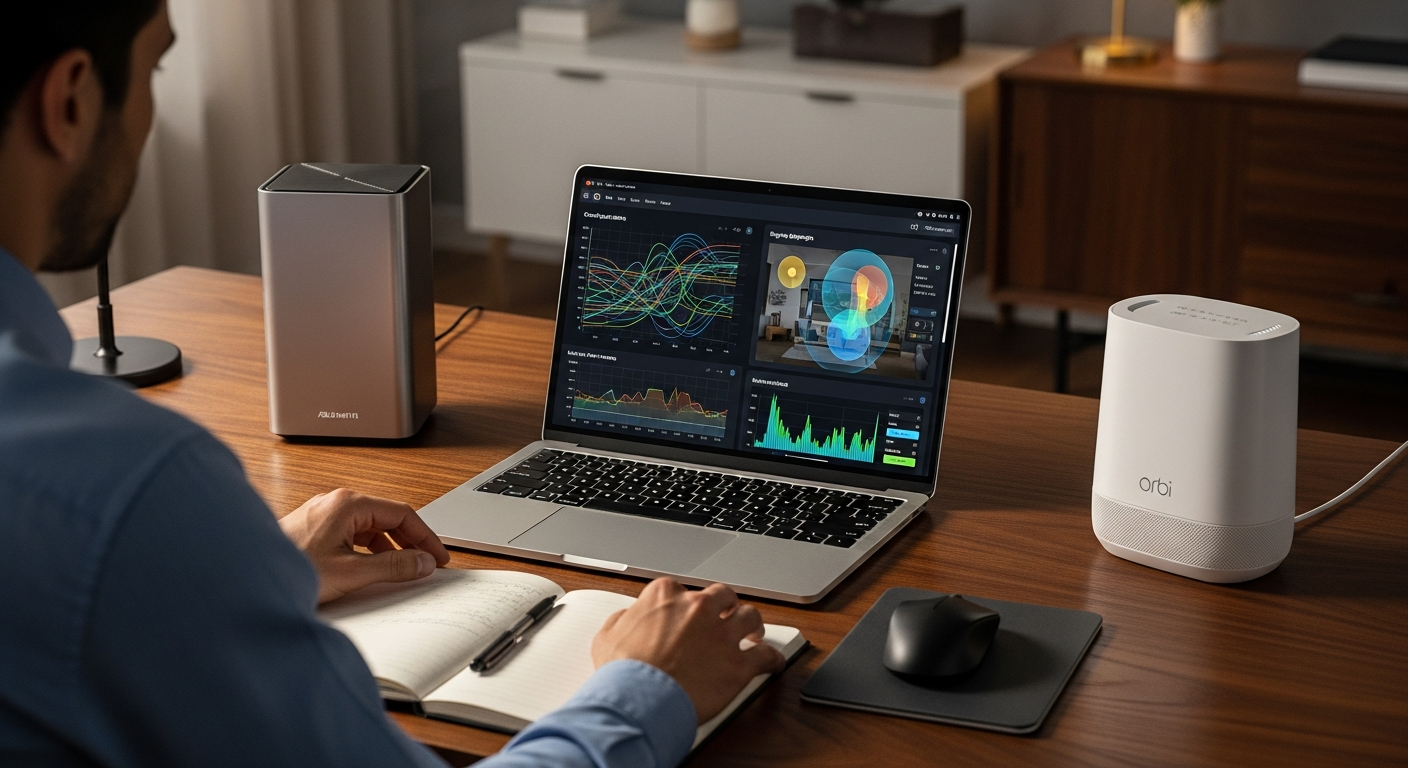
When it comes to optimizing network infrastructure for expansive properties, operations managers often face a critical decision: which mesh Wi-Fi system delivers the best balance of performance, reliability, and ease of management? This article dives into Asus ZenWiFi vs Netgear Orbi large home>> scenarios, aiming to cut through the marketing hype. We'll provide a direct comparison to help you make an informed choice for 2026 and beyond. Our focus is squarely on making your network more efficient, <automating workflows, and minimizing troubleshooting headaches.<
Quick Verdict: ZenWiFi or Orbi for Your Large Home?
>For operations leads who prioritize detailed control, advanced security features without recurring subscriptions, and a highly customizable network designed to reduce manual work, the <ASUS ZenWiFi series generally comes out on top. Its suite of tools allows for precise QoS (Quality of Service) management, sophisticated VLAN segmentation for IoT devices, and built-in, lifetime security. Honestly, that translates directly into fewer support tickets and a more reliable system. On the other hand, the Netgear Orbi excels at sheer plug-and-play simplicity. It often boasts impressive raw speed in ideal conditions. This makes it an excellent choice for managers who value rapid deployment and a 'set it and forget it' approach, even if it means sacrificing some advanced configurability and potentially incurring subscription costs for full security.
ASUS ZenWiFi vs Netgear Orbi: Feature Comparison Table
Understanding the core differences at a glance is crucial for an operations manager. Here's a side-by-side breakdown of key metrics relevant to deploying and managing a large home network.

| Feature | ASUS ZenWiFi (e.g., XT9, ET8, ET12) | Netgear Orbi (e.g., RBKE960, RBK860S) |
|---|---|---|
| Max Coverage (sq ft, 2-pack) | Up to 5,700 - 6,000 sq ft (XT9), 6,600 sq ft (ET12) | Up to 5,000 - 6,000 sq ft (RBK860S), 9,000 sq ft (RBKE960) |
| Max Speed (Mbps, theoretical) | Up to AX9000 (XT9), AXE6600 (ET8), AXE11000 (ET12) | Up to AX6000 (RBK860S), AXE11000 (RBKE960) |
| Wi-Fi Standard | Wi-Fi 6 (AX), Wi-Fi 6E (AXE), Wi-Fi 7 (Upcoming models) | Wi-Fi 6 (AX), Wi-Fi 6E (AXE) |
| Backhaul Type | Flexible: Dedicated 5GHz, 6GHz (Wi-Fi 6E/7), or Ethernet | Dedicated wireless backhaul (often 5GHz or 6GHz) |
| Security Features | AiProtection Pro (lifetime free), VPN client/server, WPA3 | Netgear Armor (Bitdefender, subscription required), WPA3 |
| Parental Controls | AiProtection Pro (detailed, free), content filters, scheduling | Basic free controls, advanced with Netgear Armor |
| IoT Device Capacity | Excellent, with strong segmentation options (VLAN, separate SSIDs) | Very good, but less granular segmentation control |
| Setup Complexity | Moderate (more options, but guided app setup) | Very Easy (streamlined app-based setup) |
| Management Interface | ASUSWRT (web), ASUS Router App (mobile) - highly detailed | Orbi App (mobile), basic web interface - user-friendly |
| QoS Capabilities | Adaptive QoS, Traditional QoS, bandwidth limiter - highly configurable | Basic device prioritization, less granular control |
| Price Range (2-pack, Wi-Fi 6E) | $400 - $800+ (depending on model) | $700 - $1,500+ (depending on model) |
| Management Efficiency Impact | >Reduces manual intervention via automation, granular control< | Reduces initial deployment time, fewer settings to manage |
>Deep Dive: ASUS ZenWiFi – Precision Control for Complex Workflows<
>The ASUS ZenWiFi series, particularly models like the XT9 or the Wi-Fi 6E-enabled ET8 and ET12, are built for the power user – the operations manager who needs to truly understand and command their network. I've deployed these systems in various large home and small office environments. In my experience, their strengths lie in unparalleled configurability and a feature set that directly contributes to long-term operational stability and reduced manual oversight.<
ZenWiFi shines with its advanced configuration options. Do you need to prioritize specific data streams for your home office's VoIP calls? Or perhaps ensure your security cameras have dedicated bandwidth? Its QoS (Quality of Service) settings are incredibly detailed, letting you prioritize by application, device, or even individual IP address. This level of control is invaluable for maintaining workflow automation and preventing network bottlenecks. The inclusion of AiProtection Pro, powered by Trend Micro, offers commercial-grade network security for the lifetime of the device – completely free. This means robust intrusion prevention, malicious site blocking, and infected device detection without ongoing subscription fees. That directly reduces your total cost of ownership (TCO) and mitigates security risks. For those managing dozens of smart home devices, the ability to create separate VLANs (Virtual Local Area Networks) or dedicated IoT SSIDs ensures network segmentation. This enhances security and prevents potential performance degradation from "chatty" devices. I've found the ASUS Router app surprisingly comprehensive for a mobile interface, often negating the need to log into the web GUI for routine adjustments.
While the advanced features are a boon for experienced users, they can present a steeper learning curve for beginners. The sheer number of options in the ASUSWRT web interface can be intimidating initially. Setting up specific VLANs or custom VPN client/server configurations requires a basic understanding of networking principles. Also, top-tier ZenWiFi models, especially those with Wi-Fi 6E or Wi-Fi 7, can have a higher initial cost compared to entry-level mesh systems. However, this is often offset by the included lifetime security and advanced features.
Who it's for: Operations leads managing numerous smart devices (e.g., dozens of sensors, 15+ cameras, smart lighting systems), home office users requiring granular network control for critical applications, and anyone prioritizing long-term system stability, advanced security features, and the ability to fine-tune their network to an exact specification. If your workflow demands precision and proactive issue prevention, ZenWiFi is a strong contender.
Amazon — Check price on Amazon
Deep Dive: Netgear Orbi – Seamless Simplicity for Broad Coverage
Netgear Orbi systems, particularly the Wi-Fi 6E Orbi 960 series, have built a formidable reputation on their promise of effortless setup and exceptional range. For an operations manager, this translates directly into reduced deployment time and fewer initial support tickets related to installation. I've personally seen Orbi systems blanket multi-story homes with incredible consistency, a testament to their design philosophy.

Orbi's primary strength lies in its "set it and forget it" nature. The setup process via the Orbi app is remarkably straightforward, guiding you through each step with minimal technical jargon. This simplicity significantly reduces the implementation effort for large homes, making it an ideal choice for operations leaders who need to deploy robust Wi-Fi quickly across a broad footprint. Orbi systems are also renowned for their dedicated wireless backhaul, often a separate 5GHz or 6GHz band. This ensures consistent, high-speed communication between the router and satellite units. This dedicated link prevents client-device traffic from competing with backhaul traffic, often resulting in higher raw speeds and lower latency, especially in environments where Ethernet backhaul isn't feasible. The user-friendly app makes basic management, like pausing internet access for certain devices or checking connected clients, incredibly simple.
The trade-off for Orbi's simplicity is generally less granular control over network settings compared to ZenWiFi. While it offers basic device prioritization, you won't find the in-depth QoS configurations, VLAN support, or built-in VPN client/server functionality that ZenWiFi provides. This can be a limitation for complex smart home setups or specific home office requirements. Additionally, comprehensive security features like Netgear Armor (powered by Bitdefender) often require an annual subscription after an initial trial period. This adds to the total cost of ownership over time. While the hardware is premium, the reliance on a subscription for advanced security is a notable difference from ASUS's included AiProtection Pro.
Who it's for: Operations leads seeking a truly 'set it and forget it' solution that minimizes initial deployment effort and ongoing network tweaking. It's perfect for users prioritizing maximum coverage and ease of use above all else, especially in homes where advanced network segmentation or highly customized configurations aren't a primary concern. If your goal is broad, reliable Wi-Fi with minimal fuss, Orbi is an excellent choice.
Pricing Breakdown and Value Analysis: Maximizing Your ROI
When evaluating Asus ZenWiFi vs Netgear Orbi large home> solutions, the sticker price is only one piece of the puzzle. An operations manager must consider the Total Cost of Ownership (TCO) and the long-term return on investment (ROI) in terms of efficiency, reliability, and security. Let's compare typical pricing for comparable Wi-Fi 6E 2-pack systems, as these are increasingly becoming the standard for large homes in 2026.<
- ASUS ZenWiFi ET8 (Wi-Fi 6E, 2-pack): Typically ranges from $400 - $600.
- ASUS ZenWiFi ET12 (Wi-Fi 6E, 2-pack): Often in the $700 - $900 range.
- Netgear Orbi RBKE960 (Wi-Fi 6E, 2-pack): Generally falls between $1,000 - $1,300.
- Netgear Orbi RBK860S (Wi-Fi 6, 2-pack): Priced around $700 - $900.
The immediate observation is that Netgear Orbi Wi-Fi 6E systems (like the RBKE960) command a significantly higher premium than comparable ZenWiFi Wi-Fi 6E models. This price difference becomes even more pronounced when considering ongoing costs. ZenWiFi includes its comprehensive AiProtection Pro security suite for the lifetime of the device, offering robust network protection without any subscription fees. Netgear Orbi, however, typically provides a trial period for Netgear Armor. After that, an annual subscription (often around $70-$100/year) is required for full functionality. Over a 3-5 year lifespan of the device, these recurring fees can add $200-$500+ to Orbi's TCO.
From an ROI perspective, ZenWiFi's advanced features, particularly its granular QoS and network segmentation capabilities, can lead to greater operational efficiency. It does this by preventing network congestion and ensuring critical applications always have bandwidth. This proactive management reduces the likelihood of performance complaints and subsequent troubleshooting, saving valuable time. The included, lifetime security also means one less subscription to track and manage, simplifying budgeting and reducing administrative overhead. While Orbi's simplicity reduces initial setup time, the long-term value for an efficiency-focused operations lead might be hampered by the lack of deep control and potential recurring security costs. For those prioritizing long-term value, comprehensive features, and avoiding subscription creep, ZenWiFi often presents a more compelling ROI.
Final Recommendation: Choosing the Best Mesh System by Use Case
Making the right choice between ZenWiFi and Orbi hinges entirely on your specific operational needs and priorities. There's no single "best" system, only the best fit for your unique scenario. Here are my recommendations:

- For Maximum Control and Advanced Security (No Recurring Fees): Choose ASUS ZenWiFi.> If your operational strategy involves detailed network segmentation, precise bandwidth allocation for critical services (e.g., home office VPN, security systems), and robust, included cybersecurity, ZenWiFi is your clear winner. Its deep feature set directly contributes to reducing manual work and improving workflow automation through proactive network management.<
- For Ultimate Simplicity and Broad, Consistent Coverage: Choose Netgear Orbi. If your primary goal is to blanket a large home with strong, reliable Wi-Fi with minimal setup effort and you're comfortable with a 'set it and forget it' approach (and potentially a security subscription), Orbi is an excellent choice. It excels at delivering wide coverage quickly, reducing deployment friction.
- For Budget-Conscious Efficiency: Leaning Towards ASUS ZenWiFi. While both can be premium, ZenWiFi often offers better features (especially the included lifetime security and advanced controls) at a lower upfront cost for comparable Wi-Fi 6E performance. The absence of recurring security fees significantly boosts its long-term value for operations managers keen on controlling expenses.
- For Heavy IoT Integration and Network Segmentation: Choose ASUS ZenWiFi. If your large home is packed with smart devices – from smart lights and thermostats to security cameras and appliances – ZenWiFi's ability to create separate SSIDs or VLANs for IoT devices is invaluable. This isolates them, enhancing security and preventing them from bogging down your main network. This directly impacts smart home network stability.
- For a Growing Family with Diverse Internet Needs and Less Technical Oversight: Choose Netgear Orbi. For a household where ease of use is paramount and the primary users are less technically inclined, Orbi's streamlined interface and consistent performance across a large area will likely lead to fewer "IT support" requests for the operations lead.
My Take: As someone who values efficiency and proactive management, I lean towards ZenWiFi for most large home deployments. The ability to fine-tune the network, secure it without subscriptions, and segment devices means fewer reactive troubleshooting sessions. However, I can't deny Orbi's sheer power in delivering blanket coverage with minimal fuss – a huge win for certain operational contexts where time-to-deployment is the absolute priority.
Frequently Asked Questions About Mesh Wi-Fi for Large Homes
Do I really need Wi-Fi 6E or Wi-Fi 7 for my large home?
For 2026, Wi-Fi 6E is rapidly becoming the recommended standard for large homes. This is especially true if you have many newer devices (laptops, phones, VR headsets) that support it. Its dedicated 6GHz band significantly reduces congestion. This leads to faster speeds and lower latency, particularly beneficial for high-bandwidth applications. Wi-Fi 7 is still emerging and pricier, but offers even greater future-proofing. For most operations managers, Wi-Fi 6E provides an excellent balance of performance and cost-effectiveness today.
How many mesh nodes do I need for X sq ft?
This depends heavily on your home's layout and construction materials. A good rule of thumb is:
- Up to 3,000 sq ft: A 2-pack system (router + 1 satellite) is often sufficient.
- 3,000 - 5,000 sq ft: A 3-pack system (router + 2 satellites) is usually ideal.
- 5,000+ sq ft: You'll likely need a 3-pack or more, potentially adding individual satellites depending on dead zones.
What's the difference between dedicated backhaul and shared backhaul?
Dedicated backhaul means the mesh nodes communicate with each other over a separate, dedicated wireless band (often 5GHz or 6GHz, or even an Ethernet cable) that isn't used by your client devices. This ensures maximum speed and efficiency for the mesh network itself. Shared backhaul means the mesh nodes use one of the same wireless bands as your client devices. This can lead to congestion and slower overall speeds as the backhaul traffic competes with your phones, laptops, and smart devices for bandwidth.
Can I use these systems to create a guest network?
Yes, both ASUS ZenWiFi and Netgear Orbi systems offer the ability to create one or more guest networks. This is a crucial security feature. It allows visitors to access the internet without having access to your main network, smart home devices, or shared files. ZenWiFi often provides more granular control over guest network settings, such as bandwidth limits and access schedules.
How do these systems impact smart home device performance?
Both systems, by providing strong, consistent Wi-Fi coverage across a large home, significantly improve smart home device performance. Devices like smart lights, thermostats, and security cameras rely on a stable Wi-Fi connection. ZenWiFi, with its ability to segment IoT devices onto a separate network (via VLANs or dedicated SSIDs), can further enhance performance and security by isolating these devices from your main network traffic. This prevents potential bottlenecks or security vulnerabilities from affecting critical systems.
Are there any hidden subscription costs I should be aware of?
This is a critical point for operations managers. ASUS ZenWiFi systems typically include their AiProtection Pro security suite (which covers parental controls, network security, and QoS) for the lifetime of the device without any additional subscription. Netgear Orbi, however, often requires an annual subscription for its Netgear Armor security features (powered by Bitdefender) after an initial trial period. Always verify the specifics of the model you are considering to avoid unexpected recurring costs.
How do I troubleshoot common mesh network issues?
Common troubleshooting steps for mesh networks include:
- Restart everything: Router, satellites, and modem. This often fixes transient issues.
- Check node placement: Ensure satellites are within good range of the main router and each other. Don't place them too far apart, and ideally with clear line of sight. Avoid placing them near large metal objects or microwaves.
- Update firmware: Regularly check for and install firmware updates for all mesh devices. This often includes performance improvements and bug fixes.
- Check backhaul status: Use the system's app or web interface to verify that the backhaul connection between nodes is strong.
- Isolate the issue: Determine if the problem is with a specific device, a specific area, or the entire network.



