Best Ergonomic Desk for Gaming & WFH
Top Desks for Pros Optimize your hybrid life with the best ergonomic desks for gaming and work from home. Prevent pain, boost productivity & enhance gaming perf
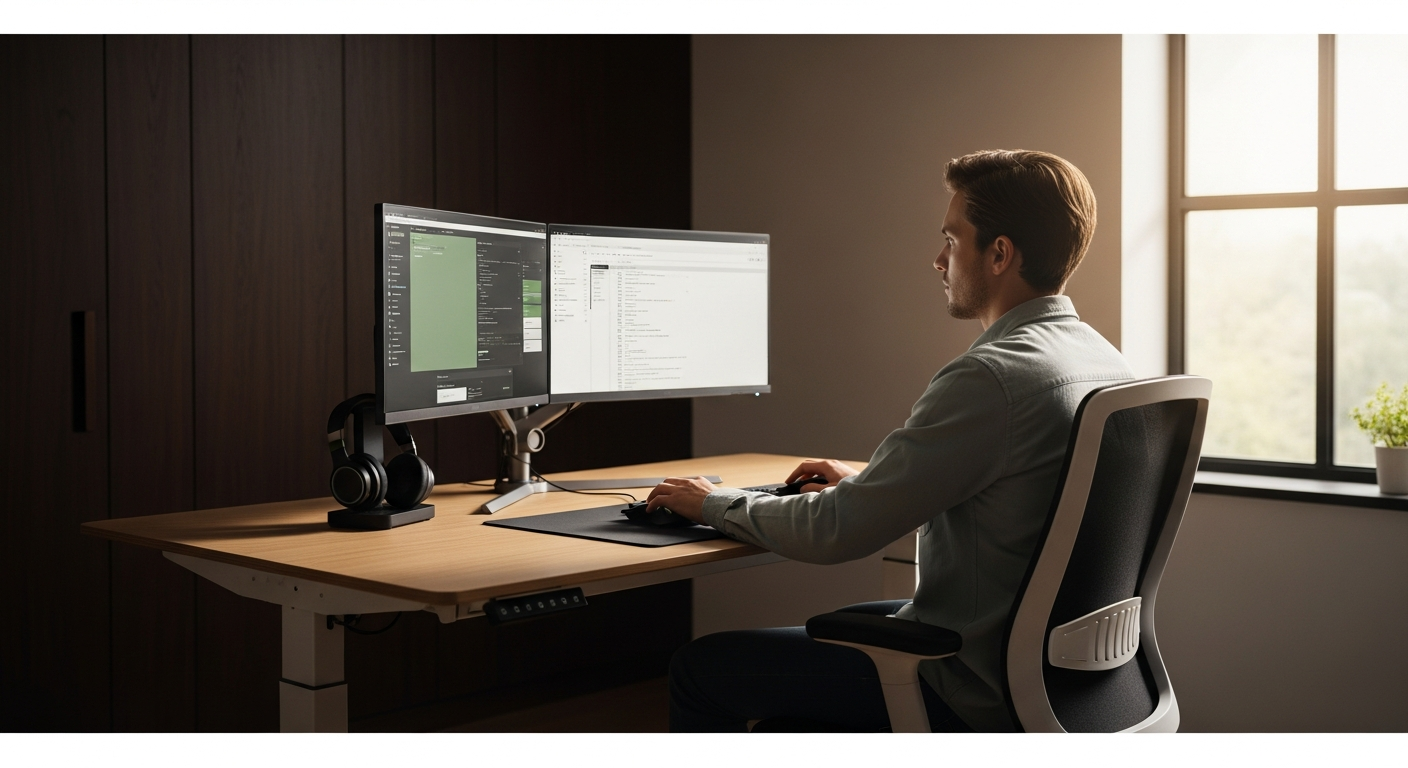
Optimize Your Dual Life: The Best Ergonomic Desks for Gaming & Work-From-Home Professionals
> As a driven business professional, your home office is no longer just a workspace; it's also your command center for relaxation and high-performance gaming. Juggling demanding work tasks with immersive gaming sessions on a suboptimal setup leads to more than just discomfort – it impacts your productivity, focus, and long-term health. <>Are you tired of back pain after a long day of coding, or wrist strain after an intense raid?<
You need a desk that seamlessly transitions from a professional environment to a battle station, supporting your posture, maximizing your efficiency, and enhancing your overall well-being. This comprehensive guide cuts through the noise to present the definitive list of ergonomic desks designed for the discerning professional who demands excellence in both their career and their leisure. We'll help you select a desk that not only prevents strain but actively boosts your performance, ensuring you remain at the top of your game, professionally and virtually.
>Quick Comparison: Top Ergonomic Desks for the Hybrid Professional<
Short on time? Here’s a snapshot of our top recommendations, balancing ergonomics, features, and value for money.
| Desk Model | Key Feature | Height Range (inches) | Max Load (lbs) | Price Range | Best For | Link |
|---|---|---|---|---|---|---|
| Fully Jarvis Standing Desk (Laminate Top) | Robust, Highly Customizable | 24.5 - 50.25 | 350 | $$ - $$$ | Customization Enthusiasts, Heavy Setups | View on Fully Amazon — Check price on Amazon |
| FlexiSpot E7 Pro Standing Desk | Exceptional Stability, Premium Build | 25.6 - 51.4 | 440 | $$$ | Stability Seekers, Dual Monitor/PC Users | Check FlexiSpot FlexiSpot — See FlexiSpot standing desks |
| UPLIFT V2 Standing Desk | Comprehensive Accessory Ecosystem | 24.3 - 50.5 | 355 | $$ - $$$ | >Accessory Integration, Diverse Workflows< | Explore UPLIFT Amazon Associates — See latest price on Amazon |
| Secretlab MAGNUS Pro XL | Integrated Cable Management, Gaming Focus | 25.6 - 49.2 | 260 | $$$$ | Dedicated Gamers, Minimalist Aesthetics | Shop Secretlab Monday.com — Try Monday.com free — no credit card needed |
| Autonomous SmartDesk Pro | Smart Features, Value-Oriented | 26.4 - 52 | 310 | $$ | Tech-Savvy Budget Conscious, Programmers | Get Autonomous |
In-Depth Reviews: Finding Your Perfect Ergonomic Hub
Let's dive deeper into what makes each of these desks a top contender for the professional who thrives in a hybrid work and play environment.

1. Fully Jarvis Standing Desk (Laminate Top)
The Customization King for the Discerning Professional
The Fully Jarvis has long been a benchmark in the standing desk market, and for good reason. Its exceptional build quality, smooth dual-motor lifting mechanism, and extensive customization options make it a perennial favorite. For the professional managing complex work setups and demanding gaming rigs, the Jarvis offers unparalleled flexibility.
Key Features & Benefits:
- Height Range: A broad range from 24.5 to 50.25 inches accommodates users from 4'9" to 6'7", ensuring optimal ergonomic posture whether sitting or standing.
- Lifting Capacity: A robust 350 lbs capacity easily handles multiple monitors, a heavy gaming PC, and all your professional accessories without strain.
- Stability: While some larger desks can wobble at maximum height, the Jarvis maintains impressive stability, crucial for precise work or intense gaming.
- Customization:> Choose from a vast array of desktop materials (bamboo, laminate, solid wood), sizes, and frame colors. Add accessories like monitor arms, cable management trays, and power grommets to create a truly bespoke workstation.<
- Smooth Operation: The dual motors provide quiet and swift height adjustments, typically at 1.5 inches per second.
Why it's great for hybrid use: The Jarvis excels in adaptability. Its sturdy frame supports heavy gaming peripherals while its clean aesthetic integrates perfectly into a professional home office. The wide height range ensures you can comfortably transition between focused work and relaxed gaming postures.
Pros:
- Extensive customization options
- Excellent stability at all heights
- High weight capacity
- Smooth and quiet operation
- Industry-leading 15-year warranty
Cons:
- Can get pricey with premium tops/accessories
- Assembly can be moderately involved
2. FlexiSpot E7 Pro Standing Desk
Unrivaled Stability and Premium Engineering for the Power User
The FlexiSpot E7 Pro isn't just a standing desk; it's a statement of uncompromising stability and build quality. Engineered for heavy-duty use, it's the ideal choice for professionals with elaborate multi-monitor setups, large gaming PCs, and a demand for absolute rigidity. If desk wobble is your pet peeve, the E7 Pro is your solution.
Key Features & Benefits:
- Exceptional Stability: Features a robust, thick leg design (3-stage columns) and a reinforced frame that virtually eliminates wobble, even at its highest setting. This is critical for precision work and competitive gaming.
- Impressive Weight Capacity: Boasts a staggering 440 lbs (200 kg) lifting capacity, making it one of the strongest desks on the market. Mount multiple large monitors, a full-tower PC, and still have room to spare.
- Wide Height Range: From 25.6 to 51.4 inches, it caters to a very broad spectrum of user heights, ensuring ergonomic comfort for almost anyone.
- Advanced Control Panel: Features a sleek keypad with memory presets, a child lock, and an anti-collision system for safety.
- Premium Materials: Available with high-quality chipboard, bamboo, or solid wood tops, all designed for durability and aesthetics.
Why it's great for hybrid use: The E7 Pro's immense stability and weight capacity mean you can have a full professional setup alongside a comprehensive gaming rig without compromise. The premium feel and quiet operation enhance both work focus and gaming immersion.
Pros:
- Best-in-class stability and weight capacity
- Smooth, quiet, and fast dual-motor operation
- Premium build quality and aesthetics
- Excellent height range
- Advanced safety features
Cons:
- Higher price point than entry-level options
- Limited desktop color options compared to some competitors
3. UPLIFT V2 Standing Desk
The Ecosystem Innovator for the Integrated Workflow
>The UPLIFT V2 isn't just a desk; it's a complete ecosystem designed to enhance every aspect of your workstation. With an unparalleled range of accessories and thoughtful design, it empowers professionals to create a truly optimized environment for both productivity and play. If you value a cohesive setup with extensive organizational and ergonomic tools, the UPLIFT V2 is a strong contender.<
Key Features & Benefits:
- Accessory Mounting Points: The V2 frame features unique mounting points on the sides and bottom, allowing for seamless integration of UPLIFT's vast array of accessories, from monitor arms and CPU holders to foot hammocks and standing desk mats.
- Robust Dual Motors: Smooth, quiet, and fast height adjustments across a range of 24.3 to 50.5 inches, supporting up to 355 lbs.
- Anti-Collision System: Automatically stops and reverses if it encounters an obstruction, protecting your equipment and surroundings.
- Desktop Variety: Offers an incredible selection of desktop materials including bamboo, rubberwood, laminate, reclaimed wood, and even whiteboard surfaces, catering to diverse aesthetic and functional preferences.
- Ergonomic Features: Includes a free wire management tray and a 1-inch thick, solid wood grommet cover with every desk.
Why it's great for hybrid use: The UPLIFT V2's strength lies in its ability to adapt and expand. You can easily integrate specialized gaming accessories like headphone hangers and cup holders, alongside professional tools like document holders and privacy panels, all within a unified, ergonomic system.
Pros:
- Unmatched accessory ecosystem for customization
- Excellent stability and weight capacity
- Wide range of desktop materials and sizes
- Thoughtful ergonomic inclusions (e.g., wire management)
- Generous 15-year warranty
Cons:
- Can become expensive when adding many accessories
- Some unique accessories are proprietary to UPLIFT
4. Secretlab MAGNUS Pro XL
The Ultimate Gaming Desk with Professional Stealth
Secretlab, renowned for its premium gaming chairs, has brought its expertise in ergonomics and aesthetics to desks with the MAGNUS Pro XL. This desk is a masterclass in cable management and sleek design, making it perfect for the professional gamer who demands a clean, organized setup that can effortlessly transition from a serious work call to a high-stakes gaming session without visual clutter.
Key Features & Benefits:
- Integrated Cable Management: The standout feature is its full-length cable management tray hidden beneath a magnetic cover, complete with an integrated power supply column. This practically eliminates visible cables, creating an incredibly clean look.
- Magnetic Ecosystem: Compatible with Secretlab's magnetic accessories like cable anchors, RGB light strips, and desk mats, allowing for quick, tool-free organization and customization.
- Solid Steel Construction: Built with robust steel, ensuring exceptional durability and stability for heavy gaming equipment.
- Smooth Standing Functionality: Features a dual-motor system for quiet and smooth height adjustments from 25.6 to 49.2 inches.
- Minimalist Aesthetic: Its sleek, understated design makes it suitable for both professional office environments and dedicated gaming rooms.
Why it's great for hybrid use: The MAGNUS Pro XL's genius lies in its ability to maintain a pristine, professional appearance while housing a complex gaming setup. The integrated cable management is a game-changer for anyone who values a clutter-free workspace, essential for focus during work and immersion during play.
Pros:
- Unparalleled integrated cable management
- Extremely clean and minimalist aesthetic
- Robust steel construction and stability
- Seamless magnetic accessory integration
- Excellent for dedicated gamers who also work remotely
Cons:
- Premium price point
- Lower weight capacity than some professional desks (260 lbs)
- Desktop material is limited to MDF with a magnetic top
5. Autonomous SmartDesk Pro
Smart Features and Value for the Tech-Savvy Professional
The Autonomous SmartDesk Pro offers an appealing blend of smart features, solid performance, and competitive pricing, making it an excellent choice for the tech-savvy professional looking for a feature-rich ergonomic desk without breaking the bank. It brings a modern, minimalist design with reliable standing functionality.
Key Features & Benefits:
- Smart Features: Connects to an app for remote control, custom height presets, and even "standing reminders" to encourage healthy movement throughout your day.
- Dual-Motor System: Provides smooth, quiet, and stable height adjustments from 26.4 to 52 inches, accommodating a wide range of users.
- Strong Lifting Capacity: Supports up to 310 lbs, sufficient for most dual-monitor work and gaming setups.
- Variety of Desktops: Offers a good selection of durable MDF and bamboo tops in various colors and sizes.
- Value for Money: Often positioned as a more affordable alternative to premium brands while still offering strong performance and features.
Why it's great for hybrid use: The SmartDesk Pro's smart features are particularly beneficial for professionals who want to actively manage their health and productivity. The standing reminders can prompt you to switch positions during long work sessions or even between gaming rounds, promoting better circulation and reducing fatigue.
Pros:
- Excellent value for its feature set
- Smart app control and standing reminders
- Good height range and lifting capacity
- Reliable dual-motor operation
- Clean and modern aesthetic
Cons:
- Stability can be slightly less robust than top-tier options at max height
- Customer service experiences can be inconsistent
Pricing & Suitability by Investment Segment
Ergonomic desks represent an investment in your health, productivity, and enjoyment. Here's a breakdown of what to expect across different price points and who each segment best suits.
Mid-Range ($500 - $800)
- Who it's for: Professionals seeking a significant upgrade from a fixed desk, prioritizing core standing functionality, good ergonomics, and reasonable stability. Ideal for those with single to dual monitor setups and a moderate gaming rig.
- What to expect: Reliable dual-motor systems, decent weight capacity (200-300 lbs), a good range of laminate or bamboo desktop options, and basic memory presets. Stability will be good but might show minor wobble at extreme heights with heavy loads.
- Example: Autonomous SmartDesk Pro (often falls into this range with sales)
Premium ($800 - $1200)
- Who it's for: Discerning professionals and serious hybrid users who demand superior stability, higher weight capacity, extensive customization, and a wider array of premium desktop materials. Perfect for multi-monitor setups, powerful gaming PCs, and those who spend significant hours at their desk.
- What to expect: Top-tier stability with minimal to no wobble, robust dual-motor systems, excellent weight capacity (300-400+ lbs), a vast selection of desktop materials (solid wood, reclaimed wood), and comprehensive accessory ecosystems. Longer warranties are common.
- Examples: Fully Jarvis, UPLIFT V2, FlexiSpot E7 Pro
High-End / Specialized ($1200+)
- Who it's for: Professionals who prioritize unique, integrated features, specific aesthetics, or absolute best-in-class performance in a particular area (e.g., cable management). Ideal for minimalist setups with hidden tech or those requiring very specific gaming integrations.
- What to expect: Advanced integrated features like built-in cable management, specialized accessory systems, unique design elements, and often a focus on specific user experiences (e.g., gaming aesthetics). While robust, the premium is often for specialized innovation.
- Example: Secretlab MAGNUS Pro XL
Remember, prices can fluctuate with sales and promotions. Always check the manufacturer's website for the most current pricing and bundle deals.
Find Your Match: Persona-Based Desk Recommendations
Choosing the right desk is about more than just features; it's about aligning with your unique workflow, lifestyle, and priorities. Let's match you with your ideal ergonomic partner.

The "Executive Innovator"
- Profile:> You lead a team, manage complex projects, and often have multiple screens for data analysis, video conferencing, and creative work. Your gaming is strategic, often involving high-fidelity simulations or competitive esports. You value aesthetics, seamless integration, and long-term investment.<
- Priorities: Ultimate stability, high weight capacity for multiple monitors/equipment, premium materials, extensive accessory integration, and a professional aesthetic.
- Recommended Desks:
- FlexiSpot E7 Pro: For unmatched stability and a premium feel that screams executive quality.
- UPLIFT V2: If you thrive on a highly customized, integrated ecosystem that supports every aspect of your diverse workflow.
The "Tech-Savvy Creator"
- Profile: You're a developer, designer, streamer, or content creator. Your desk is a hub for high-performance computing, multiple peripherals, and potentially streaming equipment. You appreciate smart technology and value a clean, organized setup to foster creativity and reduce distractions.
- Priorities: Excellent cable management, smart features, good weight capacity, a balance of aesthetics and functionality, and potentially RGB integration for gaming.
- Recommended Desks:
- Secretlab MAGNUS Pro XL: If cable management and a sleek, integrated gaming aesthetic are paramount, even for professional work.
- Autonomous SmartDesk Pro: For smart features, app control, and a modern look at a competitive price point, especially if you're mindful of budget.
The "Balanced Hybrid Professional"
- Profile: You juggle a demanding remote job with a passion for gaming, but your setup isn't necessarily extreme. You need a reliable, comfortable, and versatile desk that supports good posture for both activities without being overly complex or breaking the bank.
- Priorities: Solid ergonomics, good height range, dependable performance, reasonable customization, and excellent value for money.
- Recommended Desks:
- Fully Jarvis Standing Desk: The go-to for balanced performance, excellent customization, and a proven track record. It's versatile enough for almost any hybrid user.
- Autonomous SmartDesk Pro: A strong contender if you want smart features and good performance at a slightly more accessible price point.
The "Minimalist Power User"
- Profile: You value efficiency, clean lines, and a clutter-free environment. Your setup is powerful but streamlined. You despise visible cables and distractions, wanting a desk that disappears into the background while performing flawlessly.
- Priorities: Superior cable management, sleek design, robust stability, and high performance without unnecessary frills.
- Recommended Desks:
- Secretlab MAGNUS Pro XL: Absolutely ideal for its integrated cable management and magnetic ecosystem, providing the cleanest setup possible.
- FlexiSpot E7 Pro (with minimalist top): Its inherent stability and robust frame, paired with a simple desktop, can create a powerful yet understated workspace.
Understanding your primary needs and how you envision your ideal workspace will guide you to the perfect ergonomic solution.
Implementing Your Ergonomic Gaming & Work-From-Home Desk: A Quick Start Guide
Once you've chosen your ideal desk, setting it up correctly is crucial to maximize its ergonomic benefits and ensure seamless transitions between work and play.
Step 1: Assembly & Initial Setup
- Read the Manual: This seems obvious, but resist the urge to rush. Each desk has specific assembly instructions.
- Clear Your Space: Ensure you have enough room to assemble the desk comfortably.
- Assemble with Care: Pay close attention to motor and control panel connections. Ensure all screws are tightened securely but don't overtighten.
- Power On & Test: Before loading it with gear, plug it in and test the height adjustment functions. Program your initial sitting and standing presets.
Step 2: Ergonomic Configuration for Work
Your work setup should prioritize neutral postures to prevent strain.
- Monitor Placement: Position your primary monitor(s) directly in front of you, with the top of the screen at or slightly below eye level. The screen should be about an arm's length away. Use monitor arms to achieve this easily.
- Keyboard & Mouse: Keep your keyboard and mouse close to your body. Your wrists should be straight, not bent up or down. Your forearms should be roughly parallel to the floor.
- Chair Height (Sitting): Adjust your ergonomic chair so your feet are flat on the floor (or on a footrest) and your knees are at a 90-degree angle. Your desk height should then be adjusted to match your comfortable arm position.
- Standing Height: When standing, your elbows should still be at a 90-degree angle, with your forearms parallel to the floor, just as they are when sitting.
- Lighting: Ensure adequate, glare-free lighting for your workspace.
- Cable Management: Utilize your desk's built-in cable management or add trays and ties to keep cables tidy and out of the way. This is crucial for a clean, professional look.
Step 3: Optimizing for Gaming
While some gaming postures are more relaxed, maintaining good ergonomics can prevent fatigue and enhance performance.
- Peripherals: Ensure your gaming keyboard, mouse, and other peripherals are within easy reach. Consider ergonomic gaming mice and wrist rests if you experience discomfort.
- Monitor Angle: For immersive gaming, you might prefer your monitor slightly closer or angled differently. Experiment, but always prioritize comfort and visibility.
- Chair & Posture: Even when gaming, try to maintain a supportive posture. A good gaming chair paired with your ergonomic desk is key. Avoid slouching for extended periods.
- Dedicated Zones (if applicable): If your desk is large enough, consider designating specific zones for work and gaming peripherals, making transitions quicker.
- Headset Placement: Use a desk-mounted or under-desk headset hanger to keep your gaming headset accessible and your desk clear.
Step 4: Integrating Movement & Habits
- Start Gradually: If new to a standing desk, start with 15-30 minute standing intervals, gradually increasing as your body adapts.
- Use Presets: Program your ideal sitting and standing heights into the desk's memory presets for quick, effortless transitions.
- Set Reminders: Use your desk's smart features (if applicable) or a simple timer to remind yourself to switch positions every 30-60 minutes.
- Take Micro-Breaks: Stand, stretch, walk around for a few minutes every hour. This is beneficial for both work and long gaming sessions.
By thoughtfully setting up and consistently utilizing your ergonomic desk, you'll create a dynamic and healthy environment that supports both your professional ambitions and your passion for gaming.
Ready to Transform Your Workspace and Gaming Setup?
Don't let discomfort or inefficiency hold you back. Investing in a high-quality ergonomic desk is an investment in your long-term health, productivity, and enjoyment.

Compare the top models, read detailed specifications, and find the perfect desk that empowers your dual life as a professional and a gamer.
Or, click directly to our top picks:
Frequently Asked Questions About Ergonomic Gaming & Work Desks
Q: Why is an ergonomic desk important for both work and gaming?
An ergonomic desk is crucial because it allows you to maintain neutral postures, whether sitting or standing, for extended periods. For work, this means reduced back pain, improved focus, and increased productivity. For gaming, it translates to less fatigue, better reaction times due to comfort, and prevention of long-term injuries like carpal tunnel syndrome or repetitive strain injury (RSI). A good desk supports your body, allowing you to perform optimally in both demanding activities.
Q: What's the ideal height range for a standing desk?
An ideal standing desk should accommodate a wide range of user heights, typically from around 22-24 inches (for sitting for shorter individuals) up to 48-52 inches (for standing for taller individuals). To determine your personal ideal standing height, stand with your arms at your sides, then bend your elbows to 90 degrees. Your desk surface should be at the height of your forearms, allowing your wrists to remain straight when typing or using a mouse. For sitting, ensure your feet are flat on the floor and knees at 90 degrees, then adjust the desk to meet your comfortable elbow height.
Q: Are dual-motor standing desks truly better than single-motor ones?
Yes, generally, dual-motor standing desks are significantly better. They offer superior stability, higher lifting capacity, faster adjustment speeds, and quieter operation compared to single-motor desks. The two motors distribute the load evenly, reducing strain on the mechanism and leading to greater durability and a smoother user experience. For professionals and gamers with heavy equipment (multiple monitors, large PCs), a dual-motor desk is almost always recommended for reliability and stability.
Q: How much weight capacity do I really need?
Consider the total weight of all your equipment: monitors (including stands or arms), your PC tower (if on the desk), keyboard, mouse, speakers, and any other peripherals. A typical dual-monitor setup with a mid-tower PC can easily exceed 100-150 lbs. If you have three monitors, a large gaming PC, and other accessories, aim for a desk with a capacity of 250-350 lbs or more (like the FlexiSpot E7 Pro). It's always better to have more capacity than you think you need to ensure stability and longevity.
Q: What accessories should I prioritize for a hybrid work/gaming setup?
Key accessories include:
- Monitor Arms: Frees up desk space, allows precise monitor positioning for ergonomics.
- Cable Management System: Trays, ties, and sleeves are essential for a clean, professional, and safe setup.
- Anti-Fatigue Mat: Crucial for comfort during standing sessions.
- Ergonomic Chair: A high-quality chair is just as important as the desk for both work and gaming.
- Power Strip with Surge Protection: To protect your valuable electronics and keep cords organized.
- Headphone Hanger: Keeps your gaming headset easily accessible and off the desk surface.
Q: Can I use my existing desktop with a new standing desk frame?
In many cases, yes! If your existing desktop is sturdy, flat, and within the recommended dimensions and weight limits of the standing desk frame, you can often reuse it. This can be a cost-effective way to upgrade. Ensure the desktop has sufficient thickness for screw mounting (usually 3/4 inch or more) and that the frame's crossbars align well with your desktop's underside. Always check the specific frame manufacturer's recommendations for compatible desktop sizes and weights.



